Lighthouse Opportunities
Your LoadFocus page-speed result now surfaces a curated Top opportunities list, the highest-impact fixes ranked by estimated savings, so you do not have to scroll the whole report to know what to fix first.
What are opportunities?
Opportunities are Lighthouse audits that estimate how much faster a page could load if you addressed them. Common examples include render-blocking resources, unused JavaScript and CSS, and unoptimized images. Each one points at a concrete change you can make to your page.
It helps to contrast opportunities with scores. The score is the grade: a single number that tells you how the page is doing right now. Opportunities are the prioritized to-do list: the specific work that would move that grade, ordered so the biggest wins come first.
Where to find them
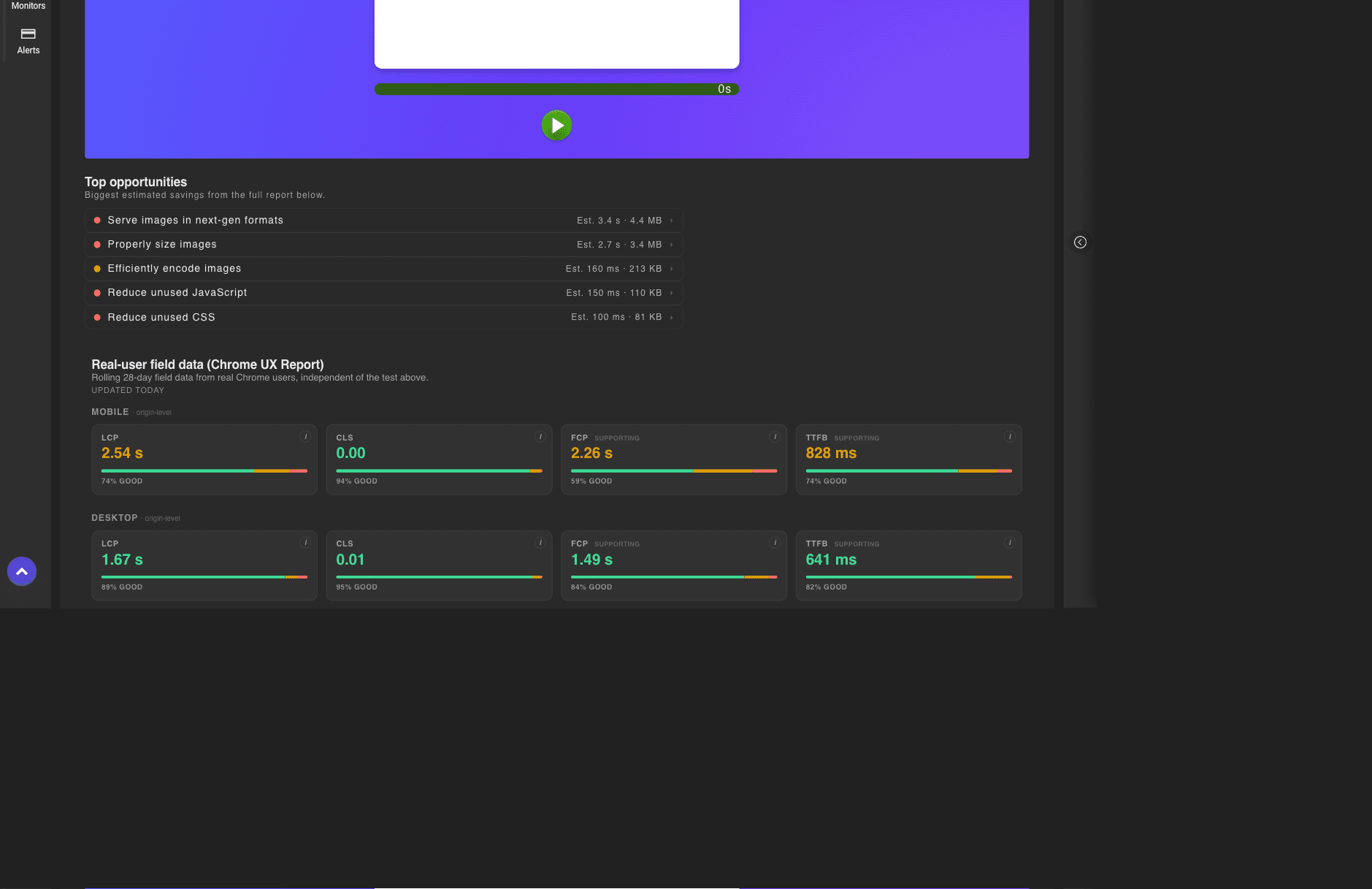
You will find the Top opportunities list on any page-speed result, just below the score gauges and above the detailed metrics. It sits at the top of the result so the most valuable fixes are the first thing you see when an audit finishes.
Reading the estimated savings
Each row shows the fix along with an estimate of what you would gain, for example Est. 1.2 s · 332 KB. That figure can be a time saving, a download-size saving, or both, depending on the audit. A higher estimated saving means the fix has more impact on how fast the page loads, so the rows at the top of the list are the ones worth doing first. LoadFocus shows up to five opportunities, ordered by savings.
Jump to the details
Click any opportunity to scroll straight to its full entry in the Lighthouse report further down the page. There you see the exact resources involved (the specific scripts, stylesheets or images), how much each one costs, and guidance on how to fix it. This lets you go from the short prioritized list to the detail you need without hunting through the report.
Related
- Core Web Vitals metrics
- Largest Contentful Paint
- Ready to check a page? Run a test with the website performance monitor.