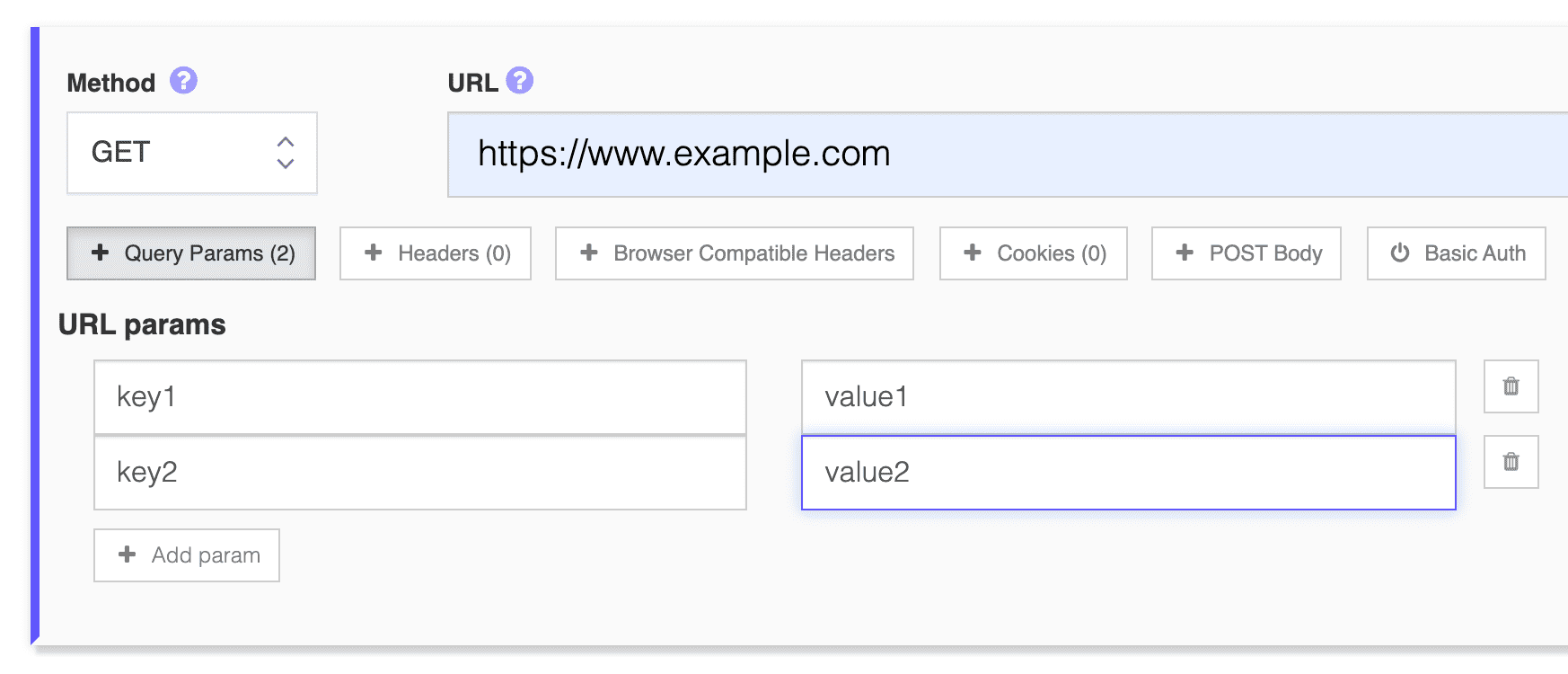
Query Parameters

Using Query Parameters

You can add query parameter to your request either in the URL or in the Query Parameters field:

https://www.example.com?query1=value1&query2=value2
https://www.example.com?query1=value1&query2=value2#hash1
https://api.example.com/v2/resources/1?query1=value1&query2=value2

Both methods are valid, if you add query parameters in the URL and also in the Query Parameter fields they'll be concatenated and all query parameters will be used.

Query Parameters

Note: You cannot make a Query Parameter global (i.e. api key) and use it along all requests, you need to add the query string parameter to every requests in the URL or in the Query Parameters fields.

Why Use the Query Parameters Field Instead of the URL

Both approaches work and end up concatenated into the same request, but they suit different situations. Typing parameters straight into the URL is fastest when they're static and short, like a page ID or a locale flag. The Query Parameters field, found under a request's Advanced options alongside headers, POST body, and cookies, is easier to read and edit once you have several parameters, and it keeps the base URL clean, which matters if you're comparing requests or reading test results at a glance.

Common Pitfalls

  • Special characters need encoding. Spaces, ampersands, and other reserved characters inside a value must be URL-encoded (a space as %20 or +, an & as %26), otherwise the request gets parsed as extra parameters you didn't intend, or a malformed URL.
  • No global or shared parameters. As noted above, LoadFocus does not let you define a query parameter once and apply it to every request in the test. If every request needs the same api key or token as a query parameter, you have to add it to each request individually, in the URL or the Query Parameters field.
  • Duplicate keys across both places. If you put query1=value1 in the URL and also add a query1 entry in the Query Parameters field, both are sent, since the two sources are concatenated rather than merged or deduplicated. Watch for this when copying a URL that already has parameters and then adding more through the field.
  • Order isn't guaranteed to matter, but check your API. Most APIs treat query parameters as an unordered set, but if yours parses them positionally or has quirks with repeated keys, test the exact request shape you expect in production.

A Practical Example

Testing a paginated search endpoint might look like this in the URL:

https://api.example.com/v2/search?q=laptop&page=1&sort=price_asc

If you're running variations of the same request with different page numbers across a test plan, moving page into the Query Parameters field makes it obvious at a glance which value changes between requests, without having to scan the whole URL string every time.