Refresh Token Grant Type in OAuth 2.0
A refresh token lets an app get a new access token without asking the user to sign in again (RFC 6749, section 6). Use this grant type in LoadFocus when the API you test accepts an access token and you already hold a refresh token for it.
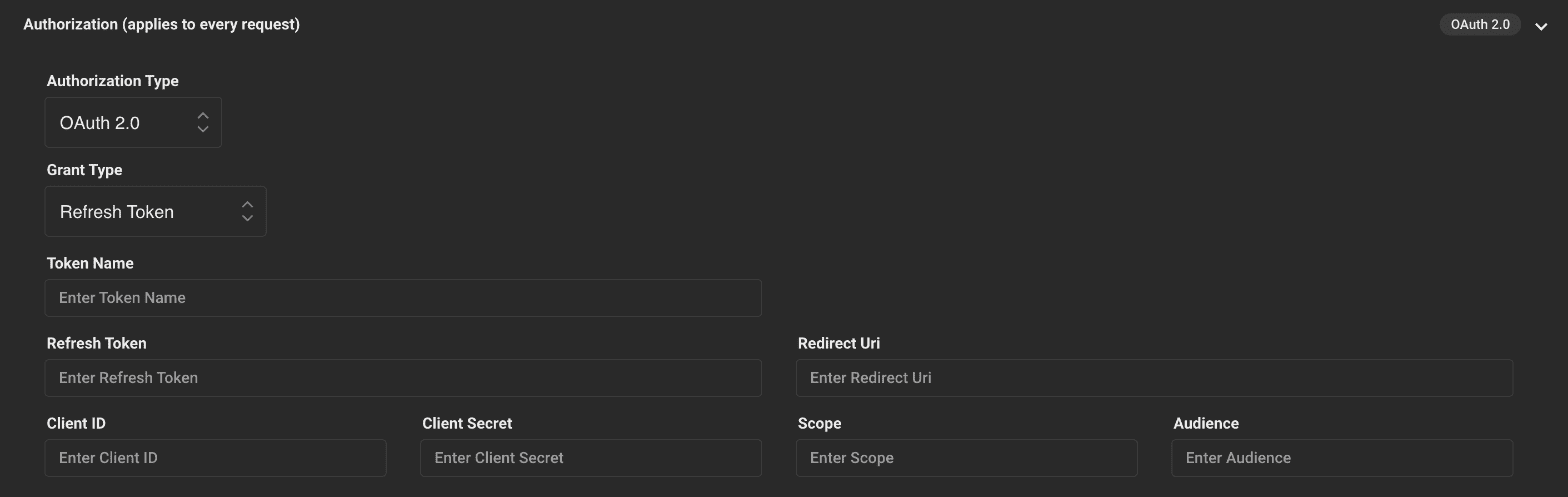
How LoadFocus uses it
Before the test starts, LoadFocus sends one POST request over HTTPS with the values from the form as a JSON body, reads access_token from the response and stores it for the rest of the test. It does this once per test, with one virtual user.
The fields
In a load test, set Authorization Type to OAuth 2.0 and Grant Type to Refresh Token. The form has these fields:
- Token Name: a label for this authorization.
- Refresh Token: the refresh token your authorization server issued earlier. It is masked in the form.
- Redirect Uri: the redirect URI registered for your app.
- Client ID and Client Secret: your app's credentials. The secret is masked in the form.
- Scope: the scopes to request, if your server needs them.
- Audience: only if your server needs it (for example Auth0).
Points to consider
- Lifespan: refresh tokens do not last forever. Some servers expire them or issue a new one with every refresh. If the token is expired or revoked, get a fresh one before you run the test.
- Security: a refresh token can mint new access tokens, so treat it like a password. Rotating refresh tokens (a new one with each use) limit the damage if one leaks.
- Test accounts: use a refresh token that belongs to a test account, not a real customer.
For the other grant types and how they differ, see What is a grant type.