JMeter Log File Analysis
Understanding the JMeter Log File
The JMeter log file (jmeter.log) captured from each load engine is the diagnostic output of the JMeter runtime for your run. It contains INFO, WARN and ERROR messages from JMeter core and plugins, which makes it the place to look for configuration problems, plugin errors or unexpected runtime behavior. DEBUG messages are not written to this file.
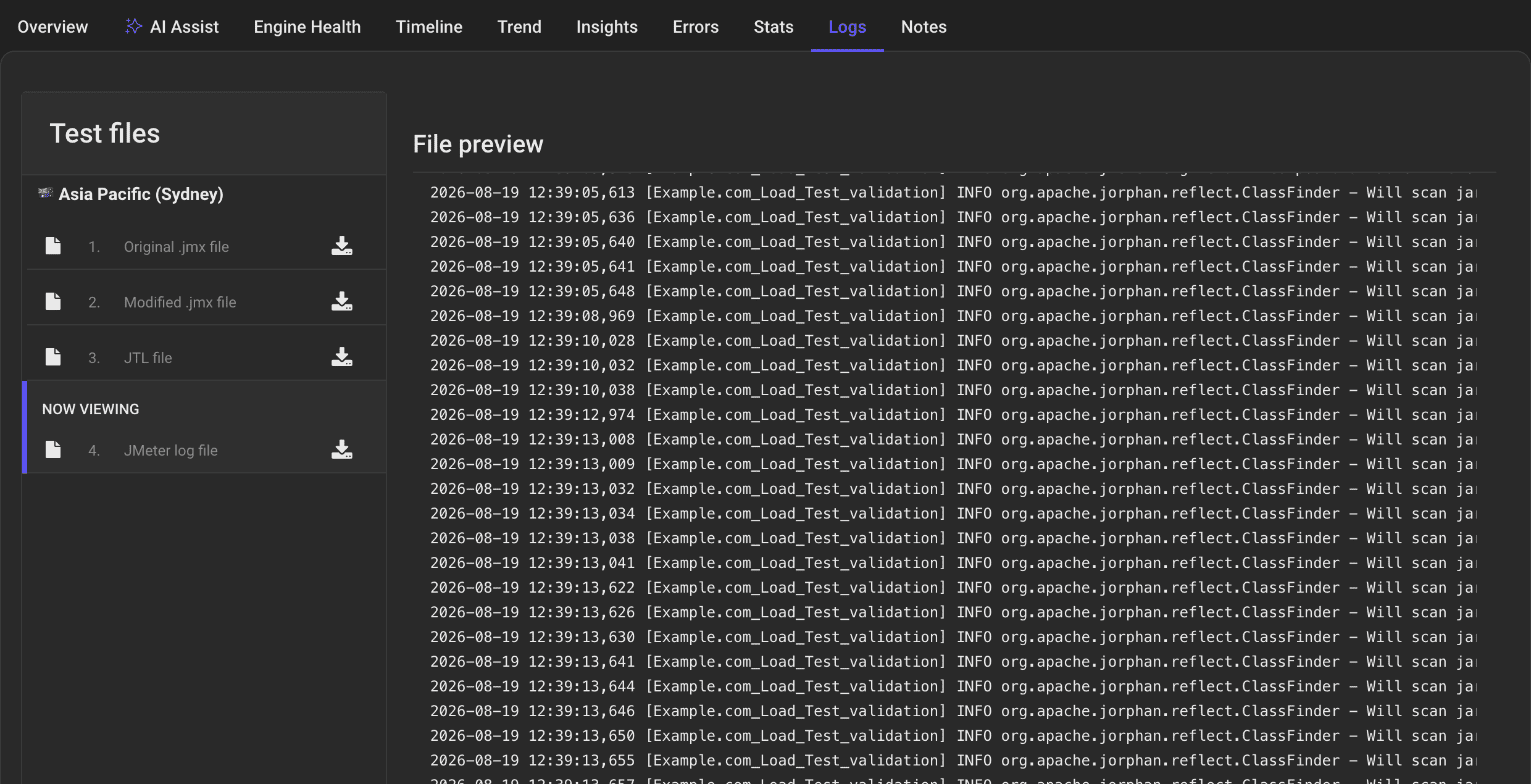
What's in the JMeter Log
Each line follows this pattern: <timestamp> [<thread-name>] <level> <logger> - <message>
timestamp Date and time when the entry was written (e.g., 2025-04-23 07:57:24,894).
thread-name The thread that wrote the entry. In LoadFocus logs this is the name of your test run (e.g., Apr_10_2025_3_52_PM).
level INFO, WARN or ERROR.
logger The Java class or package emitting the message (e.g., org.apache.jorphan.reflect.ClassFinder).
message The diagnostic text describing the event, warning or error.
How to Access and Use the JMeter Log
- Open the Logs tab When the test has finished, select the Logs tab on the results page and click JMeter log file in the Test files list. If a location used several machines, each has its own file.
- Read the preview The File preview panel in the center shows the first 100,000 bytes of the log, so a long log is cut off.
- Download the full file
Click the download icon next to JMeter log file to save the complete
jmeter.log, then search it forERRORorWARN.
Common Log Entries
- INFO StandardJMeterEngine - Running the test! Marks the start of test execution.
- INFO SampleEvent - List of sample_variables: [] JMeter reporting which extra sample variables are saved. Normal.
- INFO CompoundVariable - Note: Function class names must ... A JMeter function-loading note. Normal.
- INFO ClassFinder - Will scan jar ... JMeter loading its libraries and plugins. Normal, and usually the bulk of the start of the file.
Troubleshooting with the Log
- Thread Startup Failures
Look for
ERRORentries right after the "Running the test!" line. Misconfigured thread groups or missing plugins are common causes. - Plugin Load Errors
ClassNotFoundExceptionorNoClassDefFoundErrormessages point to a plugin or library that failed to load. - Test Plan Errors
An
ERRORorWARNthat names one of your elements or properties usually means a typo or a missing value in the script.
Best Practices
- Correlate with Other Views Match log timestamps with the Engine Health tab and the Errors tab to find the cause of a spike or failure.
- Archive Logs
Keep the
jmeter.lognext to the JTL file of the same run.