Friendly Check Name
API Check Friendly Check Name
What is a Friendly Check Name?
A friendly check name is a human-readable identifier for your API check. It helps you quickly understand the purpose and context of the check without needing to remember or look up technical details. The name is used in alerts and reports, making it easier to manage and reference your checks.
Automatically Generated Names
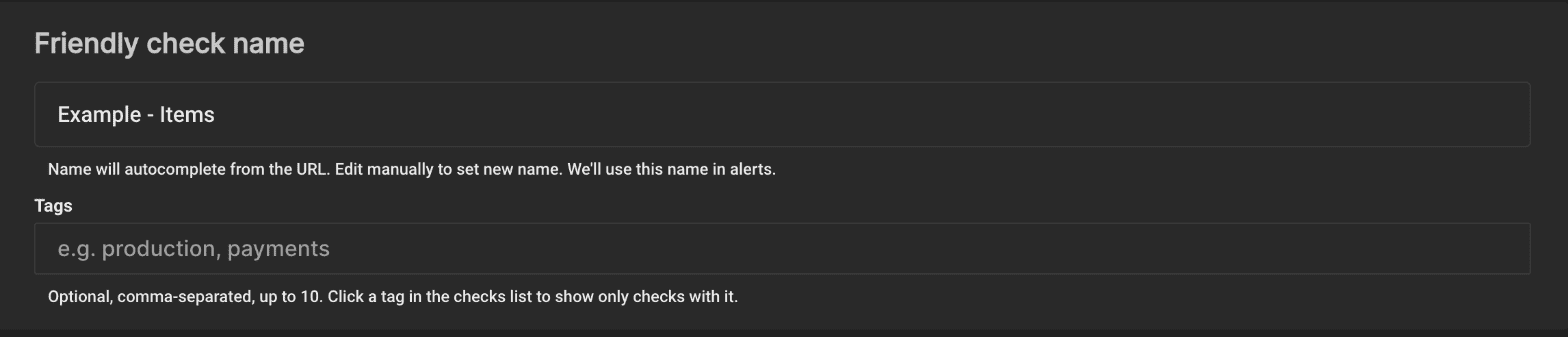
When you enter the URL of an API check, LoadFocus fills in the name for you from that URL: the domain name, plus the path if there is one. For example, https://api.example.com/users becomes Example - Users. You can edit it to set a more descriptive and meaningful name. For other check types that have no URL to read, type the name yourself.
How to Change the Friendly Check Name
You can change the friendly check name for your API check by going to the Friendly Check Name input field and setting your own name. A name is required. It is used in alerts and reports, and alert emails carry it in the subject, for example [LoadFocus] Failure Alert Triggered for User Login Endpoint - San Francisco.
Best Practices for Naming API Checks
- Descriptive and Clear: Use clear and descriptive names that provide enough context about what the check is testing. Avoid overly technical names that might be confusing.
- Example:
User Login Endpoint - San Francisco
- Include Endpoint and Location: If you are testing the same endpoint from multiple locations, include the location in the name to differentiate them.
- Example:
Product Search API - US East
- Use Consistent Naming Conventions: Establish and follow a consistent naming convention to make it easier to search and filter your checks.
- Example:
ServiceName - Endpoint - Location - Example:
Inventory Service - Add Item - EU Central
- Indicate Purpose or Scenario: If the check is for a specific purpose or scenario, include that in the name.
- Example:
Payment API - Load Test - High Volume
- Short and Sweet: Keep the name concise but informative. Avoid overly long names that can be truncated or hard to read quickly.
- Example:
Checkout API - Latency Check
Examples of Friendly Check Names
User Authentication API - LondonOrder Processing - Peak Hours - AsiaSearch Service - Keyword Search - US WestUser Profile Update - Response TimeCart API - Add Item - CanadaNotification Service - Delivery Status - Australia
Benefits of Using Friendly Check Names
- Improved Manageability: Easily identify and manage your API checks.
- Better Alerts: Receive alerts with meaningful names, making it easier to understand the context of the issue.
- Enhanced Collaboration: Team members can quickly understand the purpose of each check, facilitating better collaboration and communication.
Tags
Beside the name you can add Tags: optional labels such as production or payments, separated by commas, up to 10 per check and 30 characters each (letters, digits, spaces, dots, underscores and hyphens). Tags are case-insensitive and duplicates are dropped.
Tags show as small pills next to the check in the checks list. Click a pill to show only the checks that carry that tag, and clear the filter box to see every check again. Tags are also part of Monitoring as Code: a check file sets them with a tags list, and deploying a file without tags removes them from that check.