












- Basic Performance Metrics
- Single Location Test
- Desktop Device Only
- Limited Insights
Load Testing
Find out how many users your website or API can handle, with live results as the test runs.
JMeter Load Testing
Run your existing JMeter scripts unchanged from 25 cloud regions.
k6 Load Testing
Run k6 JavaScript load tests from 25 cloud locations with AI-powered analysis.
Page Speed Monitoring
Track your pages' load times from multiple regions and get alerted when they slow down.
API Monitoring
Monitor API uptime, latency, and response correctness from 25 cloud regions. Alerts on failures, breakdowns by status code and endpoint. Free tier.
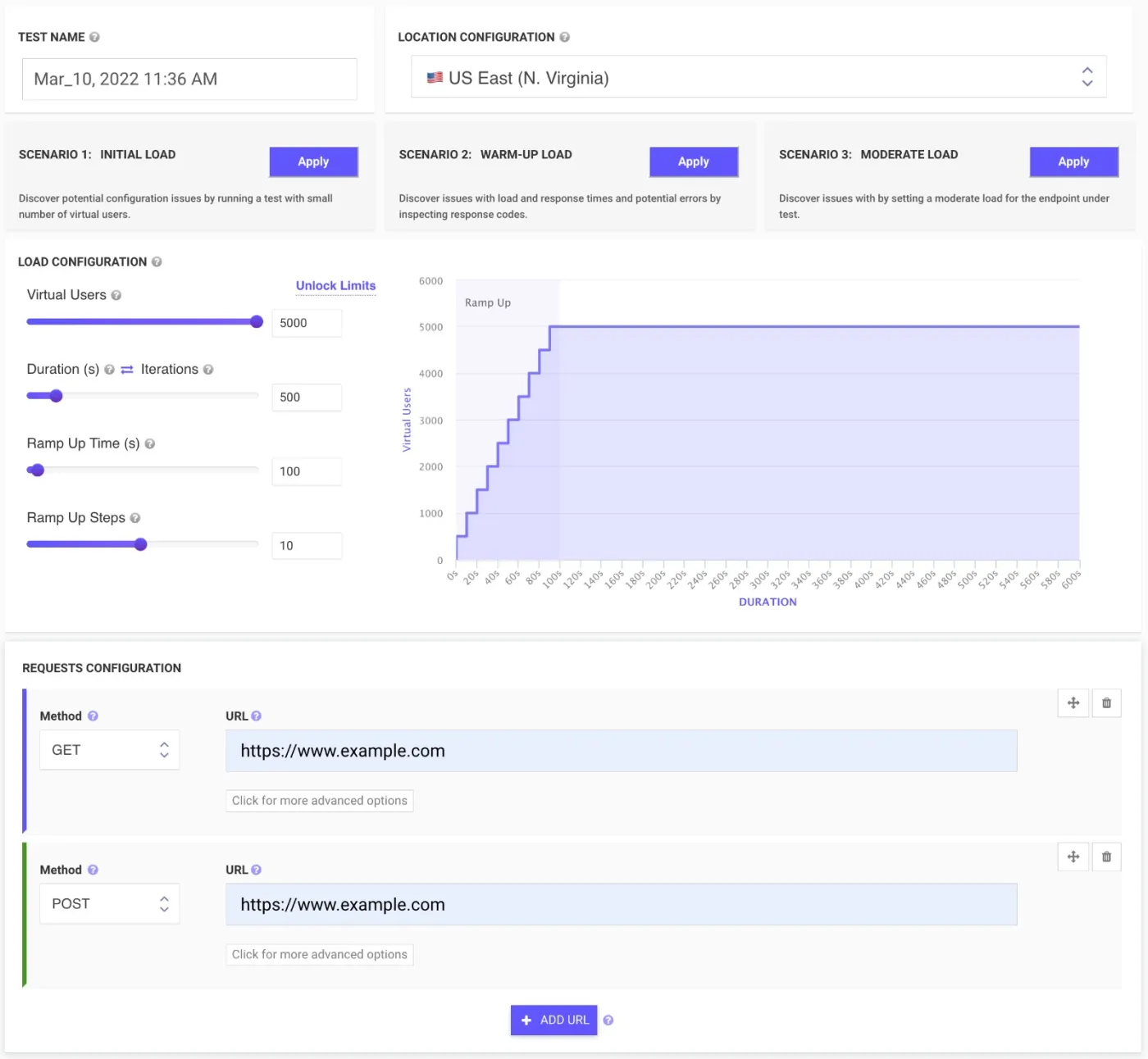
Name: Choose a name for your test, we automatically add the current date as a name.
Locations: Select from multiple cloud locations in order to simulate a more realistic load test.
Load Testing scenarios: Select load testing scenario from a predefined list.
Requests configuration: Add new requests, website URL or REST APIs, GET, POST, PUT, DELETE and other request types.
Add Multiple URLs: Create complex scenarios by adding multiple URLs to your load test.
Automatic Configuration: Drag the bar or add in the field the number of Virtual Users, Duration, Ramp Up Time and Steps.
Find out how many users your website or API can handle. No coding skills are required. Run tests within the browser from multiple locations within minutes. Generate white-label reports.
Simulate high load scenarios before key events or launches.
Identify bottlenecks in your system under stress.
Measure response times under different load levels.
Improve user experience by preventing downtime.
Schedule recurring tests and get email alerts on failed runs.
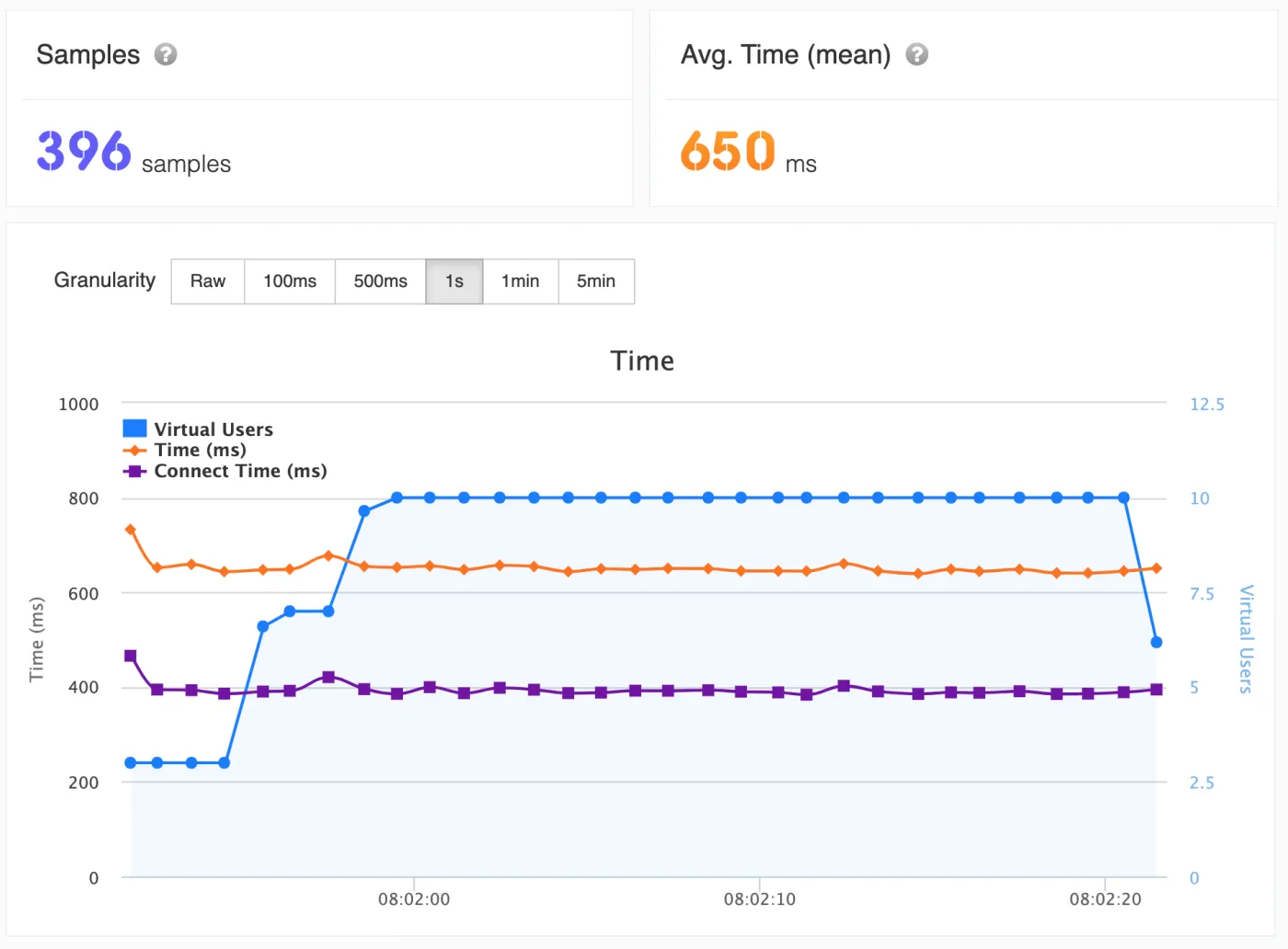
Your CSV data and plugins come along
Test length to match the goal
LoadFocus starts the cloud machines for each run, spreads your threads across them and shuts them down when the test ends.
Compare against a baseline
Run your JMeter test plans from several cloud regions at once, so the load looks like real traffic.
k6 Load Testing
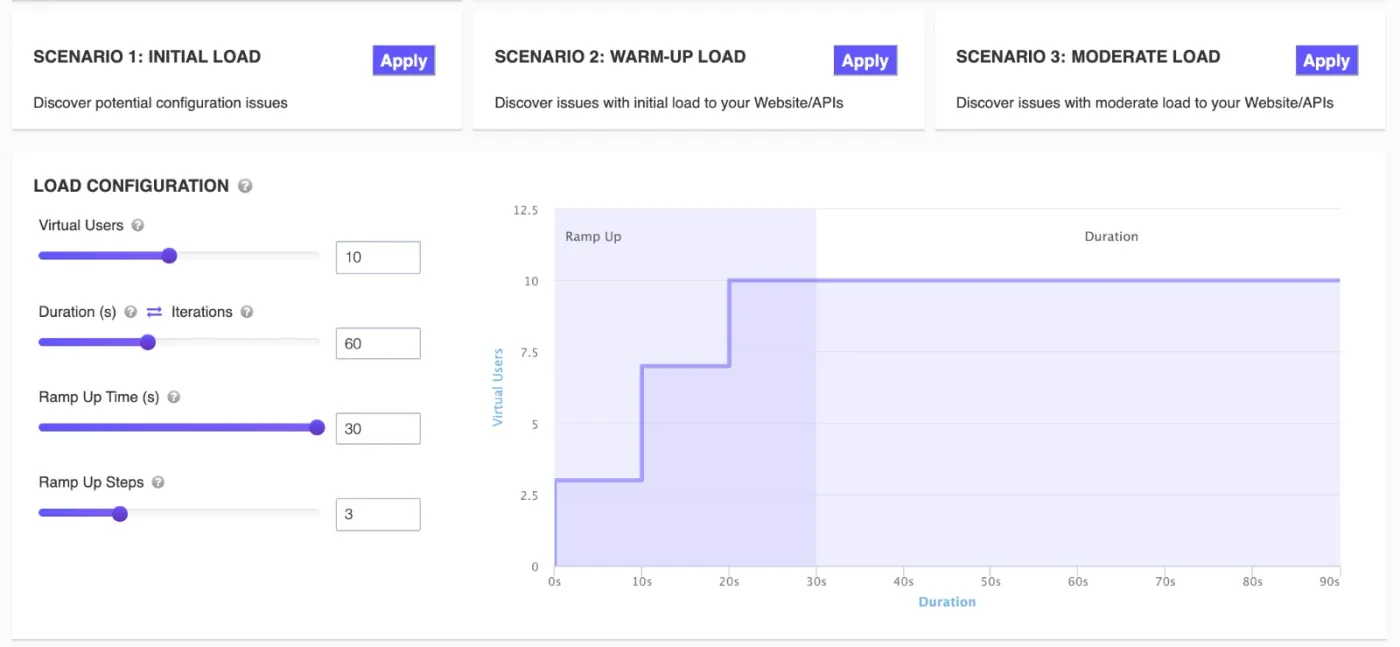
Scale to Thousands of Virtual Users Instantly
Built for Modern Development Workflows
Lightweight and fast
Built-in assertions and thresholds
AI That Explains Your Results
Page Speed Monitoring
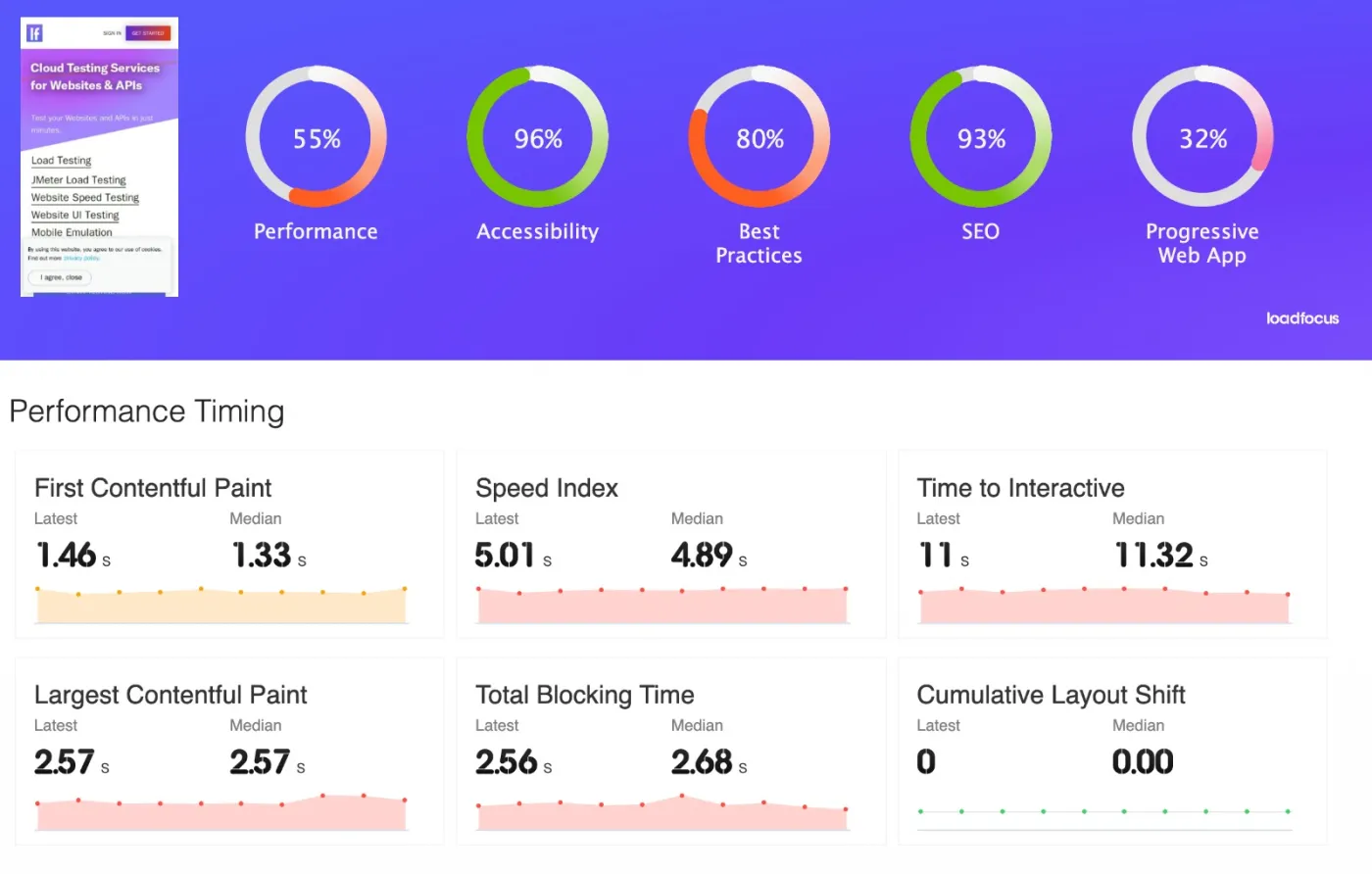
Regular speed checks from multiple global locations.
Mobile and desktop performance monitoring.
Real-time alerts for slow page loads.
In-depth performance reports and charts.
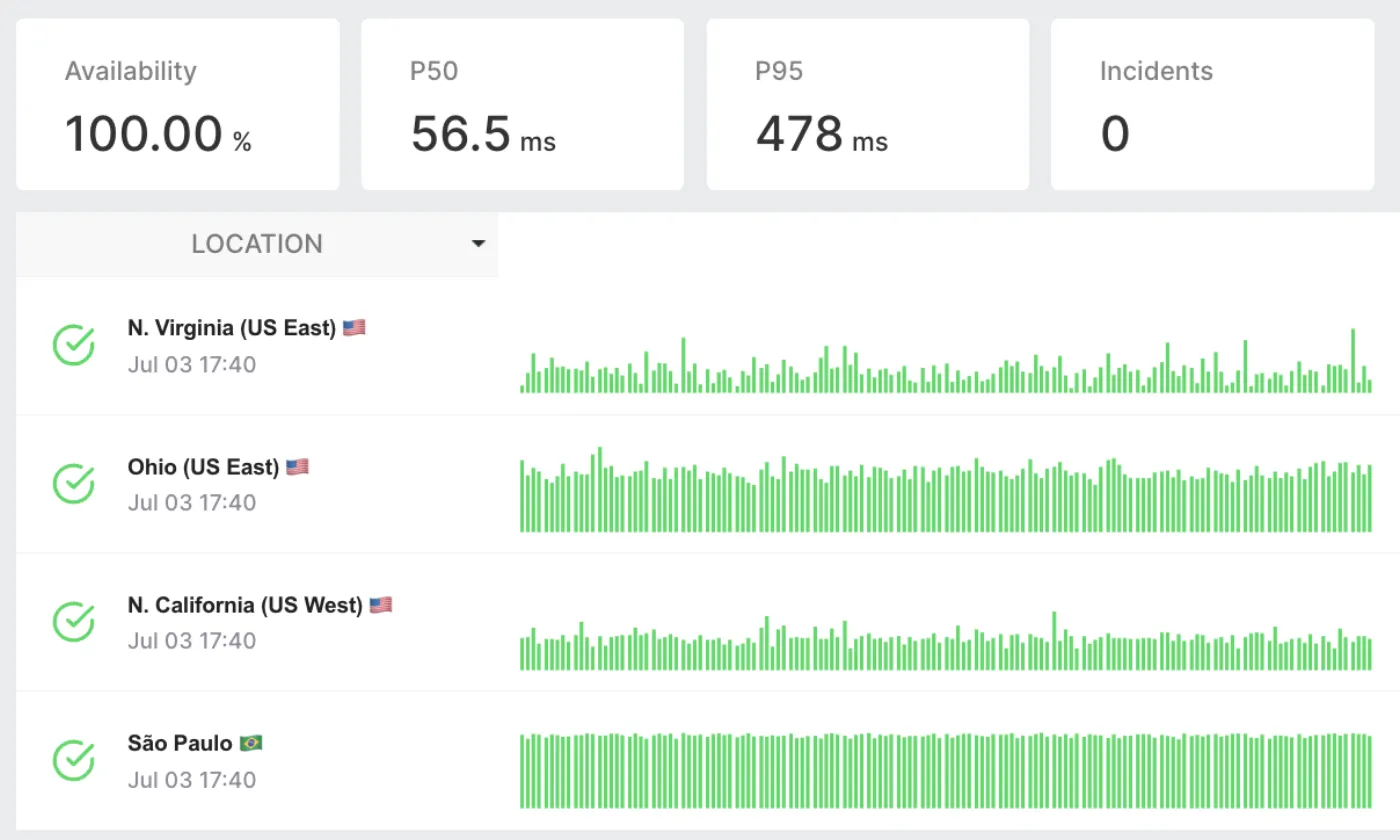
API Monitoring
Optimize Your API Performance
Advantages of Real-time API Availability Monitoring
Comprehensive API Health Analysis
Choose LoadFocus for API Monitoring
TRUSTED BY
15k+
Users
Users
GLOBAL COVERAGE
25+ Cloud
Regions
Regions
TESTING ENGINES
JMeter, k6
& no-code tests
& no-code tests
Run it from code, CI, or your AI agent
The browser is one way. Paste a k6 script, upload your JMeter plan, or let an AI agent drive tests over MCP.
Run the k6 or JMeter scripts you already have, unchanged, from 25+ cloud regions.
Point any MCP-compatible agent, like Claude or Cursor, at the LoadFocus MCP server. It can create, run, and analyze load tests for you.
Outgrown your testing tools?
Start with a free cloud load test in minutes. AI then reads the run and tells you where the bottlenecks are and what to fix first.Start for free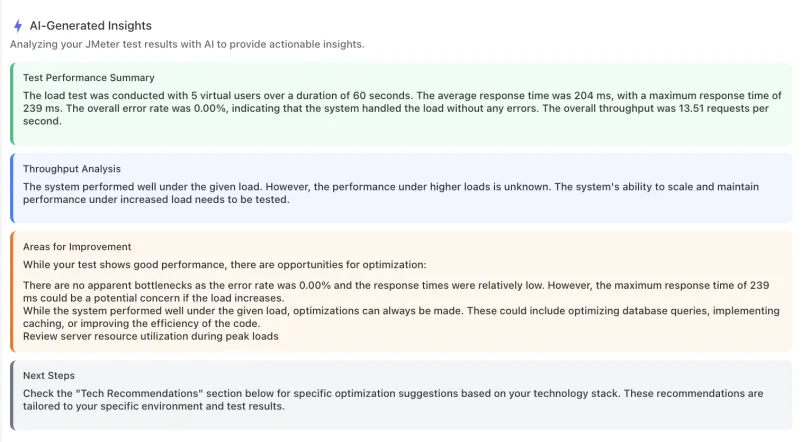
We'll help you get started
Learn
Browse our documentation covering everything from use cases to getting-started guides and videos.
Explore
Product news, test locations, IPs to whitelist and white-label reports.
Trusted by developers and teams worldwideHear what they have to say.
“With LoadFocus, we achieved a 40% reduction in setup time, plus far more comprehensive charts than our past testing tools.”
Kevin WrightCoursinator★★★★★
“We used LoadFocus to run a comprehensive suite of load tests, from anonymous homepage visits under heavy load to authenticated user journeys. The ability to upload and execute complex JMeter JMX files allowed us to simulate highly specific interactions. The combination of powerful test execution, flexible integration with JMeter, and detailed performance metrics has made LoadFocus an essential part of our QA and scaling strategy. Highly recommended for teams looking to simulate real-world load and uncover performance weaknesses before they hit production.”
FalcoVerified customer review
Use Cases
Frequently asked questions
Is there a free plan?
Yes. The free plan lets you run cloud load tests without a credit card, with 3 AI analyses every 30 days. Upgrade when you need more virtual users, longer tests, or more AI analyses.
Do I need to write code to run a load test?
No. You can configure and run cloud load tests entirely in the browser. If you prefer code, upload JMeter JMX files or k6 JavaScript and they run unchanged.
Where do the tests run from?
From 25+ cloud regions around the world, so you can simulate traffic from the places your users actually are.
What does the AI analysis do?
It explains a test run in plain English: what the response times and error rates mean, where the bottlenecks are, and what to fix, tailored to your tech stack. Free includes 3 analyses every 30 days, and paid plans include more.
Can my AI agent run load tests?
Yes. Connect any MCP-compatible agent, like Claude or Cursor, to the LoadFocus MCP server and it can create, run, and analyze load tests for you.
Comparing load testing tools?
See how LoadFocus stacks up against the tools you may already be evaluating.