- Basic Performance Metrics
- Single Location Test
- Desktop Device Only
- Limited Insights
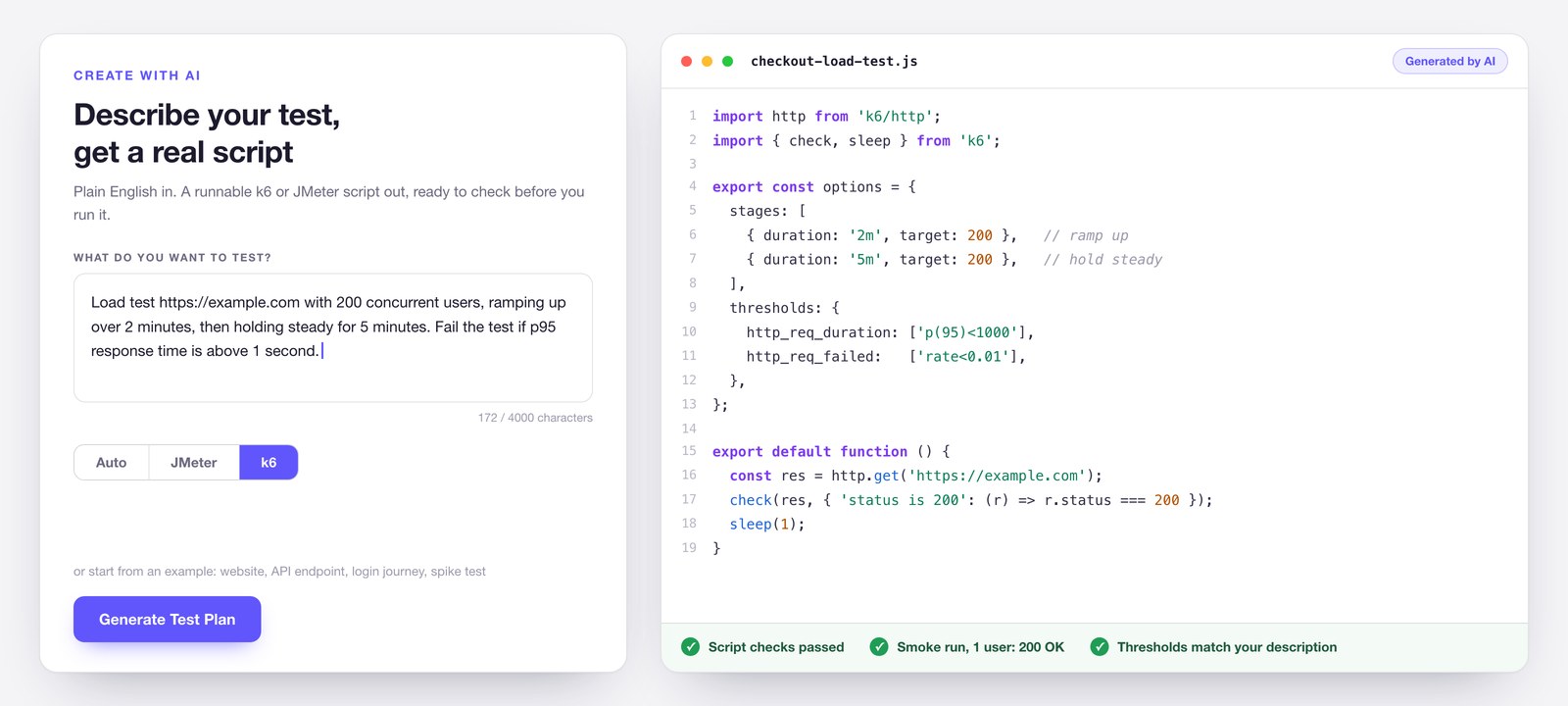
Create with AI
Describe your test, get a real script
Write what you want to test in plain English and LoadFocus builds the script for you, in k6 or JMeter.
Try Create with AIYou get the actual script, not a black box. Read it in the built in code editor, check it for problems, run a single user smoke test to prove it works, and let AI fix what it finds before you run at full load.
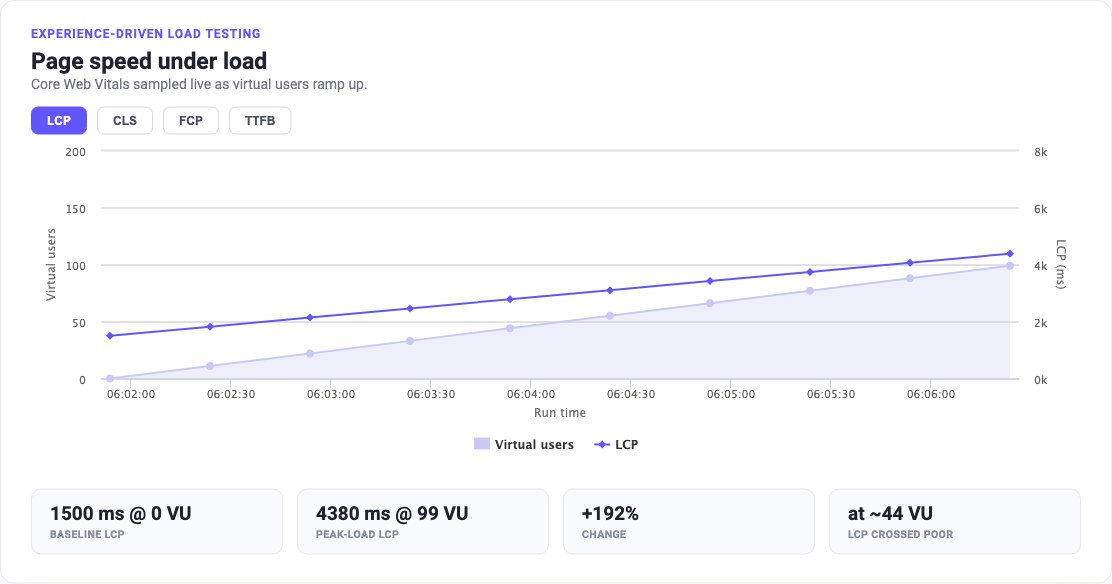
See your page speed under load
Watch Core Web Vitals while your load test runs.
Get StartedTurn on Core Web Vitals under load and LoadFocus samples LCP, CLS, FCP and TTFB on your page while virtual users ramp up.
You see the exact virtual-user count where the experience starts to slow, not just whether the server stayed up. No other load testing tool shows how the page feels under real traffic.
You see the exact virtual-user count where the experience starts to slow, not just whether the server stayed up. No other load testing tool shows how the page feels under real traffic.
Run Website Load Tests in the Cloud
New Load Test Scenarios
Scale realistic load tests with more than 20,000 Virtual Concurrent Users per test.LoadFocus runs in the browser, so no need to install anything.
Run tests from multiple locations.
Run tests from multiple locations.
Get Started
Virtual Users per duration / iterations
Choose between different load testing scenarios for a better simulation of the users accessing your application.
Get StartedConfigure duration to identify application behaviour when x clients connect on the app in parallel over a period of time.
Configure number of repeats to inspect application behaviour when x clients connect for x times on your application.
Configure number of repeats to inspect application behaviour when x clients connect for x times on your application.
Extensive load test configuration
Design your requests as you wish to fit your test scenario.
Get StartedWe support all REST methods, also Query Parameter, Headers, Cookies or Basic HTTP Authentication.
Real-Time Load Test Results
Full Analysis & Real-Time Results
Live load test results help you understand the behavior of your application in real-time.
Get StartedEdit and re-run tests to understand how your application's performance changes as load increases/decreases.
Complete Performance Metrics
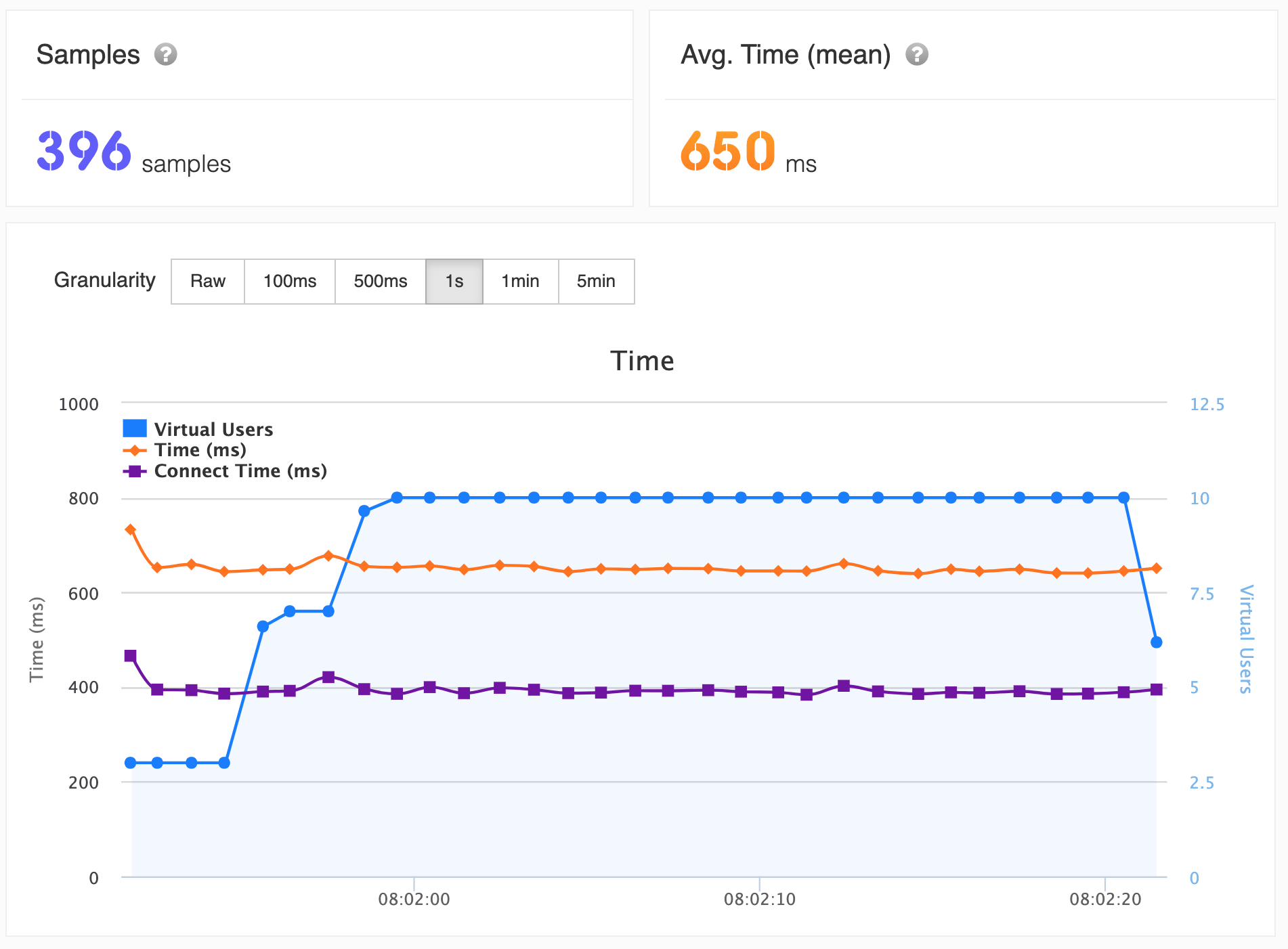
Use analytics with intuitive interactive charts to understand the behaviour of the application under test.
Get StartedHints on current results how to continue with the next load test are displayed.
Inspect Response Time, Latency, Hits/second, Throughput/second, Standard Deviation, Percentiles 50th, 90th, 99th
Inspect Response Time, Latency, Hits/second, Throughput/second, Standard Deviation, Percentiles 50th, 90th, 99th
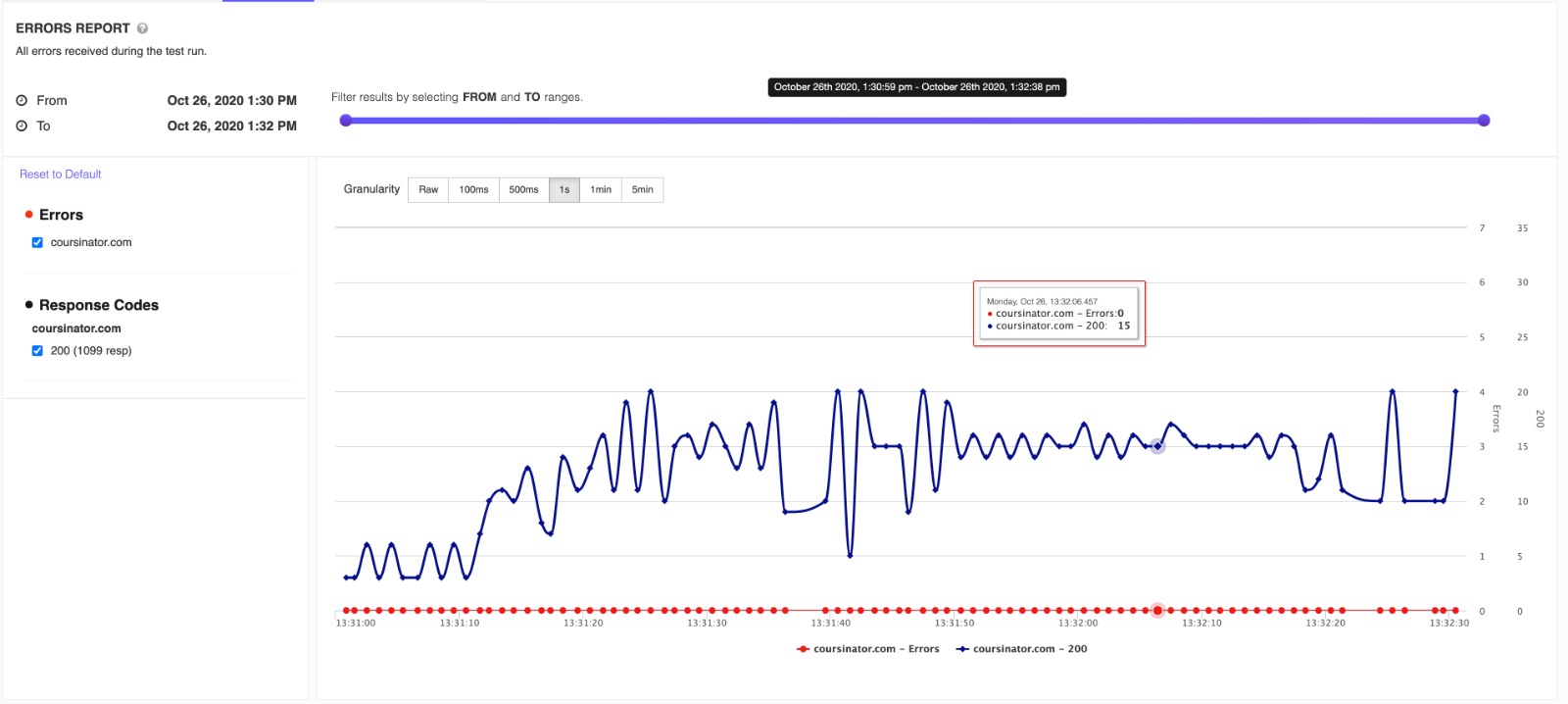
Errors & Response codes
Analysis on results errors and response codes with potential issues explained.
Get StartedInteractive charts for better understanding on the exact time and number of virtual users when the errors appeared.
Load Testing Integrations
Load Testing with Chrome Extension
Create and inspect results for website and API load tests.
Install Chrome ExtensionFree Cloud Website and API Load Testing Chrome extension for creating and running free website and API load tests and speed tests.
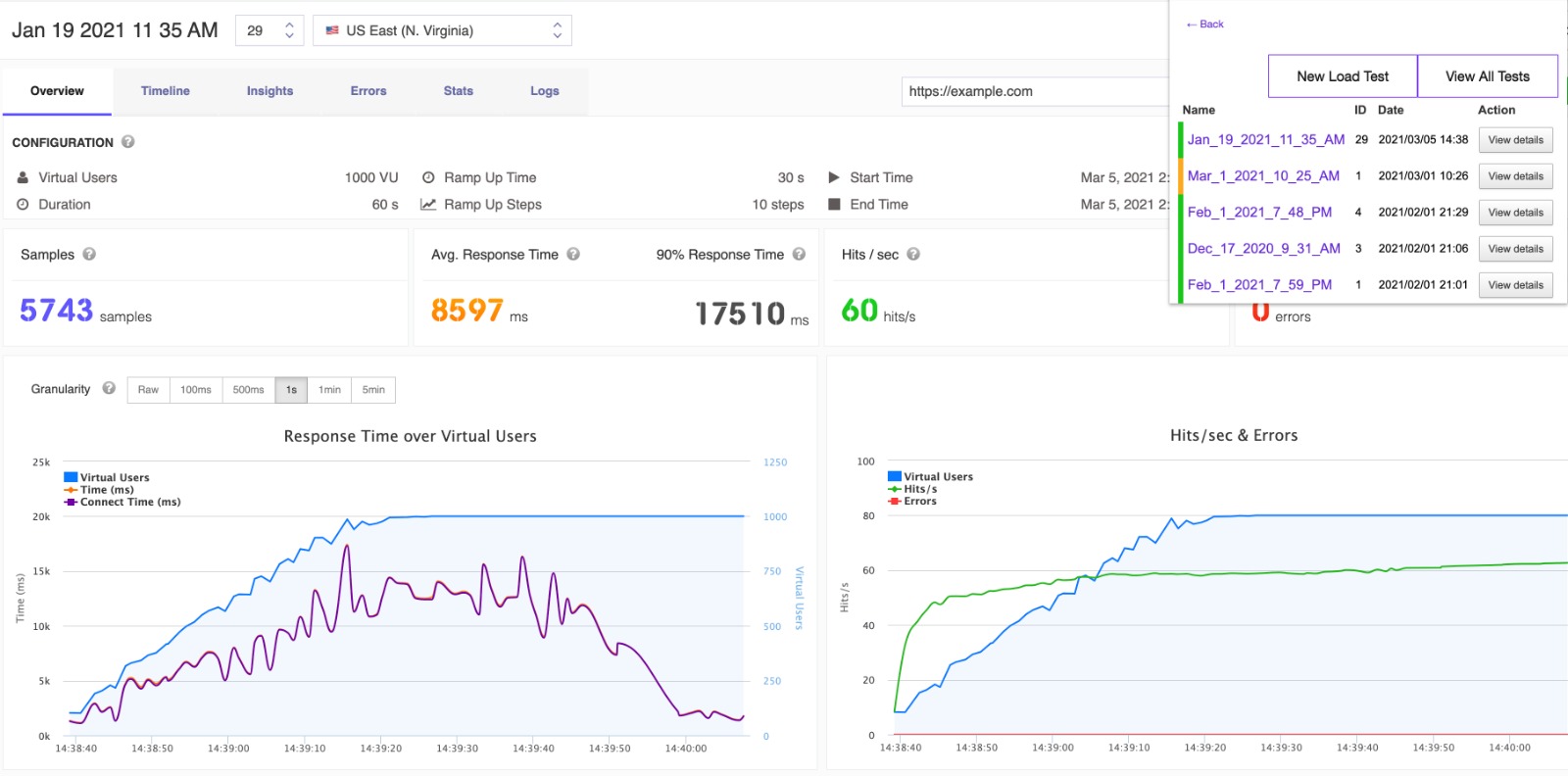
Load Testing with Jenkins CI Plugin
Use the Post build actions and define your load test limits in order to mark the build UNSTABLE or FAILED.
Install Jenkins PluginSchedule your tests inside Jenkins CI to monitor failures and application bottlenecks.
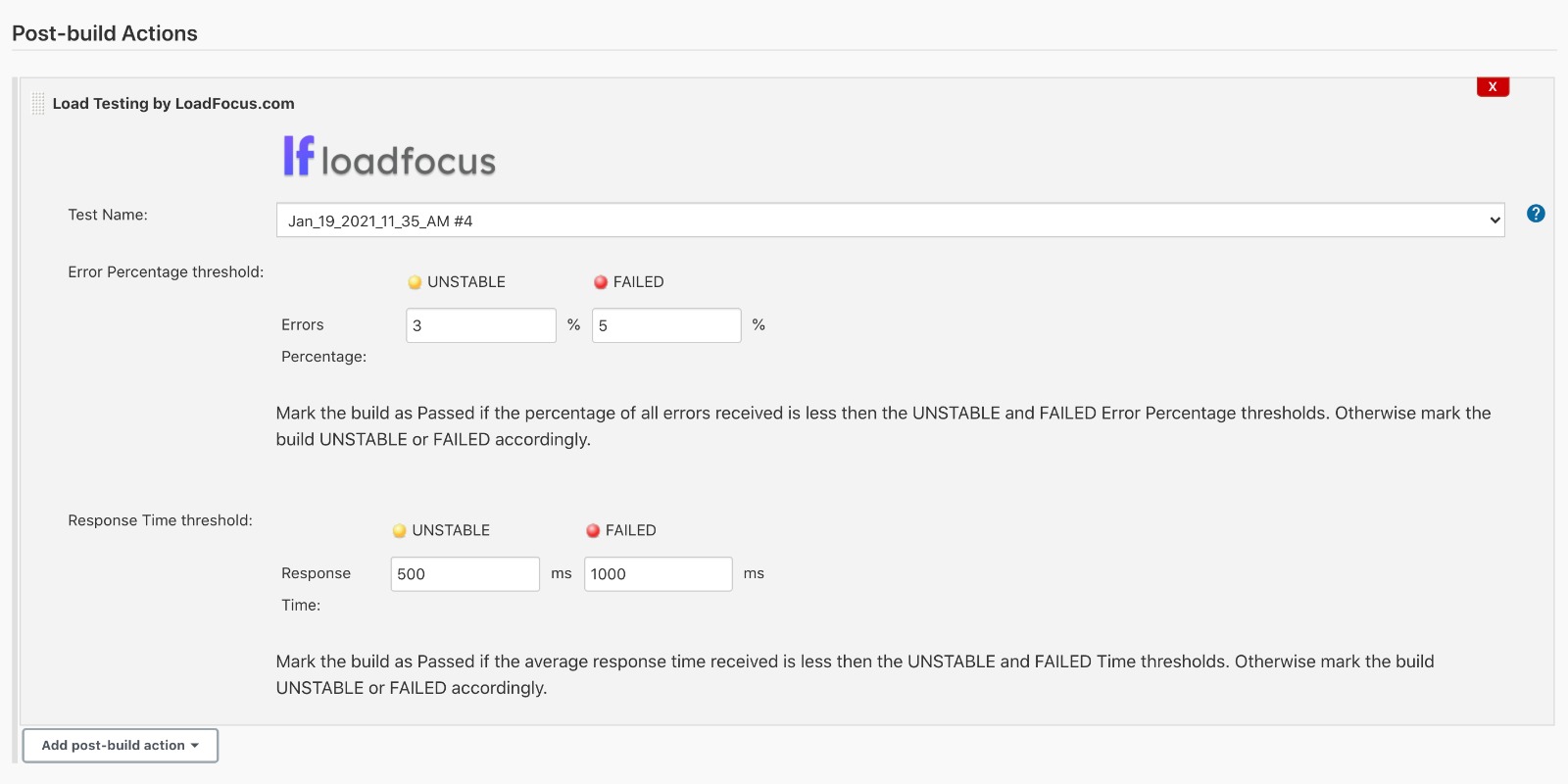
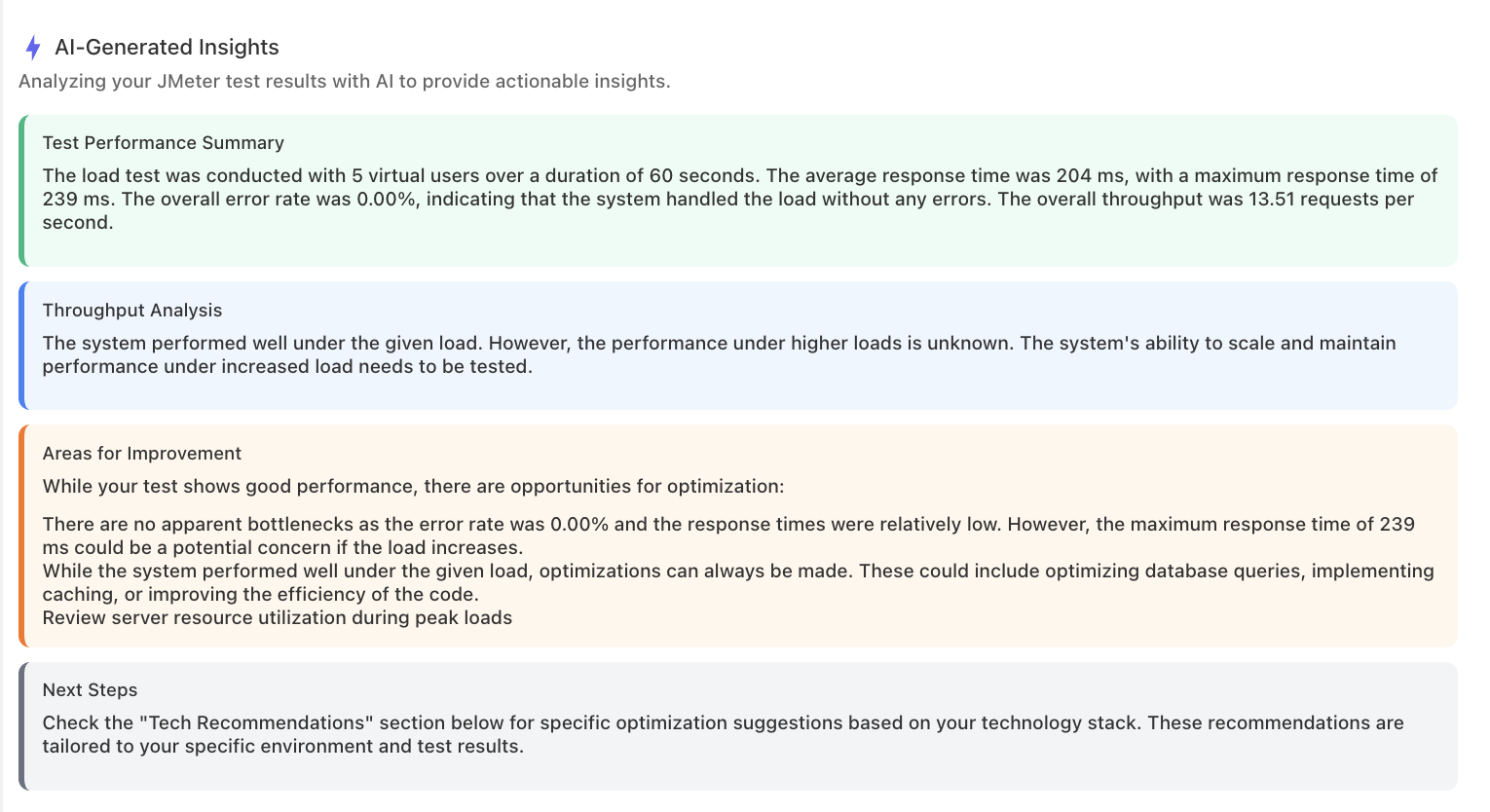
AI-Powered Performance Analysis for Your Load Tests
Instant AI Performance Insights
Run a load test and get an AI-generated summary of performance bottlenecks and concerns within seconds.
Try AI Analysis FreeOur AI engine processes your test metrics (response times, error rates, throughput, percentiles) and produces a structured performance summary highlighting the most critical issues.
Not generic advice. Exact JVM flags, Nginx configs, database query hints, and framework-specific settings.
Not generic advice. Exact JVM flags, Nginx configs, database query hints, and framework-specific settings.
Pass/Fail Thresholds for Every Run
Want every load test to grade itself?
Set your SLOs once per test: max P95 and P99 response time, max error rate, and minimum throughput, and every run is judged automatically.
A Clear PASS or FAIL on Every Result
Once you set thresholds, a green or red verdict badge appears the moment a run finishes, with each one checked against the real numbers.
Works Across Cloud, JMeter and k6
Your thresholds travel with the test, so the same rules apply on every engine.
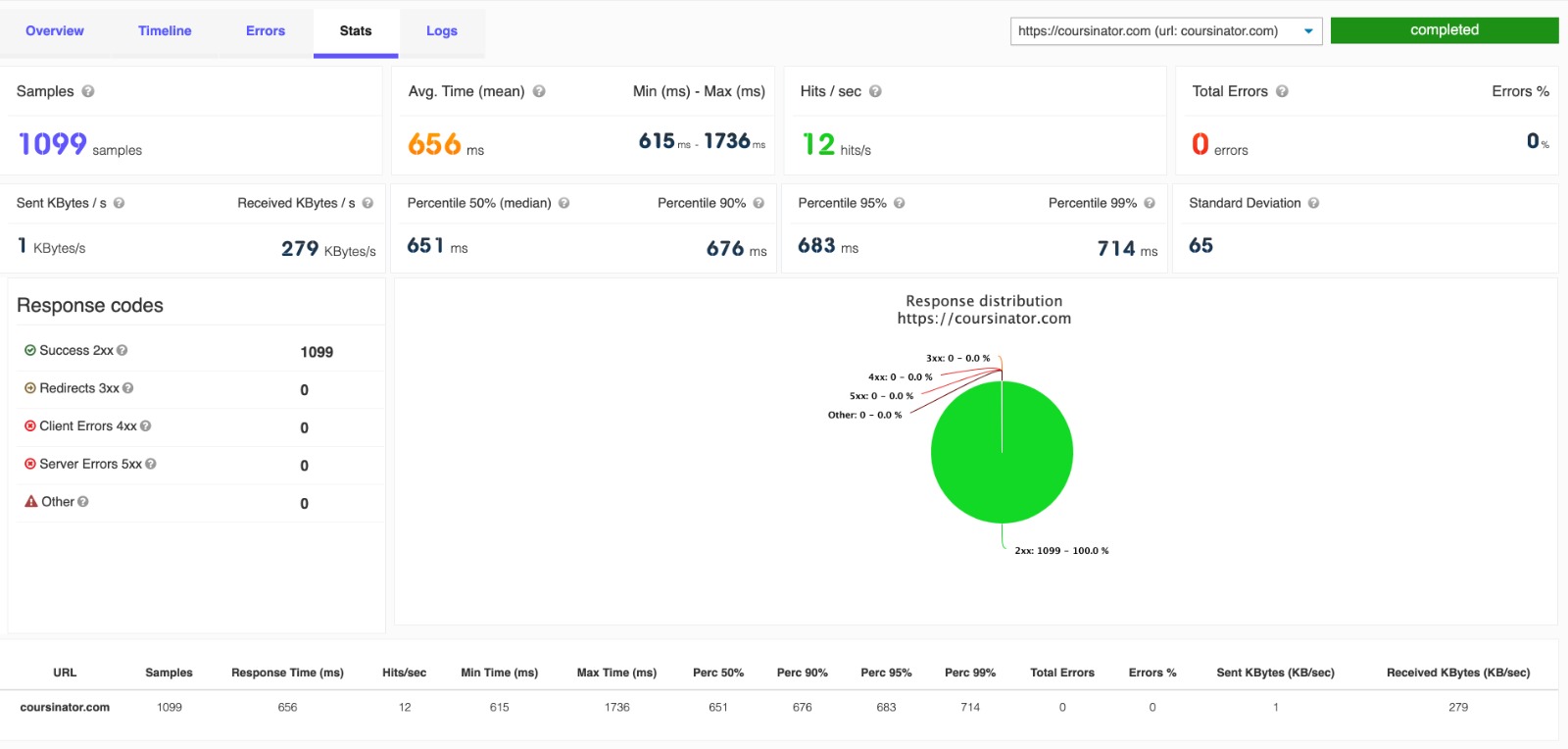
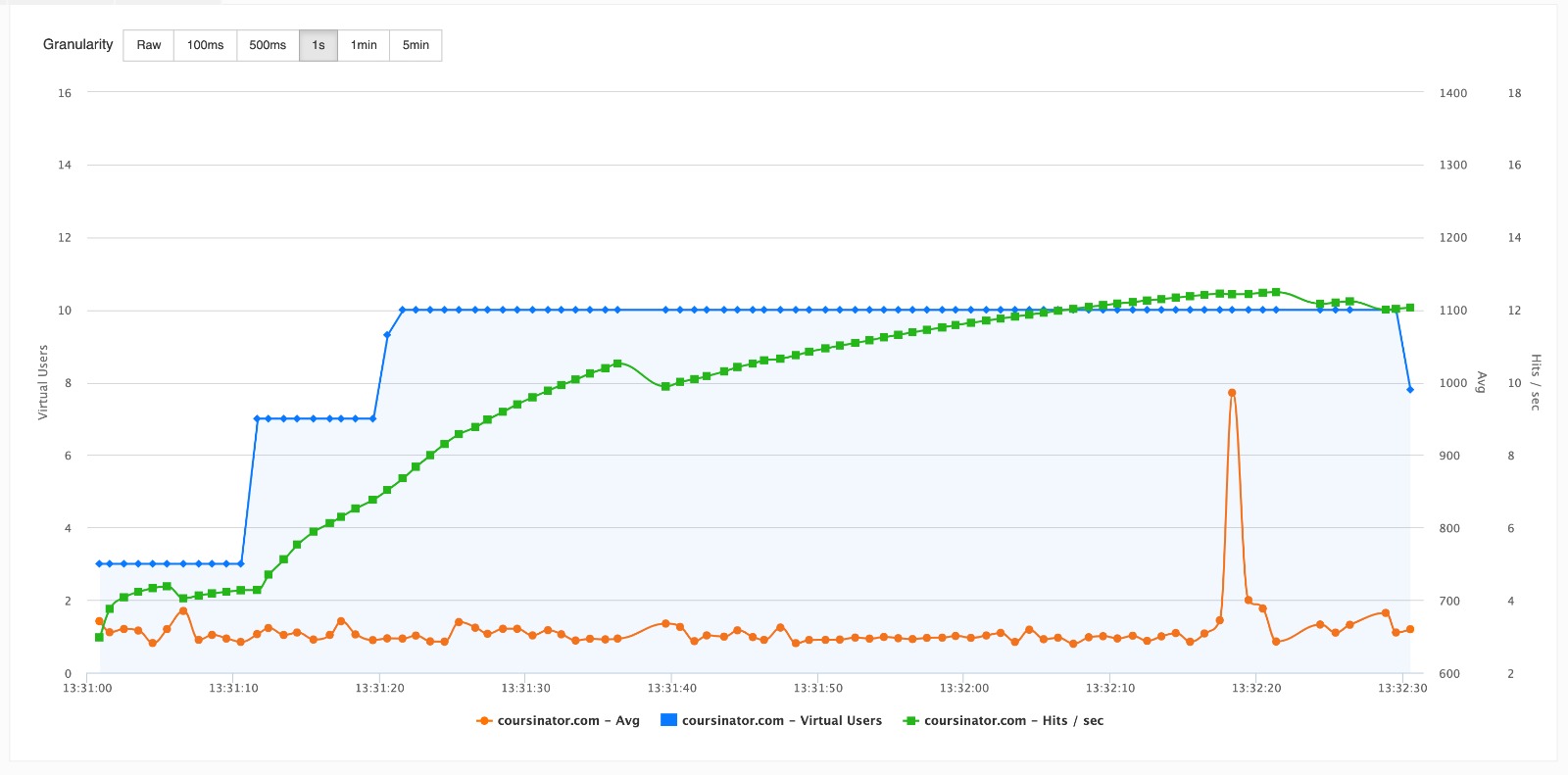
Spot Regressions with Performance Trends
Is performance slowly creeping the wrong way?
See P95, error rate and throughput across every run of a test on one chart, with your thresholds drawn right on it.
Every Run Coloured Pass or Fail
Green and red points along the trend make a creeping regression obvious at a glance, no digging required.
Zero Setup
The trend builds itself from your run history. Just open the Trend tab on any result.
Gate Your Deploys on Performance
Want a bad release to fail the build?
A drop-in GitHub Action runs your load test, reads the pass/fail verdict, and blocks the deploy when a threshold is breached.
A Verdict API for Any Pipeline
Read the result and the exact checks that passed or failed from a single endpoint, and gate any CI/CD system you use.
Alerts When a Run Does Not Finish
If a test hangs past its expected time, LoadFocus emails you automatically so a stuck run never goes unnoticed.
Schedule Recurring Tests
Run Load Tests on a Schedule
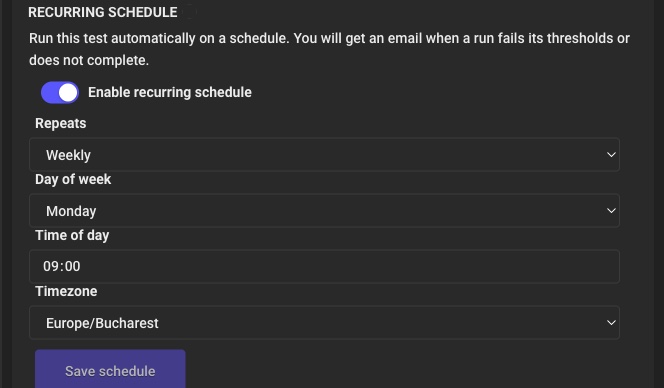
Attach an hourly, daily, weekly or monthly schedule, or pick specific weekdays, on any saved test. LoadFocus runs it in the timezone you choose, so your performance checks happen automatically without anyone clicking run.
Email Alerts Only When It Matters
You get an email when a scheduled run starts failing its thresholds or stops completing, and a note when it recovers. Repeat failures and passing runs stay quiet, so you only hear from us when something changes. Works for cloud, JMeter and k6 tests on paid plans.
Want LoadFocus engineers to run cloud load tests for you?
If you don't have a performance engineer in-house, or you need an independent third-party report, LoadFocus offers expert-led load testing services. We write the JMeter or k6 scripts to your scenarios, run them from 25+ cloud regions, and deliver a report with bottleneck analysis and ranked recommendations.
Explore load testing servicesCloud Load Testing: Frequently Asked Questions
Common questions teams ask before running their first cloud load test
What is cloud load testing?
Cloud load testing is the practice of simulating user traffic from cloud-hosted load generators instead of from your own laptop or data centre. The cloud removes the local bottlenecks (CPU, memory, network bandwidth) that cap how many virtual users you can simulate, and lets you generate traffic from multiple geographic regions at once for realistic global testing.
How does cloud load testing differ from running tests locally?
Local tools like JMeter or k6 cap out at a few hundred to a few thousand virtual users before your machine's JVM heap, network, or CPU saturate. Cloud load testing uses dedicated infrastructure that handles tens of thousands of concurrent users, runs from multiple regions simultaneously, and produces consistent results because nothing competes for resources. You also avoid distributed-mode setup (master/slave, SSL keystores, firewall rules) that local distributed JMeter requires.
What is automated web load testing?
Automated load testing means running a load test on a schedule or in response to an event (commit, deploy, nightly cron) rather than manually. The test runs, measures against SLO thresholds (p95 latency under X, error rate under Y%), and passes or fails the build. This catches performance regressions the same way unit tests catch logic regressions.
How do I automate load testing in CI/CD?
LoadFocus integrates with Jenkins, GitHub Actions, GitLab CI, CircleCI, Bitbucket Pipelines, and Azure DevOps. Add a step that triggers a LoadFocus test via API, waits for the result, and fails the build if thresholds breach. The Jenkins plugin even marks builds UNSTABLE or FAILED automatically based on test outcomes. Combine with scheduled cron runs for continuous performance monitoring beyond release gates.
What are the best cloud based load testing tools and platforms?
The main options: LoadFocus (manages JMeter and k6 on cloud infrastructure, AI result analysis, 25+ regions, flat-rate pricing), BlazeMeter (Perforce, JMeter-focused, per-VU-hour pricing), Grafana Cloud k6 (k6-only, tied to Grafana dashboards), and Azure Load Testing (JMeter-only, Azure-native). For vendor-neutral hosting of both JMeter and k6, LoadFocus.
Can I run load tests from multiple cloud regions simultaneously?
Yes. LoadFocus runs tests from 25+ AWS regions worldwide (US East/West, EU, APAC, South America, and more). Distribute the load across multiple regions with custom percentages (e.g. 50% US East, 30% EU West, 20% Asia Pacific) to simulate realistic global traffic and catch regional issues like CDN misconfiguration or per-region rate limits.
How many virtual users can I simulate?
LoadFocus supports tens of thousands of concurrent virtual users on the cloud infrastructure. Free tier handles smaller tests; paid plans scale up to 20,000+ VUs distributed across regions. There's no per-VU-hour metering, so you can run large tests without budget surprises.
How long should a load test run?
Long enough for caches to warm, connection pools to settle, and slow leaks to surface. Most teams run between 15 minutes and several hours. For release-gating load tests in CI/CD, 15-30 minutes is a common sweet spot. For pre-event validation (Black Friday, product launch), match the test duration to the expected peak duration. For multi-hour runs that target memory leaks and slow drift specifically, see soak testing.
Can I schedule recurring load tests?
Yes. Schedule tests to run nightly, weekly, or on a custom cron from inside LoadFocus. Combine with baseline comparison to track p95 latency and error rate trends over time. Useful for catching slow performance regression between releases and for production-monitoring-style continuous validation.
Is there a free load test tool, and what does the free tier include?
Yes. The LoadFocus free tier lets you run cloud load tests against your website or API with no credit card required. Free tier handles smaller-scale validation; paid plans unlock more VUs, longer durations, multi-region runs, and AI-powered result analysis.