Branded PDF Reports
Every page-speed result in LoadFocus has a printable report you can save as a PDF and hand to a client or a stakeholder. With report branding you make that PDF your own: your logo, your company name, your accent color, and an optional white-label mode that removes every LoadFocus reference.
Set up your branding
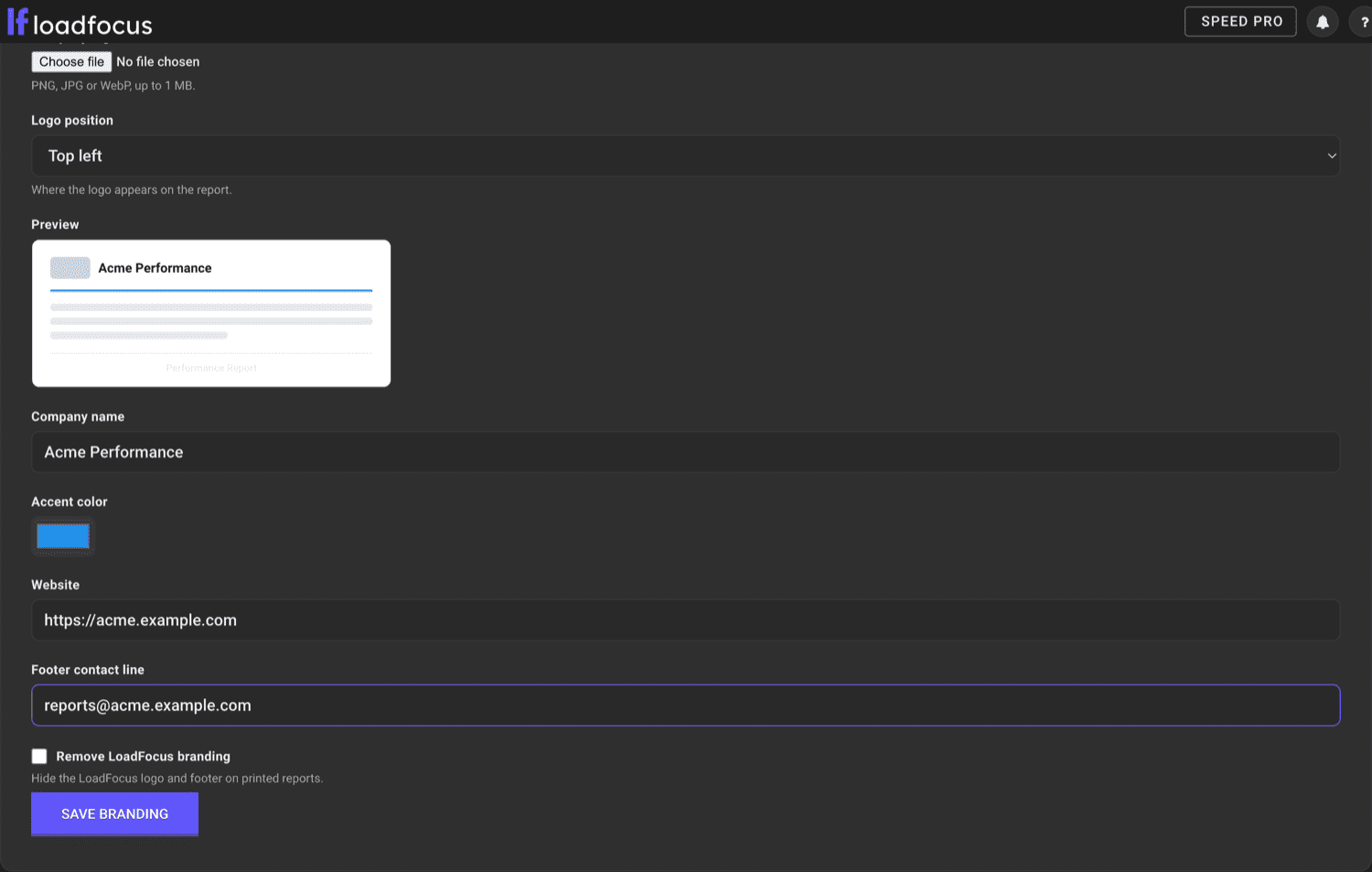
Open Report Branding, also reachable from the account menu in the top right, and fill in:
- Company logo: upload a PNG, JPG or WebP up to 1 MB. It appears on the report cover.
- Logo position: top left, top center, top right, or down in the footer. You can also hide the logo entirely.
- Company name: shown next to the logo on the cover.
- Accent color: tints the report title and the divider line under it.
- Website and Footer contact line: printed in the report footer.
- Remove LoadFocus branding (white-label): hides the LoadFocus logo and the "Powered by LoadFocus" footer, and prints a "Prepared by your company" footer instead.
A live preview on the settings page shows where the logo lands as you change the options.
Branding is saved once per team and applies to every report you print, so you set it up a single time.
Generate a branded PDF
- Open any page-speed test result.
- Click Print PDF at the top of the report, or use your browser's print shortcut (Cmd/Ctrl + P).
- Choose Save as PDF as the destination.
The PDF is laid out for paper: a clean light theme, your branded cover, the five category scores, the top opportunities, real-user field data from the Chrome UX Report, and the full Lighthouse report. The saved file is named after your company, the tested page, and the date and time, so reports stay organized in your downloads.
White-label for agencies
Turn on Remove LoadFocus branding to deliver reports under your own brand, with no LoadFocus logo or mention anywhere on the page. The cover shows your logo and company name, and the footer reads "Prepared by your company" alongside your website and contact line. Set a logo and a company name first so the white-label report still has a clear header.
Availability
Report branding is part of the paid Page Speed plans. On the free plan the settings page shows an upgrade prompt instead of the form.