How to Add a Custom Domain to Your Status Page
Serve Your Status Page on Your Own Domain
By default your status page is available at your-page.loadfoc.us. With a custom domain you can serve the very same page from a subdomain of your own brand, for example status.yourcompany.com, so visitors never leave your domain.
This guide is part of Status Pages; see that overview if you haven't created a status page yet.
LoadFocus issues and renews the TLS certificate for you automatically (via Let's Encrypt), so the page is served over HTTPS the first time it loads, with nothing to upload or renew.
Before you start
- Custom domains are available on paid plans. The Custom domain card appears once your status page has been saved.
- You can connect one custom domain per status page.
- Use a subdomain (e.g.
status.yourcompany.com), not a bare/apex domain (e.g.yourcompany.com). - You need access to your domain's DNS to add two records.
1. Open the Custom domain section
In your status page editor, open the Settings tab and find the Custom domain card.
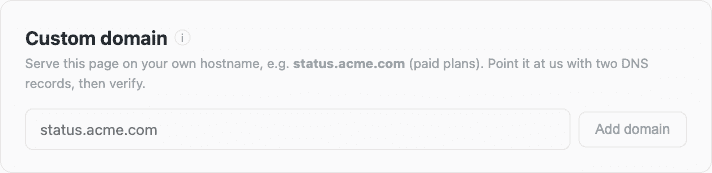
Type the subdomain you want to use (for example status.yourcompany.com) and click Add domain.
2. Add the two DNS records at your registrar
After you add the domain, LoadFocus shows the two DNS records you need to create. Add both at your DNS provider (Cloudflare, Namecheap, Route 53, GoDaddy, etc.).
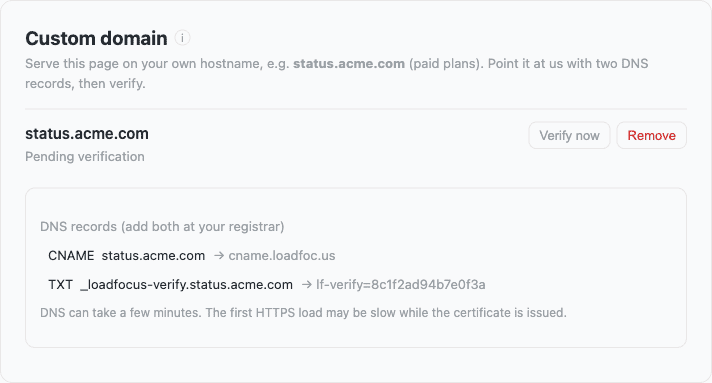
| Type | Name / Host | Value |
|---|---|---|
| CNAME | status.yourcompany.com | cname.loadfoc.us |
| TXT | _loadfocus-verify.status.yourcompany.com | lf-verify=<your-token> |
- The CNAME points your subdomain at LoadFocus.
- The TXT record proves you own the domain. Your real token is shown in the editor; copy it exactly.
- The two records sit at different names, so they don't conflict.
DNS changes can take a few minutes (sometimes longer) to propagate.
3. Verify the domain
Once the records are live, return to the Custom domain card and click Verify now. When verification succeeds, the status changes to Verified and your page goes live on your domain over HTTPS.
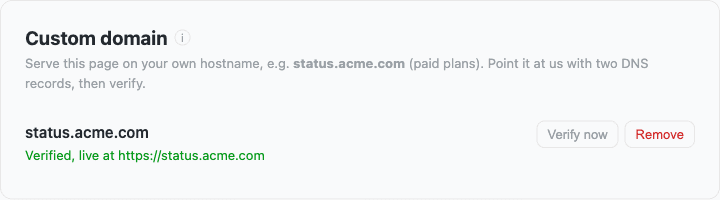
The first HTTPS request to your domain may be slightly slow while the certificate is issued; every request after that is instant.
Troubleshooting
- Still "Pending verification": DNS hasn't propagated yet, or the records don't match. Re-check that the CNAME points to
cname.loadfoc.usand that the TXT name andlf-verify=token are exactly as shown. - Certificate / HTTPS warning on the first load: give it a few seconds and reload; the certificate is being issued on demand.
- Apex domain doesn't work: use a subdomain such as
status.instead; a CNAME can't live on a bare apex domain.
To remove a custom domain, open the Custom domain card and click Remove. Your page stays available at its your-page.loadfoc.us address.