
Schedule recurring load tests, and get alerted only when performance breaks
A scheduled test only helps if it alerts, since nobody reads a passing report. Match frequency to deploy cadence rather than running nightly by default.
Apache JMeter guides cover the open source load testing tool from install to results. You'll find how to install JMeter and its plugins, run it in non-GUI mode, use extractors, assertions and the WebDriver sampler, raise the heap size, work out how many concurrent users one machine can drive, save results to CSV or XML, and run the same tests distributed in the cloud.
A scheduled test only helps if it alerts, since nobody reads a passing report. Match frequency to deploy cadence rather than running nightly by default.
Turn a cURL command, HAR file, Postman collection or OpenAPI spec into a runnable k6 script or JMeter test plan, free in your browser.
k6 vs JMeter compared in practice, plus Gatling, Locust and LoadRunner: scripting language, protocols, CI/CD, reporting and what scaling really costs.
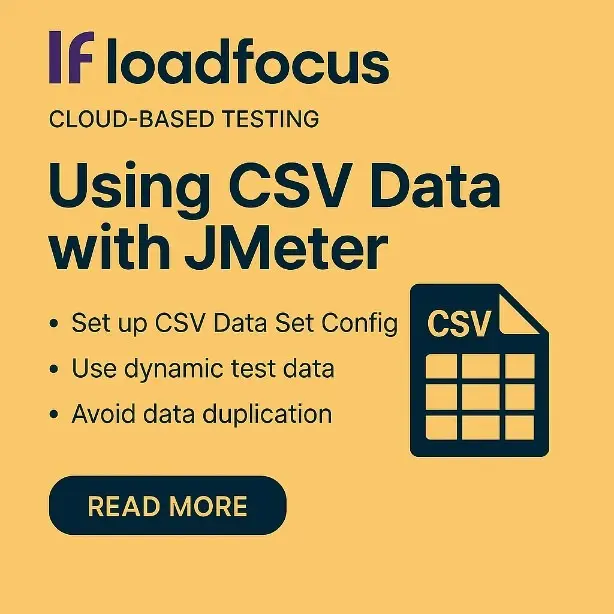
CSV data gives each virtual user its own inputs, which is what makes a run realistic.

Without it every thread hits the same record and you measure a cache. CSV data sets are the usual mechanism; check the sharing mode matches your intent.
The ramp-up period sets how quickly threads start, which shapes the whole test. Match the ramp to how traffic actually arrives for your application.
Calling the API from Bitbucket Pipelines makes performance a build step rather than a manual task. Gate on a threshold so a regression stops the build.

Three ways to generate unique IDs in JMeter test plans: the __UUID function, the Counter config element and __time, with when to use each.

Remove requests that do not contribute to the scenario you are measuring. Run non-GUI. The GUI itself consumes the resources you wanted for load.
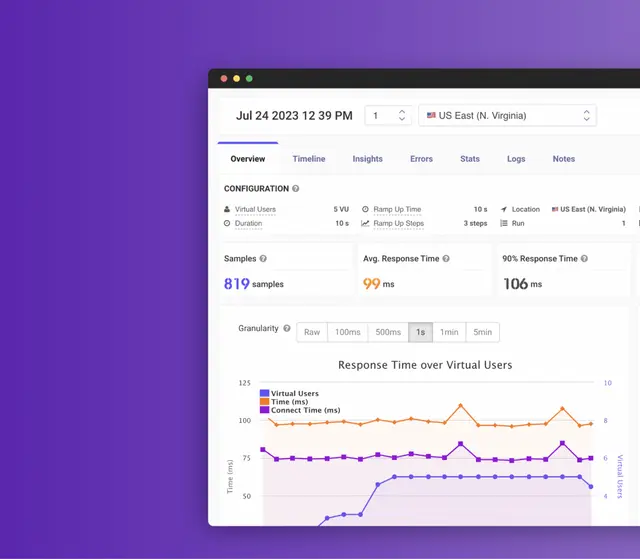
Load test a PHP site with Apache JMeter. PHP scales by process, so the worker pool usually caps you long before the code itself does.
Start with the objective: a target user count and an acceptable response time. Run a small test first to validate the setup, then scale up.

Notes capture why a run looked the way it did, which raw metrics never record. Write the note at the time. The context is gone within a week.
Update the baseline deliberately when performance genuinely improves. Compare full results, not just the summary, since averages hide a worse tail.

Test OAuth-secured APIs in JMeter: fetch the token once, extract it with a JSON extractor, reuse it in a header manager, keep it out of timed samples.
A CSV data set gives each virtual user different inputs, which is what makes a test realistic.

An alias saves typing the full JMeter path on every launch. Point the alias at the version you actually intend to run if several are installed.
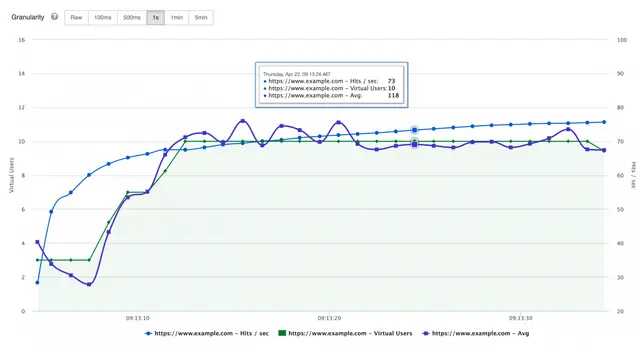
Hits per second counts every request including assets, so it exceeds page views substantially. It shows server workload rather than user activity.
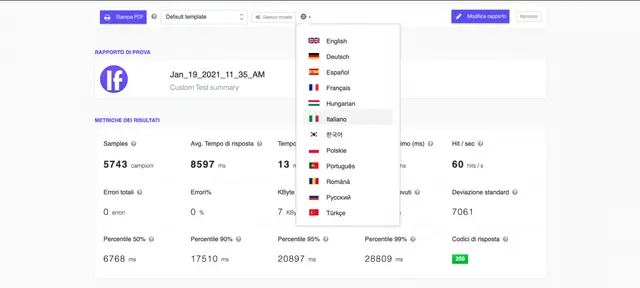
Set the language per report rather than per account when teams are mixed. The numbers are the same either way, so this is about adoption, not accuracy.

Load test the endpoints your clients actually call, weighted the way they call them. Assert on the response body as well as the status code.

JMeter runs elements in a fixed order: config, pre-processors, timers, samplers, post-processors, assertions, listeners. The rules that trip people up.
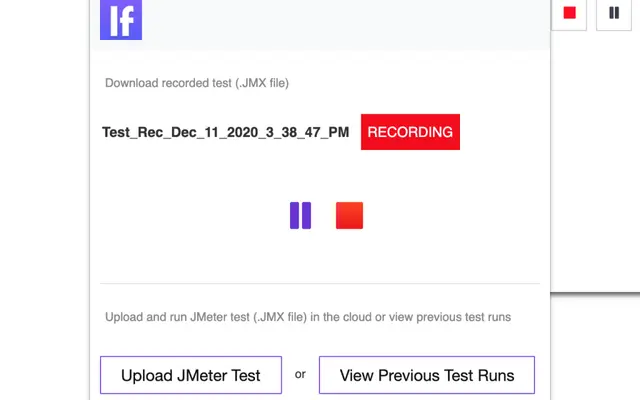
Recording in the browser captures the real request sequence including headers you would otherwise miss.
JMeter is written in Java and needs a JRE. Test plans are XML; in-test scripting uses Groovy (JSR223), Beanshell or JavaScript. What that means for you.
JMeter builds a test plan of thread groups and samplers, then runs it as concurrent Java threads.
Use brew –prefix to locate the install rather than guessing the path. Edit the properties file there, and remember an upgrade can replace it.
JMeter defaults to a small heap, which causes out-of-memory failures on large tests.
The Plugins Manager handles dependencies, which manual jar copying does not. Install it once, then add and update plugins from inside JMeter.
The with-plugins option was removed when Homebrew dropped formula options. Install JMeter first, then add plugins with the JMeter Plugins Manager.
Install Apache JMeter on macOS with Homebrew or the archive, fix the Java version, and start it from the terminal. Then run the same script in the cloud.

The WebDriver Sampler measures real browser rendering, which HTTP samplers cannot see. Use it to measure front-end timing, not to generate volume.
Two ways to save Apache JMeter results: the -l flag with jmeter.save.saveservice properties for CSV, or XML for the full sample detail. With examples.
How to add User Defined Variables in Apache JMeter, reference them with ${name}, override them from the CLI with -J, and keep environments in one place.
Start Apache JMeter from the command line with -n -t -l -e -o, why GUI mode skews results, and how to run the same JMX at scale in the cloud.

The XPath Extractor pulls values out of an XML or HTML response for use in later requests.
Start with a thread group, an HTTP request and a results file: everything else is refinement. Run from a machine that is not the server under test.
A CSV of credentials gives each virtual user a distinct login, which is what makes auth load realistic.
Extras and ExtrasLibs are a pair, and installing only one is the usual cause of missing elements.

Distributed testing exists because one machine cannot generate enough load.

Realistic thread limits for one JMeter machine, what breaks first (heap, sockets, CPU), and how to go past a few hundred users with cloud runs.

JMeter is free, Java-based, and runs on any OS, which makes it the usual starting point.
Don’t miss out on the latest testing tips and tricks, tools and news related to software testing.
Already +20,000 members in the list.
Load test websites and APIs from 25 cloud regions, monitor page speed and uptime, and get AI analysis that explains your results in plain English.