25+monitoring regions
90days of uptime history
12languages for the public page
250email subscribers, free
An API status page that updates itself
Built from your existing monitors
Your status page is driven by the API and uptime monitors you already run. Component status and 90-day uptime reflect real check results from 25+ regions, with nothing to toggle by hand.
Always accurate, never stale
Because the page reads your live monitoring, it stays in sync with reality without manual updates.
Incidents that open themselves
Your monitors file the incident
Turn on auto-incidents and a failing monitor opens the incident on the page by itself and names the affected component. Switch on the notification too and subscribers hear once, then hear again when the checks recover and it closes itself.
Quiet when it should be
A minimum incident length filters out short blips, and a monitor you are not watching can count as operational rather than unknown, so the page reacts to outages instead of noise.
Components, 90-day uptime and response time
Components your users recognise
Group your monitors into the sections and components your users actually recognise, each with its own description. Every component shows live status and an uptime bar over the last 30 or 90 days, built from real check data.
Speed, not just up or down
Publish a response-time chart next to the uptime bar so a visitor sees a slow day for what it is, with the decimal places and time zone you choose.
Communicate incidents and maintenance
Incidents with an impact, a timeline and a postmortem
Post an incident as minor, major or critical, move it from investigating to identified to monitoring to resolved, and publish a postmortem when it is over. Schedule maintenance one-off or repeating, daily or weekly, and every occurrence can announce itself a day ahead.
Tell people where they already are
Visitors subscribe by email with double opt-in and one-click unsubscribe, and can follow only the components they depend on. You can push the same updates to Slack or your own webhook.
Put your status everywhere, not just on one page
A badge, a panel and a feed
Drop a live status badge into your README or your docs, embed the page as a panel inside your own app, and let bots and feed readers follow incidents over RSS or Atom.
Announce it on your own site
Publish a banner from the status page and load it on your marketing site or in your app with a single script tag, so people see the notice before they go looking for it.
Your own domain, your brand, your language
Your hostname, not ours
Serve the page at status.yourcompany.com on paid plans. LoadFocus issues and renews the TLS certificate automatically, so there is nothing to manage.
Branded, and in the reader's language
Pull your logo straight from your website or upload light and dark versions, set a favicon, brand colour, theme and nav links, publish the page in any of 12 languages and your own time zone, and remove the Powered by badge on paid plans.
Public, private, or somewhere in between
Lock it to the people who need it
On paid plans a page can sit behind a password or an IP allowlist, so an internal status page for your team or for one customer stays internal while your public page stays public.
You decide what search engines see
Status pages are indexable by default and ship their own robots.txt and sitemap, with a permalink for every incident. One toggle takes a page out of search when you would rather it were not found.
Manage it by API, or keep it in your repo
A full management API
Create and update pages, components, incidents, incident updates, maintenance windows, logos and custom domains over the REST API, so your deploy pipeline can post an incident without anyone opening a browser.
Versioned like the rest of your infrastructure
Define the whole page in Monitoring as Code and deploy it from CI alongside your checks, so a change to your status page is reviewed in a pull request like every other change.
One tool for monitoring, status and testing
One account, one bill
Your status page lives alongside API and uptime monitoring, cloud load testing and page-speed monitoring, so performance and status stay together.
Free to start
Publish a public status page on the free tier, then add a custom domain and remove the badge on paid plans.
Status page software compared
Five status page tools on the things that decide what you pay. Every figure here comes from the vendor's own published pricing, or from a live request to their own status page, checked on 26 August 2026. Prices move, so check before you buy.
| Capability | LoadFocus | Atlassian Statuspage | Instatus | UptimeRobot | Better Stack |
|---|---|---|---|---|---|
| What the free plan includes | 1 page, 10 components, 250 subscribers | 100 subscribers, 25 components | Public page only, 200 subscribers | A basic status page | 1,000 subscribers included |
| Your own domain, with HTTPS | On every paid plan, certificate issued and renewed automatically | From Hobby, $29 a month | From Pro | From Solo, $10 a month | $250 per page, per month |
| Statuspage-compatible /api/v2 JSON | Yes. summary.json and status.json | Yes. This is the original schema | Returns a different shape | No | No |
| Private page, by password or IP allowlist | Both, on paid plans | A separate plan, from $79 a month | Business plan only | Password | Password $50, IP allowlist $250, per page per month |
| Incident feed for bots and feed readers | RSS and Atom, plus an embeddable status badge | RSS | RSS | None found | RSS |
Scroll the table sideways to see every column.
Driven by the monitors you already run
A status page publishes the results of your existing checks, so the page updates itself as monitors report in.
Status pages FAQ
How many status pages and components are included?
The free plan includes one status page with ten components and 250 subscribers. Paid plans add a custom domain, private pages, and remove the Powered by badge.
How does the status page stay accurate?
Each component is mapped to your LoadFocus monitors, so live status and 90-day uptime update automatically from real check results, with no manual editing.
Is the status page free?
Yes, you can publish a public status page on the free tier. A custom domain and removing the Powered by badge are available on paid plans.
Can I use my own domain?
Yes, on paid plans you can serve the page at status.yourcompany.com with an automatically issued, auto-renewing HTTPS certificate.
Can I make a status page private?
Yes. On paid plans you can lock a page with a password or limit it to an IP allowlist, so an internal status page stays internal.
How does 90-day uptime work?
Each component shows an uptime bar built from your real monitor checks over the last 90 days, giving visitors an honest history of reliability.
Can visitors subscribe to updates?
Yes, visitors can subscribe to email updates for incidents and scheduled maintenance.
Does it work with the monitors I already run?
Yes. Each component maps to your existing LoadFocus uptime and API monitors, so the page publishes results from checks you already run rather than anything new.
Can LoadFocus open incidents automatically when a monitor fails?
Yes. With auto-incidents on, a failing monitor opens an incident on the page, marks the affected component and notifies subscribers once. It closes itself and sends the all clear when the checks pass again, and a minimum incident length keeps short blips off the page.
Can I show the status somewhere other than the status page?
Yes. There is an SVG badge for your README or docs, an embeddable panel for your own app, an announcement banner you load with one script tag, and RSS and Atom feeds for incidents.
What language does the public page use?
You choose. The public page ships in 12 languages and renders dates in the time zone you set for the page, independently of the language of your LoadFocus dashboard.
Can I manage status pages from code or CI?
Yes. A REST API covers pages, components, incidents, maintenance and subscribers, and a page can also be defined in Monitoring as Code and deployed from your pipeline alongside your checks.
Further reading
In-depth guides on the same topic from the LoadFocus blog.
Outgrown your testing tools?
Load test websites and APIs from 25 cloud regions, monitor page speed and uptime, and get AI analysis that explains your results in plain English.Start for free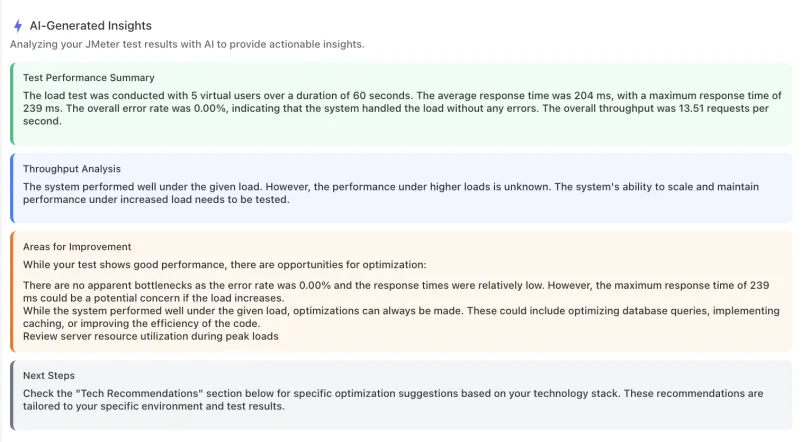
We'll help you get started
Learn
Guides for publishing a status page, posting incidents, scheduling maintenance and reading the status API.
Explore
Product news, test locations, IPs to whitelist and white-label reports.