





Modern Load Testing with JavaScript
Write load tests in JavaScript, the language your team already knows.
Scale to Thousands of Virtual Users Instantly
Built for Modern Development Workflows
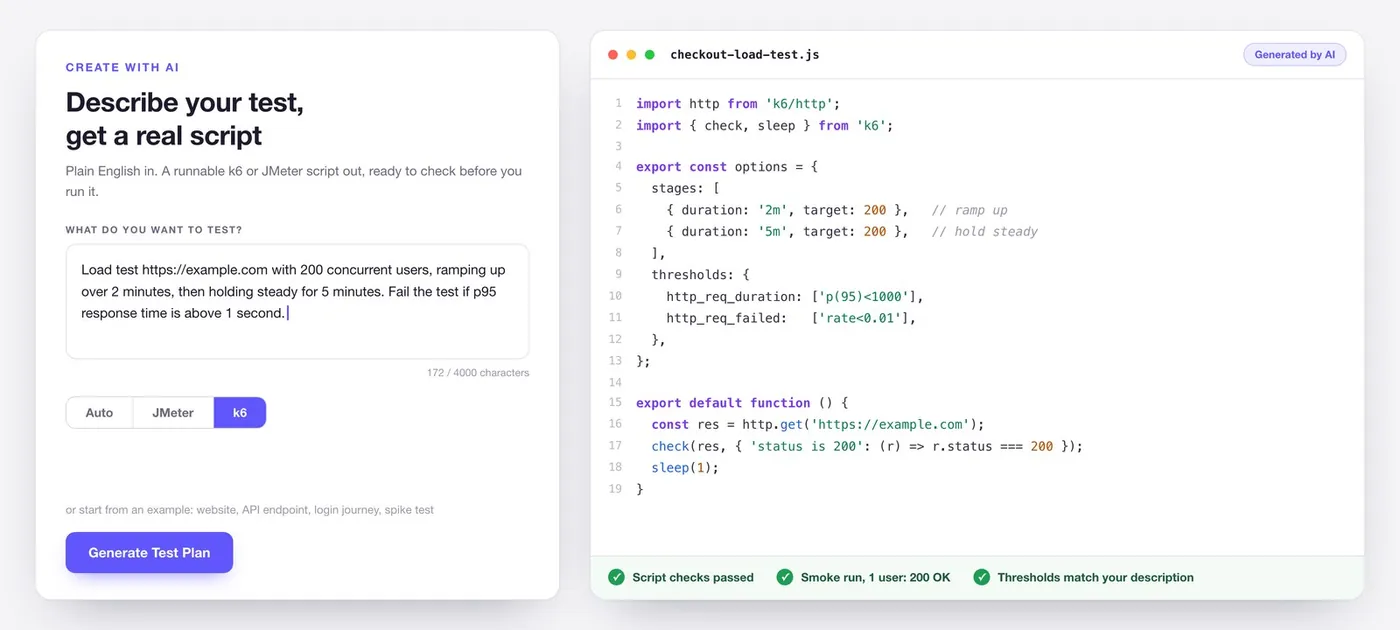
Create with AI
Describe your test, get a real script
Why k6 Over Other Load Testing Tools?
Developer-first design with JavaScript scripting
Lightweight and fast
Built-in assertions and thresholds
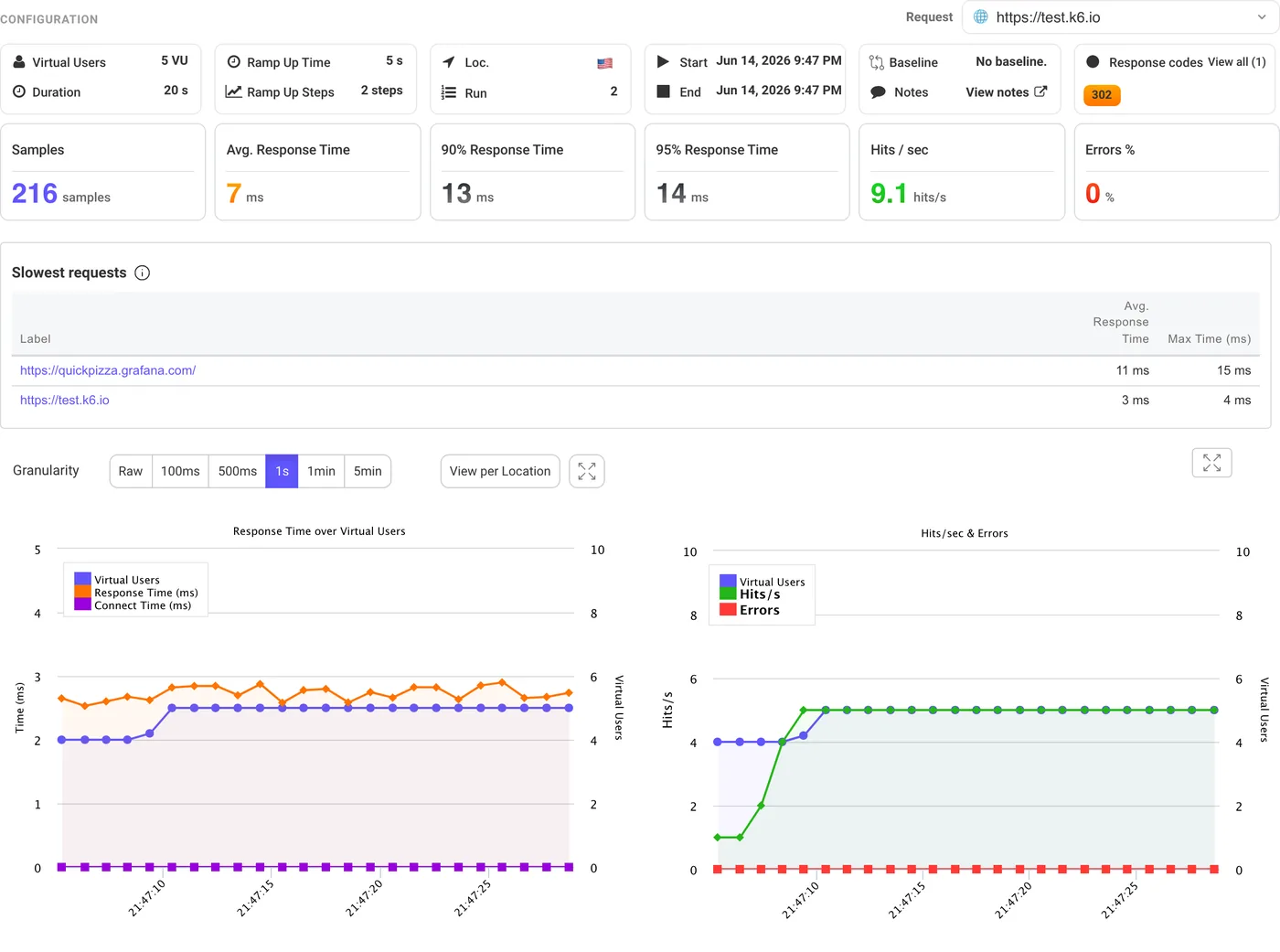
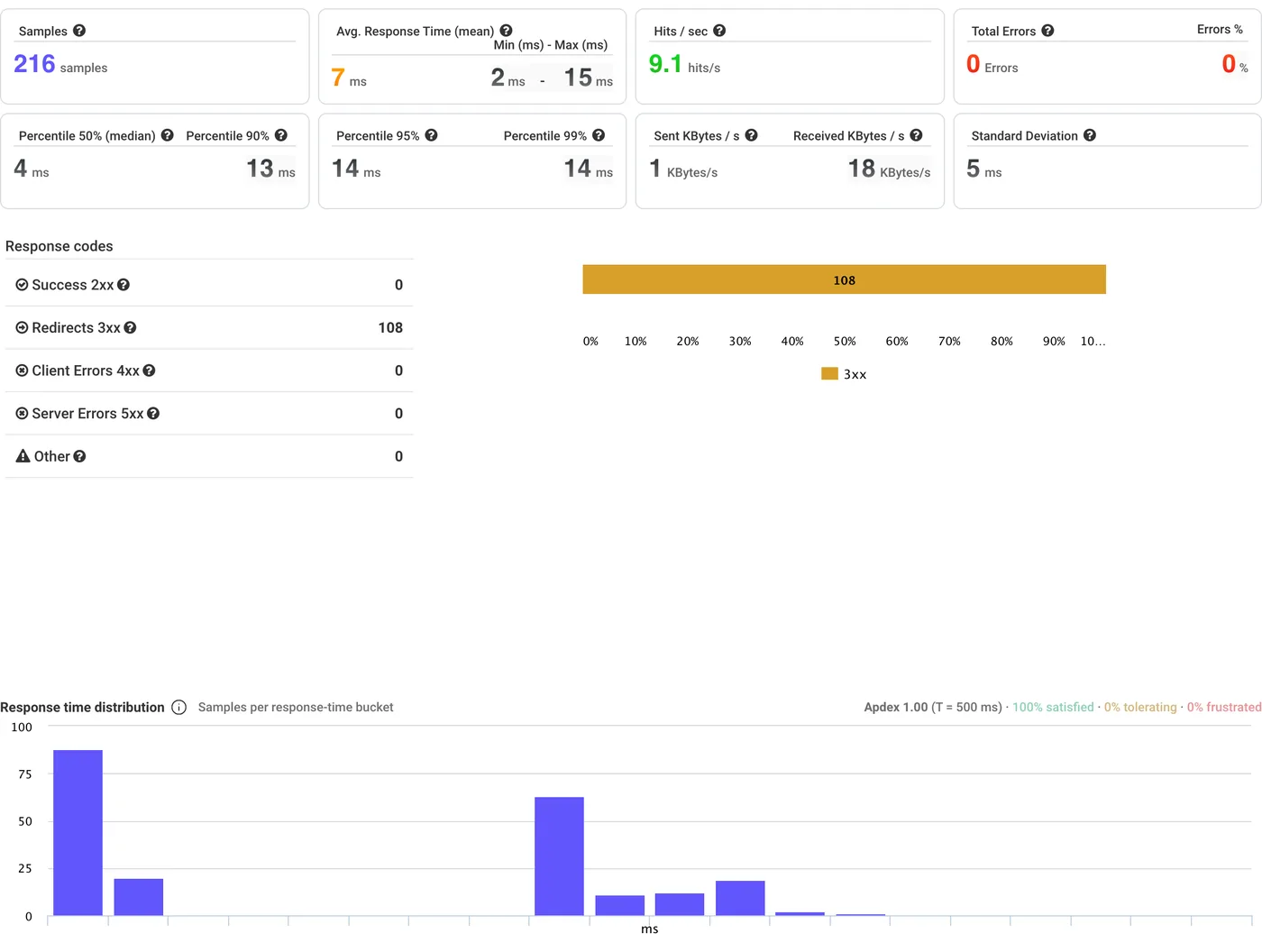
Real-Time Results with AI-Powered Analysis
Watch your test results stream in real-time as virtual users hit your application.
AI That Explains Your Results
Compare Results Across Runs
Enterprise-Ready k6 Cloud Testing
Looking for scalable, team-friendly performance testing?
Team Collaboration and Shared Results
No Infrastructure to Manage
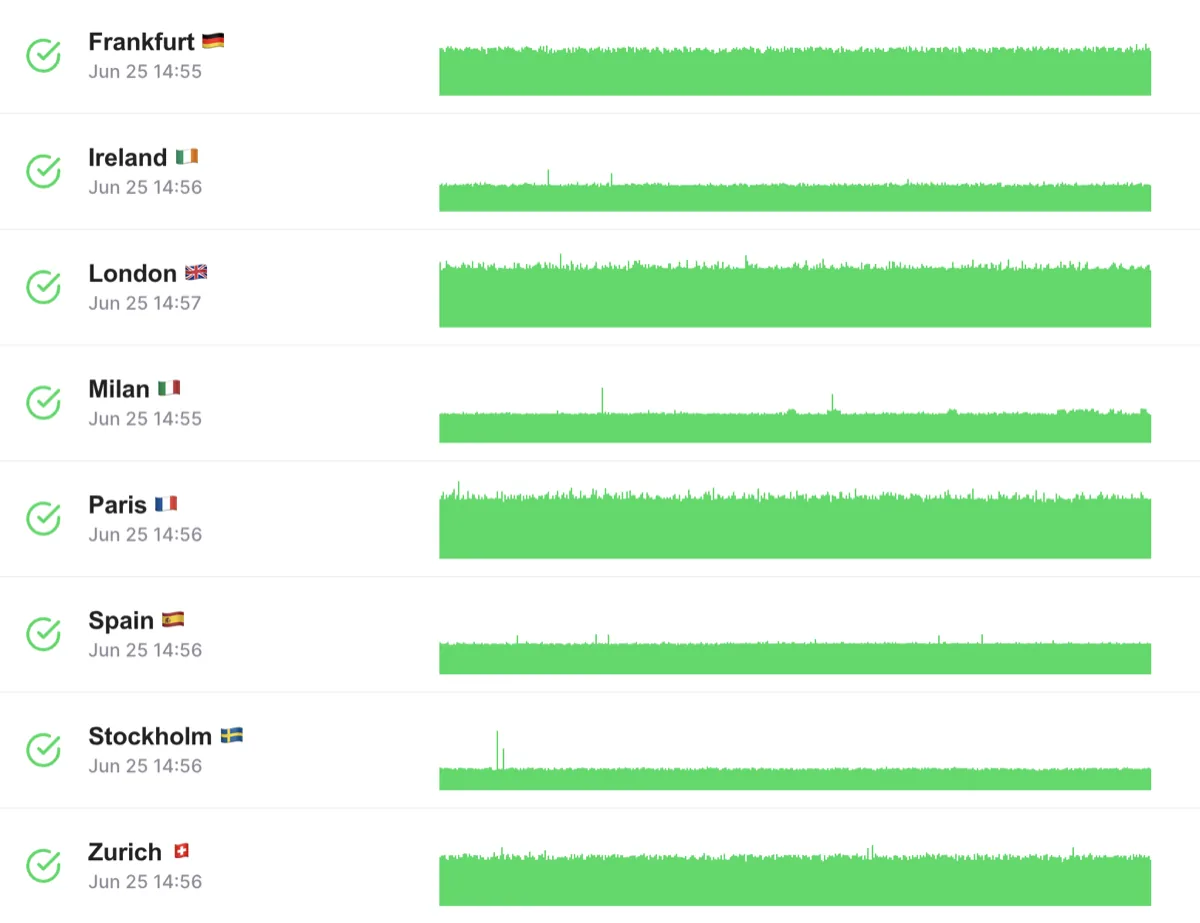
Test from 25 Global Locations
Simulate users from multiple regions simultaneously.
Configurable Load Distribution
Region-Specific Performance Insights
Start from what you have
Already have a cURL command, a HAR recording, a Postman collection or an OpenAPI spec? The free converters turn each one into a k6 script you can run here.
cURL to k6 · HAR to k6 · Postman to k6 · OpenAPI to k6 · All free tools
How k6 Cloud Load Testing Works
Upload Your Script
Configure Your Test
Run in the Cloud
Analyze with AI
k6 Script Validation
Catch Issues Before Running Your Test
Multi-Location k6 Load Testing
Simulate Global Traffic Patterns
How It Works:
Benefits:
Seamless CI/CD and Team Integrations
Integrate k6 Results Into Your Workflow
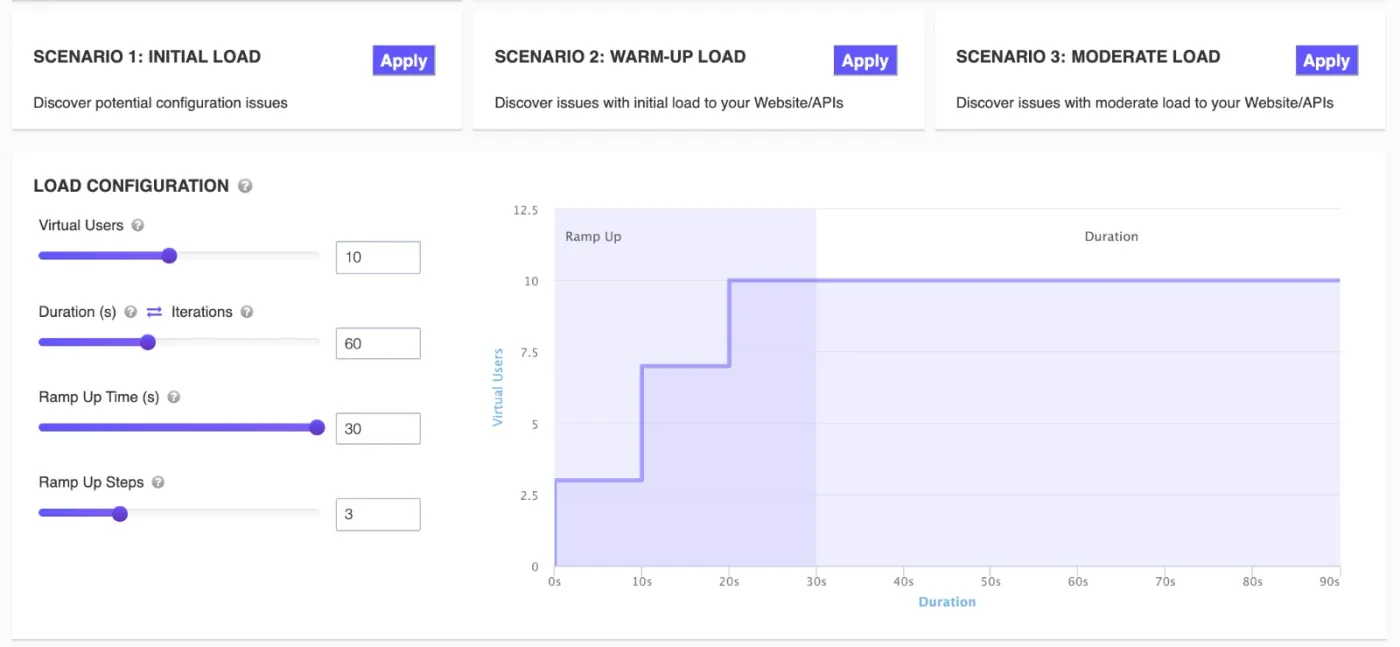
Real-Time k6 Test Configuration
Full Control Over Your Test Execution
Features:
Benefits:
Who Benefits from k6 Cloud Load Testing?
Advanced k6 Features on LoadFocus
k6 in the Cloud. LoadFocus vs k6 Cloud, k6 OSS, BlazeMeter, Artillery
If you're already writing k6 scripts in JavaScript, the question is where to run them. Five popular k6-compatible platforms compared on the things that matter when you ship.
| Capability | LoadFocus | k6 Cloud | k6 OSS (self-host) | BlazeMeter | Artillery |
|---|---|---|---|---|---|
| Run existing .js scripts unmodified | Yes, drag-and-drop | Yes (native) | Native | Yes (k6 import) | Different DSL (YAML) |
| Distributed cloud execution (no infra) | Yes, fully managed | Yes | Self-managed (Kubernetes) | Yes | Artillery Cloud |
| Cloud test locations | 25 AWS regions | ~20 regions | Self-managed | 56+ regions | AWS Lambda regions |
| AI-powered bottleneck analysis | Yes, explains slow endpoints | No | No | No | No |
| Free tier with cloud execution | Yes. 10 VUs / 60 s | Limited trial | Free OSS (self-host) | Limited (10 users) | Free OSS (self-host) |
| Mix .jmx + k6 scripts in one platform | Yes, both run side-by-side | k6 only | k6 only | Yes | No |
The k6 Metrics That Tell You Whether to Ship
k6 outputs dozens of metrics by default. These four are the ones that decide whether your release is green-lit, or whether you roll back.
http_req_duration (p95)
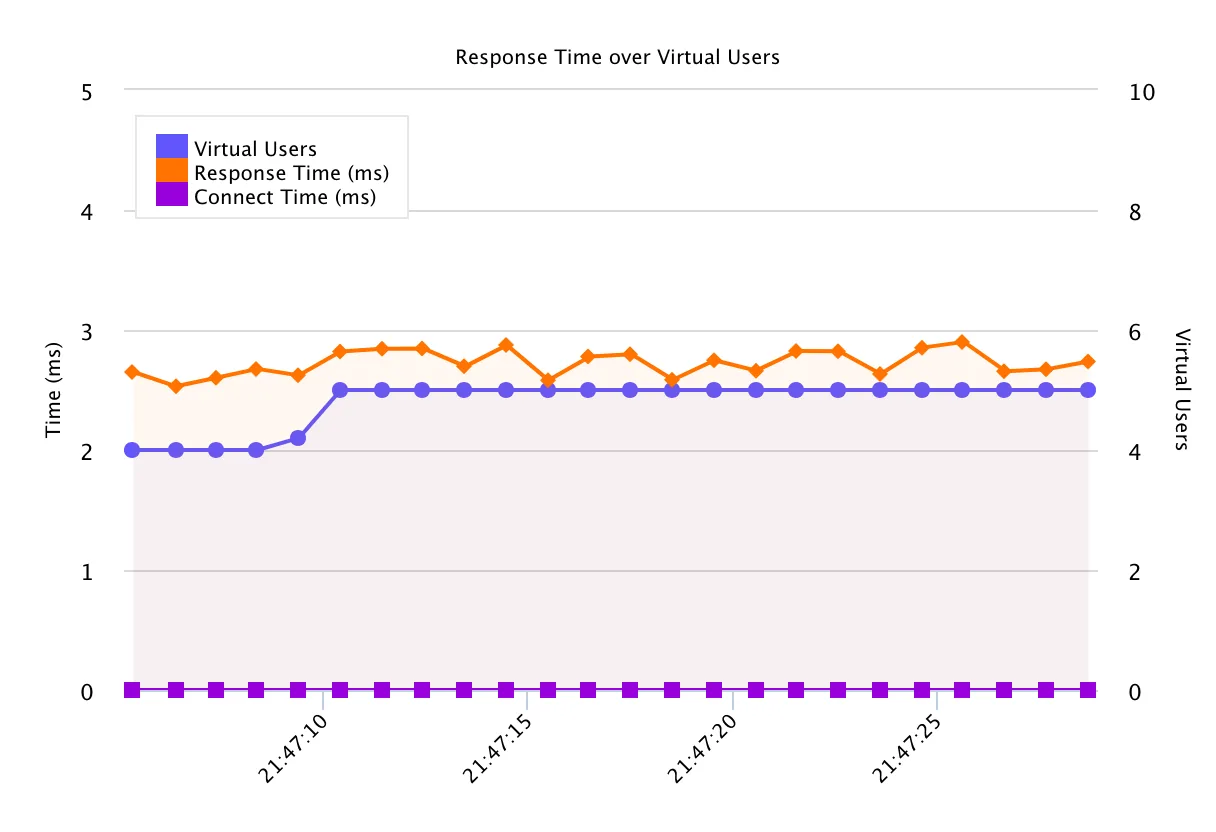
Time from request start to response complete, 95th percentile. Set this as a k6 threshold (e.g. p(95) < 500) so the test FAILS automatically when latency drifts. Better than a chart you forget to read.
http_req_waiting (TTFB)
Time waiting for the server's first byte after the request hits. Isolates origin processing time from network transfer. Spikes here are server problems; spikes in http_req_receiving are network problems.
http_req_failed rate
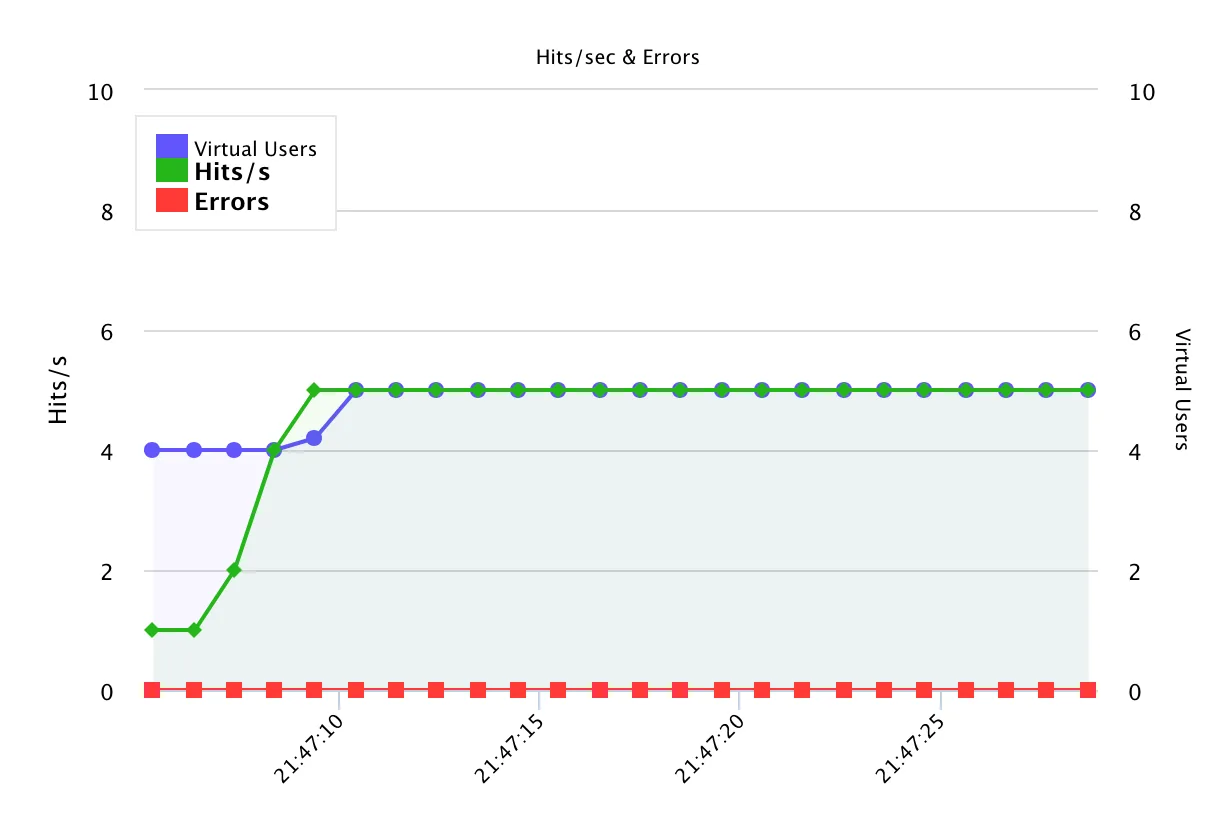
Fraction of HTTP requests that returned 4xx/5xx or timed out. Pair with k6 thresholds (e.g. rate < 0.01) so the test fails on >1% errors. Cross-check with API monitoring after launch, load tests find the ceiling, monitoring catches drift.
iterations / iteration_duration
How many full test scenarios completed and how long each took. iterations × VUs gives effective throughput. iteration_duration drift means the user journey is degrading even when individual requests look fine.
Want LoadFocus engineers to write k6 scripts for you?
Don't have time to write k6 scripts? LoadFocus offers expert-led load testing services. We write the k6 (or JMeter) scripts to your scenarios, run them at scale from 25 cloud regions, and deliver a report with bottleneck analysis and ranked recommendations.
Explore load testing servicesWhat is k6 and how is it different from JMeter?
Do I need to install k6 locally for k6 testing on LoadFocus?
Can I use my existing k6 scripts?
How does AI analysis work with k6 tests?
What k6 features are supported?
How many virtual users can I run?
Can I run k6 tests from multiple locations?
How does pricing work for k6 tests?
How do you write a k6 load test step by step?
What is the difference between k6 Cloud and k6 OSS?
Can k6 do API load testing?
Is k6 free or paid?
Can I run k6 in the cloud, and how does k6 scaling work?
Can I schedule recurring k6 load tests?
Further reading
In-depth guides on the same topic from the LoadFocus blog.
Outgrown your testing tools?
Load test websites and APIs from 25 cloud regions, monitor page speed and uptime, and get AI analysis that explains your results in plain English.Start for free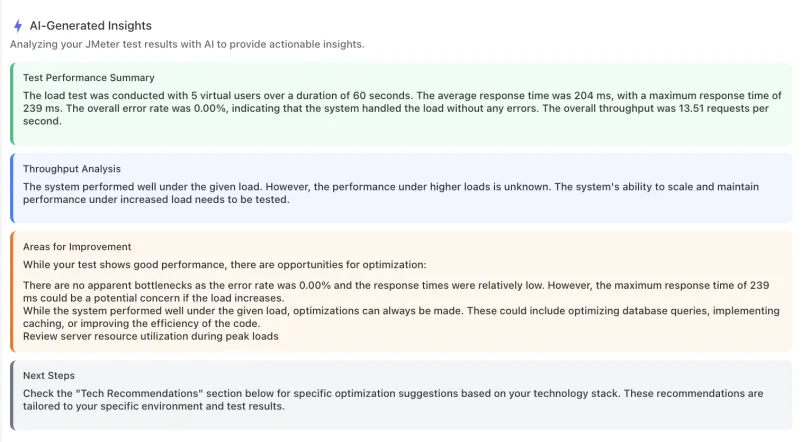
We'll help you get started
Learn
Browse our documentation covering everything from use cases to getting-started guides and videos.
Explore
Product news, test locations, IPs to whitelist and white-label reports.
Ready to Run Your First k6 Test?
Upload your JavaScript test script and get AI-powered performance insights in minutes. No credit card required.Start Free k6 Load Testing→