
Cloud Testing vs Local Testing: Which Method Is Best?
Explore a detailed comparison of cloud testing vs local testing for mobile performance testing. Learn which approach fits your needs in 2026.
Test automation guides cover writing and debugging automated tests. You'll find Selenium WebDriver how-tos in Java, from locating elements and XPath to waits, dropdowns, proxies and screenshots, how to debug mobile HTML5 and native apps and their traffic, what HTTP requests look like on the wire, and how to write a test plan that a team will follow.
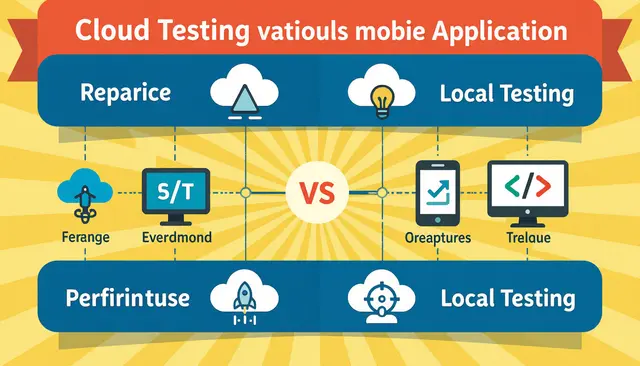
Explore a detailed comparison of cloud testing vs local testing for mobile performance testing. Learn which approach fits your needs in 2026.

Discover how targeted performance testing transformed mobile API performance for a global retail brand. Key strategies for mobile API performance in 2026.
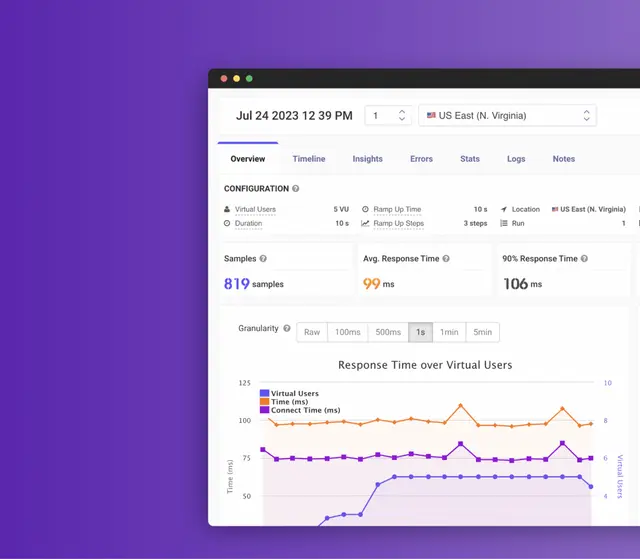
Load tests verify how your system behaves under expected traffic. Stress tests push past it to find the breaking point.

JavaScript is usually the largest controllable cost on a modern page. Measure with a real device profile, since JS cost scales with CPU.
Smoke testing verifies that a build's critical paths work before deeper testing starts. How it differs from sanity and regression testing, with examples.

Unit tests check a piece in isolation; functional tests check behaviour a user would notice.

Batch testing groups related cases into one run, which cuts setup cost and shortens feedback.

Contract testing checks that a provider and consumer still agree, without running both together.

Synthetic monitoring runs a scripted journey on a schedule, so you find failures before users report them.

Chromium is the open-source base; Chrome adds proprietary codecs, auto-update and Google services.

Caching and image optimisation deliver most of the available gain on WordPress.
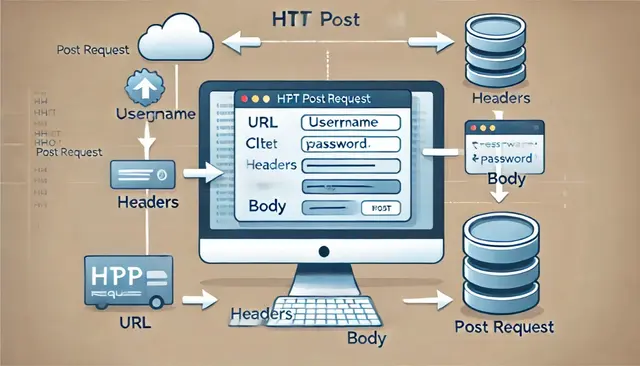
POST parameters travel in the body, not the URL, which is why they do not appear in logs.

WebdriverIO drives both browsers and mobile apps through the WebDriver protocol. Choose it when you need one framework across web and mobile.

Puppeteer controls headless Chrome and suits scraping, PDFs and screenshots as much as testing.

It turns API documentation into something machine-checkable in tests. Start with required fields and types; add constraints once the basics hold.

Measure before optimising. Most slow pages have one dominant cause, not six small ones.

Dive into LoadFocus's enhanced user experience with contextual documentation. Streamline your onboarding and understand metrics with in-app guidance.

A flaky test is worse than no test, because it trains the team to ignore red builds.

CPU utilisation shows whether the server is working or waiting, which changes the diagnosis.
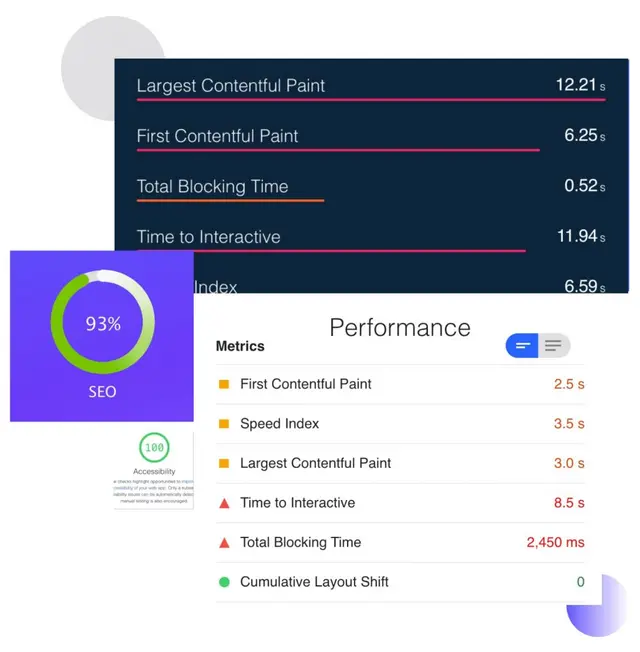
Images are usually the largest thing on a page and the easiest to fix. Modern formats and correct dimensions cut weight without visible quality loss.

Scheduled checks turn Core Web Vitals from an occasional audit into a trend you can act on.
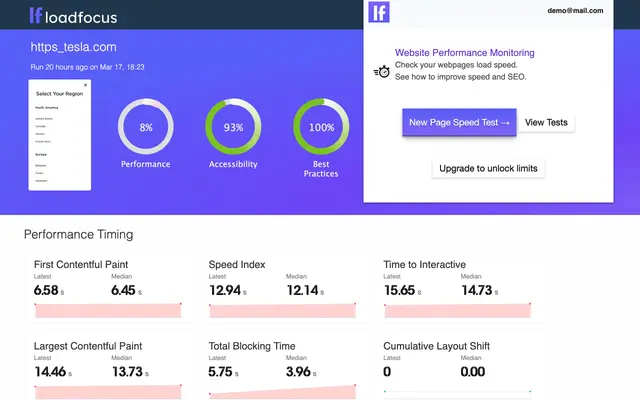
SEO monitoring catches silent breakage: a noindex shipped by accident, or a redirect chain.
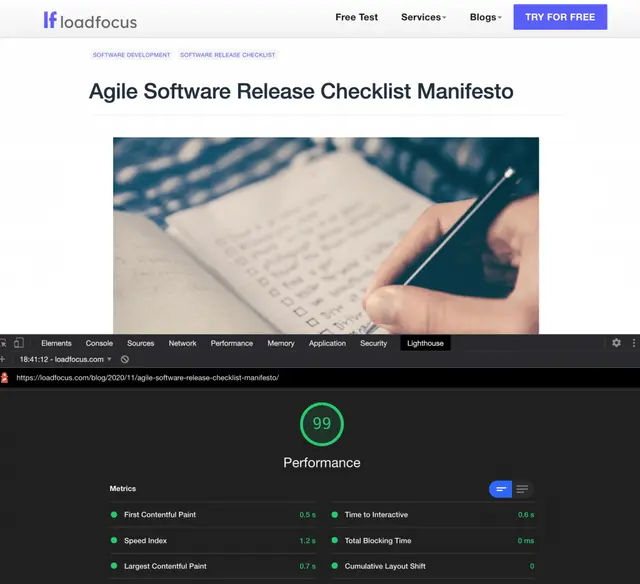
Caching plus image optimisation covers the majority of the available gain. Audit plugins periodically. Each one adds queries and assets to every page.
Cypress runs in the browser alongside your app, which makes debugging far more direct.
Selenium IDE is the fastest way to capture a journey, and the worst way to maintain one. Use it to draft a test, then export and clean up the locators.

TestCafe runs without WebDriver, which removes most of the setup friction. End to end tests are expensive, so keep them to the journeys that matter.
Running Lighthouse from an extension gives you an audit without leaving the page you are testing.
FMP tried to capture when the main content appeared, rather than the first pixel. Use LCP for anything current; FMP appears mainly in older reports.

TestCafe needs no WebDriver, which is why a working suite is possible in half an hour.

E2E tests earn their cost only on the journeys that make money; everything else belongs lower in the pyramid.

OpenSTF gives you remote access to real Android devices, which emulators cannot fully replace.

Include think time. Removing it produces a load pattern no user creates. Start below expected peak and ramp, so you can see where behaviour changes.
Puppeteer's click waits for the selector, but not for the element to be genuinely interactive.
WireMock lets you produce failures a real API will not give you on demand: timeouts, 500s, malformed bodies.

Categories let one suite be sliced by speed or area, so CI can run the fast set per commit.

Compare the same viewport and state, or the diff is dominated by noise. Review differences rather than gating on pixel equality, which fails constantly.

Image comparison catches visual breakage that assertions never check for. Run in a consistent environment; a different OS produces different pixels.
linkText matches the full visible text; partialLinkText matches a substring.

Puppeteer captures viewport, full-page or single-element screenshots.
Pixel comparison catches visual regressions that functional tests never assert on. Set a tolerance, or antialiasing and fonts will fail every run.
A screen recording captures the exact sequence that reproduces a bug, which a description rarely does.

Debugging transpiled code needs source maps, or breakpoints land on the wrong lines.
A proxy between the device and the network is the only reliable way to see native app traffic.

A DataProvider feeds many input sets into one test method, which keeps cases out of the code.

Opening a tab is only half the job; you must switch the driver to the new window handle. Track handles before and after, then switch to the difference.

Backgrounding and resuming is where state bugs surface, so it belongs in the test suite. Verify state after resume, not just that the app reopened.
Explicit waits target a condition; implicit waits apply a blanket timeout to every lookup.

Appium reaches the Android system buttons through key events rather than element clicks.

Wrap the literal in double quotes instead, which is the simplest fix. Use concat() when the text contains both quote characters.

findElements with By.tagName("a") returns every anchor, including ones that are not visible.

Continuous mobile emulation turns a one-off check into a trend you can act on. Alert on regression rather than reviewing every run.

Use the Select class for real select elements, and normal clicks for custom widgets.

Scrolling is done through the JavaScript executor, since WebDriver has no native scroll command.

Chrome DevTools can copy an XPath, but the generated one is usually position-based and brittle.

The Select class exposes getOptions() for real select elements. Assert on the option text or value, not the count alone, which passes on the wrong list.

Clearing cookies does not clear local storage, so state survives between tests. Execute localStorage.clear() through the driver's JavaScript executor.

Agile fails on the ceremonies people skip, not on the ones they perform badly.

Screenshots on failure turn an unhelpful stack trace into something you can diagnose. Name files by test and timestamp or you cannot match them to runs.

A proxy lets you inspect, record or modify the traffic a browser test generates. HTTPS needs the proxy certificate trusted or every request fails.
GET retrieves a resource and should never change server state. It is cacheable and idempotent, which is why it suits reads and not actions.

Methods, status codes and headers carry the meaning, not the body alone. Understanding status codes is the fastest way to debug most web problems.

HTML5 apps can be debugged with remote browser tooling; native apps need a proxy or device logs.

A test plan is about scope and risk: what you will not test matters as much as what you will.

CSS selectors are faster and more readable than XPath for most cases. If a locator needs a comment to explain it, the page needs a test hook instead.
Don’t miss out on the latest testing tips and tricks, tools and news related to software testing.
Already +20,000 members in the list.
Load test websites and APIs from 25 cloud regions, monitor page speed and uptime, and get AI analysis that explains your results in plain English.