

Key takeaways
- Scheduled checks turn Core Web Vitals from an occasional audit into a trend you can act on.
- Alert on the metric that affects ranking rather than on the composite score.
- Monitor your top landing pages first; sitewide averages hide the pages that matter.
The experience your customers get once they enter your website can be a game changer for your online business in terms of sales, revenue, customers interaction and overall experience.
Once you release new features for your website or blog, or once you add new plugins or widgets, add new styles, animations or functionality, all these can affect the Performance, SEO or Accessibility of your website.
Search engines tend to rank higher the website, web pages that load faster and offer a better experience for your users. This is why it’s important to constantly review/monitor the overall experience of your website or of your webpages and get notified when changes happen.
Core Web Vitals are a set of specific factors that Google considers important in a webpage’s overall user experience, but the chances are that if your improve towards the Core Web Vitals metrics, you’ll rank higher also in other search engine since you improve the performance of your website.
With LoadFocus, you can Monitor the Website Performance and Monitor the Core Web Vitals for your Website and easily create alerts for the Core Web Vital metrics and get notified on various channels like Email, Slack or Microsoft Teams.
Set Up New Test
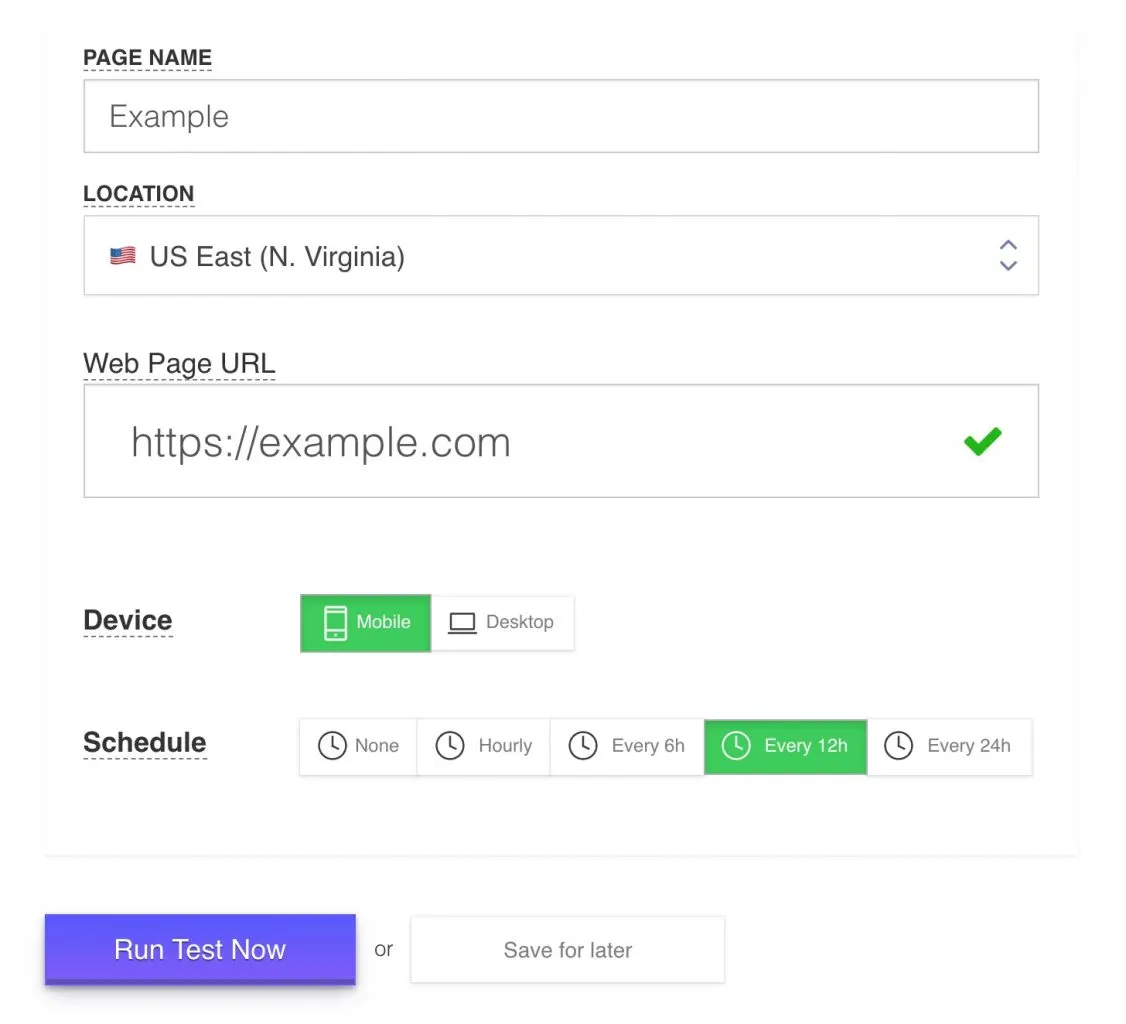
Creating a new tests takes just a few seconds, add the website and click the Run Test button.
Set Up New Alert
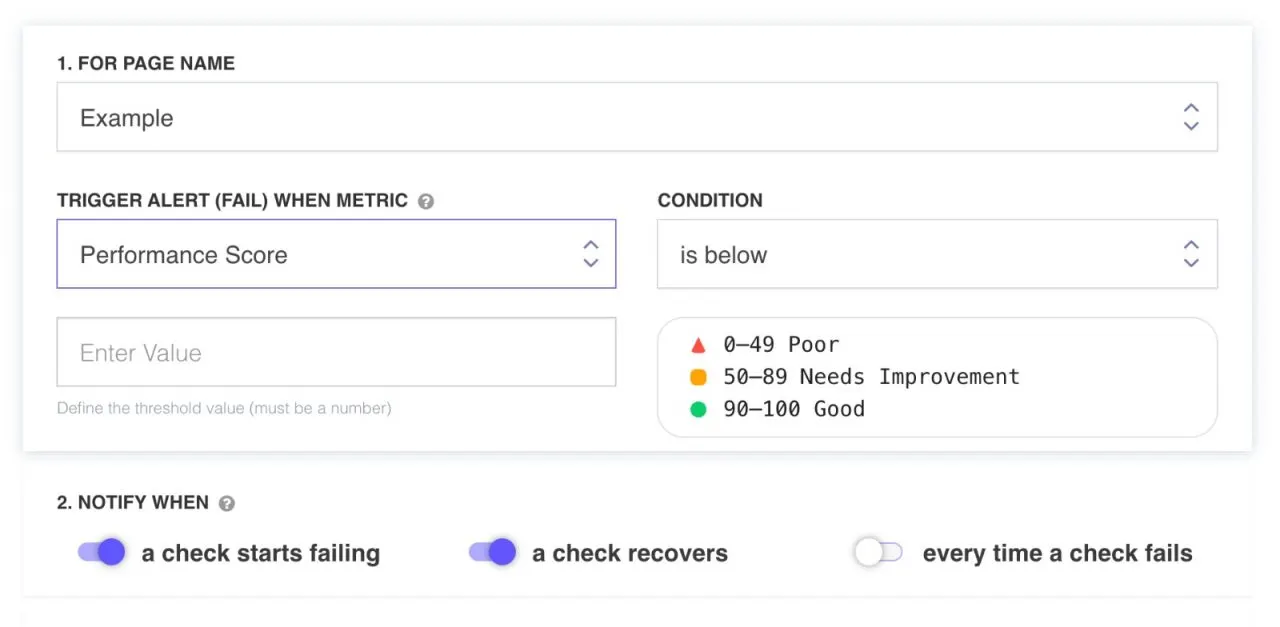
New Performance Score Alert
For each web page test you’ve created you can add multiple alerts based on the full list of supported metrics below.
Alert Metrics
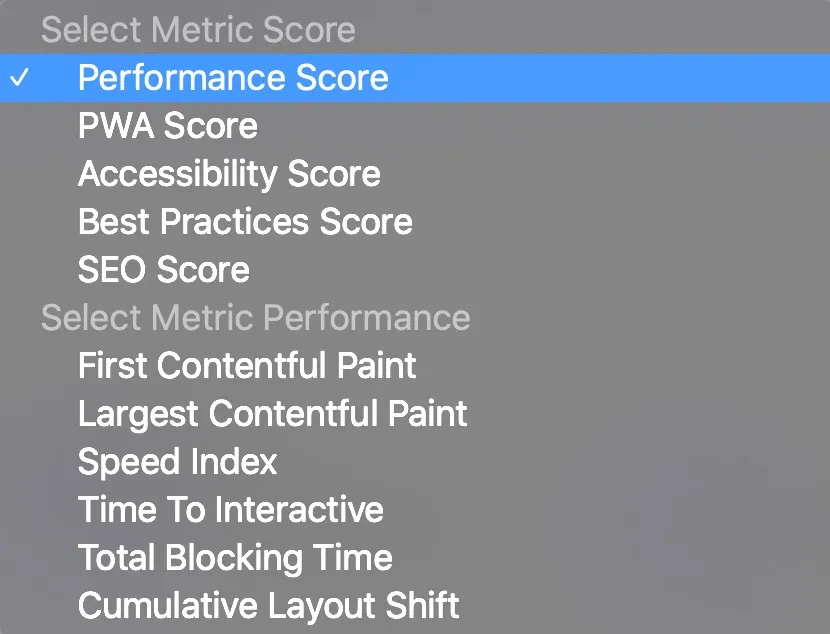
Full List of Metrics used when creating new Alert
You can create multiple alerts for each test. Just click New Alert and choose the Metric and the trigger condition and threshold.
Alert Results
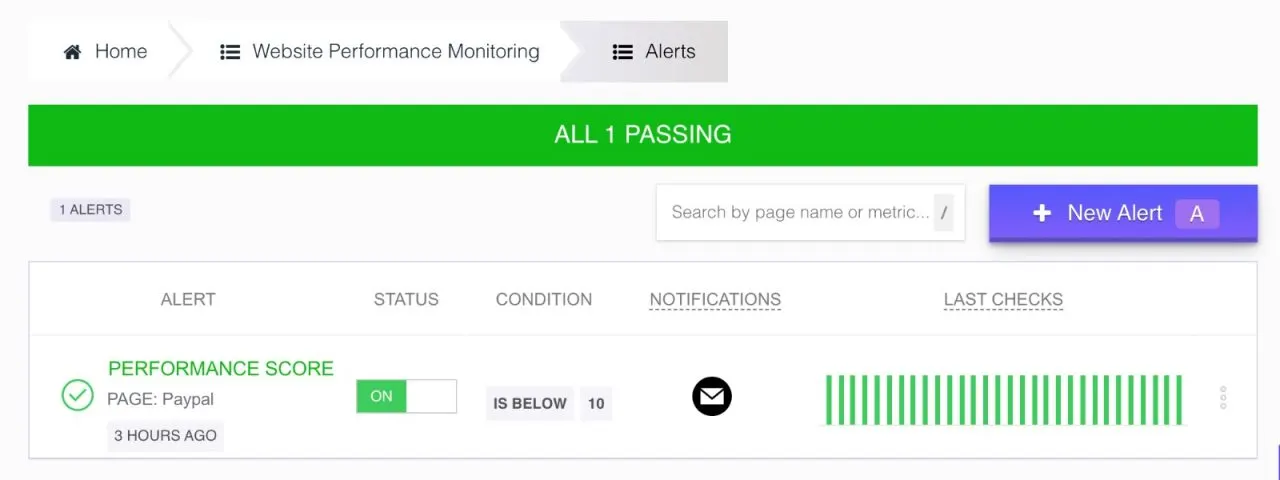
For each alert, you can view past results and understand when these alerts fail for each test individually.
Image Timeline
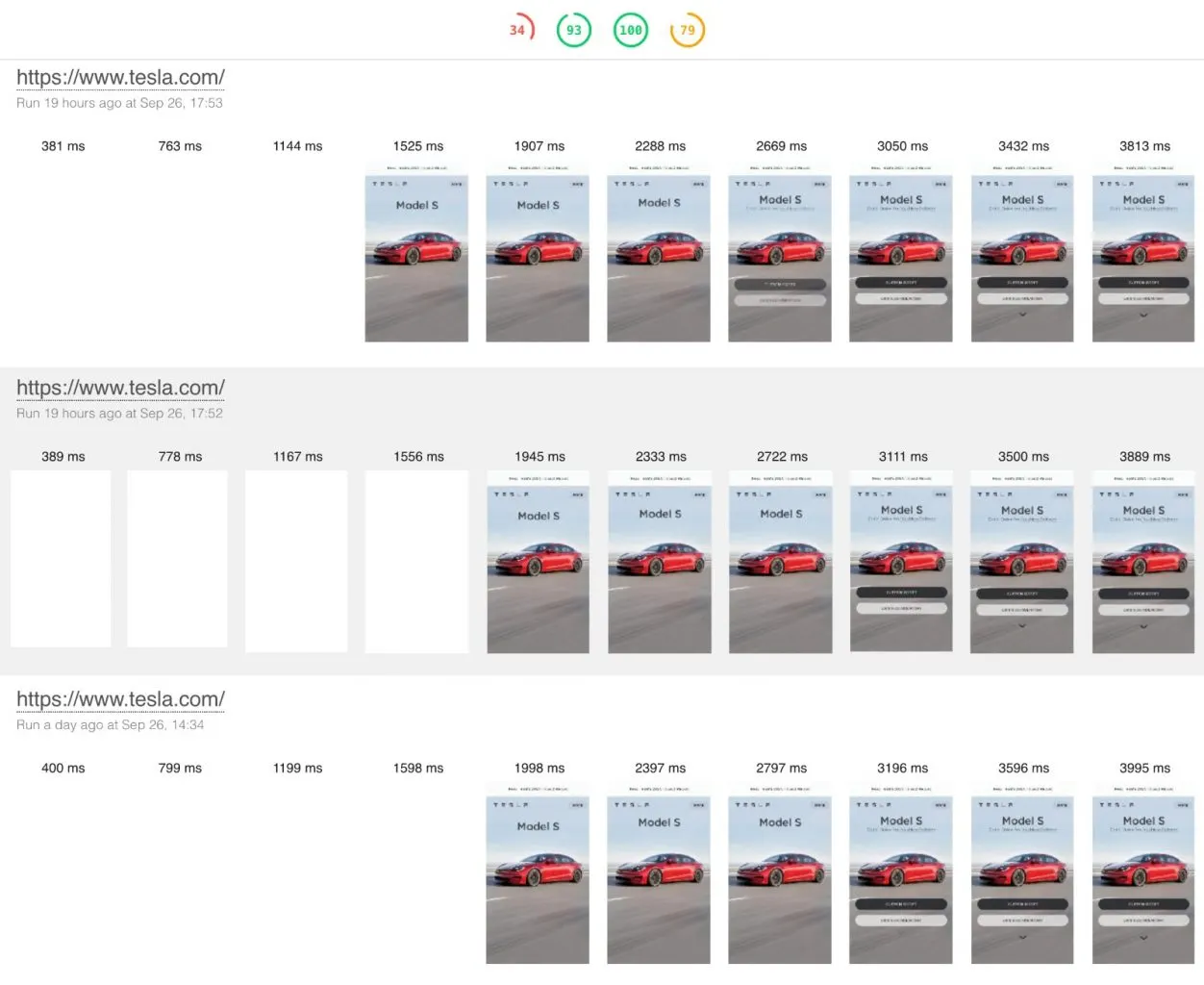
Run history will show also the image timeline for each run and understand better the experience your customers receive when they load your website on Mobile or Desktop devices.
Core Web Vital Metrics
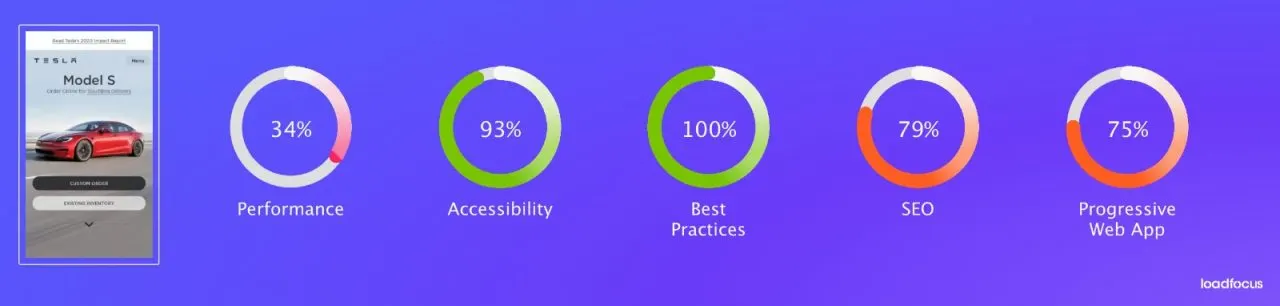
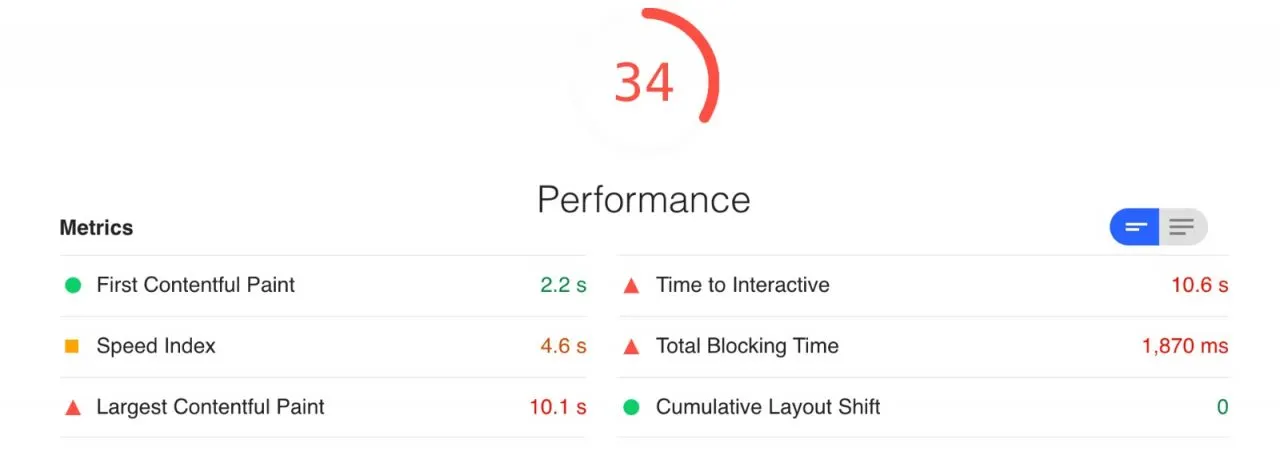
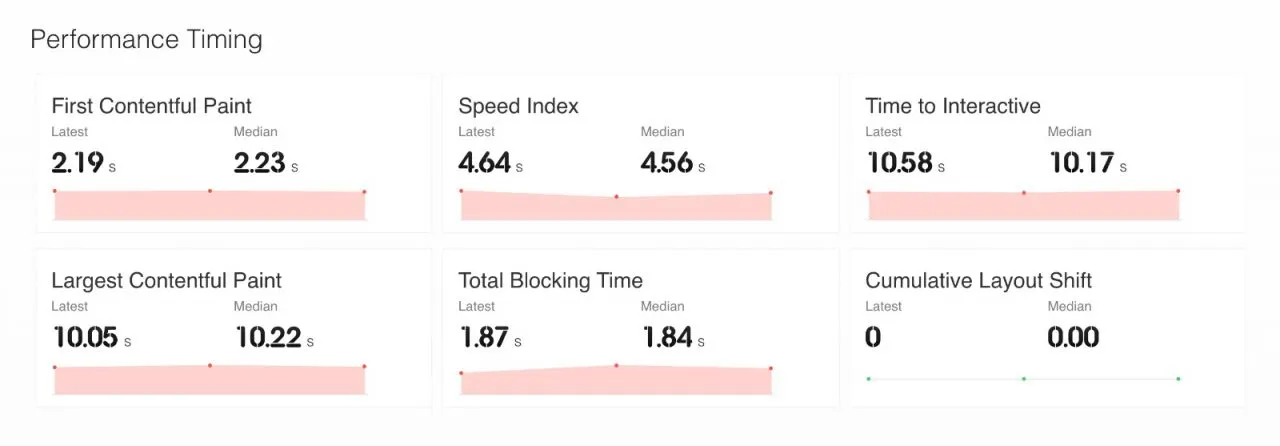
Getting a full picture of the Performance, SEO or Accessibility scores of your website or web pages is very important.
Full list of improvements with action items are displayed for each section. The impact of each change will be listed as well.
Get started today
Written by Bogdan Vazzolla.
LoadFocus is a cloud testing platform, a load and stress testing tool which provides the infrastructure to run tests with thousands of concurrent users, from multiple cloud locations, in less than a few minutes, keep history of the results, compare different runs to inspect performance improvements or performance degradation. It also supports running JMeter load tests from the cloud and monitoring and audit web and mobile performance.
Frequently Asked Questions
Why monitor Core Web Vitals instead of auditing occasionally?
Because a one-off audit is a snapshot. Scheduled checks give you a trend, which is what shows a plugin, a new widget or a style change slowly degrading the page.
What should the alert fire on?
The individual metric that affects ranking rather than the composite score. A score can stay flat while one vital crosses its threshold, and it is the vital that matters.
Which pages should I watch?
Your top landing pages first. Sitewide averages hide the pages people actually arrive on, which are the ones where the experience decides whether they stay.