Key Takeaways
Bottom Line on Modern Mobile Performance Testing
If you’re deciding how to approach mobile performance testing in 2026, focus on these essentials:
- Cloud testing platforms allow you to test across thousands of real devices and configurations, simulating real-world network conditions (3G, 4G, 5G, varying latencies) without the overhead of maintaining your own device lab. According to GlobalTestMarket, 78% of mobile developers now prefer cloud testing for its device coverage and flexibility.
- Local testing remains valuable for early debugging and scenarios that require full control or enhanced security. When handling sensitive data or proprietary builds, on-premise testing minimizes exposure and lets you fine-tune every variable.
- Many organizations adopt a hybrid model, combining the scalability of cloud testing with the control of local setups. This approach is common in regulated industries or with complex mobile apps.
- Key criteria for selecting a testing approach include cost, device and OS coverage, network simulation realism, and integration with your CI/CD pipeline. For practical guidance on CI/CD integration, see Continuous Performance Testing Isn’t Optional – It’s the New Development Standard for 2026.
Match your testing strategy to your project’s scale, risk profile, and release cadence. Cloud, local, or hybrid – each has distinct strengths. The right mix will yield the actionable insights needed for reliable mobile app performance at scale.
Is Your Infrastructure Ready for Global Traffic Spikes?
Unexpected load surges can disrupt your services. With LoadFocus’s cutting-edge Load Testing solutions, simulate real-world traffic from multiple global locations in a single test. Our advanced engine dynamically upscales and downscales virtual users in real time, delivering comprehensive reports that empower you to identify and resolve performance bottlenecks before they affect your users.
Cloud vs Local: Mobile Performance Testing as Map vs. Foot Exploration
Why This Analogy Fits
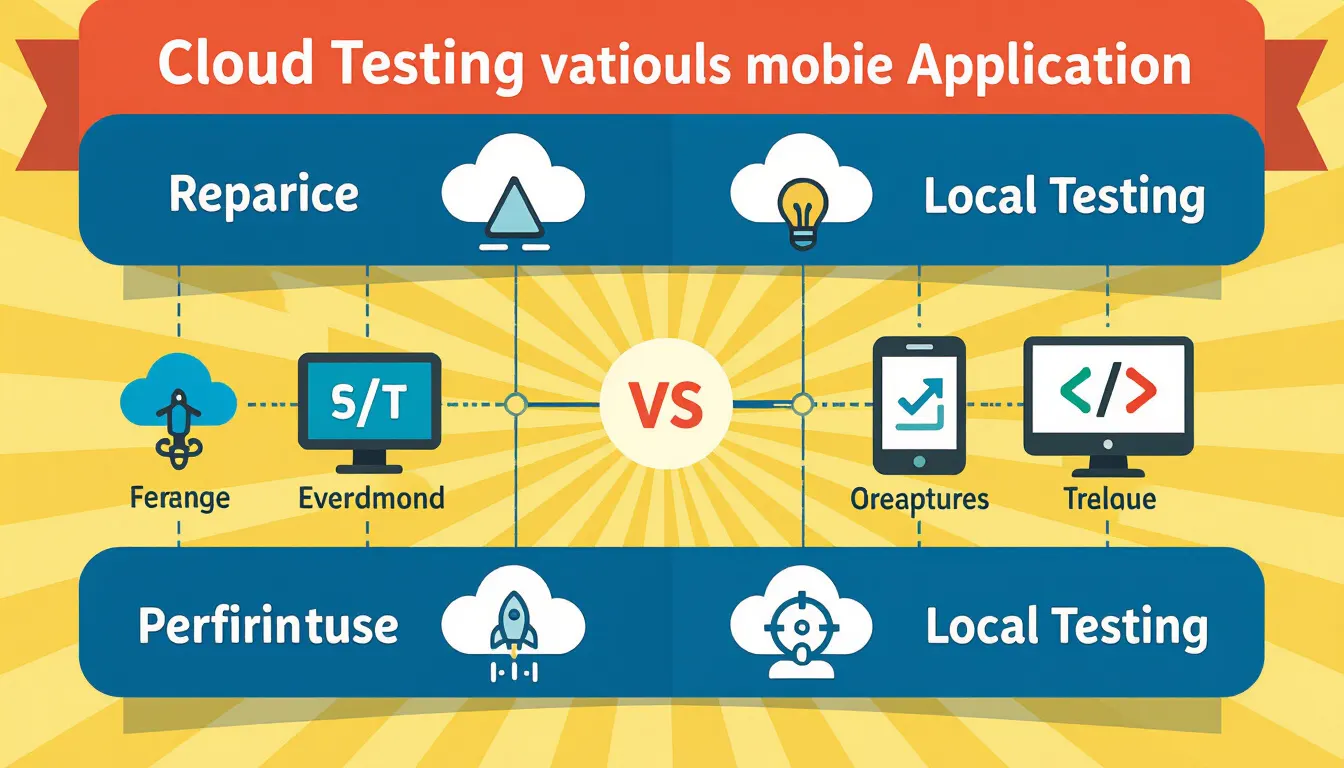
Choosing a mobile performance testing approach is less about technical bias and more about how you want to understand your application’s behavior. Cloud testing is like navigating with a detailed map – broad visibility, instant access to multiple routes, and quick rerouting as conditions change. Local testing is akin to exploring on foot: you notice every detail, catch subtle issues, and gain a level of familiarity that’s hard to replicate remotely.
Key Insight: The core tradeoff between cloud and local mobile performance testing is breadth and speed versus depth and hands-on control.
Cloud Testing: Breadth, Speed, and Real-World Simulation
Running mobile performance testing in the cloud taps into a global network, offering scale that local device labs can’t match. Cloud testing lets you simulate diverse conditions – different networks, devices, and geographies – without the burden of purchasing or maintaining hardware. This approach is especially effective for teams seeking broad device coverage and realistic performance data.
Another advantage is cost efficiency. Cloud platforms operate on a pay-as-you-go model, so you only pay for resources you use. This flexibility can make a measurable impact on release velocity and budget allocation, especially for teams that need to scale testing up or down rapidly.
Think your website can handle a traffic spike?
Fair enough, but why leave it to chance? Uncover your website’s true limits with LoadFocus’s cloud-based Load Testing for Web Apps, Websites, and APIs. Avoid the risk of costly downtimes and missed opportunities—find out before your users do!
Local Testing: Precision and Deep Debugging
Testing locally is about granular control. You can manipulate every variable, catch edge-case bugs, and step through issues with a debugger in real time. Local testing is indispensable for early development, particularly when you need to isolate hard-to-reproduce defects or validate new features before public release.
Compliance is another consideration. For apps handling sensitive user data, local testing often remains the only viable path. Cloud testing may introduce data sovereignty risks or compliance hurdles that some organizations cannot accept.
The Stakes: Technical and Beyond
Cloud versus local isn’t about right or wrong – it’s about tradeoffs that affect release velocity and user experience consistency. Cloud testing brings the breadth to catch global issues and accelerate delivery, while local testing offers focused insight into subtle glitches. Many organizations now use hybrid approaches, layering wide coverage with hands-on scrutiny.
For teams aiming to deliver reliable performance at scale, the choice shapes how quickly you find issues, how confidently you ship, and how users experience your app in the wild.
LoadFocus is an all-in-one Cloud Testing Platform for Websites and APIs for Load Testing, Apache JMeter Load Testing, Page Speed Monitoring and API Monitoring!
Cloud Testing for Mobile Performance: Strengths and Innovations
| Feature | Cloud Testing Impact | Example Use Case |
|---|---|---|
| Device Diversity | Instant access to thousands of real mobile devices and OS versions without physical labs | Launching a global app update and verifying compatibility across Android and iOS devices from different regions |
| Network Simulation | Ability to mimic real-world network conditions (3G, 4G, 5G, latency, packet loss) | Testing app responsiveness for users in rural areas or during heavy network congestion |
| Scalability | Rapidly scale tests to hundreds or thousands of parallel sessions | Running stress tests before a major product launch to predict peak load issues |
| CI/CD Integration | Automated performance testing during every build with rapid feedback cycles | Detecting regressions automatically as soon as a new feature is committed |
| AI-Driven Analytics | Automated bottleneck identification and predictive failure analysis | Accelerating root cause analysis when app startup time increases unexpectedly |
Key Insight: Cloud testing’s primary strength is delivering fast, scalable insight into how apps behave across devices, networks, and user conditions – capabilities local labs cannot match.
Scalability and Device Coverage
Cloud testing platforms have changed how development teams approach mobile performance testing. Instead of maintaining costly physical device labs, you gain instant access to thousands of real devices, each running different OS versions and configurations. This breadth of coverage isn’t just about convenience – it mirrors the diversity your users bring, exposing issues that would remain invisible in a controlled, local setup.
This scale benefits both large enterprises and smaller teams. The pay-as-you-go model removes the need for heavy upfront investment, allowing you to ramp up testing during critical periods and scale back when demand drops. For more on optimizing test coverage while controlling costs, see this comparison of open source vs commercial load testing tools.
Real-World Network Simulation
Cloud testing stands out for its ability to simulate real-world network conditions. Mobile performance testing is only as realistic as the networks you test against. Cloud platforms can mimic conditions like 3G, 4G, 5G, variable latency, and packet loss – factors that shape real-world usage. As Dr. Lisa Chen, a mobile UX researcher, notes: “Cloud testing’s ability to mimic real-world conditions is unmatched.”
This matters because user experience can break down in the field even if it looks perfect in the office. By simulating these environments, you ensure your app holds up for everyone. For more on network accuracy, read LoadFocus’s analysis of network latency impact.
AI-Driven Insights and Automation
Recent advances in cloud testing apply AI and machine learning to analyze test data in real time, flagging performance bottlenecks and predicting failures before they impact users. This proactive approach surfaces likely issues so you can act before users are affected.
Automated root cause analysis is now possible during routine builds. By integrating cloud testing into your CI/CD pipelines, every code change is vetted for performance regressions, shortening feedback cycles and reducing human error in test interpretation. For teams with complex apps and tight deadlines, these advances provide a clear edge. For more, see this case study on AI in load testing.
Of course, AI-driven analytics depend on the quality of test data and may occasionally miss nuanced edge cases that a human expert could spot.
Cloud testing’s strengths – scalability, device diversity, network fidelity, and AI-driven automation – give teams a decisive advantage in modern mobile performance testing. These capabilities directly translate into more durable apps and better user experiences, especially at scale.
Local Testing for Mobile Performance: Control, Security, and Limitations
Key Insight: Local testing offers unmatched precision and security, but cannot keep pace with the scale and diversity of today’s mobile device ecosystem.
Environment Fidelity and Debugging Precision
If you’re tracking down an elusive crash or unexplained lag, complete control over the test environment is essential. Local mobile performance testing lets you choose the exact device, OS version, and environmental variables. This fidelity is critical when you need to reproduce and dissect bugs that only appear under specific hardware or OS conditions.
For example, throttling CPU, changing device orientation, or toggling system settings can quickly surface issues that automated cloud platforms might miss. When a new Android or iOS release lands, local setups let you immediately profile performance on your own terms – no waiting for a cloud provider to update their device fleet. Direct access to logs, memory traces, and performance profilers enables deep root-cause analysis, which is difficult to replicate remotely.
While cloud-based platforms shine for coverage and real-world simulation, local testing remains the standard for granular debugging and in-depth performance profiling, especially in early development.
Security and Compliance Considerations
Some use cases demand an environment you fully control, especially when sensitive data or proprietary algorithms are involved. Local testing is essential for apps handling confidential medical records, financial data, or intellectual property that must never leave a secure network. Regulatory frameworks like GDPR, HIPAA, or data residency laws can make cloud testing risky or even prohibited for certain organizations.
In these scenarios, on-premise testing is often the only way to satisfy compliance officers and auditors. Sensitive endpoints, private test data, or security tokens stay behind the firewall, minimizing exposure. Teams can implement custom monitoring or additional security tooling that’s not possible in a third-party cloud lab. For more on keeping test data secure, see cloud testing security best practices for 2026.
Scalability and Maintenance Challenges
Despite its strengths, local testing has clear limitations as your device matrix grows. The diversity in today’s mobile ecosystem – dozens of screen sizes, chipsets, and OS flavors – makes it resource-intensive and costly to maintain a physical device lab. You’re responsible for sourcing new phones and tablets, installing OS updates, and retiring obsolete devices. This maintenance overhead grows with every major vendor release. Unlike cloud platforms, which update device pools in near real time, local setups inevitably lag behind. The result? Testing can become siloed and out of date, missing issues that only appear on newer or less common hardware. For teams committed to broad compatibility, these scalability limitations are hard to ignore.
Hybrid approaches are gaining traction, with many organizations running sensitive tests locally and relying on cloud services for scalable, real-world simulation. For practical strategies, see overcoming top cloud testing challenges in 2026.
Cloud Testing vs Local Testing: Side-by-Side Comparison Table
Comparing Core Dimensions for Mobile Performance Testing
Choosing between cloud testing and local testing shapes your mobile performance testing outcomes. The table below breaks down six critical dimensions to help you weigh tradeoffs. Whether you’re prioritizing device coverage, scalability, cost, or security, aligning your approach with your team’s needs is essential.
| Dimension | Cloud Testing | Local Testing |
|---|---|---|
| Device Coverage |
Access to thousands of real devices and OS versions remotely. Ideal for replicating the fragmented mobile ecosystem and edge cases. 78% of developers prefer cloud for coverage (GlobalTestMarket, 2026). |
Limited to in-house devices. Misses rare configurations unless you invest heavily in a physical lab. |
| Scalability |
Instantly scale up tests by adding devices or users as needed. Supports high concurrency and diverse geographies. |
Constrained by hardware availability and lab space. Scaling requires manual setup and physical expansion. |
| Cost |
Pay-as-you-go pricing. Reduces capital expenditure – up to 40% lower annual costs (TechInsights). |
High upfront investment in devices and infrastructure. Ongoing maintenance adds to total cost of ownership. |
| Network Simulation |
Advanced simulation of 3G, 4G, 5G, variable latency, and packet loss. Enables accurate real-world testing scenarios. |
Typically restricted to Wi-Fi or basic emulation. May not accurately reflect varied network conditions. |
| Security |
Test data may reside in third-party infrastructure. Consider privacy and compliance risks, especially for sensitive apps. For best practices, see cloud testing security tips. |
Full control of data environment. Preferred for projects with strict security, legal, or compliance requirements. |
| Integration |
Deep integration with modern CI/CD tools. Supports continuous performance testing and rapid feedback cycles. |
Often requires manual triggering and setup. Less suited for fully automated release pipelines. |
This comparison highlights the practical realities of each approach. Teams focused on mobile performance testing at scale will likely lean toward cloud solutions for their flexibility and realism, while those handling sensitive data or early-stage debugging may see more value in local options. For a deeper dive into hybrid and cloud strategies, see the cloud vs on-premise monitoring comparison.
How Mobile Performance Testing Changes with Cloud Adoption: Before and After Patterns
Workflow Shifts: Local vs Cloud Testing
Adopting cloud-based mobile performance testing fundamentally changes how teams approach device coverage, test execution, and analytics speed. The biggest leap is in scale and agility – cloud platforms unlock instant access to thousands of device and OS combinations, and integrate directly with CI/CD pipelines for continuous testing.
| Step | Local Testing Approach | Cloud Testing Approach |
|---|---|---|
| Device Coverage | Limited to in-house devices, manual rotation, high maintenance costs | Access to thousands of real devices, instant provisioning, no lab overhead |
| Test Execution Speed | Sequential runs, resource bottlenecks, slow feedback for large test suites | Parallel execution across devices and OS versions, faster cycle times |
| Performance Analytics | Manual data aggregation, siloed results, delayed insights | Real-time dashboards, AI-driven alerts, trends visible within minutes |
| Network Simulation | Basic emulation, often limited to Wi-Fi or a single cellular profile | Advanced simulation of 3G, 4G, 5G, location-based latency, and packet loss |
| CI/CD Integration | Manual triggers, spot-testing before releases | Automated execution on every commit, continuous monitoring built in |
Before/After Examples: Real Change in Action
-
Device Coverage and Test Execution
Before After “We schedule overnight test runs against five Android and three iOS models in our lab. New devices get added once per quarter if budgets allow.” “Our cloud platform executes parallel tests across 300+ device/OS combinations, including the latest releases – no wait time, no hardware procurement.” The after approach eliminates hardware bottlenecks and expands coverage instantly. Teams can focus on performance insights rather than device acquisition and maintenance.
-
Performance Analytics Turnaround
Before After “After each test run, we export logs and aggregate metrics in spreadsheets. It often takes a day or more to spot trends and diagnose bottlenecks.” “Our cloud dashboard highlights latency spikes and renders interactive trends within minutes. AI-driven alerts flag anomalies during the run.” Fast analytics make performance data immediately actionable – critical for rapid iteration. As discussed in our recent opinion on continuous performance testing, these shortened feedback loops are now a development standard.
Enabling Continuous Monitoring with CI/CD
Cloud adoption is more than a convenience. Native integration with CI/CD pipelines automates performance monitoring on every build, making mobile performance testing a persistent part of your workflow. This gives teams the confidence to ship quickly, knowing new issues will be flagged automatically.
For more on how platforms like LoadFocus support this shift, see this AI-powered load testing case study on SaaS scaling. The takeaway: cloud testing doesn’t just replicate local workflows – it changes how teams measure, react, and improve app performance.
When Local Testing is the Better Choice: 3 Scenarios Where On-Premise Wins
Key Insight: Local testing is irreplaceable when you need hands-on control, hardware access, or absolute certainty that sensitive data never leaves your premises.
1. Debugging Device-Specific, Cryptic Issues
Cloud platforms offer unmatched scale, but sometimes mobile performance testing demands direct access to the device. If you’re chasing a bug that only occurs on proprietary hardware or involves device sensors, local testing is essential. No remote platform can truly replicate the quirks of your own firmware or the way custom hardware interacts with your code. Root-cause analysis in these cases often means plugging the device into your laptop and watching logs in real time.
2. Regulatory or Privacy-Driven Projects
Some projects cannot risk any data leaving controlled infrastructure. In healthcare, finance, or government, data sovereignty rules may restrict you to on-premise-only testing environments. Compliance frameworks like GDPR, HIPAA, or regional data residency laws frequently prohibit sending production data – even test subsets – to any third-party cloud. In these scenarios, cloud testing’s flexibility is outweighed by legal and reputational risk. A hybrid approach sometimes works, but often, only local testing will satisfy auditors and legal teams. For more, see this comparison of monitoring strategies.
3. Early-Stage Development and Rapid Iteration
When you’re prototyping or iterating rapidly, waiting for cloud test jobs to queue, spin up, and report can slow the process. Early in the cycle, developers benefit from instant feedback – tweak code, hit run, spot errors, repeat. Local setups let you access hardware-level logs, manipulate device states, and run dozens of tweaks per hour without network delays. Once features stabilize, you can shift to cloud testing for broader coverage and real-world simulation (as discussed in recent posts on spike testing).
Cloud solutions are powerful for scale, diversity, and automation. But for certain edge cases – proprietary hardware, regulatory demands, and rapid prototyping – local testing remains not just relevant, but vital. The right approach matches your project phase, risk profile, and unique application demands.
Decision Framework: Choosing the Right Mobile Performance Testing Approach
Choosing a mobile performance testing strategy is about weighing your team’s technical realities, business constraints, and user base. The choice between cloud, local, and hybrid testing should be deliberate. Below are clear criteria and scenarios to help you align your testing method with project needs – whether you’re after scale, security, or a blend of both.
| Criterion | Best Fit Approach | Rationale |
|---|---|---|
| Device Coverage | Cloud | Remote platforms offer access to thousands of real devices, eliminating the need for costly device labs. |
| Security & Compliance | Local | Regulatory mandates or sensitive data often require on-premise control, avoiding exposure to third-party clouds. |
| Testing Scale | Cloud | Cloud platforms handle high-concurrency tests and rapid scaling with pay-as-you-go pricing – ideal for projects with fluctuating load requirements. |
| Debugging & Deep Diagnostics | Local | On-premise labs provide full control for instrumenting devices, capturing logs, and troubleshooting edge cases during early development. |
| Continuous Integration | Cloud | Easy integration with CI/CD pipelines enables automated, ongoing performance monitoring as code changes deploy. See continuous testing as a new standard. |
| Regulated Apps, Proprietary IP | Hybrid | Hybrid lets you test sensitive flows locally while using cloud for large-scale simulations, balancing control and scale. |
Choose Cloud Testing If:
- Your user base is diverse and you need to test across hundreds or thousands of real device models, screen sizes, and OS versions.
- You value cost flexibility. Cloud solutions operate on pay-as-you-go plans, minimizing capital investment.
- Project timelines demand fast scaling. If marketing plans or feature launches require burst testing, cloud lets you scale test loads instantly.
- Automated workflows are a priority. Cloud testing integrates directly with CI/CD tools, embedding performance checks into every code push.
- Accurate real-world network simulation is critical. Cloud services can replicate conditions like 3G/4G/5G, variable latencies, and geographic routing.
Choose Local Testing If:
- Data privacy or compliance is non-negotiable. If your app handles sensitive medical, financial, or government data, local testing ensures all information stays within your own infrastructure.
- You need in-depth debugging early in development. Local labs allow granular control over devices, logs, and network settings.
- Network or service availability is unpredictable. If frequent internet disruptions or cloud outages could stall your QA process, a local approach keeps testing on track.
- You’re working with proprietary devices or unreleased hardware. Some projects require testing on hardware not yet available in public device clouds.
- Custom instrumentation or monitoring is essential. Local labs let you install bespoke tools for deep diagnostics.
Consider a Hybrid Model If:
- Your project involves both regulated data and mass-market features. For example, a banking app may test authentication and sensitive flows locally, while leveraging cloud to simulate usage spikes and device diversity.
- You want to maximize coverage without losing control. Hybrid lets you combine the breadth of cloud testing with the granular oversight of local labs.
- Team structure is distributed. If QA teams are spread across locations, hybrid setups blend remote access with site-specific control. For deeper strategies, see these cloud testing challenges and solutions.
The best-fit mobile performance testing strategy is rarely a binary choice. For large consumer apps, cloud-first makes sense for coverage and speed. For regulated or high-risk products, local or hybrid is the safer path. As new testing platforms continue to introduce AI-powered insights and real-time monitoring, teams have more flexibility than ever – but the core criteria above should anchor your decision. For deeper comparison of cloud and on-premise strategies, see this in-depth monitoring analysis.
Cost and Resource Analysis: Breaking Down the Investment
Understanding Total Cost of Ownership for Mobile Performance Testing
Choosing between cloud testing and local testing for mobile performance testing is as much a financial decision as a technical one. The total cost of ownership (TCO) includes infrastructure, people, and time as your testing needs evolve.
Upfront vs Operational Costs
Cloud testing platforms typically operate on a pay-as-you-go or subscription model. You avoid the capital outlay of building an in-house device lab. TechInsights found that organizations using cloud environments for mobile performance testing cut their annual testing costs by up to 40%, primarily by sidestepping heavy upfront investments and minimizing ongoing maintenance.
By contrast, local testing requires significant capital expenditure: buying devices, maintaining infrastructure, and dedicating IT staff to manage compatibility and updates. Devices need to be replaced as they age or break, and your device matrix rarely keeps up with the latest user trends.
Maintenance and Scaling: The Hidden Resource Drain
With cloud testing, the provider handles maintenance, software updates, and device procurement. This frees your team to focus on mobile performance testing rather than troubleshooting hardware. When your test requirements spike, you can ramp up device coverage instantly. This is especially relevant given that 78% of mobile developers prefer cloud testing for its broad device coverage.
Scaling local environments is rarely straightforward. Expanding your device lab means more space, more budget, and more hands to keep everything running. For startups and fast-moving teams, this can quickly become a bottleneck.
Cost-Effectiveness: Usage Patterns and Team Size Matter
If your testing needs fluctuate or your team is small, cloud testing is generally more cost-effective and less risky. You only pay for what you use, and you can access new devices and configurations as soon as they’re available. For example, organizations integrating cloud testing with their CI/CD pipelines can automate mobile performance checks without investing in extra hardware.
However, if your company has strict compliance requirements or highly sensitive data, local testing may still be necessary – despite higher ongoing costs – because you retain maximum control over the environment and data handling. Some organizations use a hybrid approach, running sensitive tests locally and relying on cloud services for broader compatibility and stress scenarios.
| Cost Factor | Cloud Testing | Local Testing |
|---|---|---|
| Upfront Investment | Minimal – pay-as-you-go or subscription | High – purchase devices, servers, networking |
| Operational Costs | Variable – scales with usage, no hardware maintenance | Ongoing – device replacement, IT support, power/cooling |
| Maintenance Effort | Provider handles updates and repairs | In-house team maintains hardware and software |
| Device Coverage | Thousands of real devices and configs on demand | Limited by budget and physical space |
| Scalability | Instant – add devices or capacity as needed | Slow – requires purchase, setup, and integration |
| Flexibility for Spikes | High – ideal for release cycles, global testing | Low – difficult to scale up for short-term needs |
| Security/Compliance | May require additional safeguards | Full control over environment and data |
Ultimately, your investment depends on how often, how widely, and how securely you need to test. For most teams, cloud testing’s ability to deliver cost savings, reduce maintenance, and offer instant scalability makes it the pragmatic choice – especially when rapid feedback and real-world simulation are priorities. For a deeper dive into the pros and cons of cloud-based tools, see this enterprise comparison of load testing tools.
Network Simulation and Environment Fidelity in Mobile Performance Testing
Simulating Real-World Networks at Scale
Mobile performance testing is about understanding how your app behaves under real-world network variability – packet loss, fluctuating bandwidth, and latency spikes. Cloud testing platforms like LoadFocus can simulate thousands of devices running on 3G, 4G, or 5G, across different geographies and network conditions. According to GlobalTestMarket, 78% of mobile developers now prefer cloud testing for its ability to offer such diverse scenarios.
Local testing is often limited to whatever network is available in the office or lab. Unless you’ve invested in advanced network emulation, your ability to mimic unpredictable cellular or Wi-Fi environments is constrained. This lack of fidelity can hide performance bottlenecks that only appear at the network fringes – think rural 3G, crowded conference centers, or cross-border roaming.
Capturing Edge Cases and Outlier Scenarios
Cloud-based platforms stand out for their ability to surface outlier scenarios at scale. By launching tests from multiple regions and simulating a spectrum of network latencies, they expose rare but critical issues – slow startup when switching networks, authentication failures during handoffs, or UI freezes under high jitter. LoadFocus, for example, lets you orchestrate performance sweeps that map out these edge cases more thoroughly than most local setups. For a detailed breakdown of how network latency skews load test results, see this analysis of network latency impact.
No approach is perfect. Even the most advanced cloud simulators can’t reproduce every real-world quirk – carrier-specific throttling, device firmware bugs, or local ISP outages. That’s why organizations with critical uptime or compliance requirements often blend both methods: start with cloud-based sweeps to catch broad issues, then use local testing for deep debugging or proprietary device scenarios. For examples of how distributed cloud tests can uncover hidden latency issues, see this API latency case study.
Realism, Speed, and Practical Limitations
For teams aiming to ship high-quality mobile apps, environment fidelity matters as much as device coverage. Cloud solutions like LoadFocus provide broad reach, fast iteration, and the ability to pinpoint weak spots under real-world load. Local setups, unless heavily augmented, can’t match the diversity of conditions found in the field. The best results come from mixing both – use the cloud for breadth and automation, the local lab for depth and control.
Integrating Mobile Performance Testing into CI/CD Pipelines
Why CI/CD Integration Matters for Mobile Performance
For modern development teams, delays in identifying performance issues can lead to buggy releases and frustrated users. Mobile performance testing embedded directly into CI/CD pipelines changes this dynamic. By integrating automated checks at every build or deployment, teams catch regressions before they reach production. Cloud testing platforms like LoadFocus offer out-of-the-box integrations with popular CI/CD tools, so every code push can trigger performance tests across a spectrum of real devices and network conditions.
Manual, late-stage testing is no longer sufficient. In 2026, 78% of mobile developers reported a preference for cloud testing environments over local setups, largely due to smooth automation and device coverage (GlobalTestMarket). With the speed of agile sprints, waiting for manual QA cycles isn’t feasible. Automated mobile performance testing in CI/CD pipelines means feedback arrives in minutes, not hours or days.
Cloud Testing: Reducing Script and Maintenance Overhead
One of the biggest challenges with local testing is constant upkeep. Teams often need custom scripts to handle device orchestration or simulate network conditions, and maintaining device labs is a full-time job. Cloud testing offloads this burden. Platforms like LoadFocus maintain thousands of device and OS combinations, and can simulate real-world network scenarios at scale. This allows your team to focus on building features rather than managing test infrastructure.
For organizations moving to microservices architectures, the value increases. Automated load and performance tests can be triggered for each microservice independently, ensuring that a single code change doesn’t degrade the experience for mobile users. For a practical walkthrough, see the microservices load testing guide.
Continuous Monitoring: The DevOps Standard
Embedding continuous performance monitoring into your CI/CD flow closes the loop between development and production. Teams can schedule recurring tests that mirror peak usage scenarios, and receive alerts when performance metrics slip outside defined thresholds. This proactive approach reduces the risk of high-severity incidents post-release. The best cloud platforms now offer AI-driven insights to help teams pinpoint bottlenecks automatically – a major advantage over traditional local setups.
For more on how continuous performance testing is becoming the default for fast-moving teams, see this perspective on continuous performance testing as the new development standard.
In fast-release environments, integrating mobile performance testing into your pipeline is now a necessity for delivering reliable, high-quality apps at speed. When done right, it ensures performance is a core part of your development culture.
Limitations and Pitfalls: What Neither Approach Solves Alone
No Silver Bullet: Gaps in Cloud and Local Testing
Cloud and local testing each have constraints. Cloud platforms grant access to thousands of real devices, but even the best network simulation cannot mirror every real-world scenario. Device quirks, battery variance, and rare OS bugs sometimes only emerge on physical hardware in a local lab. Cloud testing may also struggle with unique carrier configurations or unusual device models as the mobile ecosystem grows more fragmented.
Local testing brings its own challenges. Maintaining a physical device lab is expensive and time-consuming, and you’ll always be limited by the number of devices you can support. Scaling up to simulate thousands of users or varied network conditions pushes the limits of local setups. Local environments also fall short in continuous integration, where cloud-based solutions excel at automating routine checks. For more on the challenges in large-scale testing, see this deep dive on overcoming cloud testing challenges.
Connectivity, Cost, and the Moving Target of Realism
Internet connectivity is another critical dependency in cloud testing. If your development team or CI/CD pipeline loses access, so does your testing. While cloud adoption can reduce annual testing expenses, usage spikes or unexpected needs can lead to surprise bills. Local labs, for all their upfront costs, offer more predictable budgeting.
Finally, network simulation – even with advanced tools – rarely captures the full complexity of live cellular and Wi-Fi environments. Both approaches risk missing performance degradation triggered by conditions they can’t accurately reproduce. For more on how network fidelity affects results, see this analysis on network latency and testing accuracy.
Why Hybrid and Iterative Strategies Matter
Most teams adopt hybrid or iterative testing strategies. By blending cloud testing’s breadth with the depth of targeted local checks, you can mitigate the most critical gaps. The right mix changes as both technology and business needs shift. Regularly reassessing your mobile performance testing approach is the only way to keep pace with evolving requirements – and to avoid being blindsided by pitfalls neither method solves alone.
Frequently Asked Questions
What is mobile performance testing, and why does it matter?
Mobile performance testing evaluates how well a mobile app runs under various conditions – across devices, networks, and usage spikes. It’s essential because user expectations for speed and reliability are extremely high, and slow or inconsistent apps risk uninstalls and poor reviews. Testing uncovers bottlenecks, identifies scalability issues, and ensures a high-quality experience on every device your users carry.
Should I choose cloud or local testing for mobile performance?
Cloud testing is the top pick for most teams due to device diversity and the ability to simulate real-world network conditions at scale. According to GlobalTestMarket, 78% of developers favor cloud solutions for broader coverage. Local testing offers control and is ideal for debugging early builds or when data privacy is paramount, but it typically can’t match the scale or realism of cloud-based approaches. For a practical discussion on hybrid and cloud strategies, see this comparison of cloud and on-premise website monitoring.
How does cost compare between cloud and local mobile performance testing?
Cloud testing reduces upfront costs by using a pay-as-you-go model. TechInsights reports that companies have seen up to a 40% annual reduction in testing costs after switching to cloud-based platforms. Local testing requires investment in physical hardware, ongoing device maintenance, and higher operational overhead, which can quickly add up as new devices are released.
Is cloud-based mobile performance testing secure?
Leading cloud testing platforms invest in strong data protection and compliance features, but you must evaluate each provider’s security posture. For highly regulated industries or apps handling sensitive personal data, local or hybrid approaches may be preferable to maintain control over test data. For a deeper dive on protecting your test environments, review these cloud testing security best practices.
How do cloud platforms simulate real-world mobile conditions?
Cloud providers give access to thousands of real devices and offer advanced network simulation (3G, 4G, 5G, latency variations). This setup allows you to test how an app performs in conditions that closely mimic what users actually experience, revealing bottlenecks that might be missed in a controlled local environment.
Can I integrate mobile performance testing into my CI/CD pipeline?
Yes, most modern cloud testing solutions support automated integration with continuous integration and deployment tools. This allows you to schedule performance tests with every new build, identify regressions quickly, and maintain a high release velocity. For more on adding performance validation to your workflows, see this guide to load testing microservices in cloud environments.
What technical criteria should I use to compare mobile performance testing tools?
- Device and OS coverage: Does it support the devices your users actually use?
- Network simulation: Can it realistically mimic throttled or unstable networks?
- Reporting and analytics: Are the insights actionable and detailed?
- Scalability: Can you test for peak user loads without bottlenecks?
- Security compliance: Does it meet your data privacy requirements?
Choosing the right mobile performance testing approach means balancing coverage, cost, speed, and security. As tools and platforms continue to evolve, keep your focus on the conditions and risks that matter most to your user base.
Made with PostNext tool