Key takeaways
- The biggest exposure in cloud testing is the data and credentials you put into the test environment, so keep real customer data out and keep secrets out of test scripts.
- The cloud provider secures the platform; you secure your data, configuration, identities and test scripts.
- Load tests need their own access rules: dedicated test identities, least privilege, allowlisted load generators and a clear owner for every test environment.
- A security scan and a load test answer different questions. Run them separately.
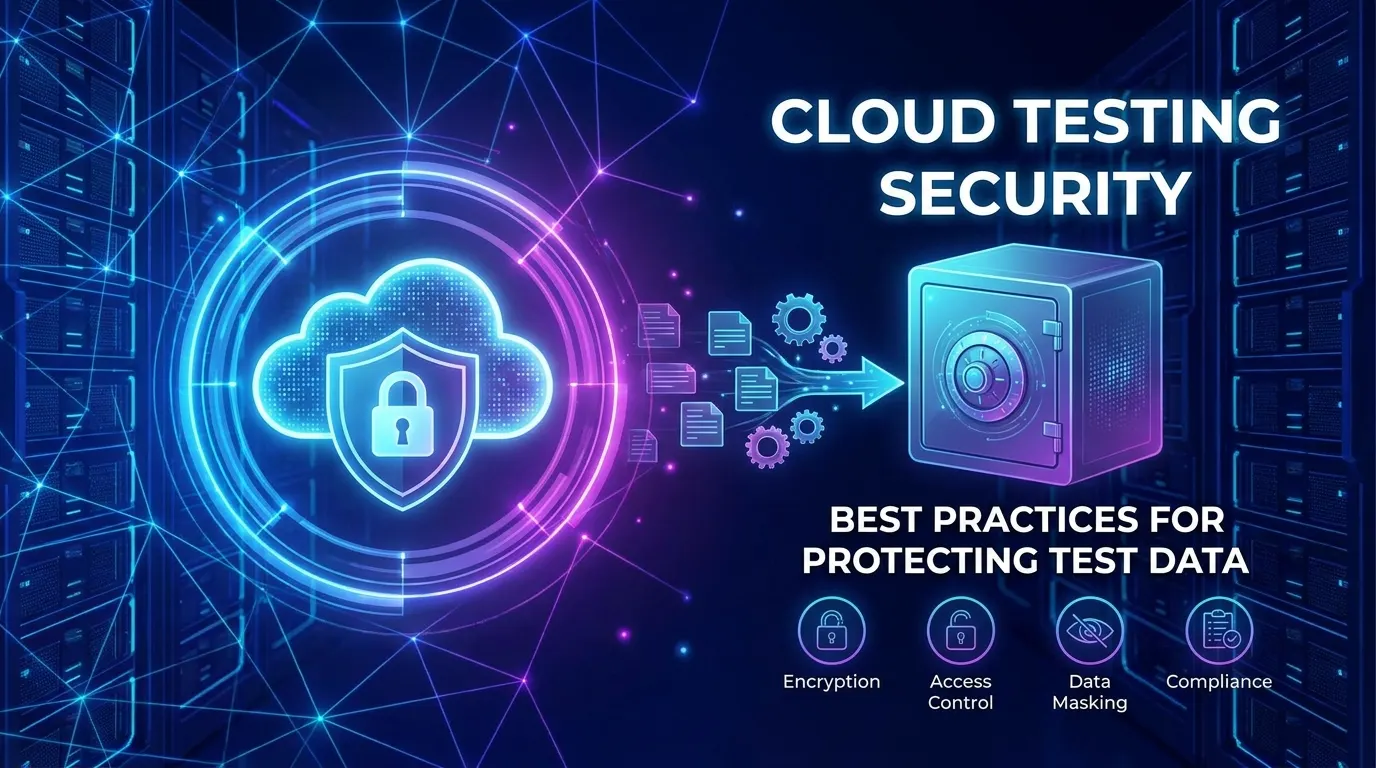
Cloud testing security means protecting the data, credentials and access paths that load and performance tests touch when they run in the cloud. The practical rules are short: do not copy production data into test systems, give each test its own limited identity, store secrets in a secrets manager instead of scripts, and know which environments your load generators can reach.
Who is responsible for security in cloud testing?
You are, for everything you put into the cloud. Providers describe this as a shared responsibility model. AWS, for example, says it is responsible for protecting the infrastructure that runs its services, while the customer’s responsibility depends on the services the customer selects (aws.amazon.com/compliance/shared-responsibility-model, October 2026). For a test environment that means the provider looks after the hardware and the data center, and you look after who can log in, what is stored in your buckets and databases, how services are configured, and what sits in your test scripts.
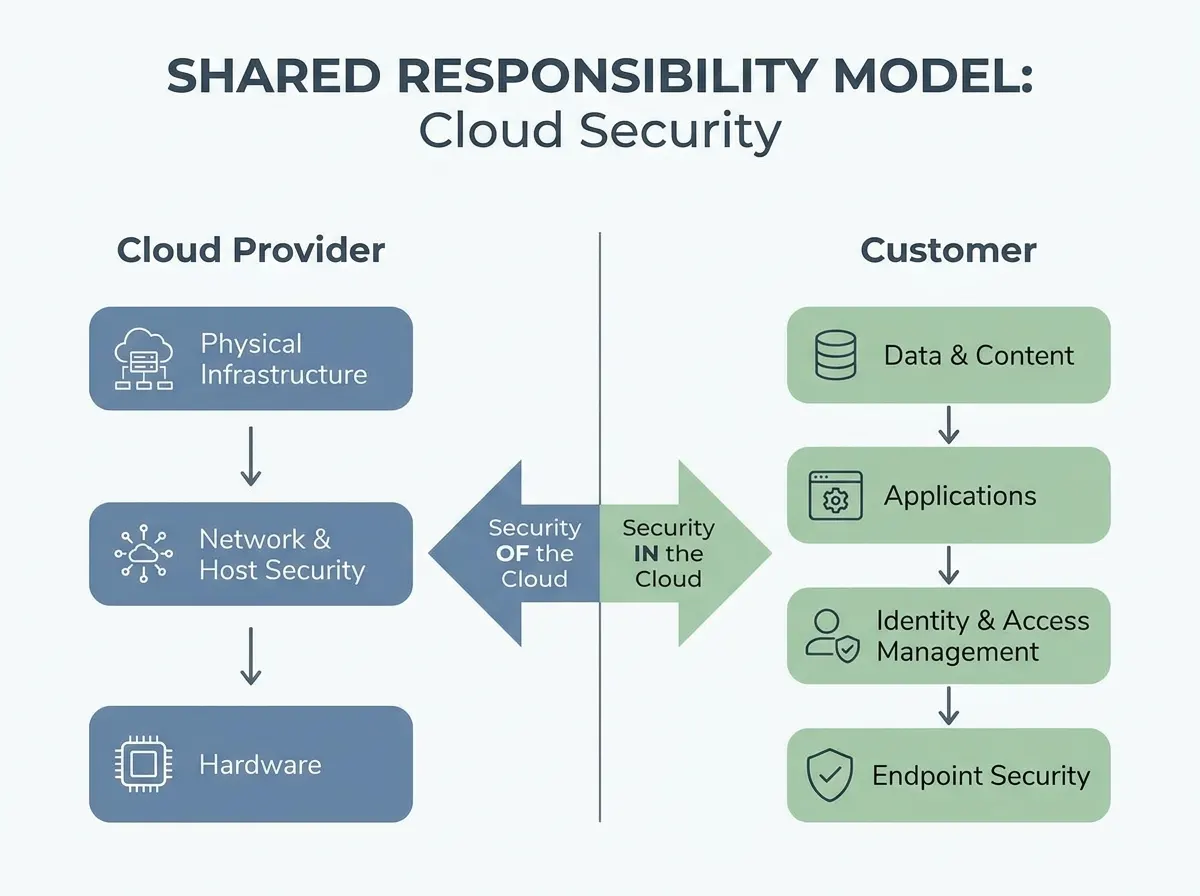
The split between the provider and the customer. The exact line moves with the service you use, so read your provider’s own page for each one.
If you test with a hosted load testing service, there is a third party in the picture. Ask what it stores (scripts, results, response data), how long it keeps it, and where it runs, and read its terms and documentation for the answers instead of assuming. LoadFocus describes its platform as running tests from cloud regions you choose; for questions about retention and data handling, check the LoadFocus docs rather than a blog post, including this one.
What are the biggest security risks in cloud testing?
Test environments tend to be built quickly and watched less than production, which makes these four risks the usual starting point. They are common failure patterns, not ranked statistics.
| Risk | How it happens in a test setup | Fix |
|---|---|---|
| Real data in test systems | A production dump is restored into staging for realism | Use generated or de-identified data |
| Secrets in scripts | API keys and passwords are pasted into a test plan, a repo or a chat | Secrets manager, short-lived credentials, rotation |
| Overly broad access | A test runner gets an admin role “to make it work” and keeps it | Dedicated identity per test, least privilege, expiry |
| Exposed storage and endpoints | A bucket of test results or a staging API is left public | Block public access by default, restrict by network, review regularly |
The OWASP API Security Top 10 names a related set at the API layer, including security misconfiguration and unrestricted resource consumption, which are worth checking before any load test goes near a shared environment (owasp.org/API-Security, 2023 edition).
How do I protect test data?
Do not use real personal data in test environments, because the test environment usually has weaker controls than production. Three techniques cover most cases:
- Generate synthetic data with the same shape as production: the same fields, length distributions and edge cases, but no real people. This is the safest option, and for load tests it also lets you create as many distinct users as you need.
- Mask or pseudonymise a copy of production data before it leaves production, replacing names, emails and card numbers with substitutes. Mask at export time, not after the raw copy has been loaded somewhere. Take care with free-text fields and with combinations of fields that can identify a person.
- Tokenise where a test needs to link records back to the original, and keep the token vault out of the test environment.
Two rules from the regulations are worth knowing. GDPR Article 32 lists pseudonymisation and encryption among the measures for securing personal data (gdpr-info.eu, article 32). And PCI DSS v4.0 requirement 6.5.5 says live card numbers must not be used in pre-production environments unless those environments are fully in scope for PCI DSS, so a test copy of a payment database is a compliance finding, not just a risk (pcisecuritystandards.org, PCI DSS v4.0.1; check the exact wording in the standard for your audit).
Encrypt stored test data and use TLS between services, but do not treat encryption as a substitute for access control: anyone with a role that can read the decrypted data still gets it.
How should I manage secrets and credentials in load tests?
Keep them out of test scripts, repositories and result files. A JMeter plan, a k6 script or an exported report is a file that gets emailed, committed and attached to tickets. OWASP’s Secrets Management Cheat Sheet recommends centralising secrets in one managed solution, rotating them regularly, giving each secret the least access it needs, never hardcoding them in source or configuration files, treating CI/CD systems as production, and logging who accessed what (cheatsheetseries.owasp.org, October 2026).
For load tests, that becomes:
- Create a dedicated test client or test account for each environment, with no access to real data.
- Inject credentials at run time from a secrets manager or CI variable, as a parameter, not as text in the script. See how to test OAuth secured APIs with JMeter for the token handling and the places a token leaks (logs and result files).
- Use short-lived tokens, and revoke or let them expire when the test ends.
- Scrub saved results: a response body saved with the results can contain tokens and personal data.
How do I set up access control and network rules for load tests?
Give each test the least access it needs, for as long as it needs it. Concretely:
- One identity per pipeline or per environment, with only the permissions the test needs, and an expiry on temporary access so it does not linger after the test.
- A separate account or project for test infrastructure where you can, so a mistake in a test environment cannot reach production resources.
- Block public access on storage by default and open exceptions deliberately.
- Test against a staging environment that mirrors production’s configuration but not its data.
Load generators are traffic that your own firewall or WAF may treat as an attack, and rate limiting can look like an application failure under load. LoadFocus’s page on IP allowlisting says its cloud instances are created per test, so the addresses are not known in advance; it publishes the ranges per AWS region (loadfocus.com/whitelist-ips, October 2026). If your application sits behind a firewall, allow only the ranges for the regions you test from, not the entire AWS file, and recheck the page if a test that used to work gets blocked. See LoadFocus IP allowlist. Also read your cloud provider’s testing policy first: AWS, for instance, publishes separate penetration testing and DDoS simulation policies, and a heavy load test against a target you do not own can break the rules of the target’s provider.
Should security scanning be part of load testing?
Keep them as separate steps in the same pipeline. A load test measures capacity and latency, and an added scanner changes the traffic you are measuring. A static scan of your test code catches hardcoded secrets before they ship, and a dependency scan covers the tools you use. A dynamic scan or penetration test belongs against a staging environment on its own schedule. What you can usefully do under load is check that your limits work: that rate limiting, request size limits and timeouts hold, and that errors do not leak internal detail. See CI/CD best practices for where each step fits in a pipeline.
Which compliance rules affect cloud testing?
The ones that cover the data in your test environment, which are the same ones that cover production: GDPR if you hold personal data of people in the EU, HIPAA for US health information, and PCI DSS for payment card data. The test-specific points are the ones above: no live card numbers outside scope, pseudonymisation and encryption where you do use personal data, and a record of where personal data sits, including in test systems and result files. Regulations differ by country and sector, so confirm your obligations with your compliance team.
Frequently Asked Questions
What makes cloud testing security different from general cloud security?
The same controls apply, but test environments add their own risks: data copied in for realism, credentials pasted into scripts, wide access for automation, and results files that capture request and response bodies.
How do I reduce the risk of a data leak when testing in the cloud?
Keep real personal data out of test systems, use synthetic or masked data, store secrets in a secrets manager, block public access to storage, and give test identities only the access they need for as long as they need it.
What is the shared responsibility model?
A split of duties between the cloud provider and the customer. The provider protects the underlying infrastructure; the customer is responsible for what it deploys and configures on top, such as identities, data and application settings. The line depends on the service.
How often should I run security tests on a cloud test environment?
There is no standard interval. Run automated checks for secrets and dependencies on every build, and schedule configuration reviews and dynamic scans on a regular cycle that matches how often the environment changes.
Can I use production data for load testing?
Avoid it. If you must, mask or pseudonymise it before it leaves production, restrict access to the copy, and delete it afterwards. Live card numbers are off limits outside PCI DSS scope.
Sources
- AWS Shared Responsibility Model
- OWASP Secrets Management Cheat Sheet
- OWASP API Security Top 10 2023
- GDPR Article 32, Security of processing
- PCI DSS v4.0.1, requirement 6.5.5 (PCI Security Standards Council; confirmed through secondary summaries, check the standard itself)
- LoadFocus IP allowlist (October 2026)