Key Takeaways
What Matters Most for Mobile API Performance
Consistent mobile API performance is essential for retail apps competing for user attention and app store visibility. With 5.78 billion unique mobile users worldwide, even minor slowdowns can erode trust and conversion rates. App store ranking algorithms from Apple and Google favor apps with fast, reliable APIs, so sluggish interactions don’t just frustrate users – they also suppress discoverability and growth.
Actionable Steps for Better Results
- Run targeted load and performance tests to identify bottlenecks that only become visible under realistic user patterns and global network conditions. For a practical guide on load testing at scale, see this microservices load testing guide.
- Optimize API payloads and network strategies by minimizing transferred data, compressing responses, and caching where possible. These practices reduce latency and battery drain, especially for native retail apps valued for their speed and device integration.
- Monitor and improve continuously. High-performing mobile APIs require ongoing measurement of response time (aim for under 200 ms), latency (under 100 ms), and error rates (below 1%). Automated API testing speeds up fixes and reduces costly rework, as detailed in this API performance testing guide.
Long-Term Success Requires Iteration
Optimizing mobile API performance is a continuous process. As new devices, regions, and usage patterns emerge, retail brands that build regular testing and incremental improvements into their processes position themselves for stronger retention, better reviews, and scalable growth.
Is Your Infrastructure Ready for Global Traffic Spikes?
Unexpected load surges can disrupt your services. With LoadFocus’s cutting-edge Load Testing solutions, simulate real-world traffic from multiple global locations in a single test. Our advanced engine dynamically upscales and downscales virtual users in real time, delivering comprehensive reports that empower you to identify and resolve performance bottlenecks before they affect your users.
Introduction: The Cost of Sluggish Mobile APIs in Global Retail
When Slow APIs Threaten a Retail Giant’s Mobile Ambitions
Consider a global retailer with millions of active customers. Their flagship mobile app – once a driver of growth across dozens of countries – begins to stumble. Negative reviews spike, with users citing slow load times, failed logins, and checkout errors. Conversion rates slip. App store rankings decline, not only because of public complaints but also because both Apple and Google algorithms now weigh perceived performance heavily in their search and ranking logic.
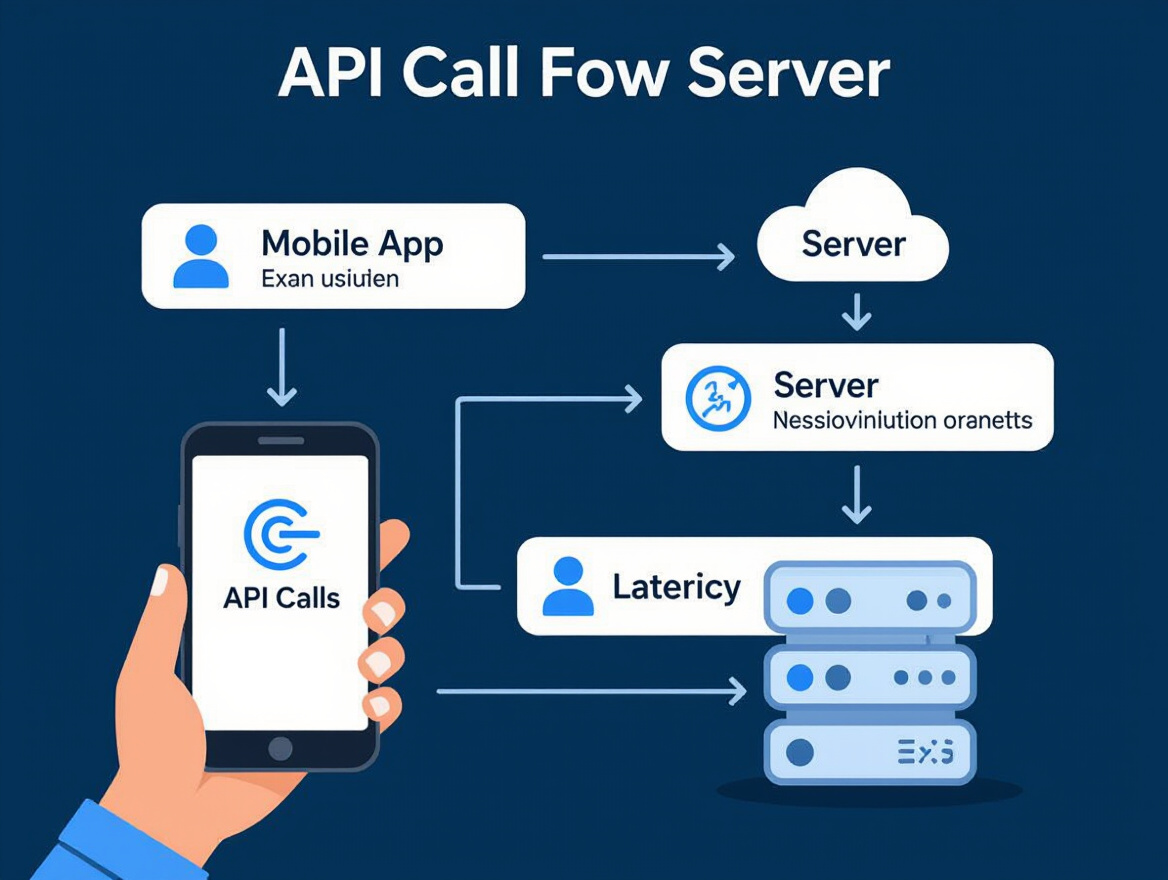
The root cause? Mobile API performance bottlenecks. Each tap on the app triggers several API calls: product searches, inventory checks, personalized offers, payment gateways. When these calls introduce even brief latency – let alone timeouts or errors – the app feels sluggish and unreliable. For a retailer managing hundreds of thousands of simultaneous users across markets, these milliseconds quietly accumulate into millions in lost revenue and a tarnished brand reputation.
Why API Performance Isn’t Just Technical – It’s Business-Critical
As of late 2025, 5.78 billion unique mobile users make up over 70% of the world’s population. In this crowded arena, a retail app’s speed and reliability are not “nice to haves” – they are make-or-break factors for customer loyalty. API-induced lags can drain device batteries and increase data usage, leading to abandonment by the very consumers you hope to retain. Data indicates that 79% of users worry about data usage; every unnecessary API call or payload erodes trust and increases churn risk.
Think your website can handle a traffic spike?
Fair enough, but why leave it to chance? Uncover your website’s true limits with LoadFocus’s cloud-based Load Testing for Web Apps, Websites, and APIs. Avoid the risk of costly downtimes and missed opportunities—find out before your users do!
Modern app store algorithms prioritize user experience signals – not just review scores, but also metrics like crash frequency and response times. A slip in mobile API performance can quietly push an app down in search rankings, making it harder for new users to discover and download.
A Turning Point: From Firefighting to Proactive Optimization
This retailer’s crisis forced a shift from reactive bug chasing to a systematic approach. The team began to test and optimize every key API, setting strict targets: response times under 200 ms, latency under 100 ms, errors below 1%, and strong throughput under peak loads. Strategies included streamlining endpoints, caching high-traffic queries, and stress testing under real-world network conditions. By focusing on these fundamentals, they restored app speed and improved battery efficiency and bandwidth usage – critical wins for users in bandwidth-constrained regions.
Their experience makes it clear: rigorous API testing is essential for global retail. It’s the shield against downtime, sagging ratings, and lost growth. Teams looking to avoid these pitfalls can find actionable frameworks in resources like this step-by-step guide to API performance testing and practical advice from why performance testing should be a priority for mobile-first businesses. As mobile usage continues to rise, brands that treat API performance as a core business metric – not a back-office concern – are best positioned to win and hold global market share.
The Challenge: Diagnosing Mobile API Performance Issues at Scale
For global retail brands, diagnosing mobile API performance issues isn’t just a technical nuisance – it’s a direct business risk. As mobile usage eclipses desktop, even a small delay can ripple through millions of transactions, driving up support tickets and sending user complaints soaring. Common symptoms are hard to ignore: high latency during peak loads, erratic response times in certain regions, a spike in app crashes, and frustrated users leaving lower app store ratings.
LoadFocus is an all-in-one Cloud Testing Platform for Websites and APIs for Load Testing, Apache JMeter Load Testing, Page Speed Monitoring and API Monitoring!
These pain points aren’t hypothetical. With over 5.78 billion unique mobile users worldwide as of late 2025, minor inconsistencies in one country can snowball when your app is serving a truly global audience. The resulting flood of support tickets only hints at deeper, harder-to-catch issues lurking beneath the surface – especially when regional outages or slowdowns slip past the usual dashboards.
| Observed Issue | User Impact | Detection Method |
|---|---|---|
| API latency spikes in Southeast Asia | Checkout failures, abandoned carts | Regional monitoring, user complaints |
| Inconsistent response times on 3G/4G connections | App freezes, poor reviews | Device-side profiling, synthetic tests |
| Excessive battery drain from network activity | Reduced session duration, uninstall risk | Device analytics, correlation with API calls |
| High data consumption on hybrid apps | User churn in data-sensitive markets | Data usage analytics, real-user feedback |
| API error spikes during app updates | Crash loops, negative ratings | Error rate monitoring, in-app crash reports |
Key Insight: At global scale, mobile API performance issues often hide behind regional, device, or network differences that standard web monitoring simply can’t reveal.
Why Scale Complicates the Diagnosis
Unlike web environments, mobile presents uncontrollable variables: network quality varies widely by region, device fragmentation introduces thousands of hardware and OS combinations, and data usage is a real constraint for most users. Inconsistent connectivity – rural 3G, spotty WiFi in crowded cities, or roaming in transit – makes it almost impossible to reproduce issues reliably using only desktop-based tests.
App store algorithms from Apple and Google now prioritize user experience, so regions with persistent issues can drag down ratings globally. Transaction-heavy apps, especially in retail, are hit hardest: a checkout API slowing by even 200 ms can mean lost sales and diminished trust. For a deeper look at how cloud and edge testing approaches address these variables, see this comparison of cloud-based vs on-premise website monitoring.
Initial Attempts: Why Traditional Tools Fell Short
Many teams start by repurposing web API monitoring tools, expecting them to catch the same issues on mobile. But this approach misses critical factors: mobile clients often have unique caching behavior, send different payloads, and are far more sensitive to bandwidth or battery constraints. Conventional synthetic monitoring can overlook the way real devices interact with APIs, especially under suboptimal network conditions.
Automated API tests might show a green dashboard, while users in Mumbai or São Paulo still encounter app crashes or endless loading spinners. The root causes – packet loss on poor mobile networks, oversized JSON responses draining data plans, or errors triggered only on specific OS versions – are invisible to standard browser-based tests. For practical guidance on realistic user simulation in load testing, review how to simulate real user behavior in load testing scenarios.
Addressing mobile API performance at scale means moving beyond the desktop mindset. It requires tools and strategies that recognize the realities of the mobile ecosystem: diverse devices, unreliable networks, and users who won’t tolerate sluggish experiences. Only then can you catch the issues that matter most – before users take their business elsewhere.
The Approach: Setting a Foundation for Mobile API Performance Testing
Defining Success: API Performance Metrics for Mobile
When it comes to mobile API performance, clear KPIs tailored to retail mobile apps are essential – where milliseconds count and user patience is short. The four primary metrics that consistently anchor meaningful testing are response time, latency, error rate, and throughput.
For retail, response time should ideally sit under 200 ms, with latency below 100 ms. These numbers reflect the break point at which users start to abandon carts or leave negative app reviews. Error rates need to be ruthlessly low, below 1%, since a failed checkout or missing inventory lookup erodes trust quickly. Throughput measures the system’s ability to handle transaction surges: crucial during flash sales or holiday rushes.
These metrics don’t exist in a vacuum. App store algorithms from Google and Apple actively penalize slow, unreliable apps, making API performance a direct factor in discoverability. With nearly 5.8 billion mobile users worldwide, even minor inefficiencies translate to massive business impact across global retail operations. For a deeper dive on why performance testing is now non-negotiable for mobile-first businesses, see this analysis.
Tool Selection: Simulating Real Users and Real World Conditions
With KPIs in place, the next step is selecting the right performance testing tools. For distributed retail brands, cloud-based solutions are the clear choice. They enable you to simulate traffic from multiple regions, reflecting the real-world diversity of your customer base. This geographic flexibility is especially important when measuring latency and error rates, which can spike as requests traverse longer network paths.
Tools like LoadFocus provide cloud-driven load and API testing, allowing teams to replicate live shopping events or simulate thousands of concurrent users. This approach is far superior to older, on-premise scripts that only stress a single data center or ignore the quirks of real devices and networks. For a head-to-head comparison of the latest cloud and on-premise testing capabilities, check out this practical guide.
Scenario Mapping: Aligning Tests with High-Impact User Journeys
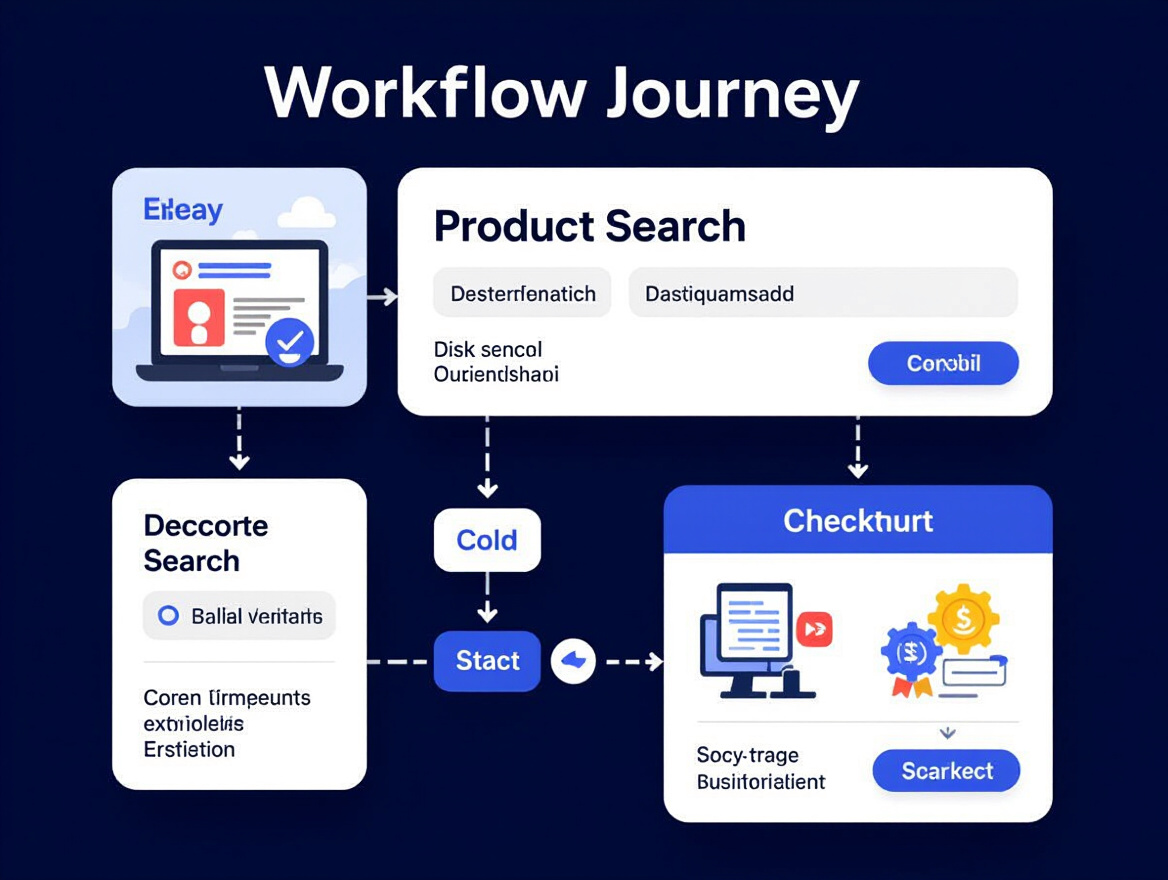
The final – and most overlooked – foundation step is mapping real user scenarios to API endpoints. Retail mobile apps aren’t just about generic browsing. The workflows that matter most – checkout, inventory lookup, personalized recommendations – must anchor your test scripts. Generic load scripts often miss the nuanced API interactions that drive revenue and user satisfaction.
Instead, scenario-based testing traces the actual steps users take, from searching for a product to completing a transaction. Each step is mapped to specific API calls, ensuring that performance is validated where it counts. This alignment uncovers bottlenecks that a “one size fits all” load test would overlook, such as slowdowns during high-velocity inventory checks or payment gateway callbacks.
Aligning KPIs, tools, and real-world user journeys sets a disciplined foundation for mobile API performance testing. With this structure, you’re not just chasing numbers – you’re simulating the critical moments that define the user experience and, ultimately, the success of your mobile retail channel.
Implementation: Executing Targeted Mobile API Performance Tests
Translating theory into practice is where the real work happens. For brands that rely on mobile, API performance is not just a metric – it’s a linchpin for user trust, retention, and ultimately, revenue. Executing a thorough testing strategy means more than hammering endpoints with requests. It requires thoughtfully simulating real usage, scrutinizing results, and iterating to address weaknesses that only emerge at scale and across geographies.
| Test Phase | Actions Taken | Key Findings | Duration |
|---|---|---|---|
| Script Creation | Developed scripts to simulate common user flows, including checkout and account management, with peak-hour traffic spikes modeled after real usage data. | Identified endpoints with excessive payloads and chatty patterns, especially during basket updates. | 2 days |
| Distributed Load Testing | Executed tests from multiple cloud regions to mimic a worldwide customer base, adjusting virtual user counts based on market share per region. | Revealed latency spikes in Southeast Asia and South America, previously masked by single-region tests. | 4 days |
| Iterative Tuning | Refined test scripts and scenarios after each round, isolating slow endpoints and adjusting test data for edge cases. | Surface-level bottlenecks resolved quickly; complex, region-specific issues required targeted API optimizations. | 1 week (multiple cycles) |
| Data Analysis & Reporting | Correlated response times, error rates, and throughput to specific endpoints and user journeys. | Exposed hidden contention during high-traffic events and informed caching/payload reduction strategies. | 2 days |
Integrating Automated API Monitoring
Executing targeted tests is critical, but continuous visibility ensures issues don’t re-emerge between release cycles. Automated API monitoring acts as a safety net, flagging anomalies before they escalate into user-facing problems. Tools like LoadFocus and others from the 10 Best API Monitoring Tools in 2026 roundup provide real-time tracking of response times, error rates, and regional latency, closing the loop between test environment and production reality.
By integrating automated monitoring with your test cycles, you create a living feedback system. When a test flags a slow endpoint, you can track real-world performance post-release to verify improvements stick. This is especially important for mobile APIs, where network conditions, device variations, and global usage patterns can shift overnight. Ongoing monitoring also helps teams catch subtle regressions that static tests miss, ensuring mobile API performance aligns with both user expectations and business SLAs.
Using Realistic User Journeys
Scripted tests that mimic basic CRUD operations won’t reveal the full picture. Instead, the most revealing insights come from simulating complex user flows – multi-step journeys such as onboarding, checkout, or personalized recommendations. These scenarios stress the API layer in ways that simple tests cannot, surfacing dependencies and performance cliffs that only emerge under real-world patterns.
Drawing on best practices from the How to Simulate Realistic User Behavior in Load Testing Scenarios guide, scripting should reflect diverse device types, network speeds, and peak-time concurrency. For example, a retail app’s script should chain together browsing, adding to cart, payment, and order confirmation – each step mapping to distinct endpoints and data payloads. Iterative cycles, with adjustments after each round, help pinpoint exactly where lag or errors begin to appear. This approach doesn’t just validate API health; it sharpens the entire user experience, guiding both developers and product owners toward the most impactful optimizations.
Testing mobile APIs at scale is as much about iterative discovery as it is about validation. By combining scenario-driven scripting, distributed load generation, and continuous monitoring, teams move beyond surface-level metrics and address the deeper issues that impact real users every day.
Key Insights from the Testing Process
What Really Moved the Needle
Optimizing mobile API performance is not a theoretical exercise – it’s about applying targeted tactics that deliver results for demanding retail environments. The test cycles confirmed what experienced engineers suspect: reducing payload size and implementing smart caching are two of the most reliable levers for lowering latency. When responses were trimmed to essential data and commonly accessed content was cached, apps loaded faster, even for users on less-than-ideal networks. This approach not only cut waiting times but also eased the burden on mobile device batteries, which is crucial for retaining customers in data-conscious markets.
Handling Network Fragility and Data Handoffs
Another major breakthrough came from routing improvements and selective data synchronization. Error rates in low-connectivity regions dropped by focusing only on syncing what actually mattered to the user’s immediate task, instead of pushing all updates. This was particularly effective for global retail apps with customers in regions where connectivity is unpredictable. Optimizing endpoint routing also meant fewer roundtrips and less chance for packet loss or timeouts, which directly correlates with better reliability.
Teams that prioritized critical endpoints – like authentication, checkout, and product search – saw the highest returns. By dedicating resources to these flows, they improved speed and minimized the risk of conversion failures. As highlighted in this case study on reducing API latency, focusing efforts where they impact revenue or user trust has a disproportionate effect on business outcomes.
Broader Business Implications
The business case for API performance is clear. With nearly six billion unique mobile users worldwide and app store algorithms prioritizing user experience, even minor slowdowns can directly affect discoverability and growth. Testing revealed that background network activity is a major culprit for battery drain – something 79% of users now actively worry about. For global brands, poor API performance isn’t just a technical nuisance; it’s a threat to ratings, retention, and ultimately revenue.
For teams seeking practical guidance on advanced testing tactics, the 2026 review of top API monitoring tools offers perspective on how to maintain ongoing performance improvements at scale.
Transformation: Before and After Mobile API Performance Optimization
From Frustration to Fluidity: The User Experience Shift
Optimizing mobile API performance is rarely an abstract technical exercise. For global retail apps, the difference between a sluggish API and an optimized one is immediately visible in real-world usage. Before tuning, users typically face slow page loads – the familiar spinning wheel when browsing product lists or checking out. Failed transactions are another headache. For a retail app, every unsuccessful purchase attempt is a lost sale and a trust-damaging moment.
These issues leave a trail. Negative reviews pile up in the app stores, often mentioning specific pain points like “checkout failed three times,” “took forever to load,” or “drained my battery.” Store algorithms notice, and app visibility drops. Support teams see a spike in tickets about stalled logins, missing order confirmations, or repeated session timeouts.
Concrete Improvements: The “After” State
Following a focused optimization effort – minimizing payloads, reducing unnecessary API calls, and adopting efficient caching – users report noticeably faster interactions. Instead of waiting seconds for product images or search results, responses feel nearly instantaneous. Session durations increase as users browse more without frustration, and support teams observe a decline in complaint volume.
Retailers see measurable benefits. Conversion rates improve as users complete more purchases. Positive app reviews highlight “super quick checkout” and “no more crashes.” In regions with spotty connectivity or expensive mobile data, customers appreciate the lighter bandwidth demands and longer battery life. For the business, the investment in API optimization pays dividends across user satisfaction, retention, and operational cost.
Summary Table: Key Metrics and Feedback, Before vs. After
| Metric/Feedback | Before | After |
|---|---|---|
| User Session Duration | Frequent drop-offs after 1-2 screens; short sessions | Longer browsing sessions; users explore more features |
| App Store Reviews | “Too slow”, “checkout failed”, “drains battery” | “Fast navigation”, “quick purchase”, “better battery life” |
| Support Ticket Volume | High volume: login issues, failed transactions, timeouts | Significant drop: fewer complaints about speed and errors |
| Conversion Rate | Users abandon carts during slow checkout | Higher completion rates as checkout process speeds up |
| Data/Battery Usage Concerns | Users complain about high data consumption | Positive feedback on reduced data usage and battery drain |
| App Store Ranking | Slips due to negative reviews and poor engagement | Improved visibility; higher ratings boost discoverability |
Before/After Example: User Feedback Transformation
| Before | After |
|---|---|
| “Every time I try to pay, the app freezes or gives an error. It’s just too slow – I gave up and ordered from a competitor.” | “Checkout was smooth and fast. I completed my order in seconds, even on slow WiFi. Much better experience than last month.” |
The before version is generic and negative, reflecting a broken experience that directly translates to lost revenue. The after version is specific, highlighting tangible improvements (“completed my order in seconds,” “even on slow WiFi”), and reinforces the value users notice when mobile API performance is prioritized.
Business Impact: Beyond the Numbers
Successful optimization is about more than just response times. When a mobile API is tuned for speed and efficiency, business KPIs shift in the retailer’s favor. App sessions stretch longer, support costs drop, and app ratings climb – improving discoverability, as discussed in our review of API monitoring tools. These qualitative gains, rooted in everyday usage and direct user feedback, are what turn a solid retail app into a category leader.
For retail brands serious about long-term digital growth, investing in mobile API performance is not just a technical improvement – it’s a strategic move with lasting impact on customer loyalty and business outcomes.
Overcoming Common Mobile API Performance Pitfalls
Underestimating Network Variability and Device Diversity
One of the biggest mistakes in mobile API performance planning is assuming a uniform experience across devices and networks. In reality, mobile users span a wide spectrum of hardware capabilities and connect via everything from 5G to spotty rural 3G. During testing, retail teams often discovered that what worked flawlessly on flagship devices in urban centers failed on older models or in regions with unreliable connectivity. Addressing this meant expanding test coverage to include a range of devices, operating systems, and network conditions – using cloud load testing platforms like those detailed in this API monitoring tools roundup. This approach surfaced edge cases like battery drain from excessive network calls and high error rates when signal strength dropped.
Failing to Monitor API Performance Post-Deployment
Many teams devote significant effort to pre-launch testing, only to overlook the need for ongoing API monitoring once the app is live. Given that app store algorithms from Google Play and Apple now prioritize user experience signals, undetected slowdowns or spikes in latency can quietly erode store rankings and retention. The most effective teams integrated real-time API monitoring into their processes, setting automated alerts for anomalies in response time and error rates. This shift – from “test and forget” to “continuous vigilance” – helped catch region-specific outages or degradations before they triggered user complaints. For a deeper look at continuous testing trends, consider LoadFocus’ perspective on why ongoing performance testing is the new development standard.
Neglecting Region-Specific Optimization
Too often, brands deploy a one-size-fits-all API stack, not accounting for differences in regional infrastructure or user habits. For global retail, this oversight can lead to slow checkout flows or broken features in key growth markets. Teams addressed this by customizing API endpoints, caching, and even server locations based on user geography. For example, lightweight responses were prioritized for users on limited data plans, and endpoints were optimized for high-volume regional transactions. This level of granular optimization ensures the app remains fast and reliable from São Paulo to Seoul.
Timeline: Step-by-Step Mobile API Optimization Process
Why a Structured Process Matters
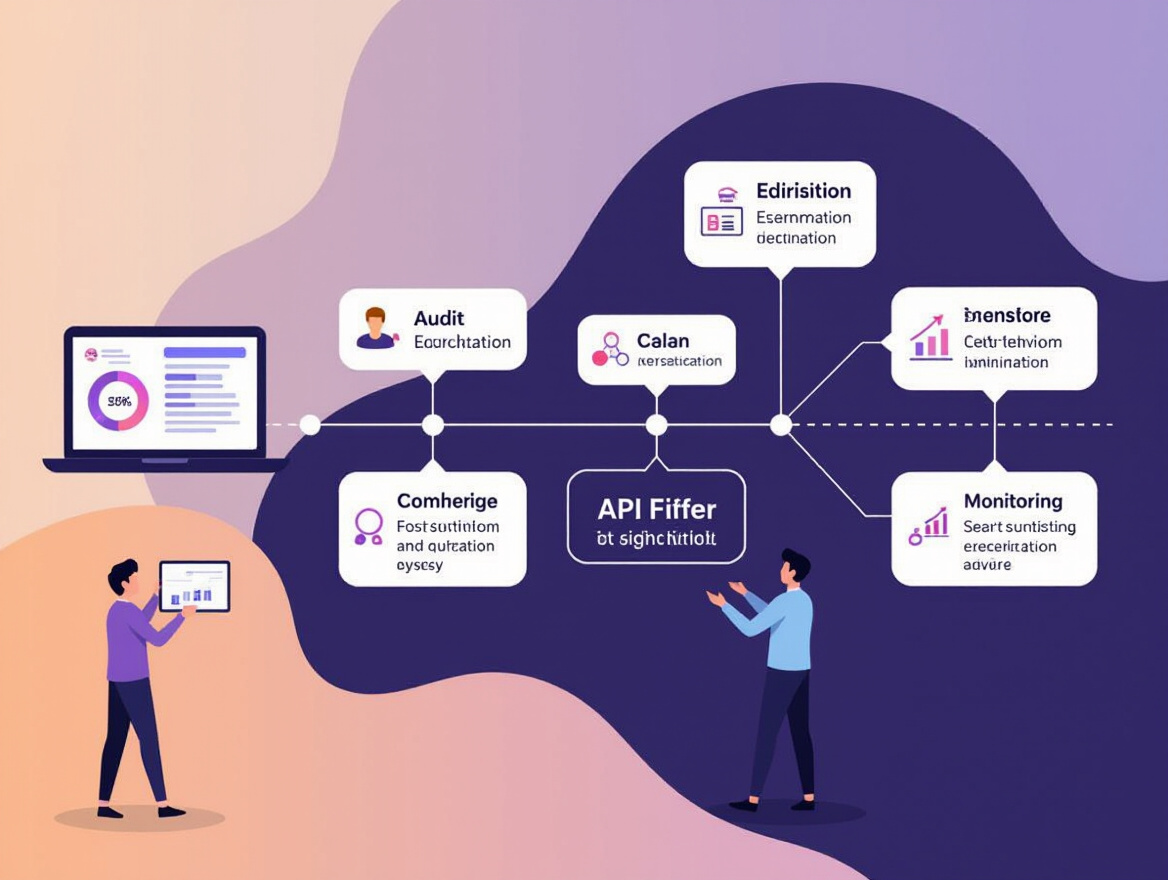
Optimizing mobile API performance demands a disciplined, cross-functional approach. Each phase – starting from audit through to ongoing monitoring – builds on the previous, creating a feedback loop that drives continuous improvement. Success hinges on open collaboration between QA, engineering, and business stakeholders. Retail brands with large mobile user bases cannot afford isolated efforts; every step needs input from multiple perspectives to address technical and business risks.
Visualization: End-to-End Optimization Workflow
| Phase | Description | Duration | Outcome |
|---|---|---|---|
| Initial Audit | Analyze current API endpoints, baseline metrics (response time, error rate, latency), and business-critical flows. Review user feedback and app store ratings for performance issues. | 1-2 weeks | Comprehensive performance map and prioritized list of bottlenecks |
| Test Design | Define test cases for high-traffic and sensitive endpoints, simulate real-world usage patterns, and set target performance goals (e.g., sub-200 ms response times). | 1 week | Custom load and performance test scripts aligned with business priorities |
| Test Execution | Run automated load and stress tests using cloud platforms like LoadFocus. Capture metrics across device types and network conditions. | 1-2 weeks (iterative) | Actionable insight into capacity limits, latency spikes, and error patterns |
| Optimization | Refine API payloads, implement caching, and optimize endpoints based on test findings. Collaborate with business to validate impact on user journeys and conversion rates. | 2-3 weeks | Faster, more reliable APIs with reduced battery and data consumption |
| Ongoing Monitoring | Integrate continuous monitoring and periodic re-testing using tools like LoadFocus. Set up alerts for regressions and track app store metrics post-release. | Continuous | Proactive detection and resolution of emerging issues, supporting long-term user satisfaction |
This process is inherently iterative. As new devices, features, and usage patterns emerge, the cycle repeats – ensuring the app keeps pace with expectations and infrastructure demands. For a practical example of how ongoing testing works in production, see how scheduled load tests and alerts help teams catch regressions before they impact users. By treating mobile API performance as a shared responsibility, organizations set themselves up for resilient growth in a hypercompetitive mobile market.
Selecting the Right Tools for Mobile API Performance Testing
What Matters Most When Choosing a Cloud Testing Platform?
Selecting a cloud testing platform for mobile API performance is about more than ticking boxes. The right tool must address the unique pressures of mobile-first retail – where speed, reliability, and geographic diversity can directly shape user experience and revenue. According to the Guide to Load Testing Microservices Architectures in Cloud Environments (2026 Edition), today’s global apps must be tested under real-world conditions, reflecting the diversity in devices, networks, and locations your actual users face.
Real-time insights are foundational, especially when you’re optimizing for app store ranking and user retention. Delays as slight as 200 ms in API responses can put your app at a disadvantage, both in terms of ratings and in the eyes of users who expect instant feedback. Cloud platforms that stream live metrics, offer detailed breakdowns, and support distributed testing across continents can reveal bottlenecks that local or single-region tests often miss.
AI Analysis, Script Simplicity, and Enterprise Needs
Increasingly, AI-powered analysis is raising the bar for actionable diagnostics. Tools that surface patterns in error rates or predict slowdowns before they hit production allow teams to prioritize fixes and avoid firefighting during peak shopping events. For development teams under pressure, ease of script creation also matters. Many platforms now let you import existing API definitions (like OpenAPI or Postman collections), speeding up the journey from test plan to execution. This is especially relevant for teams already juggling hybrid or cross-platform app projects.
Integration with modern CI/CD pipelines is another must-have. Automated load and regression tests should fit naturally into your deployment flow, catching regressions before they slip into user-facing builds. For a practical guide on integrating performance testing with OAuth2-secured APIs, see our in-depth walkthrough.
Cost, Scalability, and the Enterprise Retail Reality
For enterprise retail, scalability and cost transparency can’t be an afterthought. With 5.78 billion unique mobile users globally and transaction volumes surging during promotions, you need a platform that scales on demand – without surprise overages. Consider tools with flexible pricing, generous concurrency limits, and strong support for large-scale distributed tests. Not every tool is built for these spikes or for the nuanced API call patterns of retail apps.
| Tool | Key Features | Best For | Limitations |
|---|---|---|---|
| LoadFocus |
Real-time metrics, AI-powered analysis, distributed cloud testing, API and website monitoring, easy API script imports, CI/CD integration |
Retail and SaaS teams needing global distribution and actionable insights Enterprises focused on reliability and app store impact |
Advanced features may require premium plans. Limited support for legacy on-premise environments. |
| k6 Cloud | Distributed load generation, open-source scripting, CI/CD plugins |
Developers wanting script flexibility with cloud scale Teams adopting open-source stacks |
Learning curve for script creation. Some advanced analytics require third-party add-ons. |
| JMeter (Cloud Managed) | Mature protocol support, script reusability, wide plugin ecosystem | Enterprises with legacy investment in JMeter scripts |
UI can feel dated. Less intuitive for mobile-specific use cases. |
| Postman Cloud Runner | API collection runner, simple onboarding, collaboration features |
Quick start for basic API checks Teams already using Postman for manual testing |
Lacks deep load simulation at scale. Limited distributed testing options. |
Choosing the right cloud platform for mobile API performance testing isn’t just about feature lists. It’s about fit – for your team’s workflows, your app’s architecture, and the unpredictable loads of the real world. Take time to validate how tools handle distributed tests, live diagnostics, and the integration demands of enterprise-scale CI/CD. The best results come from solutions that make deep performance data actionable, not just visible.
Lessons and Transferable Best Practices
Move Past “Launch and Hope”: Test Proactively, Not Reactively
One of the biggest lessons for retail and enterprise teams is that mobile API performance should never be treated as a final checkbox before release. Too many organizations still discover bottlenecks after go-live, when poor response times or API errors start affecting user reviews and conversion rates. Instead, invest in proactive, scenario-based API performance testing right from the design phase. This means building load tests around real user behaviors – like simultaneous mobile checkout or browsing during a flash sale – and simulating peak traffic conditions before any campaign goes live. Automated performance tests can be set up to run with every deployment, making it possible to catch regressions early and reduce costly downtime. For a practical guide to scripting complex user journeys, check out this article on data-driven load testing scripts.
Test with Real-World Patterns, Not Just Ideal Conditions
Too often, API tests are run from a single region or under optimal network conditions, which fails to reflect the global reach of most retail apps. Incorporating global and regional user patterns is critical. With over 5.78 billion unique mobile users worldwide, differences in latency, bandwidth, and device constraints can be stark. For example, an API that performs well in North America may stall in Southeast Asia due to network variability. Use cloud-based load testing platforms that allow you to simulate distributed traffic and account for regional differences. For an in-depth look at how distributed load testing can reduce API latency, see the case study on distributed load testing.
API Performance Is a Moving Target – Monitor and Iterate
Even the best-optimized APIs degrade over time as user demand grows, new features are shipped, or network conditions shift. Continuous monitoring and iteration are essential for long-term success. Schedule recurring load tests to catch emerging issues before they impact users, and use real-time insights to prioritize optimizations. Remember, what was “fast enough” last year may not meet today’s expectations, especially as app store algorithms increasingly factor in user experience and reliability. For a perspective on why continuous performance testing is now the norm, see the opinion piece on continuous testing.
Key Insight: Consistent mobile API performance isn’t just a technical goal – it’s foundational to protecting revenue, user trust, and brand reputation in a mobile-first world.
Retail and enterprise teams that treat performance testing as an ongoing, scenario-driven discipline – and adapt to regional realities – set themselves up for higher retention, better ratings, and fewer surprises when it matters most.
Frequently Asked Questions
What are the most important metrics for measuring mobile API performance?
Response time, latency, error rate, and throughput are the core metrics to watch. For global retail apps, response time under 200ms and latency below 100ms are realistic targets. Error rates should remain well below 1%. Throughput – how many successful requests your API handles per second – indicates back-end scalability. Monitoring these metrics ensures that the API layer delivers the speed and reliability that both users and app stores expect.
How does mobile API performance impact app store rankings and revenue?
Retailers often underestimate how tightly user experience is linked to app store visibility. Both Google Play and Apple’s algorithms factor in user satisfaction, including performance signals, before negative reviews even appear. Sluggish APIs can bury an app in search results, shrinking discoverability and new installs. Conversion rates are also at stake – slow or failed checkout APIs break user trust and directly undermine revenue. Optimizing API speed and reliability isn’t just about keeping current users happy; it’s also a lever for growth and retention.
What practical steps can I take to optimize mobile API performance?
Start by minimizing data transfer: use lightweight responses and compress payloads. Caching frequently requested data reduces unnecessary network calls. Design endpoints to match user workflows – for example, a single composite endpoint can reduce round-trips for a retail cart. Don’t overlook the details: remove redundant fields, trim response sizes, and set sensible timeouts. For global reach, distribute your API infrastructure across key geographic regions to cut down on latency.
For hands-on advice about realistic test scripting and simulating complex user journeys, this guide to data-driven load testing scripts is a practical place to start.
Do I need different approaches for native, hybrid, and cross-platform apps?
Yes, native apps tend to achieve the best performance, making them ideal for transaction-heavy retail environments. They integrate deeply with device features and can optimize for speed and battery usage – critical for users on limited data or older hardware. Hybrid and cross-platform apps may offer faster development, but can suffer from additional abstraction layers that increase latency and payload size. Tailor your API testing to the app’s architecture to catch bottlenecks specific to the tech stack.
How often should API performance tests be run for a global retail app?
Frequent, automated testing is the new baseline – manual, quarterly checks are obsolete. Most teams schedule API tests with every release and run recurring tests to catch performance drifts before they hit production. Platforms like LoadFocus enable cloud-based, scheduled load tests and real-time monitoring, so performance regressions never go unnoticed. Scheduling recurring load tests and alerting teams only when issues emerge helps keep operational overhead in check.
What’s the business risk of poor mobile API performance?
The risks are immediate and concrete: eroded user trust, lower conversion rates, increased support costs, and a damaged brand reputation. With 5.78 billion mobile users worldwide, even a tiny percentage of frustrated shoppers translates into significant lost sales. Retailers that prioritize thorough API testing and optimization gain a measurable advantage in a crowded market.
Authored with PostNext