Key takeaways
- The 90th percentile (p90) is the response time that 90% of requests stayed at or under. p95 and p99 do the same for 95% and 99%.
- An average blends a few very slow requests into a number that hardly any request actually took. Percentiles keep the slow tail visible.
- Report the median together with p95 or p99, never the mean alone, and never average percentiles from different runs or servers.
Percentiles are more useful than averages in performance testing because response times are skewed: most requests are fast and a few are very slow. The average mixes the two into one number that describes neither group. A percentile tells you how many users got a given experience. If the 90th percentile response time is 260 ms, 90% of requests finished in 260 ms or less and 10% took longer.
What is a percentile?
A percentile is the value at or below which a given percentage of the measurements fall. In performance testing the measurements are response times, so the 90th percentile (written p90) is the response time that 90% of requests stayed at or under.
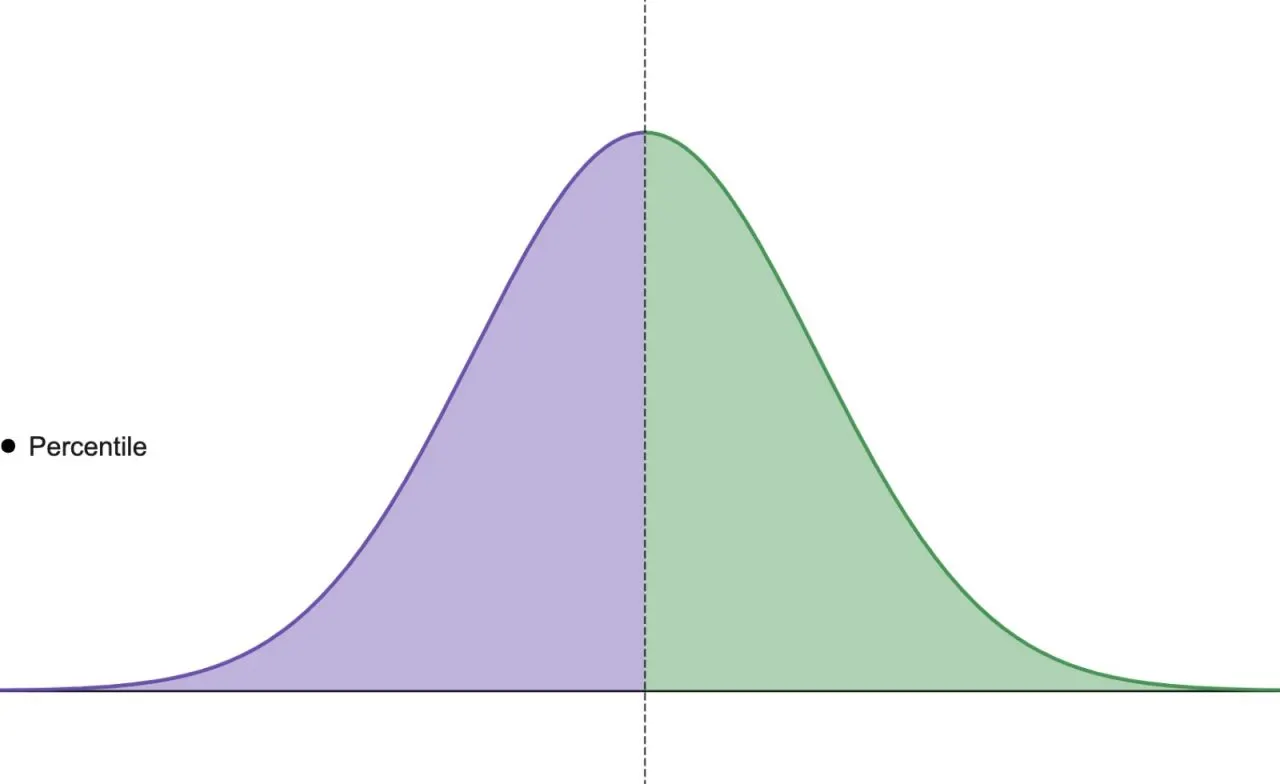
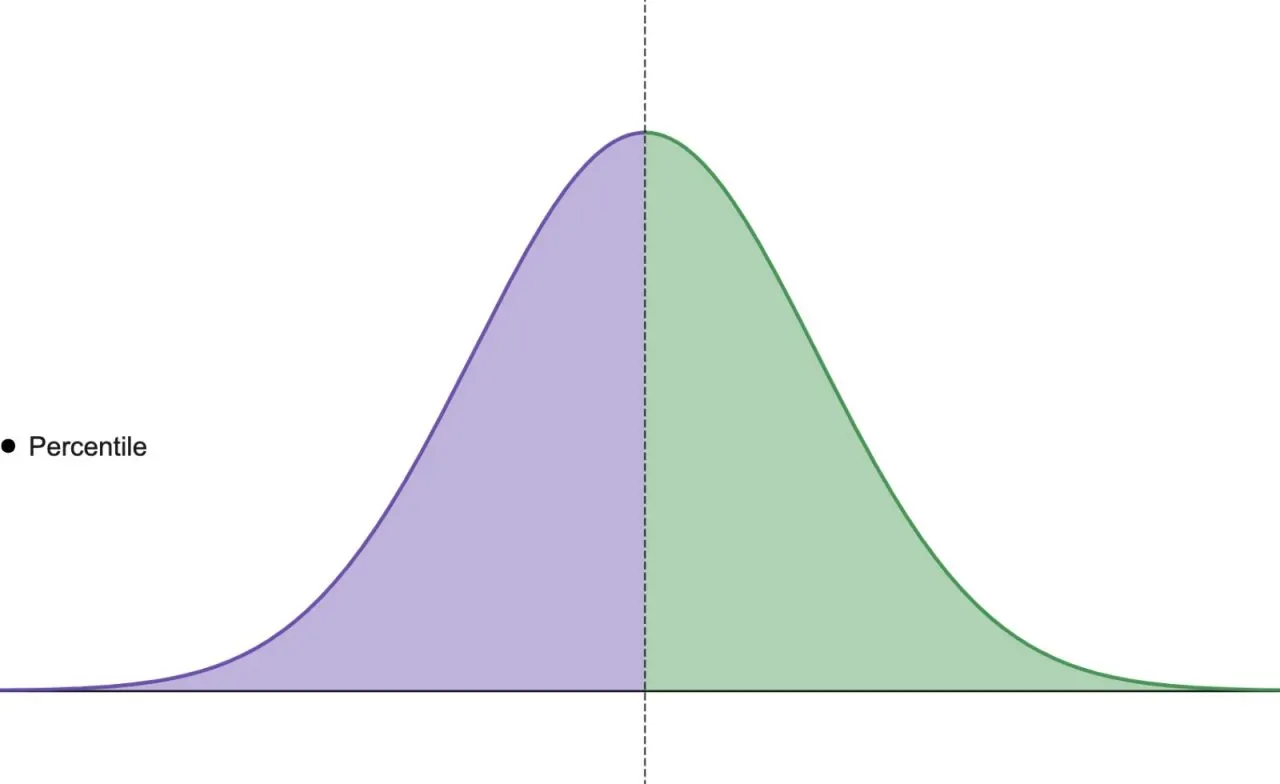
The median is the 50th percentile (p50): half of the requests were faster, half were slower. It describes the typical request.
50th percentile
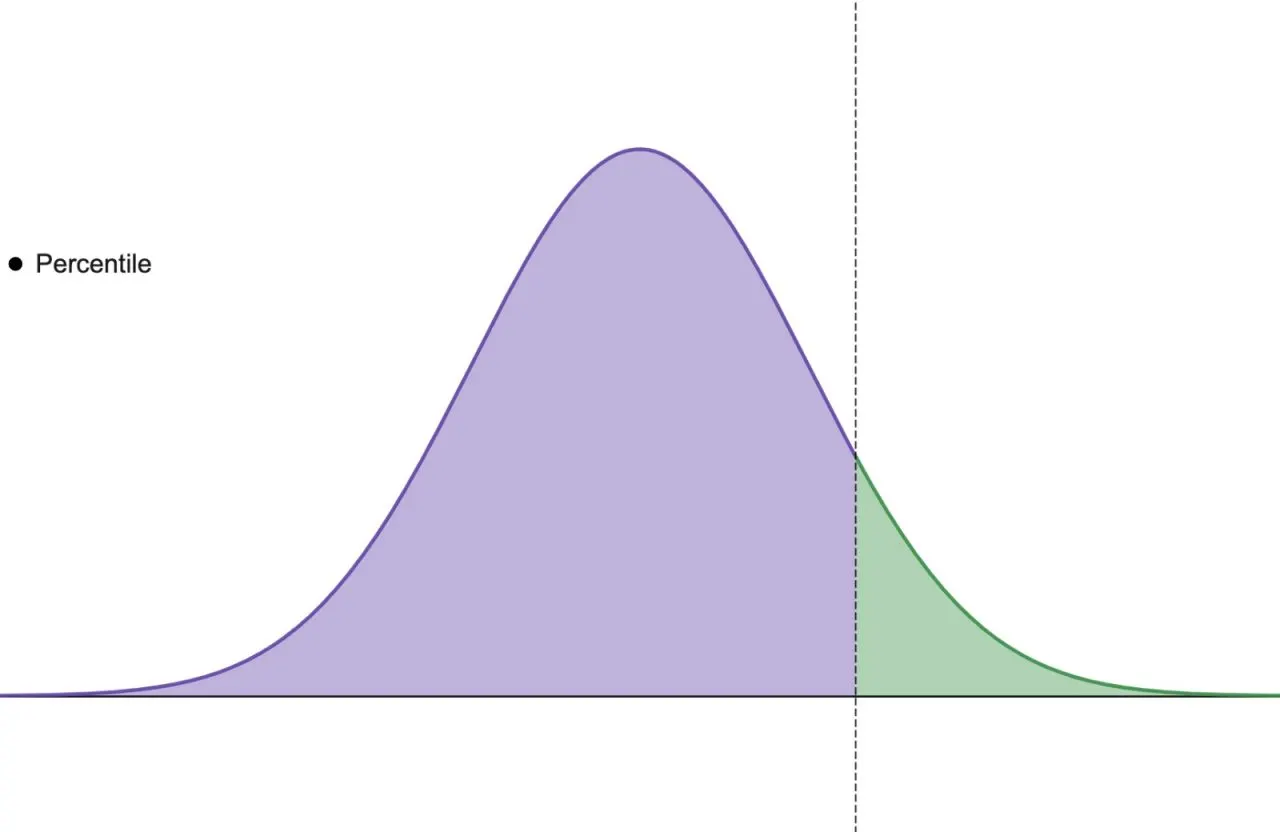
Further up, the 90th percentile means 90% of requests took that long or less and the remaining 10% took longer. The 95th and 99th percentiles push the line out to the slowest 5% and 1%. These higher percentiles are what people mean by the “tail” of the distribution.
90th percentile
How to calculate the 90th percentile: a worked example
Take 20 response times from a short test, sorted from fastest to slowest, in milliseconds:
110, 115, 120, 120, 125, 130, 130, 135, 140, 140, 145, 150, 155, 160, 170, 180, 210, 260, 1,200, 3,100
The simplest method is nearest rank: multiply the percentile by the number of samples, round up, and read off the value at that position.
| Statistic | How it is found | Result |
|---|---|---|
| Average (mean) | 6,995 ms ÷ 20 | 349.75 ms |
| Median (p50) | Midpoint of the 10th and 11th values (140 and 145) | 142.5 ms |
| 90th percentile (p90) | 0.90 × 20 = 18, so the 18th value | 260 ms |
| 95th percentile (p95) | 0.95 × 20 = 19, so the 19th value | 1,200 ms |
| 99th percentile (p99) | 0.99 × 20 = 19.8, rounded up to the 20th value | 3,100 ms |
The average of 350 ms is higher than 18 of the 20 response times and far below the other two. Take the two slow requests out and the average of the rest is about 150 ms, so those two requests alone more than doubled it. The percentiles tell the real story: the typical request takes about 140 ms, 90% finish within 260 ms, and the slowest 10% take 1.2 to 3.1 seconds.
Tools do not all use nearest rank. Some interpolate between neighbouring values, so the same data can give slightly different percentiles in different tools, and very different ones when a percentile falls right at a jump like the one between 260 ms and 1,200 ms here. JMeter’s Aggregate Report uses nearest rank; its HTML dashboard interpolates. Compare percentiles from the same tool.
Also note that with only 20 samples, p99 is just the slowest request. A high percentile only means something when enough requests fall above it: for a stable p99 you want thousands of samples, not dozens.
Why are averages misleading in performance testing?
The mean is the sum of all values divided by their count, so a handful of very slow requests can drag it a long way. It hides how many users had a bad experience and makes two very different systems look alike.
Picture two services that both average 350 ms. In the first, every request takes between 300 and 400 ms. In the second, 18 of 20 requests take around 150 ms and two take over a second, like the example above. Same average, completely different user experience. The median and p95 tell them apart at once; the average cannot.
Averages also mislead in the other direction. A fix that makes the fastest 80% of requests twice as fast can lower the average nicely while the slow tail, the part users complain about, stays exactly as bad.
Averages are popular mainly because they are cheap: a running sum and a count are enough. An exact percentile needs every value kept and sorted, or a histogram, which is why older tools and dashboards often defaulted to the mean.
Why the slow tail matters more than it looks
A single page view or user journey usually makes many requests, and the slowest one decides how long the user waits. If 1% of requests are slower than your p99, the chance that a page making 20 such requests hits at least one of them is 1 − 0.99²⁰, about 18%. At p95, the same page has a 64% chance (1 − 0.95²⁰) of hitting at least one request from the slowest 5%.
So “only 1% of requests are slow” can mean nearly one page view in five is slow. That is why serious performance targets are set on p95 or p99, not on the mean, and why the response time your users feel is closer to your tail than to your average.
Can you average percentiles?
No. A percentile is a property of the whole set of measurements, so you cannot combine percentiles from different servers, regions or time windows by averaging them.
Suppose one server handled 900 requests with a p95 of 200 ms and another handled 100 requests with a p95 of 2 seconds. The average of the two p95 values is 1.1 seconds, but that is not the p95 of the 1,000 requests together, and it describes neither server. To get a combined percentile, compute it from all the raw response times or from merged histograms. The same applies to “the average p95 over the day” on a dashboard: it is not the day’s p95.
Which percentiles should you report?
A useful load test report includes:
- Median (p50) for the typical request.
- p90 or p95 for the experience of most users, and the usual place to set a pass or fail target.
- p99 for the tail, once the test has enough samples.
- Maximum as a pointer to outliers worth investigating, not as a target.
- Error rate next to all of them, because failed requests that return quickly pull every percentile down.
Standard deviation adds a measure of spread, but percentiles are easier to read on skewed data like response times.
If the response time is too slow, start by working on the percentile you have a target for, usually p90 or p95. A good p90 can still hide a poor p95 or p99, so keep the higher percentiles on the report even when the target is met.
Percentiles in JMeter, k6 and LoadFocus
- JMeter: the Aggregate Report shows a Median, 90% Line, 95% Line and 99% Line per request label. The three percentiles can be changed with the
aggregate_rpt_pct1,aggregate_rpt_pct2andaggregate_rpt_pct3properties. - k6: the end-of-test summary shows avg, min, med, max, p(90) and p(95) for each Trend metric by default, and
summaryTrendStatsadds others such as p(99). A threshold likehttp_req_duration: ['p(95)<500']fails the run when p95 goes over 500 ms. - LoadFocus: results show response time, latency, hits per second, throughput, standard deviation and response time percentiles, with average, P90, P95 and P99 lines on the response time chart over the course of the run.
JMeter’s HTML dashboard report reads the same aggregate_rpt_pct1 to aggregate_rpt_pct3 properties as the Aggregate Report, but by default it calculates percentiles over the last 20,000 samples only; our JMeter HTML report guide shows the setting to change for longer runs.
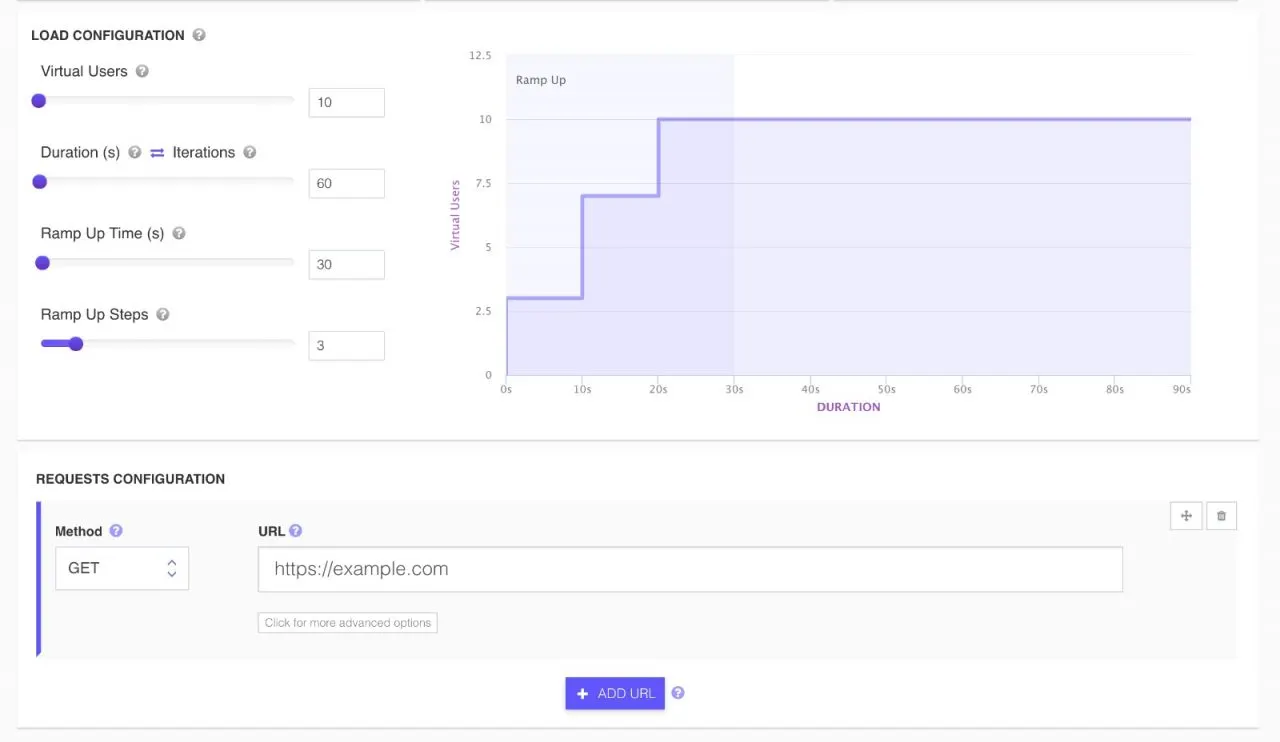
Configuring a load test
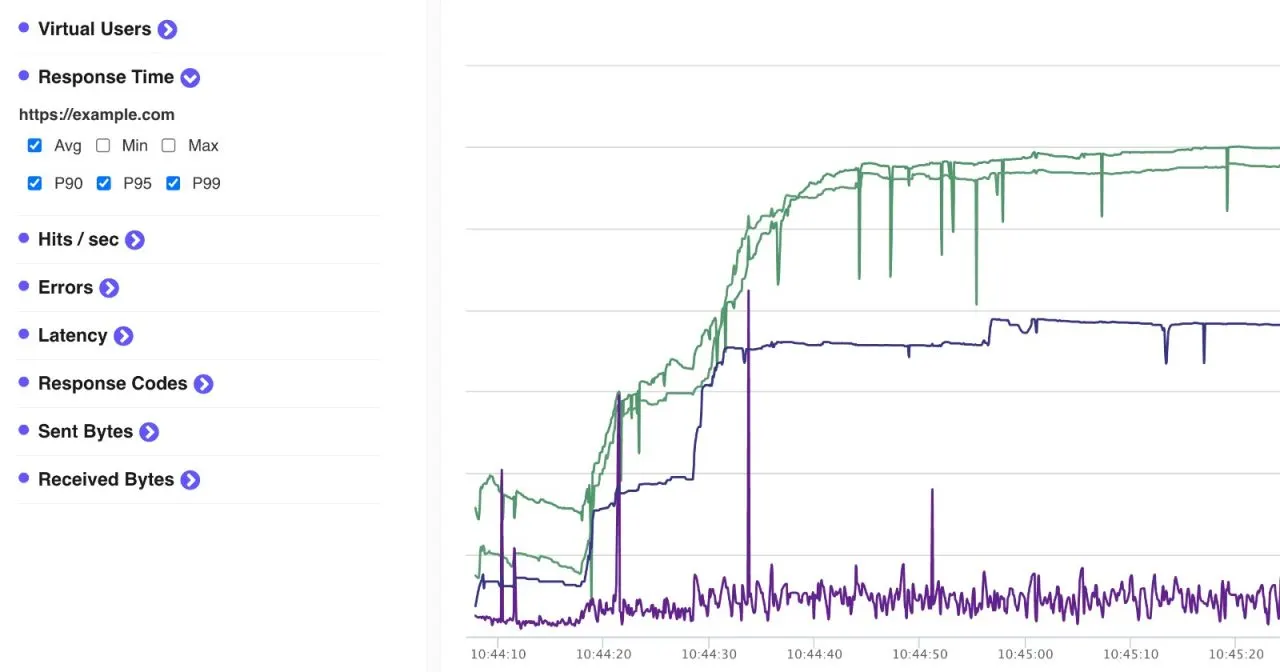
Average vs P90, P95 and P99 over a test run
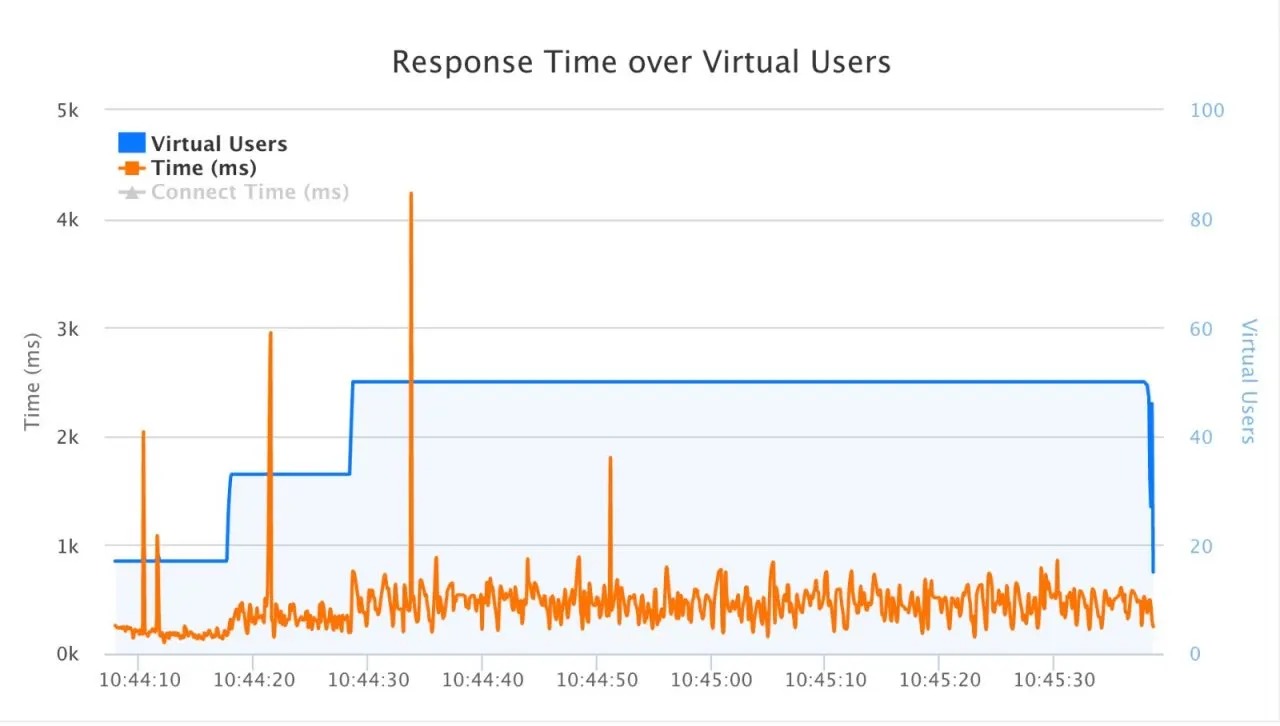
Response time over virtual users
In the cloud load testing tool you can also set pass or fail thresholds per test, such as a maximum p95 and p99 response time and a maximum error rate, so every run is judged on its percentiles automatically. The same results are available when you run JMeter scripts in the cloud. For an API, the steps are in how to load test RESTful APIs with LoadFocus.
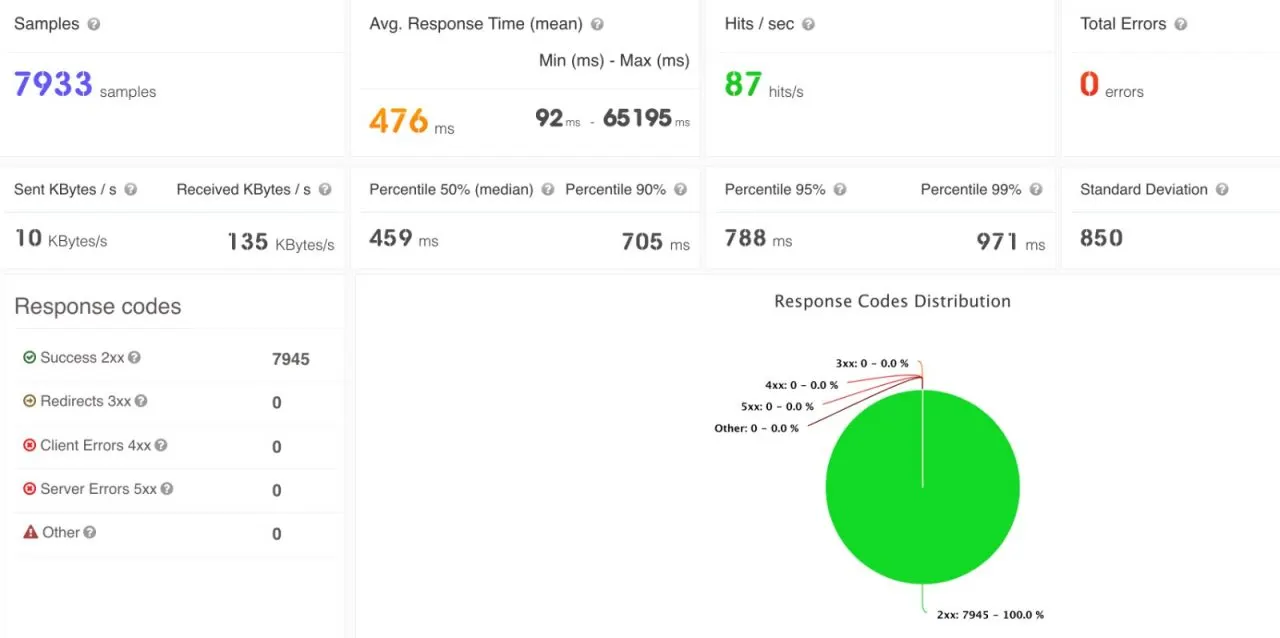
Load testing results using LoadFocus
In the run above, the mean (476 ms) and the median (459 ms) sit close together, p99 is 971 ms, and the maximum is a single request that took 65 seconds. The percentiles describe the run; the maximum points at one request worth investigating, and it would be a poor target to set.
Percentiles in monitoring
The same reasoning applies between load tests. When you watch an API or a page on a schedule, track a percentile such as p95 rather than the average, so a slowdown that hits a minority of requests shows up before it spreads. API monitoring checks your endpoints on a schedule from several regions and warns you when response time crosses the threshold you set.
Written by Bogdan Vazzolla.
LoadFocus is a cloud testing platform for websites and APIs. Run load tests and JMeter or k6 scripts from 25+ cloud regions, compare runs over time, and monitor page speed and APIs.
Frequently Asked Questions
What does the 90th percentile mean?
The 90th percentile is the value that 90% of measurements are at or below. For response times, a p90 of 500 ms means 90% of requests finished in 500 ms or less and the slowest 10% took longer.
Is the median the same as the 50th percentile?
Yes. The median is the 50th percentile: half of the values are at or below it and half are at or above it. For response times it describes the typical request, and unlike the average it is not dragged up by a few very slow ones.
Why not just report the average?
Because it hides the slow tail, and the tail is what people complain about. A comfortable average can sit on top of a meaningful share of requests that were unacceptably slow.
What do p95 and p99 tell me?
The experience of your least fortunate users. If the p99 is several seconds, one request in a hundred was that slow, which at scale is a great many people, and on a page that makes dozens of requests it touches far more than 1% of page views.
Can I average p95 values from different servers or time windows?
No. Percentiles do not average. Compute the combined percentile from the raw response times or from merged histograms; the average of several p95 values is not the p95 of all the requests.
What should a report contain?
The median alongside p95 or p99, the maximum, and the error rate. The mean on its own can conceal a serious problem; the median and a high percentile together describe the spread honestly.