
Key takeaways
- Reports in the reader’s language get read; reports in a second language get skipped.
- Set the language per report rather than per account when teams are mixed.
- The numbers are the same either way, so this is about adoption, not accuracy.
With our newly released White Labelled Reports for performance tests, you can now print the PDF reports in multiple languages. This applies to our load testing cloud tool and also for load tests using JMeter test scripts.
Displaying Multilingual Reports
The reports are accessible from the list of results pages: load test results page or Apache JMeter load tests results page.
Click the Print report icon which will take you to the PDF report page, from here you can inspect and print the results in any language, easily from the dropdown on the top of the page.
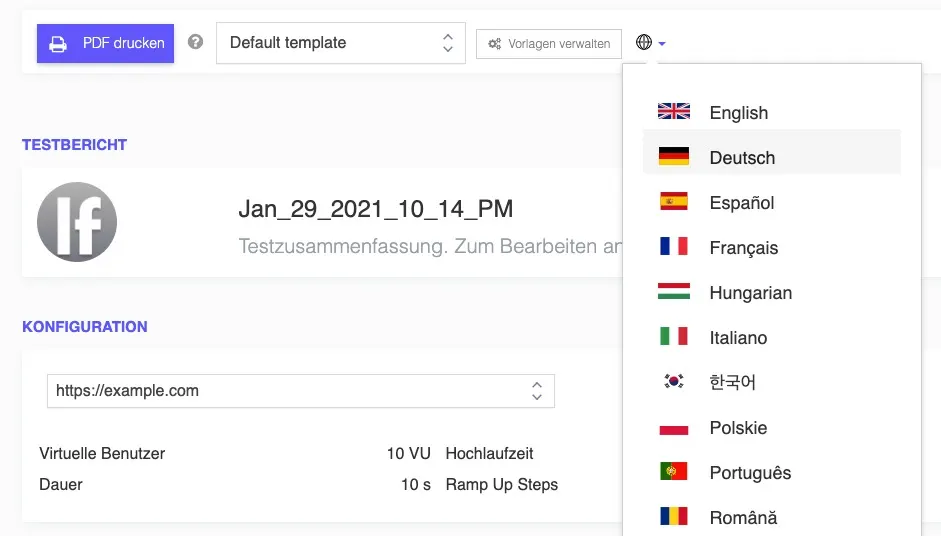
Multilingual Reports for Performance Tests
This new multilingual support for test reports comes along with other features present in our reports, features like:
- custom logo upload (branding support)
- components re-ordering or removal
- multiple templates
- custom test summary
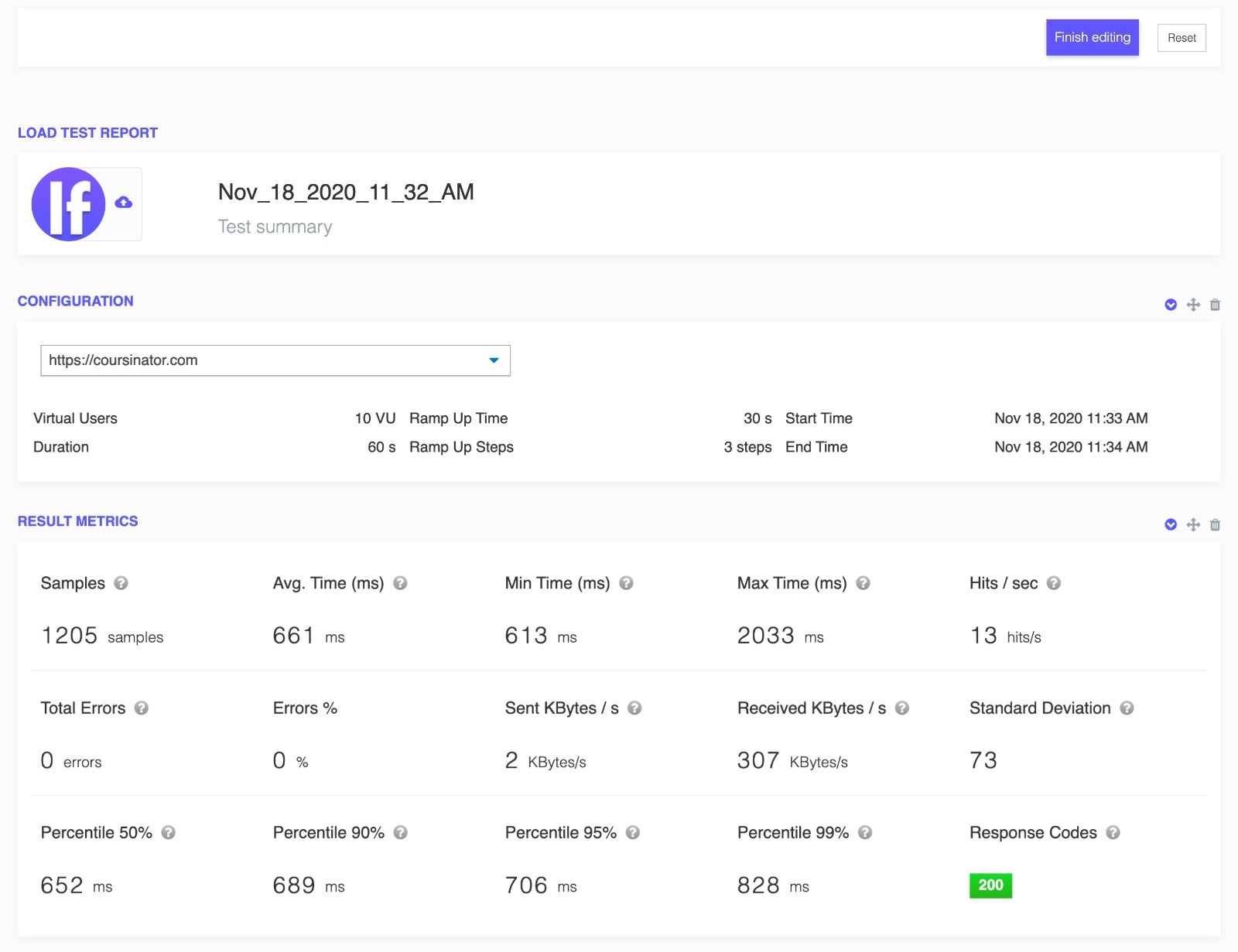
Customisable Multilingual White Labelled Test Reports
Get started with our performance test reports, and send reports for various clients in their own language, with different styling and components.
Written by Bogdan Vazzolla.
LoadFocus is a cloud testing platform, a load and stress testing tool which provides the infrastructure to run tests with thousands of concurrent users, from multiple cloud locations, in less than a few minutes, keep history of the results, compare different runs to inspect performance improvements or performance degradation. It also supports running JMeter load tests from the cloud and monitoring and audit web and mobile performance.
Frequently Asked Questions
Why do report languages matter?
Because a report in the reader’s language gets read and one in a second language gets skipped. The point of the report is that someone acts on it.
Should the language be set per account or per report?
Per report when teams are mixed. A single account-wide setting forces one group or the other to work in a language they did not choose.
Do the numbers change with the language?
No. The measurements are identical; only the presentation differs. This is about adoption rather than accuracy.