
Guide to Load Testing Event-Driven Systems 2026
Learn strategies for load testing event-driven systems. Discover tools and pitfalls.
Load testing guides explain what a performance test measures and how to read the result. You'll find what response time, throughput, hits per second, percentiles and standard deviation mean, how stress, spike, volume and disaster recovery tests differ, which metrics to watch during a run, and practical fixes such as gzip on NGINX for a site that slows under load.

Learn strategies for load testing event-driven systems. Discover tools and pitfalls.
Optimize database connection pools for peak performance using load testing and proven strategies to ensure efficient and reliable database management.

Optimize load test script maintenance with AI to reduce manual effort and improve efficiency. Streamline your testing process with smart automation.

Learn effective SaaS onboarding testing techniques to create load testing scenarios that enhance user experience and ensure smooth performance.
Learn how to configure OAuth2 load testing for APIs to ensure secure and accurate performance under stress. Improve your API testing process today.
Explore IoT load testing challenges and solutions for scalable, reliable platforms.

Discover the best load testing solutions for 2026 by comparing cloud and on-premise options. Learn about scalability, cost, and integration factors.

Discover essential strategies for load testing multi-tenant SaaS applications, including tenant isolation and resource management for cloud environments.

Design effective load tests for progressive web apps, considering PWA architecture and caching in 2026.

A checkout speed case study: backend tuning and server-side caching under peak load, and the continuous testing that kept the gains honest.
Explore scripted vs AI-driven load testing approaches. Learn strengths, limitations, and decision criteria for 2026 performance optimization.
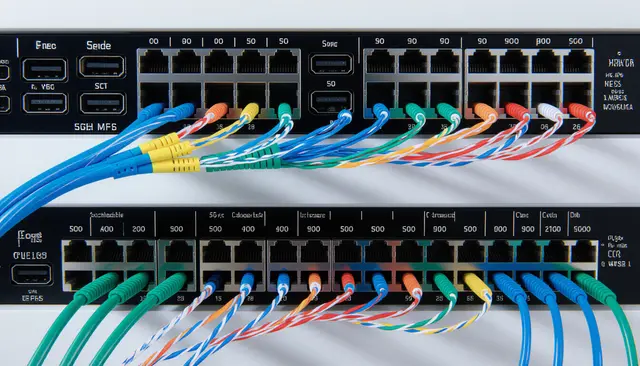
Seven network protocols testers should know in 2026, and how TLS handshakes, HTTP/2 and QUIC change what a load test actually measures.

Idle: Just after startup, before any user or automated traffic. Nominal load: Typical daily activity, light user simulations or API calls.
Learn how load testing ensures top media streaming performance globally.

Endurance testing and soak testing are the same practice: normal load held for hours. What it catches, how long to run it, and how to read the trend.

Spike testing applies traffic suddenly instead of ramping. Why autoscaling and cold caches fail in that window, and why recovery is half the test.

Volume testing increases the data a system holds rather than the user count. What it finds, how to run one, and how to read the curve it produces.
Managed options mostly sell orchestration and retention rather than a faster engine. Decide by how often you run at scale, not by peak virtual users.

AI mainly changes test design: generating realistic scenarios instead of you hand-writing them.
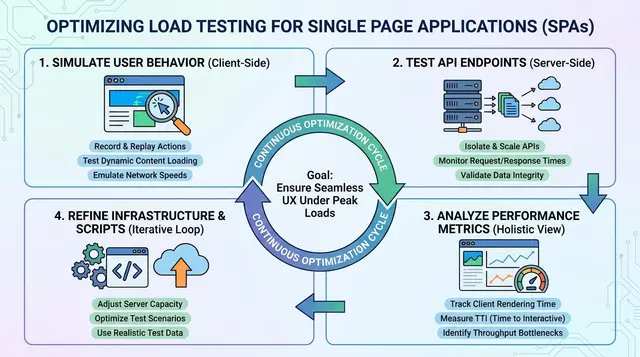
An SPA does its work after the initial HTML, so HTTP-level tests miss most of it. Test the API calls the app makes, weighted the way the app makes them.
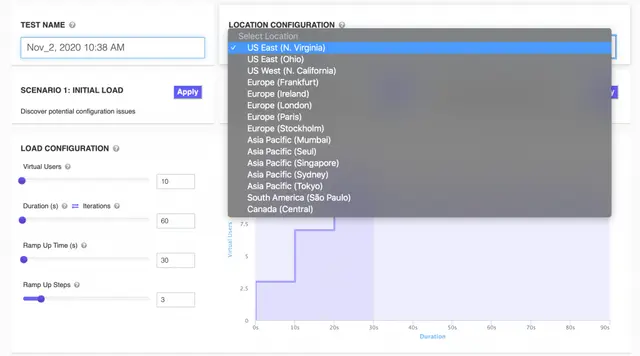
A virtual user simulates one person's session, pauses included. How VUs differ from requests per second, and why think time decides the ratio.

Model the funnel: browsing, search, cart and checkout have very different costs.

Rest Assured suits Java teams who want API tests living beside the rest of the code.

Test error paths and auth, not just the documented happy request. Save requests as a collection so a one-off check becomes a repeatable test.

It needs shared state to be interesting. Stateless endpoints rarely reward it. Failures are intermittent by nature, so run repeatedly rather than once.

Concurrent, simultaneous and active users are three different numbers, and mixing them invalidates the test.

The hard part is realism: matching real user behaviour, data and think time.

Soak testing finds leaks that a short run cannot, and spike testing finds recovery behaviour. Pick the type from the risk you are trying to retire.

Enterprise testing is dominated by integration and data, not by writing more unit tests.

The biggest wins are usually images, requests and caching, in that order.
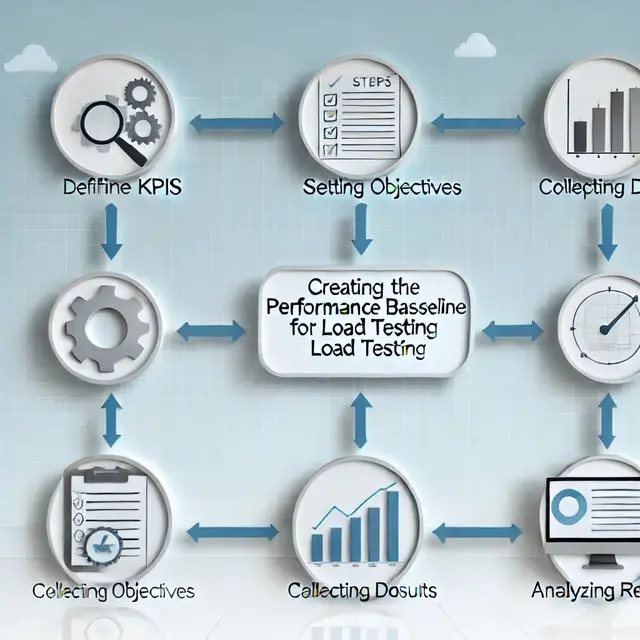
A baseline turns future runs into comparisons instead of isolated numbers. Capture it on a stable build under representative load, then leave it alone.

The recurring obstacles are environment parity, test data and interpreting results. Most of them are planning problems rather than tooling problems.

Most lessons are about realism: data, think time and environment parity. A result nobody acts on is the same as not testing.

Backend metrics can look healthy while the page users see is still slow. Measure on a real device profile. Desktop numbers flatter almost every site.

Throughput and response time diverge under load: throughput plateaus while response time climbs. Report both. Either one alone can be made to look good.

Response time alone hides the problem. Track throughput, error rate and resource use alongside it.

Users judge speed in the first couple of seconds, and most sites lose them there. Measure before assuming; the obvious culprit is often not the cause.
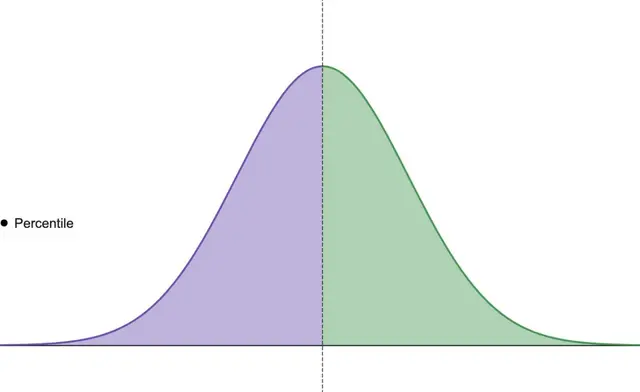
An average hides the slow tail, and the tail is what users complain about. p95 and p99 describe the experience of your least fortunate users.

Two runs with the same mean can behave completely differently, and this is how you tell. Pair it with percentiles rather than reporting either alone.

A recovery plan that has never been executed is an assumption, not a plan. Test the restore, not just the backup; backups fail silently at restore time.

Stress testing pushes past expected load to find the breaking point and the failure mode. How the system recovers matters as much as where it broke.

A campaign delivers its traffic in minutes, which is a spike rather than a load curve.

A 500 means the server failed, so the answer is in its logs rather than the request.

gzip on NGINX is a few lines of config and usually the cheapest bandwidth win available.

Decide what you are measuring and why before configuring anything. Choose the metrics up front, or you will report whatever looks best afterwards.

Combine a large HTTP load with a small number of real browser sessions. Watch client-side metrics, since the server can be fast while the page is not.

A rising response time with flat throughput means you have found capacity. Report it with response time; either number alone can be made to look good.
Response time testing explained: what response time is, how to measure it, why p95 beats the average, and what a good response time is.
Don’t miss out on the latest testing tips and tricks, tools and news related to software testing.
Already +20,000 members in the list.
Load test websites and APIs from 25 cloud regions, monitor page speed and uptime, and get AI analysis that explains your results in plain English.