Key Takeaways
Essentials for Load Testing Event-Driven Architectures
Load testing event-driven systems means replicating real traffic patterns and asynchronous interactions, not just steady request bursts. Scenarios should capture spikes, lulls, and out-of-order events to expose true bottlenecks. For instance, e-commerce tests that only replay the same cart action often miss issues like database locks or slow checkout APIs. Testing with virtual users who mimic diverse behaviors – browsing, searching, adding to cart, and checking out – offers a more accurate assessment of system resilience (realistic scenario design for e-commerce).
Don’t limit yourself to end-to-end flows. Isolate event handlers using mocks to focus on critical logic and edge cases. Automate these tests and prioritize flows where failure would have significant business impact. For event-driven microservices, supplement unit tests with integration checks using your actual brokers and contract tests to ensure alignment with evolving AsyncAPI specs (practical event-driven API testing strategies).
Is Your Infrastructure Ready for Global Traffic Spikes?
Unexpected load surges can disrupt your services. With LoadFocus’s cutting-edge Load Testing solutions, simulate real-world traffic from multiple global locations in a single test. Our advanced engine dynamically upscales and downscales virtual users in real time, delivering comprehensive reports that empower you to identify and resolve performance bottlenecks before they affect your users.
Modern load testing tools allow you to push realistic API traffic through your infrastructure. For example, a 1GB RAM, 0.5 vCPU instance may handle about 110 requests/second at low median latency, but performance drops sharply at higher loads – so make provisioning decisions based on observed metrics, not assumptions (AWS SQS load testing study).
Finally, continuous monitoring and adaptation are essential. Event-driven systems evolve rapidly, and your load tests must keep pace. The more you automate and revisit your scenarios, the less likely you’ll be caught off guard during major traffic surges.
Why Load Testing Event-Driven Architectures Often Misses the Mark
Naive Load Testing Misses Real-World Failure Modes
Many teams approach load testing event-driven systems by repurposing their API load test scripts. They fire numerous HTTP requests at a single endpoint and monitor for errors. But event-driven architectures rely on asynchronous communication, with producers, consumers, brokers, and data stores all introducing new moving parts. Tests focused only on throughput often fail to surface the issues that actually cause outages.
Think your website can handle a traffic spike?
Fair enough, but why leave it to chance? Uncover your website’s true limits with LoadFocus’s cloud-based Load Testing for Web Apps, Websites, and APIs. Avoid the risk of costly downtimes and missed opportunities—find out before your users do!
It’s common to see tests that ignore event ordering or assume all events are processed in the order they arrive. In reality, distributed systems can deliver events out of order – sometimes minutes apart or in unexpected groupings. Without tests that simulate these asynchronous quirks, subtle bugs can go undetected until they appear under real-world concurrency or timing conditions. For e-commerce, this can mean inventory is reserved twice, payments go missing, or orders are fulfilled before payments clear, all because a single out-of-order event slipped through. These are the kinds of issues that routinely escape traditional load tests, as documented in real-world event-driven API testing case studies.
Asynchronous Systems, Unique Challenges
Unlike synchronous APIs, event-driven systems require tests that explicitly handle duplicate deliveries, eventual consistency, and concurrency. Even a well-provisioned system can struggle if a spike in events triggers a database lock or exposes a slow dependency. Analysis of AWS-based message queues shows that median latency jumps significantly when resources are overrun (detailed breakdown here).
Simple scripts won’t catch bottlenecks caused by concurrency or upstream service glitches. Effective testing must model scenarios where payment, fulfillment, and notification services process overlapping or conflicting events. If you only test single-event flows, you’ll overlook the cascading failures that can derail a flash sale or break order processing at scale.
The Real Cost of Missing Scenarios
An incomplete approach to load testing event-driven systems rarely shows its flaws until it’s too late. Teams that skip scenario-based tests often find out the hard way – during a Black Friday traffic surge or an unexpected viral event – that their architecture can’t handle reality. Outages traced back to missed edge cases or concurrency failures are expensive, not just in lost revenue, but in developer hours spent firefighting root causes that weren’t even on the radar. Building scenario-driven load tests, as detailed in this guide to realistic load testing scenarios for e-commerce, is critical to uncovering these hidden risks.
LoadFocus is an all-in-one Cloud Testing Platform for Websites and APIs for Load Testing, Apache JMeter Load Testing, Page Speed Monitoring and API Monitoring!
Key Insight: Traditional load tests miss the asynchronous quirks and failure modes of event-driven systems, leaving teams exposed to bugs that only surface under real-world concurrency and timing conditions.
Step 1: Map Your Event-Driven Architecture and Identify Critical Flows
Before running meaningful load testing event-driven scenarios, you need a complete understanding of your architecture. Many teams treat their event topologies as an afterthought, only to discover hidden dependencies or brittle flows when traffic surges or an external service fails. Mapping every component is foundational for building resilient systems that withstand real-world chaos.
Key Insight: You can’t load test what you can’t see – comprehensive architecture mapping is the single biggest predictor of dependable event-driven performance.
Document Event Producers, Consumers, and Brokers
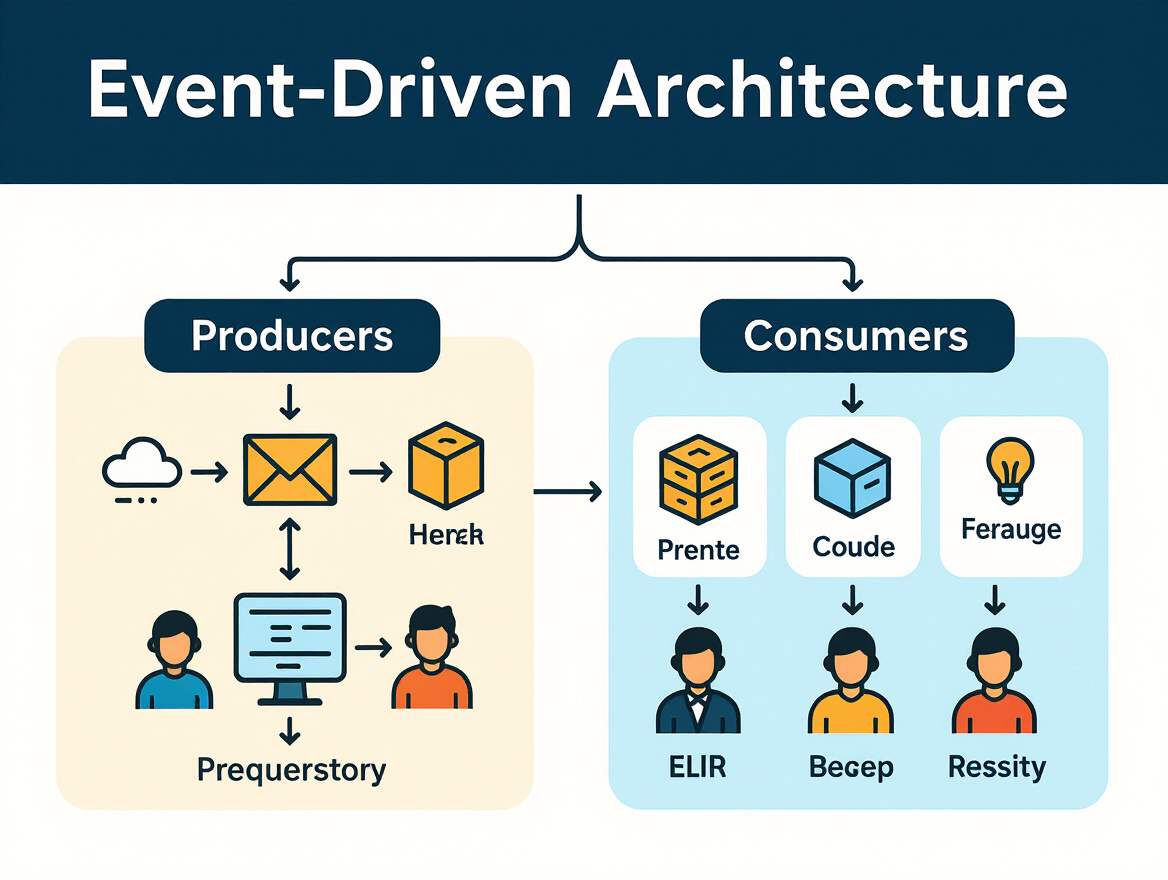
Start by cataloging every event producer (systems or services that emit events), event consumer (services that process or respond to events), broker (such as Kafka, RabbitMQ, or cloud queueing services), and event store involved. Go beyond formal diagrams – review actual code, infrastructure-as-code scripts, and runtime logging to catch hidden or ad hoc event sources. In most modern stacks, you’ll find a mix of synchronous API calls, scheduled jobs, and direct user actions all triggering event emissions.
Visualize the event flow as a directed graph: each node represents a component (producer, broker, consumer, store); edges represent event paths. Tools like AsyncAPI or custom diagrams can help, but don’t underestimate the value of a whiteboard session with engineering leads. The goal is to highlight not just what exists, but how events actually travel during typical, high-load, and failure scenarios.
Be explicit about where events come from, how they’re routed, and what systems are stateful or stateless. For example, in e-commerce, producers might include checkout services and inventory updaters, brokers could be AWS SQS or Kafka, and consumers could range from fulfillment processors to notification microservices. Each brings unique challenges: brokers introduce queueing and ordering, consumers may introduce unpredictable processing times, and event stores can become bottlenecks during spikes.
| Check Item | What to Look For | Why It Matters |
|---|---|---|
| Enumerate Producers | APIs, backend jobs, user interfaces, third-party integrations | Missing a producer means missing real-world triggers that could break under load. |
| Map Consumers | All services reacting to events, including secondary/async consumers | Unlisted consumers may introduce hidden dependencies or inconsistent state. |
| Identify Brokers | Kafka, RabbitMQ, AWS SQS, cloud-native queueing, etc. | Brokers have distinct scaling and ordering properties that affect throughput and latency. |
| Catalog Event Stores | Persistent logs, audit stores, or idempotency tables | Stores can bottleneck writes or cause slow replays at scale. |
| Visualize Event Paths | Diagram event flow from source to sink, including retries and DLQs | Visuals help spot circular dependencies and bottlenecks. |
| Note External Dependencies | Payment gateways, third-party APIs, external data sources | External calls often fail or slow down under load. |
Spot Critical Flows and Failure Points
Once the topology is mapped, shift focus to identifying critical event flows – the sequences with the highest business impact or those most likely to fail under pressure. Prioritize paths that drive revenue, impact customer experience, or have caused incidents before. In retail, for example, the order-to-fulfillment flow is typically the most sensitive to latency and partial failures, as noted in LoadFocus’s deep dive on e-commerce load testing pitfalls.
Look for high-frequency paths (e.g., add-to-cart, checkout, payment) and high-impact flows (e.g., inventory reservation, payment confirmation). Don’t overlook rare but business-critical events – like refunds or fraud-checks – that may hit edge-case code paths. Review past post-mortems and incident reports to flag historical failure points or cascading outages. Place special emphasis on flows where event ordering, duplication, or partial delivery would cause data corruption or customer-facing errors.
By documenting both the technical and business context of each flow, you equip yourself to design realistic load testing event-driven scenarios that surface true limits – not just theoretical ones. For more on translating these mappings into scenario design, see this guide to simulating realistic user behavior in load tests.
Step 2: Define Realistic Load Testing Scenarios for Event-Driven Systems
Abstract load tests miss the mark for event-driven systems. To surface real bottlenecks and failure points, you need to model how users actually behave – not just how many requests per second a message broker can handle. Real-world usage is unpredictable. One user might search for products, another is checking out, while someone else is triggering order cancellations or returns. Each action stresses different services, brokers, and databases in unique ways.
Key Insight: Realistic, scenario-based load tests reveal hidden weaknesses in event-driven architectures that uniform, synthetic tests routinely miss.
Simulate Distinct User Actions and Workloads
To build effective load testing event-driven scenarios, start by identifying the business-critical actions your system must support. In an e-commerce platform, searching for products, adding to cart, and completing a purchase each trigger different event chains. Checkout events often engage payment gateways and inventory services, both of which are prone to latency spikes and resource contention under load. If your scenarios treat every user as if they’re just browsing, your tests will never expose the race conditions and resource bottlenecks that only surface at checkout.
Model distinct workloads by varying the types and sequences of user actions. For example, let some virtual users execute high-read, low-write flows (search, browse), while others perform fewer but heavier operations (bulk purchases, refund requests). Effective tests also randomize product choices and user accounts to avoid warm cache effects that mask real latency and throughput issues. This approach better reflects the diversity of traffic patterns seen during peak events like sales or product launches.
It’s not just about simulating the “happy path.” Realistic tests must account for concurrency and event ordering. For instance, what happens if two users try to buy the last item at the same time? Or if a payment event arrives before inventory is confirmed? Scenario-based testing lets you surface these subtle, high-risk problems that uniform load scripts will miss. For additional tips on planning user journeys in your simulations, see LoadFocus’ guide to data-driven load testing scripts.
Before/After: Synthetic vs. Scenario-Based Load Testing
| Before: Synthetic Constant-Load Test | After: Scenario-Based Load Test |
|---|---|
|
|
With the synthetic approach, results may suggest the system scales comfortably to 100 requests/second. But scenario-based testing uncovers hidden bottlenecks – latency spikes, transaction conflicts, and inventory mismatches – that only emerge when realistic user behavior and concurrency are modeled. These problems typically only show up under realistic, event-driven loads, not under uniform synthetic traffic. As detailed in the LoadFocus e-commerce load testing strategies post, outages during high-traffic events are often the result of tests that failed to capture the diversity and unpredictability of real usage.
Model Concurrency and Event Order Variability
Uniform scenarios overlook a critical challenge of event-driven systems: event order and concurrency. Real-world traffic isn’t evenly spaced. Spikes don’t hit every service equally. Checkout and payment services face sudden resource contention, while product search might see consistent but lighter loads. Scenario-based load tests let you validate how the system handles overlapping events and out-of-order messages. For instance, they uncover issues like double-processing due to duplicate deliveries or missed fulfillment triggered by out-of-sequence events – as documented in this case study on event-driven microservices testing.
The key is to capture the true diversity and unpredictability of user actions. Avoid the trap of uniform, synthetic scenarios. Focus instead on building automated, scenario-driven tests that reflect real business operations – your uptime and customer satisfaction depend on it.
Step 3: Choose the Right Load Testing Tools and Infrastructure
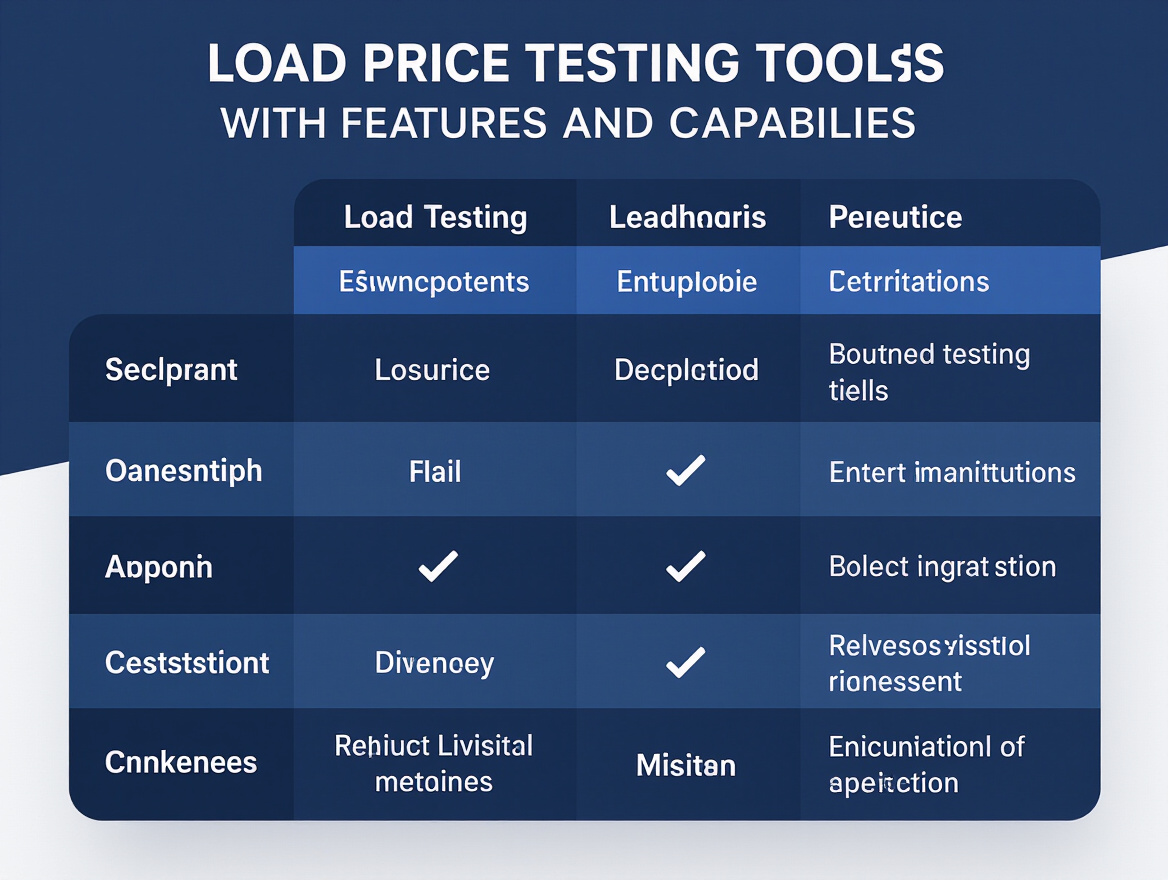
Effective load testing event-driven systems requires the right combination of tools and infrastructure. Traditional HTTP-based testing falls short for asynchronous flows, message brokers, and distributed architectures. Success depends on selecting platforms that support realistic, asynchronous event simulation and can scale to replicate real-world concurrency and throughput.
Cloud Testing vs. Local Simulation
There’s a trade-off between running load tests on your own hardware and using a cloud-based platform. Local simulation offers granular control and is often useful for early-stage, isolated event handler testing, but it rarely reflects the scale or network conditions of production. For example, a test script running 25 virtual users with a local message queue might show healthy latencies under 10ms, but the same workload in a distributed environment can expose spikes above 90ms at higher throughput (real-world AWS infrastructure tests). Cloud-based load testing platforms allow you to simulate thousands of concurrent users, distribute load geographically, and monitor real-time bottlenecks – capabilities that local tools can’t match for production-sized systems.
However, cloud testing comes with its own pitfalls. Costs can escalate with high concurrency. Some platforms may not fully support asynchronous event flows or lack the ability to natively simulate message brokers and event APIs. The quality of insights also depends on how well the tool integrates with your distributed architecture and observability stack.
Reviewing Tool Options for Event-Driven Load Testing
- Cloud-based platforms (e.g., LoadFocus) provide scalable infrastructure for simulating peak loads on event APIs and distributed services. Their integrations enable hybrid scenarios – run local scripts for validation, then scale up to the cloud for full-throttle testing.
- Open-source tools like K6 are widely used to simulate HTTP event API traffic and test message queue performance. They allow you to ramp up users, trigger asynchronous events, and measure latency and failure rates. For example, K6 has been used to show that a 1GB RAM, 0.5 vCPU AWS instance handles about 110 requests/second with sub-10ms latency, but starts to degrade rapidly at 300 requests/second (see detailed metrics).
- To accurately test event brokers, distributed services, and asynchronous APIs, your testing tool must support custom protocols, multi-step flows, and event ordering. This is critical for uncovering issues like duplicate deliveries, out-of-order events, and eventual consistency violations – problems that often surface only at scale.
When choosing a tool, prioritize support for simulating real event-driven workflows and integrating with your specific message brokers (Kafka, RabbitMQ, etc). Avoid relying solely on constant-throughput scripts – scenario-based testing that mimics diverse user actions is essential to reveal concurrency and bottlenecks that synthetic tests will miss.
Scaling strategies must account for both load generator limits and system capacity. Monitor not just throughput, but also latency percentiles and error rates under stress. Ideally, automate test orchestration and results analysis so you can iteratively tune infrastructure and code as your architecture evolves. For a deeper dive into building effective scenarios, see how to simulate realistic user behavior in load testing.
Step 4: Isolate and Test Event Handlers with Mocking
Isolating event handlers is a critical discipline in load testing event-driven architectures. Testing event consumers without interference from real external dependencies gives you a precise view of your own logic’s performance and bottlenecks. This approach, emphasized in testing best practices for event-driven systems, helps expose flaws caused by your implementation – not someone else’s.
Too often, teams jump straight to end-to-end load tests or rely on simplistic integration setups, only to discover broken behavior under real-world traffic. The result: they miss subtle bugs in business logic, mishandled state transitions, or error handling that only emerge under concurrency and load. For example, an e-commerce system where payment and fulfillment handlers, tested only with real databases and message brokers, failed to process orders correctly due to concurrency issues – problems that never surfaced in in-memory, non-isolated tests. You need to control for these variables early by mocking dependencies, which lets you simulate not just the happy path, but also timeouts, failures, and slowdowns.
Neglecting to simulate dependency failures leads to brittle systems that shatter under production anomalies. As highlighted in best practices for testing event-driven microservices, effective load testing requires rigorous mocking to ensure handlers react appropriately to every scenario.
Actionable Playbook: Mocking for Event Handler Load Tests
- Identify critical event handlers for each event type in your system. Focus first on those that process business-critical flows or are known to be stateful or complex.
- For each handler, catalog all external dependencies – databases, APIs, caches, and message brokers.
- Replace real dependencies with mocks or stubs. These should simulate realistic responses, including errors and timeouts, not just happy-path data. Use mature mocking libraries that allow dynamic response control and error injection.
- Design load scenarios that target the isolated handler: ramp up event delivery at varying rates, inject out-of-order events, and simulate duplicates or data corruption if relevant.
- Track key metrics: handler throughput, average and worst-case latency, error rates, and resource usage. Compare with baselines from prior runs and note any regression or improvement.
- Repeat tests with simulated dependency failures – force connection drops, slow responses, or invalid data from mocks. Observe how the handler logic copes and whether errors are handled gracefully.
If you need inspiration for realistic user flows, see how scenario-based load testing in e-commerce surfaces hidden system flaws. When using a tool like LoadFocus, you can import these scenarios and tailor mocks to match your actual dependencies, ensuring your handlers are resilient before you scale up to full end-to-end tests.
Bottom line: isolating and mocking event handlers isn’t just for debugging. It’s an essential safeguard that ensures your system’s core logic withstands the unpredictable, asynchronous reality of modern cloud architectures.
Step 5: Build End-to-End Tests Covering Asynchronous Event Flows
After isolating your event handlers, the next step is building comprehensive integration and contract tests that exercise the entire event path – from producer to broker to consumer. For load testing event-driven architectures, this is where theory meets reality. Asynchronous systems hide failure modes and subtle timing issues that only emerge when the full stack is in play. Skipping true end-to-end coverage means missing the very problems that cause costly real-world outages.
Design your integration tests to mimic real event flows: use production-like brokers (Kafka, RabbitMQ, SQS), feed events into your system as they would occur in production, and assert outcomes in downstream consumers and data stores. This is the only way to reveal race conditions, message ordering bugs, and the impact of delayed or duplicated events – issues that don’t appear in simple unit tests with mocked dependencies. For example, one e-commerce team discovered their payment and fulfillment services processed conflicting events out of order, leading to incorrect order fulfillment – a scenario only exposed by integration testing with true concurrency and partitioning (Event-Driven API Testing: Kafka, RabbitMQ & AsyncAPI).
Contract Testing with AsyncAPI Specs
Integration tests should not stop at checking internal state. Contract tests built against your AsyncAPI specifications are essential for validating the contract between producers and consumers. These tests ensure that event schemas, required fields, and sequences are correctly implemented and understood by all parties. AsyncAPI-based contract testing allows you to generate mock messages for negative scenarios (unexpected fields, missing data) and verify that all consumers can handle future changes or extensions to event types. This approach is outlined in detail in the AsyncAPI contract testing guide.
Simulating Out-of-Order, Duplicate, and Delayed Events
The toughest bugs in event-driven systems often stem from asynchronous event flows. Your end-to-end integration tests should explicitly simulate:
- Out-of-order delivery: Send events in an unexpected sequence and verify consumers respond correctly.
- Duplicate events: Replay the same event multiple times and assert that state changes are idempotent.
- Delayed events: Introduce artificial network or broker delays and confirm that eventual consistency is preserved, not just immediate correctness.
Testing these scenarios systematically is critical for surfacing hidden issues – especially as event-driven load increases and concurrency amplifies edge cases.
| Test Factor | What to Simulate | Coverage Rationale |
|---|---|---|
| Out-of-Order Events | Send related events in every possible sequence (e.g., “OrderPaid” before “OrderCreated”) | Validates consumer logic for ordering assumptions and proper handling of late arrivals |
| Duplicate Deliveries | Replay identical events rapidly to the same consumer | Confirms idempotency and prevents double-processing (e.g., duplicate charges, emails) |
| Delayed Events | Inject artificial lag between producer and broker or broker and consumer | Surfaces issues in eventual consistency and state reconciliation |
| Contract Violations | Send invalid or malformed events per AsyncAPI spec | Ensures schema enforcement and robust error handling |
| Mixed Producer/Consumer Versions | Test with different versions of producers and consumers active simultaneously | Validates forward/backward compatibility and safe rollout of changes |
For guidance on crafting scenario-based load tests that reflect true user actions, see this detailed walkthrough for e-commerce load testing.
Handle Eventual Consistency and Idempotency
In asynchronous architectures, eventual consistency and idempotent processing are non-negotiable. Your end-to-end tests must go beyond verifying that an event was processed – they should assert that the correct final state is achieved, even when events arrive late or more than once. For instance, after sending duplicate “OrderShipped” events, assert that inventory counts and shipment logs reflect a single, correct update rather than two. When simulating delayed “PaymentReceived” events, check not just immediate consumer reactions but the eventual reconciliation in all downstream systems (e.g., financial reporting, user notifications).
Automated assertions on both intermediate and final system state help ensure your services are resilient to real-world event timing quirks. Where possible, design your contracts and handlers for strict idempotency, so retries and duplicates never cause side effects. This is a foundational best practice for building confidence in your event-driven architecture under real load.
End-to-end testing of async event flows is where many teams finally uncover the kinds of subtle, concurrency-driven bugs that routine unit testing will never catch. Investing in this level of coverage gives you meaningful certainty that your system will withstand production-scale traffic and complex, real-world workflows. For more on scenario-driven load test construction, the LoadFocus guide to realistic user behavior simulation is highly recommended.
Step 6: Simulate Peak Loads, Failure Modes, and Scaling Limits
When you load test event-driven architectures, steady-state scripts alone are not enough. Real-world systems face sudden traffic bursts, delayed event processing, and cascading failures that don’t show up in basic tests. To truly understand how your system performs under pressure – and where it breaks – you need to design tests that ramp, spike, and probe every critical limit.
Designing Realistic Load Patterns
Start by building tests that ramp up virtual users over time, rather than launching every simulated client at once. Gradually increasing load (for example, adding 10 users every 10 seconds) gives you insight into how the system’s latency and error rates change as usage grows. Use burst traffic scenarios to mimic the unpredictable surges that occur during events like major product launches or Black Friday sales. These bursts often reveal bottlenecks hidden by average-case testing.
Steady-state tests help you baseline performance, but without including dynamic ramping and spikes, you’ll miss the bottlenecks that only emerge at peak concurrency. For practical examples, check out the detailed scenarios for e-commerce load testing on the LoadFocus blog.
Simulating Failures and Scaling Limits
Testing for resilience means deliberately triggering failure scenarios. Drop your event broker, fill up a dead-letter queue, or simulate network partitions. These tests show you how quickly the system recovers – and whether failures cascade into other services. In one real-world case, e-commerce microservices that worked fine in single-threaded unit tests started dropping orders when concurrent events created database lock contention and out-of-order delivery. Only event-driven load tests exposed these issues (event-driven microservice testing).
To understand what your system can actually handle, measure throughput and latency at different load levels. For example, on AWS ECS/SQS, a 1GB RAM, 0.5 vCPU instance maxed out at about 110 requests/second with median latency around 7.7ms. When pushed to 300 requests/second, latency spiked significantly, and errors increased – making clear that scaling up isn’t linear. A practical takeaway: allocate roughly 1 vCPU for every 150 requests/second for similar event-driven workloads, but always validate with your own tests (real-world load testing study).
| Load Level | Observed Latency | Failure Rate | Notes |
|---|---|---|---|
| 50 requests/sec | ~7 ms (median) | <0.1% | Handles steady traffic; no bottlenecks |
| 110 requests/sec | ~7.7 ms (median) | <0.5% | Approaching instance CPU limit |
| 150 requests/sec | ~15 ms (median), p99: 41 ms | Small spike in errors | Latency increasing |
| 300 requests/sec | ~91.7 ms (median), p99: 187 ms | Increased errors | Saturation point; significant failures |
| Burst: 500 requests/sec for 10s | 150 – 250 ms | Elevated failure rate | Burst reveals broker and DB limits |
For an in-depth look at interpreting these results, LoadFocus’s AI-powered analysis can pinpoint which components are responsible for performance drops, highlighting whether you’re bottlenecked by the broker, a downstream consumer, or the data store. This level of detail is essential when optimizing event-driven architectures for real-world usage.
Analyzing Load-Induced Failures: How to Spot and Triage Bottlenecks Revealed Under Stress
Spikes in error rates and latency are just symptoms; the real work begins with triaging load-induced failures. Start by correlating system logs, broker metrics, and service traces during and after load spikes. For example, if you see a sudden jump in “message not acknowledged” errors during a burst, trace those messages through the event pipeline to see if they’re getting stuck in a dead-letter queue or timing out in a downstream service.
Look for patterns: does latency start climbing before failures, or do both jump abruptly? Are certain event types or consumers more affected? Use comparative runs – baseline versus burst, or broker up versus broker down – to isolate root causes. Tools like LoadFocus make it easier to visualize these patterns and annotate them, making lessons learned actionable for the next test cycle. For more techniques on designing effective load test scenarios, see this detailed guide.
A rigorous approach to load testing event-driven systems – one that stresses ramping, burst, and failure conditions – will uncover issues you can’t find with simple, synchronous tests. This is how you build confidence that your architecture can withstand real-world peaks and unexpected chaos.
Step 7: Automate and Monitor Load Testing for Continuous Improvement
Event-driven systems are constantly evolving. New services, changing event formats, and shifting business logic mean yesterday’s test results lose value quickly. The only way to ensure reliable performance is to make load testing event-driven architectures a first-class citizen in your CI/CD pipeline – automated, repeatable, and visible.
Following automation best practices means integrating your load tests directly into your development workflows. Every commit or pull request should trigger automated test runs, not just manual checks before a launch. This lets you catch regressions, concurrency issues, and performance bottlenecks before they land in production. It also surfaces the impact of code changes on real-world throughput and latency, a common blind spot when tests are run by hand.
Platforms like LoadFocus make this automation accessible. With cloud-based load testing, you can schedule recurring test runs, trigger tests on deployment, and plug results into your existing CI/CD workflows. For teams building event-driven architectures, this means you can automatically simulate realistic event flows – such as spikes in checkout or inventory events in an e-commerce platform – without the maintenance burden of on-premise test rigs. For practical scenario design, see the guidance in realistic load testing for e-commerce.
Automation also enables consistency in scenario execution and objective trend analysis. Instead of one-off, ad hoc tests, you accumulate data over time – tracking p95 latency, error rates, or bottleneck patterns as your system and traffic evolve. This is key for event-driven systems, where asynchronous failures may only surface under specific timing conditions or high-concurrency spikes.
Continuous Load Testing: Benefits and Pitfalls
Continuous monitoring does more than catch obvious slowdowns. It uncovers gradual regressions – for example, a creeping increase in latency as new consumers are added, or subtle concurrency bugs that only emerge when traffic patterns shift. This kind of insight helps you decide when to scale infrastructure, refactor event handlers, or revisit dead-letter queue handling.
However, automation is not a silver bullet. One-off tests often miss slow-building issues that only appear after hours or days of sustained load. But even continuous tests can produce false confidence if scenarios are too synthetic or don’t simulate the full spectrum of business events. Monitoring can reveal trends, but it won’t always pinpoint why a particular spike or failure occurred without targeted analysis.
The most effective approach combines automated execution via platforms like LoadFocus, scenario realism as outlined in the guide to simulating realistic user behavior, and ongoing attention to evolving system architecture. This triad ensures your load testing adapts as quickly as the event-driven systems you support, delivering better resilience and fewer surprises in production.
Step 8: Interpret Results and Feed Insights Back Into System Design
Analyze for Actionable System Improvements
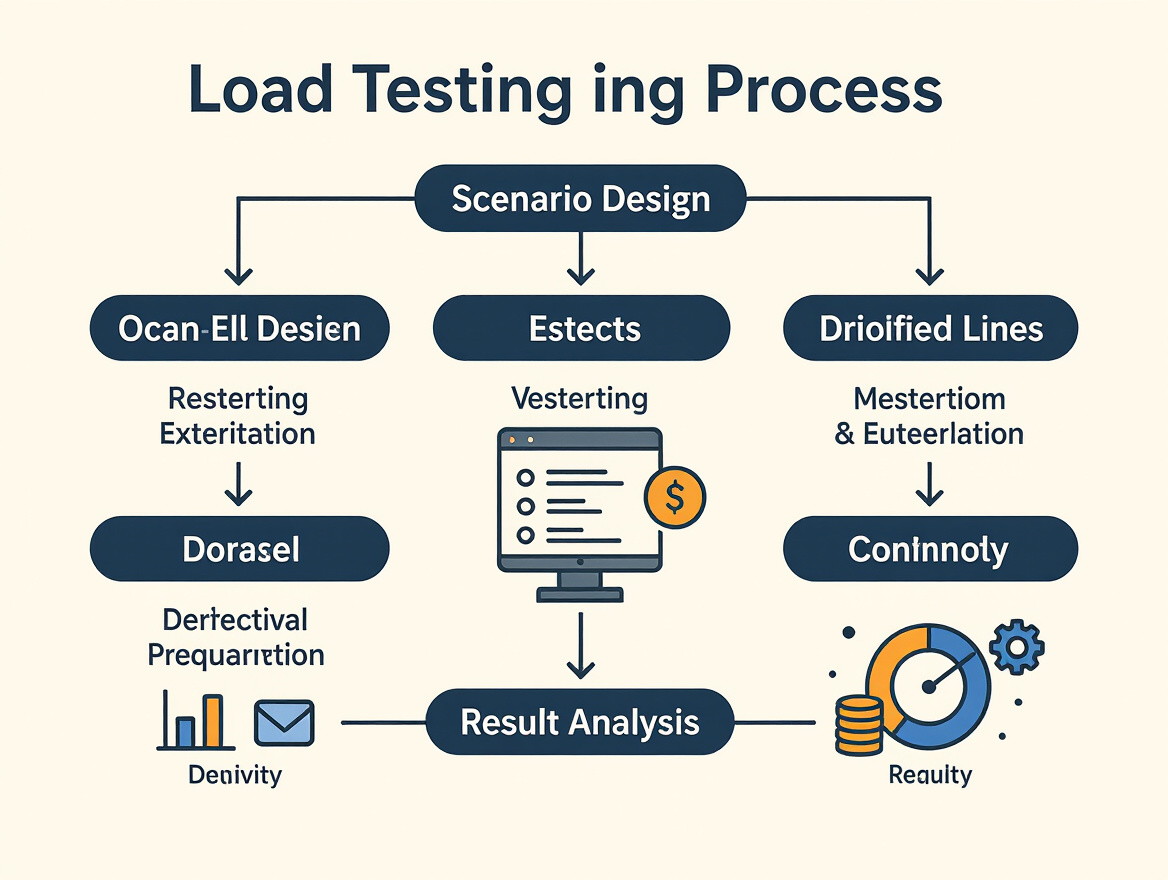
Once your load testing event-driven scenarios have run, the real value emerges during analysis. Start by mapping observed performance bottlenecks back to specific architectural components – was the spike caused by the event broker, a particular consumer, or the data store? For example, as seen in real-world message queue load tests, latency often rises sharply once throughput crosses a certain threshold, highlighting the need for more aggressive scaling or architectural changes.
Dissect test results at several layers: individual event handlers, end-to-end flows, and system-wide metrics. Look for failures unique to asynchronous processing – out-of-order events, duplicate deliveries, or delayed consistency. Realistic, scenario-based tests have repeatedly exposed issues like database locks or slow API integrations that constant-load scripts miss. Dynamic e-commerce scenarios are a great example, often revealing checkout failures masked in synthetic benchmarks.
Prioritize Bottlenecks by Business Impact
Not every performance issue is equally urgent. Prioritize fixes by business risk and user experience. For event-driven microservices, a slow checkout is likely more damaging than a delayed notification. Quantify impact when possible: a latency spike at peak load may threaten revenue during high-traffic events, while a minor delay elsewhere may be tolerable.
Share findings with both engineering and product stakeholders. Visual dashboards and annotated timelines help non-technical teams grasp the urgency and scope. Use LoadFocus for advanced diagnostics and AI-powered analysis – see the LoadFocus AI analysis product page for details on deep-dive insight capabilities.
Close the Loop and Iterate
Effective load testing event-driven systems means closing the loop: feed insights from each test cycle back into system design and future test plans. This continuous improvement approach is crucial for architectures that evolve rapidly or must handle unpredictable spikes. Update your scenarios as new features launch, infrastructure changes, or usage patterns shift.
If you’re unsure how to craft realistic scenarios that expose these subtle issues, review this practical guide to realistic load testing for e-commerce. Ultimately, teams that treat load test results as design signals – not just pass/fail gates – build systems that withstand real-world demands with far fewer surprises.
Summary Checklist
Essential Steps for Load Testing Event-Driven Architectures
Use this concise checklist to ensure you cover the critical must-do items when load testing event-driven systems. Each step below addresses a specific challenge unique to asynchronous architectures, from mapping dependencies to interpreting test results for real-world resilience.
| Step | Key Action | Why It Matters |
|---|---|---|
| 1. Map Architecture | Document all event producers, consumers, brokers, and stores | Clarifies system boundaries and surfaces hidden dependencies. Missed components often cause blind spots in testing. See best practices for mapping. |
| 2. Design Realistic Scenarios | Model user actions with varying event patterns and data | Reveals bottlenecks missed by synthetic scripts. For example, checkout and inventory events behave differently under stress. Detailed guidance in this e-commerce load testing guide. |
| 3. Select Tools & Infra | Choose tools capable of simulating asynchronous traffic (e.g., K6, LoadFocus) | Ensures you can model true event flows and measure latency spikes as load increases, not just average performance. |
| 4. Isolate Event Handlers | Test handlers with mocks for external dependencies | Focuses on event logic and failure handling without outside noise, exposing defects in core event processing. |
| 5. End-to-End Coverage | Run full system tests with realistic event chains | Catches concurrency issues, race conditions, and consistency bugs that isolated unit tests overlook. |
| 6. Simulate Peaks & Failures | Ramp up concurrent users and inject faults (timeouts, duplicates) | Validates how the system behaves under unexpected surges and failure modes – critical for Black Friday-scale readiness. |
| 7. Automate & Monitor | Integrate load tests into CI/CD pipelines and monitor real-time metrics | Enables rapid regression checks and ongoing optimization as architecture evolves. |
| 8. Interpret & Share Results | Analyze bottlenecks, share findings, and feed back insights | Drives actionable improvements and helps prioritize future test cases and infrastructure changes. |
Following this checklist lets you identify the most critical risks and performance gaps in your event-driven stack, whether you’re using cloud platforms like LoadFocus or exploring AI-driven load testing approaches. Each step ensures your testing strategy goes beyond the basics and prepares your system for real-world scale and complexity.
Frequently Asked Questions
How is load testing event-driven architectures different from traditional synchronous systems?
Event-driven architectures introduce asynchronous communication between components, which means messages can be delivered out of order, handled concurrently, or even arrive multiple times. In contrast, synchronous load testing focuses on direct request-response cycles, making patterns and bottlenecks more predictable. With event-driven systems, you need to simulate not just traffic volume but also the complex timing, ordering, and concurrency of real-world event flows. This requires tools and scenarios that specifically account for events traversing through producers, message brokers, consumers, and persistent stores. For more on these distinctions, see the Testing Event-Driven Systems the Right Way guide.
What tools should I use for load testing event-driven systems?
Choose a tool that can simulate asynchronous traffic and supports protocols relevant to your stack (HTTP for APIs, direct integration with brokers like Kafka or RabbitMQ for messaging systems). Tools such as K6 are often used to ramp up virtual users and generate event traffic. For example, tests on AWS ECS/SQS infrastructure have shown that a 1GB RAM, 0.5 vCPU instance handles about 110 requests per second before latency spikes, emphasizing the need to provision infrastructure carefully for your expected load. If you’re integrating with cloud-native platforms, ensure your tool can connect to those environments natively, or check out this guide to load testing microservices in cloud environments.
How do I ensure my load testing scenarios are realistic?
Avoid basic constant-load scripts. Model real user behavior by creating scenarios that cover the full breadth of interactions – such as browsing, adding to cart, and checking out for e-commerce systems – since each action stresses different backend components. Use distinct test data (products, user accounts) and introduce varying patterns so you don’t just test against a warm cache. Scenario-based testing helps uncover issues like database locks or API bottlenecks that synthetic scripts often miss. For practical tips, read Realistic Load Testing Scenarios for E-Commerce.
How should I simulate failures and unexpected behaviors?
Explicitly inject failures such as dropped messages, slow consumers, or unavailable brokers during your tests. This exposes how your system handles real outages or delays, and validates resilience features like dead-letter queues and retry policies. Don’t just focus on happy paths – real-world events are messy, and resilient architectures are built by testing how services recover from unexpected input and state.
Are there common myths or limitations I should be aware of?
One persistent myth is that you can apply synchronous load testing techniques directly to event-driven architectures. This leads to missed failure modes, like race conditions or event ordering issues. Another misconception is that high throughput in a simplistic test means you’re production-ready – latency and errors often spike dramatically at higher concurrency, as seen in real AWS SQS benchmarks. Finally, event-driven systems require layered testing strategies – from unit and integration tests to system-wide simulations – to catch subtle issues before they hit your users. For a step-by-step overview, see this guide to simulating realistic user behavior in load testing.
Drafted using PostNext planner