Enhance Your Load Performance
Is your site or API ready for traffic surges?
Identify Load Bottlenecks
Solutions for Optimal Load Handling
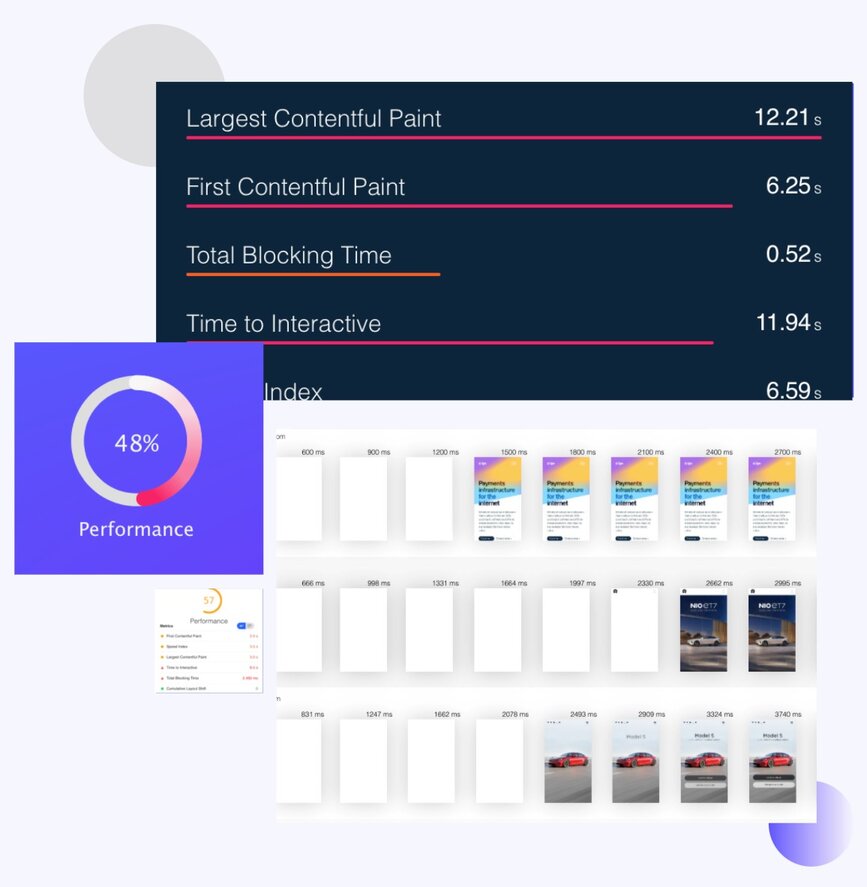
The Advantages of Load Testing Insights
Why prioritize load testing?
Custom-Tailored Load Recommendations
Benefits Beyond Load Capacity
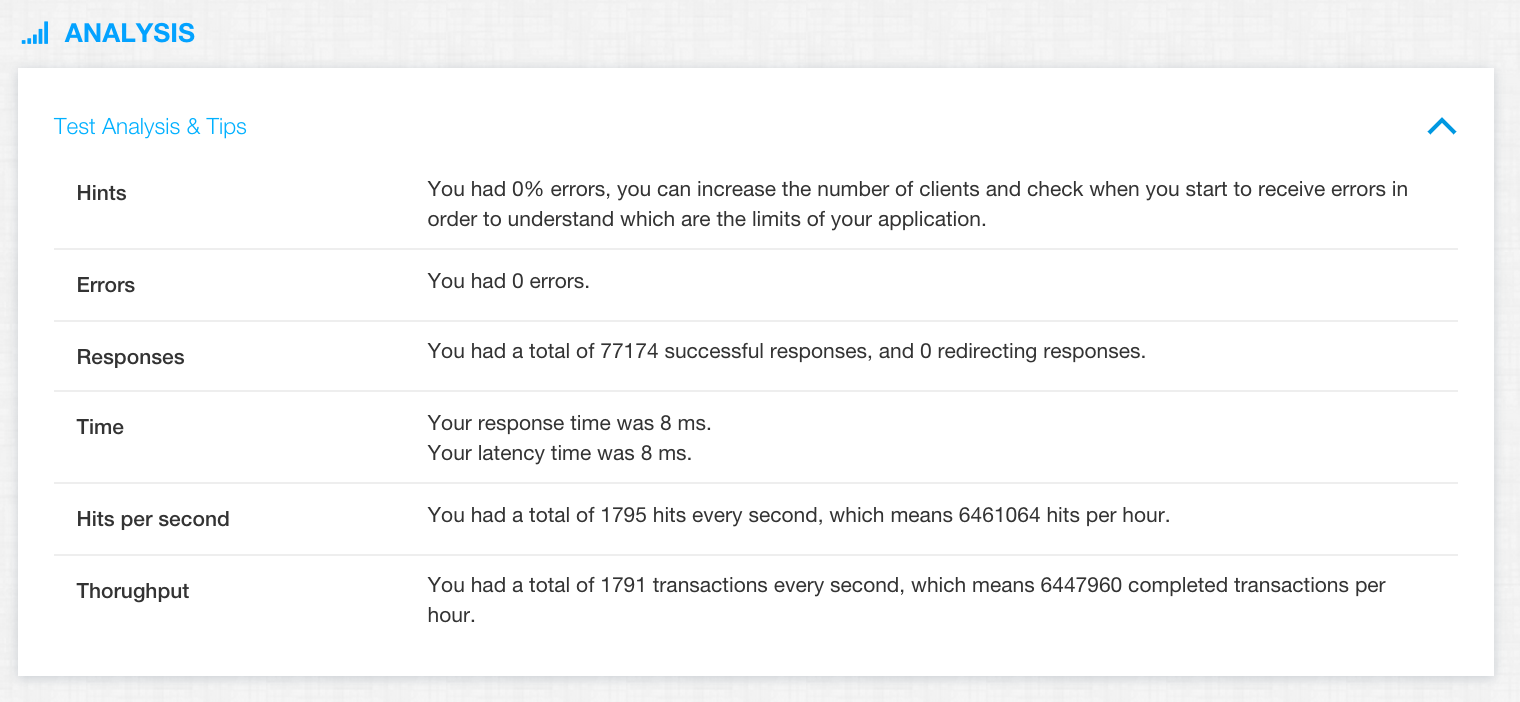
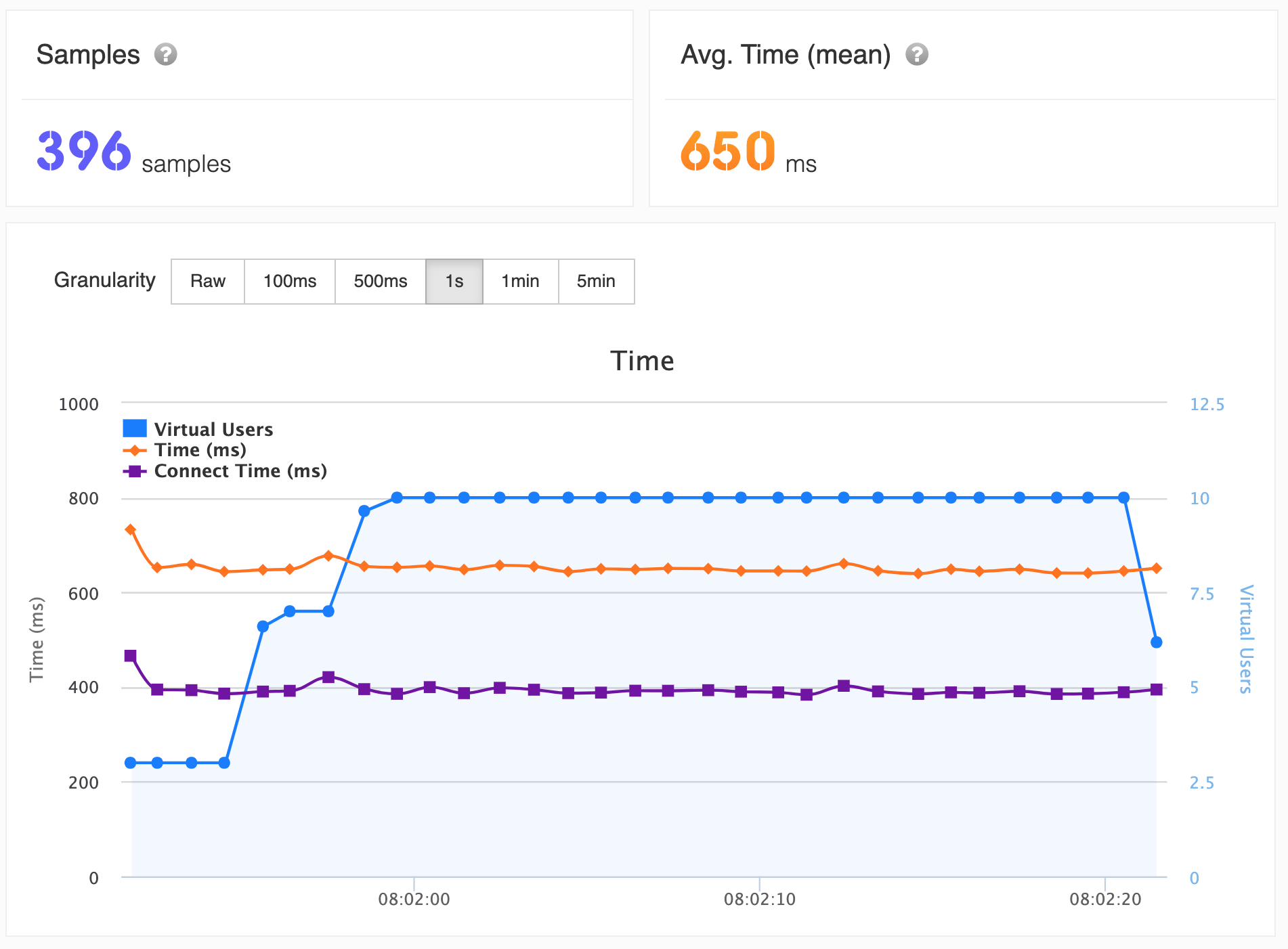
Master Load Testing for Scalability
The key to handling more users?
The Core of Load Testing
Measure & Master with Precision
Choose LoadFocus for Accurate Load Tests 🚀
Desire clear and precise load performance insights?
Detailed Metrics
User-Friendly Interface
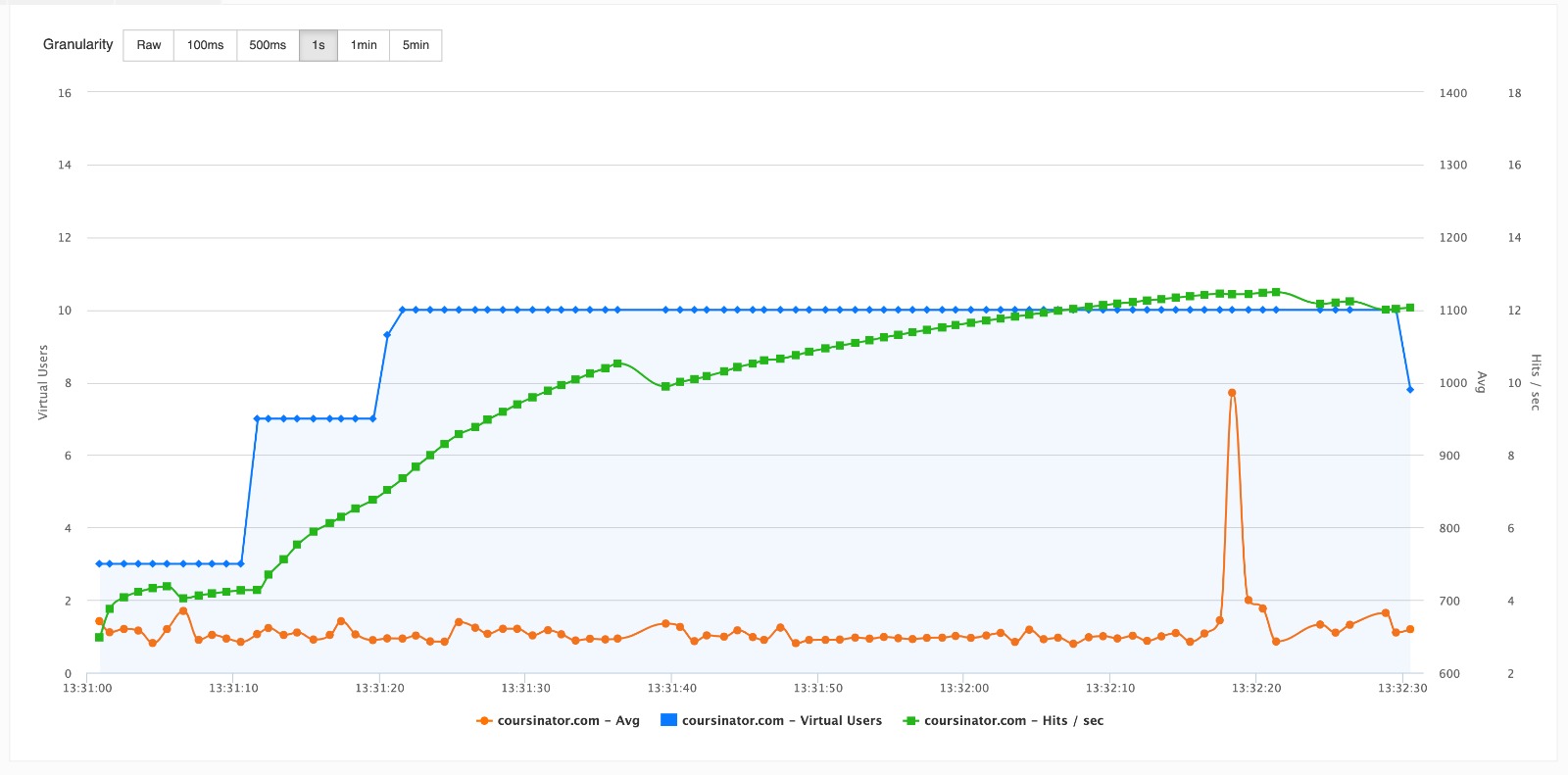
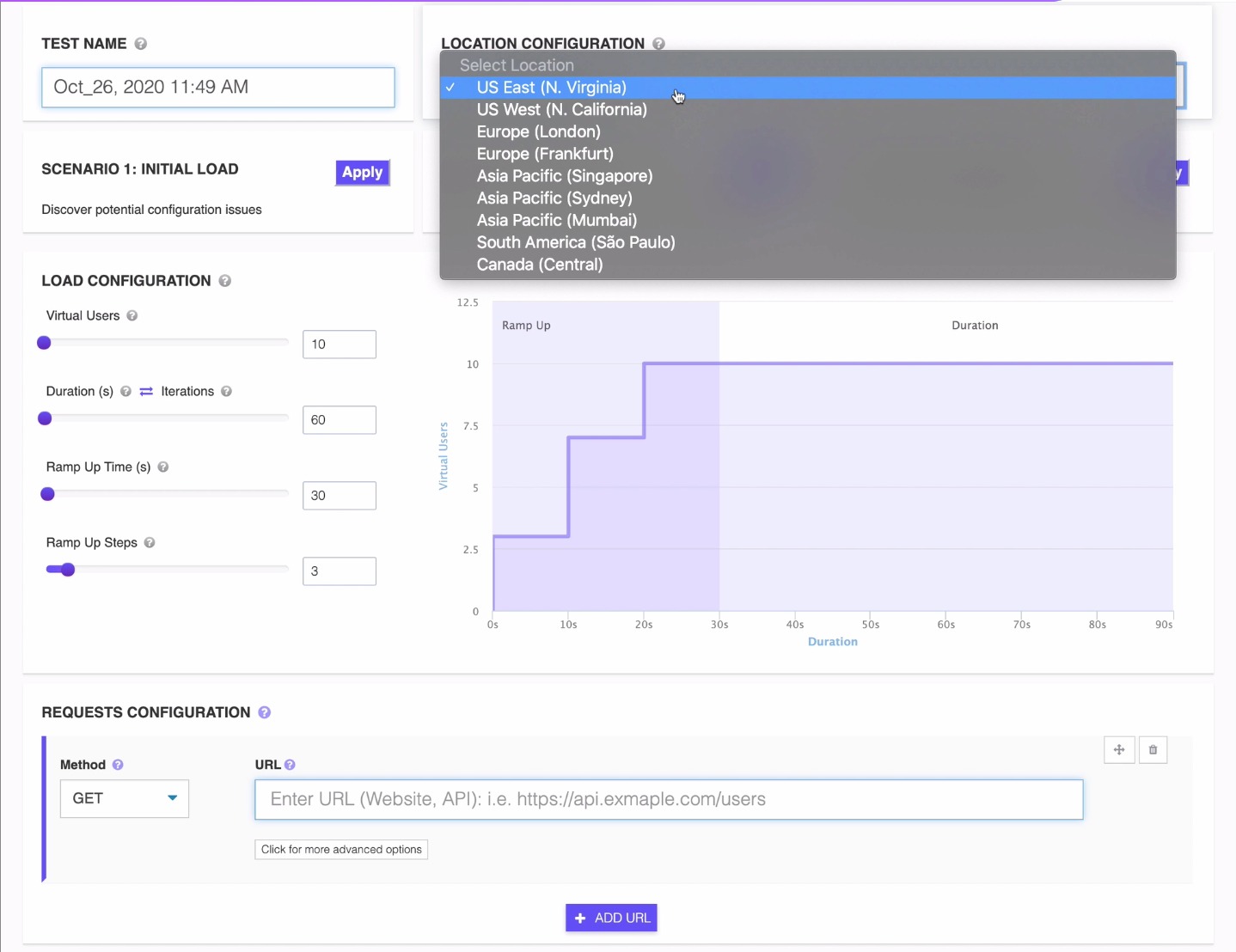
Gain Global Performance Insights 🌍
Curious about global load performance?
Diverse Global Test Locations
Optimize for a Global Audience
Best Free Load Testing Tools for Web Applications in 2026 (Honest Comparison)
Five popular load testing tools compared on the things that matter when you actually run a test: setup speed, free tier, geo locations, JMeter compatibility, reporting, and CI/CD.
| Capability | LoadFocus | k6 Cloud | BlazeMeter | Octoperf | Apache JMeter |
|---|---|---|---|---|---|
| Browser-based test setup (no install) | Yes. 60-second config | JavaScript code only | GUI + scripting | Web GUI | Desktop app required |
| Free tier (anonymous) | Yes. 25 VUs / 60s | Trial (50 VUs limited) | 10 concurrent users | 30-day trial | Free OSS (self-host) |
| Cloud test locations | 26+ AWS regions | ~20 regions | 56+ regions | ~14 regions | Self-managed |
| Run JMeter (.jmx) scripts | Yes, drag-and-drop upload | No (JS only) | Yes | Yes | Native |
| Real-time graphs + shareable reports | Yes, live + persistent URL | Yes (cloud only) | Yes | Yes | Local only (.jtl) |
| CI/CD integration (GitHub, GitLab, Jenkins) | Yes. REST API + webhooks | Yes (CLI) | Yes | Yes | Self-built |
The 4 Load Testing Metrics That Actually Matter
Skip the vanity metrics. These four numbers tell you whether your system survives traffic, and where it breaks.
Virtual Users (VUs)
Concurrent simulated users hitting your endpoint. A useful target is 1.5–2× peak production traffic, that headroom is what keeps Black Friday traffic from taking you down.
Requests per Second (RPS)
Throughput your system actually sustains. RPS is the headline number for capacity planning. If your peak load is 800 RPS but your test plateaus at 450, you have a real problem before launch day.
Response Time (p95 / p99)
Time the slowest 5% (p95) or 1% (p99) of requests take. Averages hide outliers; percentiles expose them. A p95 above 1 second on a checkout flow means real users are abandoning.
Error Rate
Share of requests that fail (5xx, timeouts, application errors) as load climbs. The single best signal that you've crossed your capacity ceiling, pair it with continuous API monitoring after launch.
Free Website Stress Test
A stress test pushes your site or API past its expected peak to find the exact point where it breaks. Run one online for free, with no install and no coding.
Load test vs stress test
A load test checks how your site or API behaves at the traffic you expect and confirms it meets your targets at planned demand. A stress test deliberately goes further, ramping virtual users past that peak until response times climb and errors appear, so you learn how the system fails.
Why stress test a website
Knowing your breaking point turns a 3am outage into a planned capacity decision. Stress testing reveals the concurrent-user ceiling, the first component to buckle, and whether failure is graceful or a cascading collapse, all before real traffic finds out for you.
How to stress test a website for free
Enter your URL, set the virtual users well above your normal peak, choose a duration, and run the test from our cloud. Watch the response-time and error-rate graphs for the point where they spike. The free plan covers a 25-user run, and you can scale up for heavier stress tests on a paid plan.
Explore LoadFocus load testing
Prefer a dedicated stress test page? Run the free website stress test.
How to Load Test a Website for Free
Run your first cloud load test in four steps. No install, no scripting, and no credit card for the free tier.
- Enter your URL
Paste the website address or API endpoint you want to test into the box at the top of this page. Any public URL works. - Set virtual users and duration
Choose how many concurrent virtual users to simulate and how long the test should run. Start near your expected peak, then push higher to stress test. - Pick a test location
Select the cloud region your traffic should come from. Free runs use one location, and signed-in users can test from 25+ regions worldwide. - Run and read the report
Click start and watch the live graphs. Review response times, requests per second, and error rate to find where your system slows down or breaks.
Free Load Testing. Frequently Asked Questions
How many virtual users do I need to load test a website?
Match your peak production traffic, then add headroom. If you serve 10,000 daily users with 500 concurrent at peak, test at 750–1,000 VUs (1.5–2× peak). That's where you find your breaking point before traffic does.
What's the difference between load testing and stress testing?
Load testing validates expected traffic, does the system meet its SLOs at planned demand. Stress testing pushes deliberately past breaking point to learn how it fails (graceful degradation vs cascading collapse). Run both before any major launch.
Can I run a load test on a production site?
Yes, but in low-traffic windows and ideally with a feature flag that bypasses paywalls, payment processors, and email sends. Better practice: clone production to a staging environment with anonymised data and test there freely.
Does LoadFocus support JMeter (.jmx) and k6 scripts?
Yes, upload existing .jmx files, or write JavaScript for k6-compatible tests. Both run on the same global cloud infrastructure with the same reporting. No rewriting your existing test suite.
What is a good response time target for a website load test?
Under 200 ms for API calls; under 1 second p95 for full web page loads. For interactive web pages, INP under 200 ms is the Core Web Vitals threshold Google uses for ranking.
How is LoadFocus pricing structured?
Pay per virtual-user-hour. The free tier covers 25 VUs × 60 seconds, enough to validate a script. Paid plans scale to 1M+ VUs per test, with annual subscriptions cutting the per-VU rate by ~40%.
Is LoadFocus load testing free to use?
Yes. The free plan runs a real cloud load test of up to 25 virtual users for 60 seconds, with no credit card and no coding. It is enough to validate a script or check a page under light concurrent load, and paid plans scale to over 1 million virtual users when you need production-scale runs.
How do I stress test a website online for free?
Enter your URL, set the virtual users and duration, and click run. The test executes online from our cloud, so there is nothing to install. To stress test, push the virtual-user count past your expected peak and watch for the breaking point. The free plan covers a 25-user run, and you can scale up for heavier stress tests.
Can I load test a website or API without writing code or installing anything?
Yes. The free online load test runs against any public URL or API endpoint with no local install and no scripting required. If you already have JMeter (.jmx) or k6 scripts you can upload them, but a no-code run takes under 60 seconds to start.
How do I load test a website step by step?
Enter your website URL, set the number of virtual users and the test duration, choose a cloud location, then click start. Watch the live graphs for response time, requests per second, and error rate as the load ramps up. For scripted or repeatable runs you can upload a JMeter (.jmx) file and run it as JMeter cloud load testing.
What is the best free load testing tool for web applications?
The best free load testing tool for web applications is one that runs a real cloud test with no setup and no credit card. LoadFocus runs 25 virtual users for 60 seconds free from the browser, with global locations, live graphs, and shareable reports. The comparison table above weighs it against k6 Cloud, BlazeMeter, Octoperf, and Apache JMeter.
Can I load test an API for free?
Yes. Point the free load test at any public API endpoint, with no code required, and it runs from our global cloud infrastructure. For header, body, and multi-step API scenarios you can upload a JMeter (.jmx) script and run it as JMeter cloud load testing on the same infrastructure.