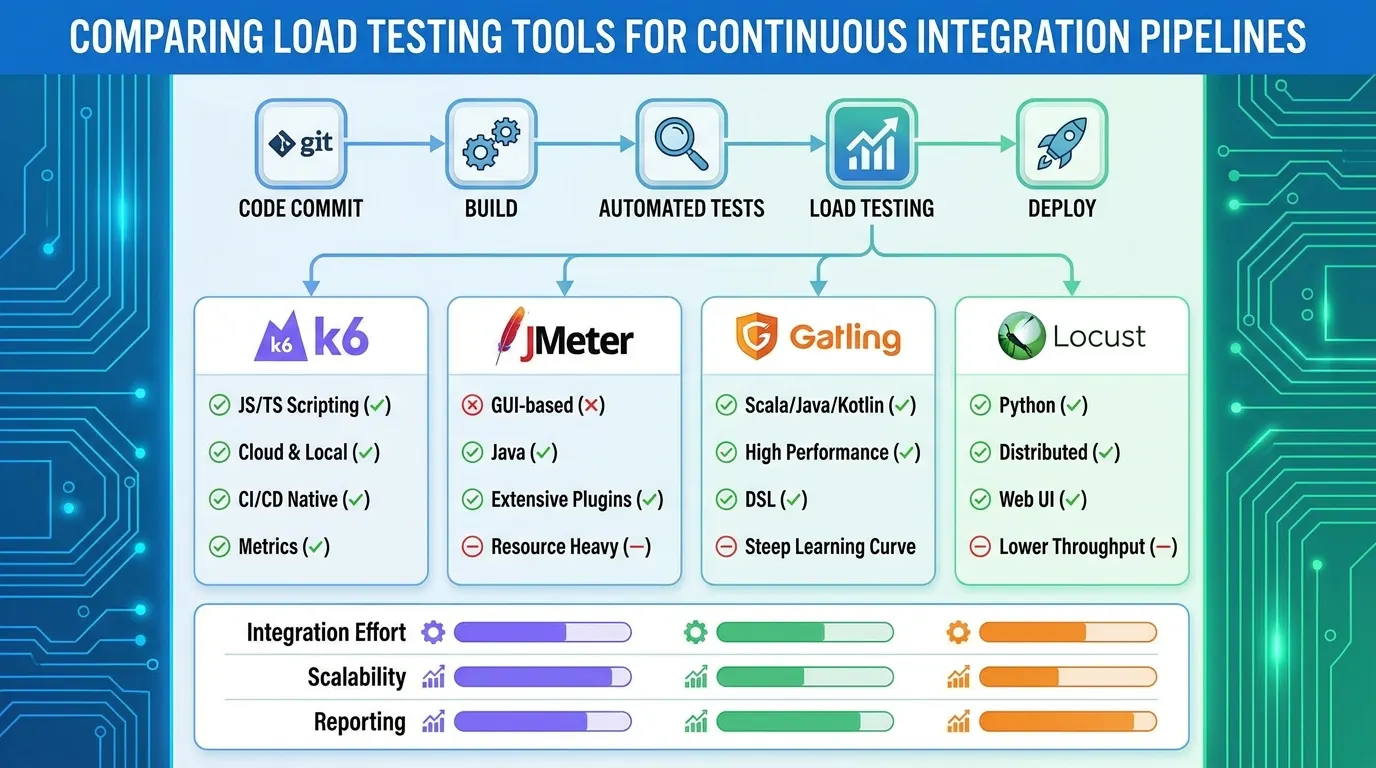
For a CI/CD pipeline, the best load testing tool is the one that starts from a single command, runs without a GUI, keeps its scripts in your repository and returns a non-zero exit code when your performance targets are missed. JMeter, k6, Gatling, Locust and Artillery all run headless from the command line; they differ in script language, how easy it is to turn a threshold into a failed build, and what you do when one runner is not enough.
Key takeaways
- Every open source tool below runs headless in CI. The deciding factors are script language, built-in pass or fail gates and how you scale past one runner.
- k6 and Locust have documented ways to fail a run on performance criteria. With JMeter you usually add a step that reads the results file.
- Run small smoke tests on every pull request and large tests on a schedule or before a release. A huge test on every commit costs time and money and teaches the team to ignore the result.
- Hosted platforms such as LoadFocus take over the load generators and the dashboards; they do not change how a pipeline step decides pass or fail.
Which load testing tools work in CI/CD?
The table lists what each tool’s own documentation says (read 23 October 2026), so you can compare like with like.
| Tool | Script style | Protocols named in its docs | Headless run | Fail the build on performance |
|---|---|---|---|---|
| Apache JMeter | GUI builds a .jmx (XML) test plan | HTTP, HTTPS, SOAP, REST, FTP, JDBC, LDAP, JMS, SMTP, POP3, IMAP, TCP | jmeter -n -t plan.jmx -l results.jtl -e -o report | Assertions mark samples as failed; a gate on percentiles usually means parsing the results or using a CI plugin |
| k6 | JavaScript | HTTP/1.1, HTTP/2, WebSockets and gRPC out of the box | k6 run script.js | Thresholds: k6 exits with a non-zero code when one fails |
| Gatling | Java, or JavaScript and TypeScript | HTTP, WebSocket, SSE, GraphQL, JMS, MQTT, gRPC | Maven, Gradle or the command line | Assertions: if one fails, the simulation fails |
| Locust | Python | HTTP shown on its home page, other protocols through your own Python clients | locust --headless | Exits with code 1 on failed requests; a quitting listener can set the exit code from failure ratio or percentiles |
| Artillery | YAML, or JavaScript and TypeScript | HTTP in the getting-started page | artillery run test.yml | The ensure plugin takes p95 and p99 limits |
| LoadFocus | JMeter, k6 or no-code tests, hosted | HTTP requests with methods, headers, cookies and Basic auth | Triggered from CI by a GitHub Action, a Verdict API or a Jenkins plugin | Thresholds on percentiles, error rate and throughput give each run a PASS or FAIL verdict |
Sources are listed at the end. Protocol lists change between releases, so check the tool’s current docs for the protocol you need.
What does a good CI/CD load test step look like?
A step that people trust has four properties, whatever the tool.
- One command. Anyone can reproduce the CI run locally by copying the line.
- A pass or fail result. The step ends non-zero when response time percentiles or error rate cross a limit.
- A report you can open. Save the HTML report or results file as a build artifact.
- A stable target. Run against a staging environment that resembles production, with the same data volume each time, or the numbers will not be comparable.
How do k6 thresholds fail a build?
In k6 you declare thresholds in the script, and the process exit code carries the verdict, so a CI job fails by itself.
import http from 'k6/http';

export const options = {
  vus: 20,
  duration: '2m',
  thresholds: {
    http_req_failed: ['rate<0.01'],
    http_req_duration: ['p(95)<500'],
  },
};

export default function () {
  http.get('https://staging.example.com/api/health');
}
If the 95th percentile exceeds 500 ms or more than 1 percent of requests fail, k6 run exits non-zero (Grafana k6 docs, thresholds, read 23 October 2026). k6 documents integrations for GitHub Actions, GitLab, Jenkins, CircleCI, Azure Pipelines, TeamCity and others. It also supports gRPC and WebSockets without extensions, so non-HTTP services do not need a workaround. More exotic protocols are added through xk6 extensions.
How do you run JMeter in a pipeline?
JMeter’s documentation is explicit: build the plan in the GUI, but run load tests in non-GUI mode.
jmeter -n -t plan.jmx -l results.jtl -e -o reportThe -e -o pair writes the HTML dashboard to a folder that must be empty or not yet exist. To turn results into a verdict, add assertions to the plan and check the results file, or use a plugin for your CI server. Our k6 vs JMeter comparison covers the trade-off between scripting in code and in a plan.
How do you fail a Locust or Gatling run?
Locust exits with code 1 if any request failed, and its docs show a quitting event listener that sets the exit code when the failure ratio, average or 95th percentile passes a limit. Gatling’s assertions check global statistics such as response time or failed requests, and a failed assertion fails the simulation.
Open source or hosted: which fits a pipeline?
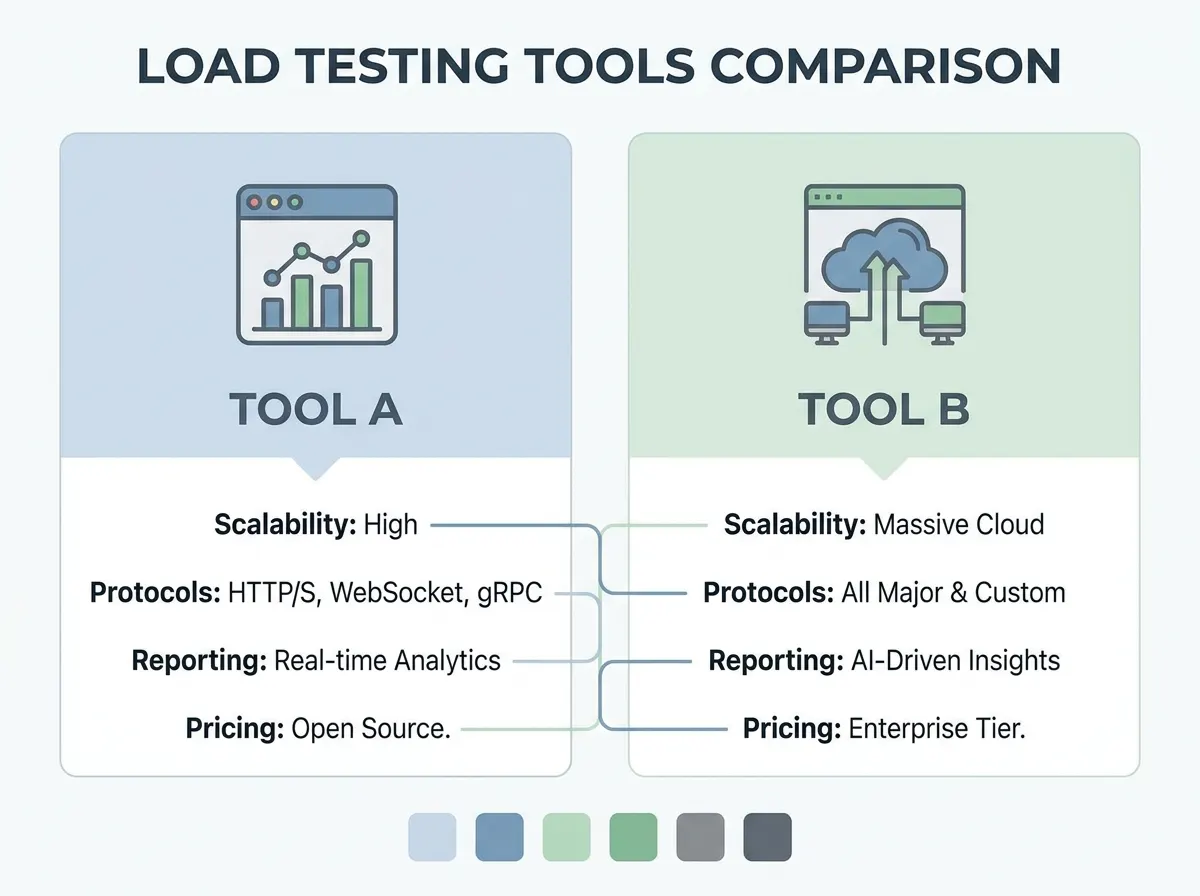
Open source on your own runners suits small checks: a smoke test on every pull request with 10 to 50 virtual users. It breaks down when you need traffic from many regions or thousands of virtual users, because you must provision and coordinate the generators. Hosted platforms exist for that case. A sensible split is a small open source smoke test in every pipeline and a large hosted run before each release. For the cost and ownership angle see open source vs commercial load testing tools.
The managed options include Grafana Cloud k6 and BlazeMeter. If you run k6 yourself and want to know where each approach stops working, running k6 at scale compares self-hosting with the k6 Operator, Grafana Cloud k6 and managed platforms.
How does LoadFocus fit into CI/CD?
LoadFocus is a cloud testing platform that runs JMeter and k6 scripts and no-code tests from 25 regions. For pipelines it offers a GitHub Action, a Verdict API and a Jenkins plugin that can mark a build UNSTABLE or FAILED. You set pass or fail thresholds such as maximum p95 or p99 response time, maximum error rate and minimum throughput, and each run gets a verdict. Runs can also be scheduled, with email alerts when they start failing thresholds (loadfocus.com/load-testing, read 23 October 2026). Details are on the load testing page; the JMeter and k6 pages cover running your own scripts.
How do you choose the right tool for your team?
Match the tool to the skills you already have, then check the pipeline fit.
- Developers who write JavaScript: k6.
- Python shops: Locust.
- JVM teams: Gatling.
- QA teams with existing
.jmxplans or a need for JDBC, JMS or mail protocols: JMeter. - Teams that prefer YAML scenarios: Artillery.
- Anyone who needs many regions without running generators: a hosted platform that accepts standard scripts.
Then run the same scenario in your top two choices against staging for a day. Compare how long the script took to write, how stable the numbers are between runs and how readable the failure message is in the CI log. That tells you more than any feature table, this one included.
What are the limits of load testing in CI/CD?
- Synthetic traffic is not production. Scripts cover the journeys you wrote, not the ones users invent. Pair CI tests with monitoring of real traffic.
- Noisy environments give noisy numbers. A shared staging server or a CI runner under load will produce false failures. Use percentile thresholds with some headroom and repeat a failing run before you block a release.
- A single number lies. Gate on percentiles and error rate together (why percentiles beat averages).
- Tests need upkeep. When an endpoint changes, update the script in the same pull request.
Frequently Asked Questions
Which load testing tools integrate best with CI/CD pipelines?
k6, Locust and Gatling all document a headless run with a way to fail the process on performance criteria. JMeter runs headless too but usually needs a result-checking step. Hosted platforms add actions and APIs that return a verdict.
Does k6 support protocols other than HTTP?
Yes. The k6 documentation lists HTTP/1.1, HTTP/2, WebSockets and gRPC as supported out of the box, and more protocols are available through xk6 extensions.
How often should load tests run in CI?
Run a short smoke test on each pull request and a larger test nightly or before a release. Very large tests on every commit slow the team down and produce results nobody reads.
Should the load test run against production?
Prefer a staging environment that mirrors production. Testing production needs a plan for data, side effects and customer impact.
What is the difference between a smoke test and a load test in a pipeline?
A smoke test uses a handful of virtual users to prove the script and endpoints work. A load test applies the expected traffic and checks percentiles and errors against thresholds. See load testing vs stress testing for the wider test types.
Sources
- Apache JMeter, jmeter.apache.org and the user manual’s getting-started page (read 23 October 2026)
- Grafana k6 documentation: protocols, thresholds, integrations, grafana.com/docs/k6 (read 23 October 2026)
- Gatling documentation, docs.gatling.io, including assertions (read 23 October 2026)
- Locust documentation, running without the web UI, docs.locust.io (read 23 October 2026)
- Artillery documentation, first test, artillery.io/docs (read 23 October 2026)
- LoadFocus load testing page, loadfocus.com/load-testing (read 23 October 2026)
Published with PostNext