Key takeaways
- On AWS Lambda, the function-side numbers and the client-side numbers disagree by design. The
Durationmetric does not include cold start time, and throttled requests are counted neither asInvocationsnor asErrors, so a clean function dashboard can sit next to a failing load test. - Read a serverless result in three layers: what the client saw (latency percentiles, error codes), what the platform did (cold starts, concurrency, throttles), and what the downstream systems did.
- A slow dependency can cause throttling without any change to your code, because concurrency equals request rate times duration.
- This post is about interpreting results and the trade-offs behind them. For how to design the test itself, with limits for Lambda, Azure Functions and Cloud Run, see the serverless performance testing guide.
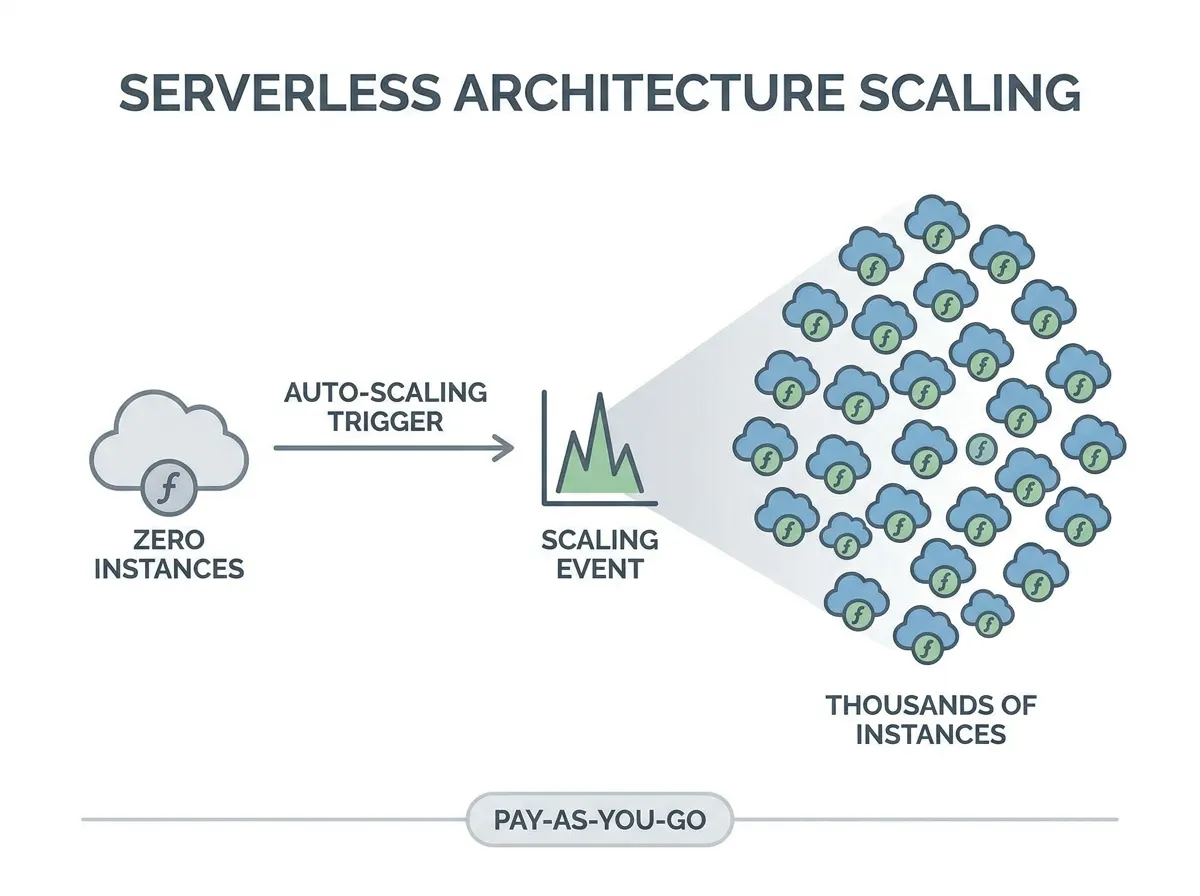
When you load test a serverless application, the hard part is rarely generating the traffic. It is working out which of several different causes produced a slow or failed request. The platform adds environments, throttles, and reuses or recycles them on its own schedule, so the same symptom (a slow p99) can come from a cold start, a concurrency cap or a database. The facts below come from the AWS Lambda documentation (read 23 October 2026); the other providers have equivalents, but the metric names differ.
Why do client and function metrics disagree?
Because they measure different things. Three details from the AWS documentation explain most of the confusion:
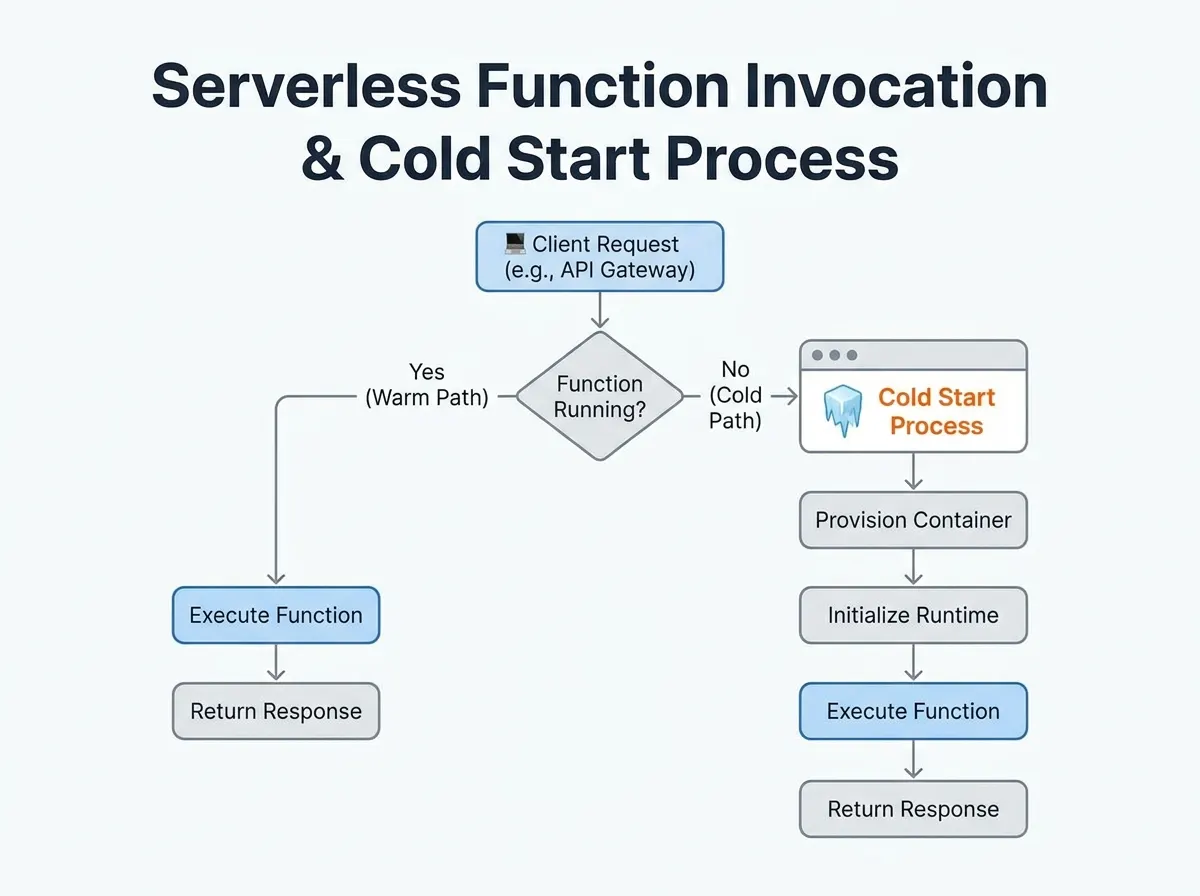
Durationis the time your code spends processing an event and “does not include cold start time”. The cold start shows up separately asInit Durationon theREPORTlog line, and AWS says you are charged for it.- When all instances are busy and no concurrency is left to scale into, Lambda rejects the request with a
TooManyRequestsException. “Throttled requests and other invocation errors don’t count as eitherInvocationsorErrors.” Invocationsequals the number of requests billed, and throttled requests are not billed.
So a load test client can report a rising error rate while the function’s own Errors metric stays at zero, and the p99 the client sees can be much higher than the p99 of Duration. Compare the right pairs. The client’s latency for a cold request is roughly Init Duration plus Duration plus whatever sits in front of the function (a gateway, network). In AWS’s own example of a log line, Duration: 133.61 ms and Init Duration: 80.00 ms give a billed duration of 214 ms, which is the sum, rounded up. A client measuring that request saw at least 214 ms even though the function’s Duration says 134.
How do you tell cold starts, throttling and a slow database apart?
Start from the client symptom, then confirm in the platform metric. The “likely cause” column is a first hypothesis to check, not a verdict.
| What the load test shows | Likely cause | Confirm with (Lambda metric or log) |
|---|---|---|
| Slow p95/p99, median normal, worst cases cluster right after a ramp or an idle gap | Cold starts | Init Duration on REPORT lines; compare client p99 with the p99 of Duration |
Client errors or rejected requests, function Errors flat | Throttling | Throttles above zero; ConcurrentExecutions (read with Max) at the account quota or at the function’s reserved concurrency |
Latency rises across the whole distribution as load rises, Duration rises with it | A downstream dependency saturating (database, partner API) | Duration percentiles, plus the dependency’s own connection, queue and latency metrics |
Errors appear while ConcurrentExecutions is well below the quota | Request-rate cap rather than concurrency, or a limit in front of the function | Compare requests per second with 10 times the concurrency quota; check the gateway’s own limits |
| Slow requests after provisioned concurrency was added | Traffic exceeded the pre-initialized capacity | ProvisionedConcurrencySpilloverInvocations above zero |
| Asynchronous work completes late with no client-visible error | Throttled events waiting to be retried | AsyncEventAge rising; look at Errors and Throttles |
Two cautions. First, percentiles matter more than averages here, because cold starts are rare: AWS says they typically occur in under 1% of invocations, so the mean barely moves while the p99 jumps. CloudWatch supports percentile statistics for Duration, and the post on why percentiles beat averages explains how to read them. Second, a client-side metric tells you something is wrong; only the platform metric tells you why.
Why can a slow database cause throttling?
AWS gives the formula: concurrency = average requests per second x average request duration in seconds. Its own example is 5,000 requests per second at 200 ms, which needs 5,000 x 0.2 = 1,000 concurrent executions, exactly the default Regional quota of 1,000.
Now suppose a downstream database slows down and the average duration rises to 250 ms. The same 5,000 requests per second now need 5,000 x 0.25 = 1,250 concurrent executions, which is above the quota, so Lambda starts throttling. Your code did not change, and the function metrics show only a modest increase in Duration, yet the client sees rejections. This is why a serverless load test has to watch the dependency alongside the function: the throttle is the symptom, and the database is the cause. The relationship is the same one that links throughput and response time in any system.
AWS also documents a second ceiling: the request rate is capped at 10 times the concurrency quota. A function that averages 20 ms at 30,000 requests per second needs only 600 concurrent executions, but is still throttled because 30,000 exceeds 10,000 requests per second at the default quota.
What are the trade-offs between reserved, provisioned and on-demand concurrency?
Each setting moves the failure somewhere else, so the test result you want depends on what you are protecting.
| Setting | What it does (AWS docs) | What the test will show |
|---|---|---|
| On-demand (default) | Functions share the Regional pool of 1,000 by default; Lambda creates environments as needed | Cold starts on every ramp; one busy function can throttle the others |
| Reserved concurrency | Sets a maximum (and reserves that share) for one function; no extra charge | Throttling at the cap by design. Useful to stop a function overwhelming a database, and to keep other functions from being starved |
| Provisioned concurrency | Pre-initializes a set number of environments; extra charge | No cold start for traffic inside that number; requests beyond it spill into on-demand concurrency and can be cold |
So the same test can be a success or a failure depending on intent. Throttling at a reserved-concurrency cap that you set to protect a database is the design working; throttling at the account quota because a different function took the pool is a finding. Run the test once with the configuration you ship, and write down which of these three situations each error belongs to.
Should you use a benchmark suite such as SeBS?
The Serverless Benchmark Suite (SeBS, from the SPCL group; paper at Middleware 2021) is an open-source (BSD-3-Clause) suite that deploys benchmark applications to AWS Lambda, Azure Functions, Google Cloud Functions and OpenWhisk, or to a local Docker-based platform, and measures them (github.com/spcl/serverless-benchmarks, October 2026). It answers “how do these platforms compare on a standard workload”. It does not tell you how your own application with your own database behaves under your own traffic. For that you need a load test against your real endpoint.
Running the test with LoadFocus
LoadFocus runs load tests against an HTTP endpoint, which fits an API in front of functions. According to its pages (loadfocus.com/load-testing and /k6-load-testing, October 2026), you can run JMeter and k6 scripts from 25+ cloud regions, watch response time and the 50th, 90th and 99th percentiles in real time, see error charts against the number of active virtual users, and set pass/fail limits on P95 or P99 response time, error rate and throughput. It has no serverless-specific feature, so the cold/warm split and the throttle counts come from your function logs and your cloud provider’s metrics. Start with the load testing page and, if you script in JavaScript, k6 load testing. For the shape of the traffic, use the spike testing guide. For what latency means, see the glossary entry on latency.
Frequently Asked Questions
Why does my Lambda function show no errors while my load test fails?
Throttled requests are rejected before your code runs, and AWS documents that they count neither as Invocations nor as Errors. Check the Throttles metric and ConcurrentExecutions instead.
Does the Duration metric include the cold start?
No. AWS states that Duration does not include cold start time. The initialization time appears as Init Duration on the REPORT log line, and it is billed.
How can I tell a cold start from a slow database?
A cold start adds Init Duration to specific requests, usually after an idle gap or a sharp ramp, and leaves the median alone. A slow database lifts latency across the whole distribution as load rises, and the database’s own metrics show the saturation.
How often do cold starts happen?
AWS says they typically occur in under 1% of invocations and last from under 100 ms to over 1 second, and that they are more common in development and test functions because those run less often. Your own numbers depend on package size, initialization code and traffic pattern, so measure them.
Is reserved concurrency a way to avoid throttling?
No, it is a way to choose where throttling happens. It caps one function so it cannot exhaust the pool or flood a downstream system, and it reserves capacity so others cannot starve it.
Sources
- AWS Lambda: Types of metrics (October 2026)
- AWS Lambda: Understanding function scaling and concurrency (October 2026)
- AWS Lambda: Execution environment lifecycle and cold starts (October 2026)
- SeBS: Serverless Benchmark Suite (October 2026)