Key takeaways
- Enterprise requirements are usually distribution, access control and reporting rather than raw load.
- Integration with the existing CI and observability stack decides adoption.
- Budget for the expertise to run it, which usually exceeds the licence.
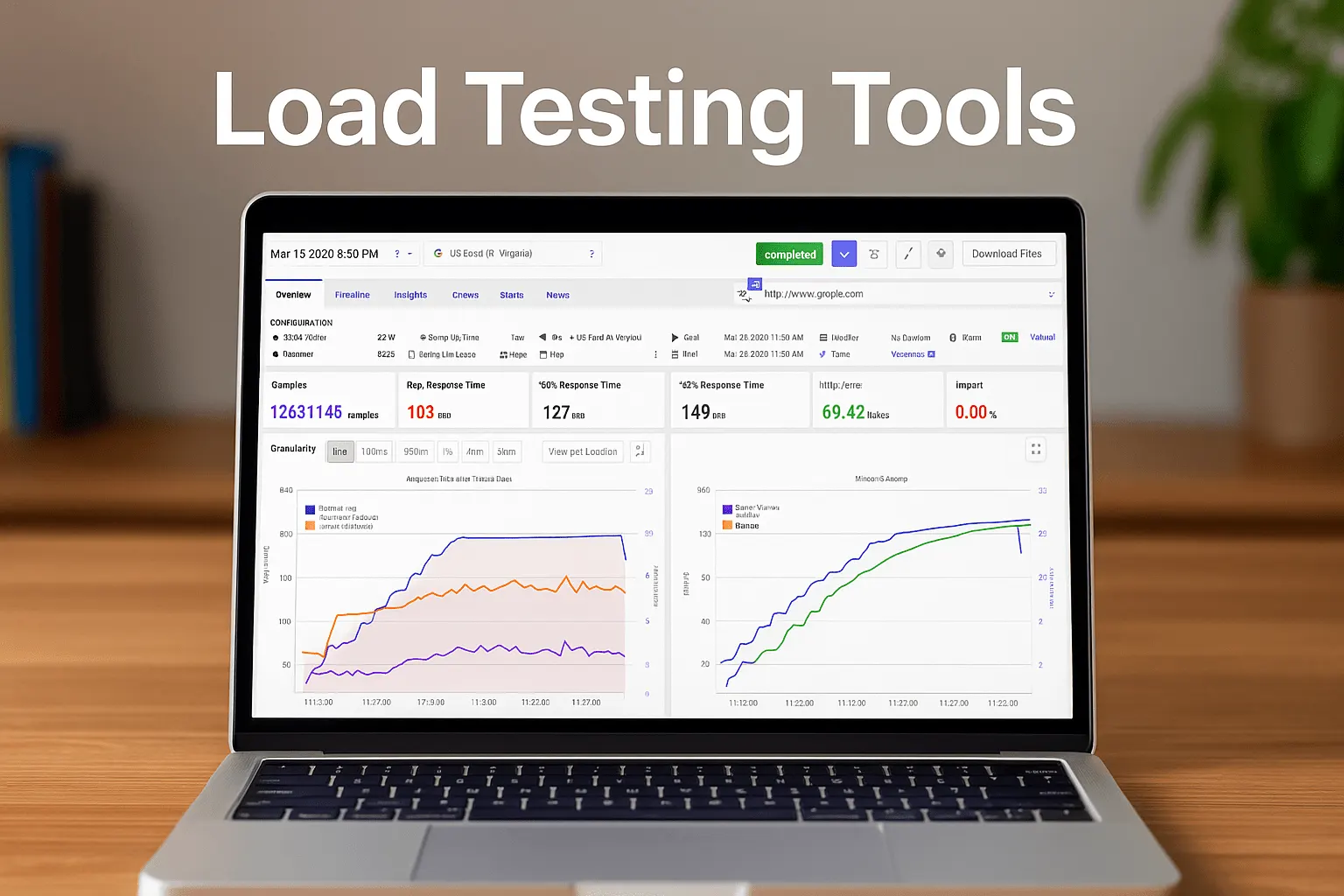
In today’s fast‑paced digital environment, ensuring that your applications can handle high volumes of traffic is critical. Load testing simulates real‑world user activity to verify that systems remain responsive and reliable even under stress. Many teams pair it with a website speed test and page speed monitoring for the front end. This article explores the top enterprise load testing tools for 2026, from open‑source platforms to premium solutions that deliver advanced API monitoring and real‑time insights.
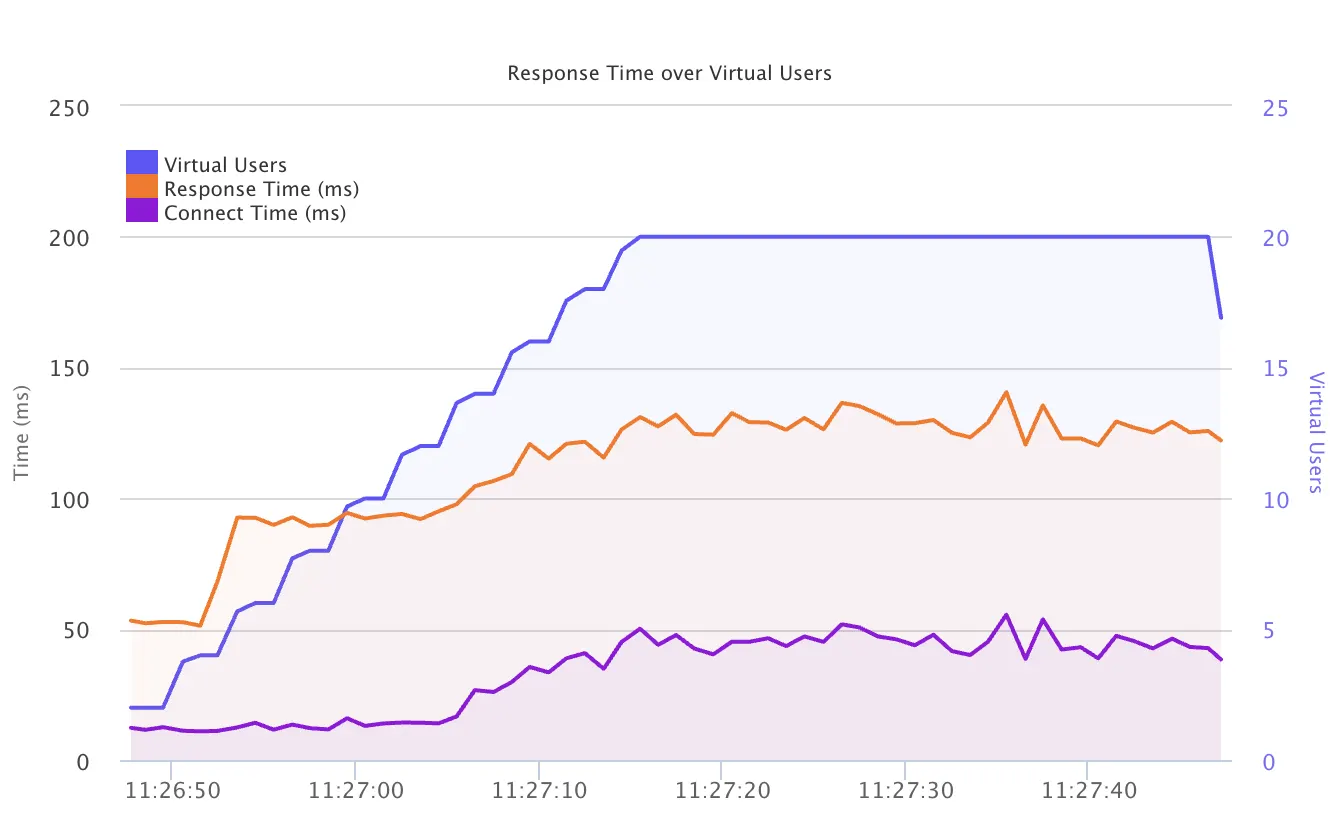
Load Testing Example Chart
Comparative Summary of Enterprise Load Testing Tools
| Tool | Best For | Key Features | Use Case |
|---|---|---|---|
| LoadFocus | Modern, intuitive cloud‑based testing | Offers real‑time analytics, a free load test, and a browser extensions for agile performance insights. | Agile load testing with advanced reporting features |
| Apache JMeter | Open‑Source flexibility and scalability | Extensive plugins, robust community support, customizable test plans, and integration with CI/CD pipelines. | Testing web and application performance |
| OpenText LoadRunner | Enterprise‑grade performance testing | Advanced scripting, detailed reporting, and integrated performance monitoring that scales for large‑scale enterprise applications. | Mission‑critical, high‑traffic environments |
| Gatling (Enterprise) | Continuous testing with real‑time insights | High‑performance engine, real‑time metrics, CI/CD integration, and enhanced reporting via its enterprise edition, Gatling Enterprise. | Continuous integration and automated testing |
| BlazeMeter | Cloud‑based load testing and API performance | Scalable cloud execution, comprehensive analytics, and robust reporting tools for distributed load simulations. | API testing and global load simulations |
Enterprise Load Testing Tools
Top 5 Enterprise Load Testing Tools to Try in 2026
1. LoadFocus
Category: Modern, Intuitive Cloud‑Based Testing
Overview:
LoadFocus is a contemporary load testing tool offering a sleek online interface and powerful cloud‑based performance analysis. It combines real‑time analytics with a free load test to deliver immediate, insights you can act on. Its browser extensions, monthly or yearly plans make it an excellent choice for agile enterprises. Also, explore our baseline comparison feature for performance benchmarking.
Key Features:
- Rapid, cloud‑based test deployment
- Detailed, real‑time analytics and reporting
- Automated scheduling and execution of tests
- Intuitive, interactive user interface
Pros:
- Quick setup and fast, actionable insights
- Cost‑effective with flexible pricing plans
- Tailored for agile development and rapid iterations
Cons:
- May have limitations for extremely complex test scenarios
- Runs HTTP-level tests from the cloud only; there is no on-premise install
Use Case:
Best for enterprises needing a swift, modern approach to load testing that delivers advanced analytics and automation.
Pricing:
Flexible pricing plans with a free trial option. For more details on pricing, visit our pricing page.
2. Apache JMeter
Category: Open‑Source and Flexible Testing
Overview:
Apache JMeter is a well‑established open‑source tool that enables organizations to simulate heavy loads on servers, networks, or applications. Its extensive plugins and customizable test plans make it ideal for enterprises seeking flexibility and cost‑efficiency. For more tailored guidance, explore our dedicated JMeter load testing resource.
Key Features:
- Robust community support and regular updates
- Extensive plugin ecosystem
- Ability to test a variety of applications and protocols
- Integration with CI/CD pipelines
Pros:
- Free and open‑source
- Highly customizable
- Wide adoption and extensive community resources
Cons:
- Steeper learning curve for non‑technical users
- Limited out‑of‑the‑box reporting compared to commercial tools
Use Case:
Ideal for organizations that require a versatile, budget‑friendly solution for performance testing.
Pricing:
Free and open‑source.
3. OpenText LoadRunner
Category: Enterprise‑Grade Load Testing
Overview:
OpenText LoadRunner (sold as Micro Focus LoadRunner until OpenText bought Micro Focus in 2023) is a premium solution engineered for large enterprises. It features advanced scripting capabilities, comprehensive reporting, and integrated performance monitoring to ensure applications remain strong under heavy loads.
Key Features:
- Advanced scripting and protocol support
- Comprehensive reporting and analysis
- Integration with multiple development tools
- Detailed analytics to pinpoint performance bottlenecks
Pros:
- Industry‑leading with robust feature sets
- Scalable for high‑volume, complex test scenarios
- Strong vendor support and continuous updates
Cons:
- High cost relative to open‑source alternatives
- Complexity in setup and configuration
Use Case:
Best suited for enterprises managing complex, high‑traffic applications needing detailed performance insights.
Pricing:
Commercial licensing with enterprise pricing.
4. Gatling (Enterprise Edition: Gatling Enterprise)
Category: Continuous Testing & Real‑Time Reporting
Overview:
Gatling is renowned for its high‑performance engine and real‑time analytics, making it a favorite in DevOps environments. The enterprise edition, Gatling Enterprise (formerly FrontLine), adds features for continuous integration and automated testing, ensuring that performance issues are caught early.
Key Features:
- High‑performance, scalable testing engine
- Real‑time metrics and analytics
- Seamless integration with CI/CD pipelines
- Detailed reporting and continuous feedback
Pros:
- Optimized for continuous testing environments
- Clear, actionable real‑time insights
- Scalable for high‑volume tests
Cons:
- Enterprise edition requires a premium investment
- May need additional configuration for complex setups
Use Case:
Ideal for organizations focused on continuous delivery that need immediate, real‑time performance data.
Pricing:
Offers both an open‑source version and an enterprise edition (Gatling Enterprise) with commercial licensing.
5. BlazeMeter
Category: Cloud‑Based Load Testing and API Performance
Overview:
BlazeMeter delivers a cloud‑based platform for executing load tests that simulate thousands of virtual users. Its user‑friendly interface and broad integrations make it an excellent option for testing web, mobile, and API performance across distributed environments.
Key Features:
- Scalable, cloud‑based execution
- Supports comprehensive API, mobile, and web testing
- Customizable, detailed reporting
- Seamless integration with modern CI/CD frameworks
Pros:
- Eliminates infrastructure overhead via cloud execution
- Intuitive setup and usage
- In-depth analytics and reporting capabilities
Cons:
- Dependent on stable internet connectivity
- Costs can rise with extremely high usage volumes
Use Case:
Ideal for organizations seeking flexible, scalable load testing solutions with robust cloud support.
Pricing:
Subscription‑based with a free trial available.
FAQs
What is Load Testing?
Load testing is the process of simulating multiple users accessing a system concurrently to assess its performance under stress. This testing helps identify bottlenecks, ensuring that applications remain stable and responsive during peak traffic periods.
Why Do We Need Load Testing?
Load testing is essential to ensure that applications can handle real‑world usage without performance degradation. It prevents downtime, enhances user experience, and ensures that infrastructure scales efficiently. By leveraging tools with advanced load testing reports, organizations can detect and address issues before they impact end users.
Tips to Choose the Best Load Testing Tools
- Assess Your Requirements: Determine whether you need a free, open‑source solution like Apache JMeter or a premium tool like OpenText LoadRunner.
- Scalability: Ensure the tool can simulate the required load and manage your application’s traffic.
- Integration: Opt for tools that integrate smoothly with your CI/CD pipelines and other development processes.
- Reporting & Analytics: Prioritize solutions that offer detailed load testing extensions and real‑time insights.
- Ease of Use: A clear dashboard can simplify testing and reduce the learning curve.