Key takeaways
- Extensions are best for capture and inspection, not for running a test suite.
- Recording extensions produce a starting point that still needs stable locators.
- Audit permissions before installing, since a testing extension sees every page you visit.
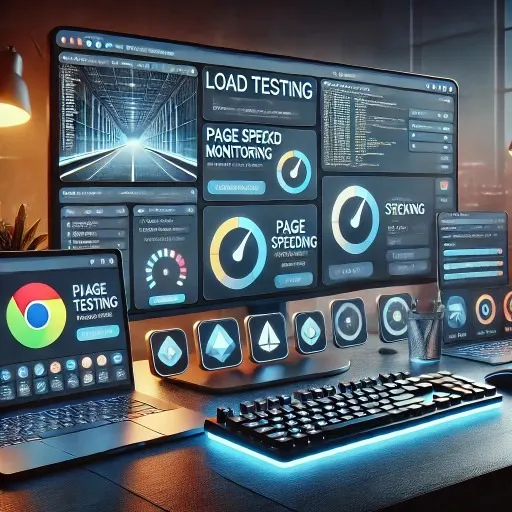
In the fast-paced world of web development, testing has become more essential than ever. Whether you’re a business owner ensuring your website’s performance, a software engineer validating your code, or a product owner making sure everything works seamlessly, testing tools are vital. Chrome extensions make it incredibly easy to access powerful testing tools without leaving your browser. From load testing to monitoring page speeds, these extensions simplify the testing process and help boost productivity.
In this article, we’re diving into the 12 must-have Chrome extensions for testing in 2026. Whether you’re a non-technical user or a seasoned developer, these extensions are designed to help you improve performance, functionality, and security across your web projects.
Overview: 12 Must-Have Chrome Extensions for Testing in 2026
Here’s a quick list of the best Chrome extensions you should have in 2026:
- LoadFocus | JMeter Load Testing in the Cloud
- Load Testing in the Cloud from LoadFocus.com
- LoadFocus: Page Speed Monitoring
- WAVE Evaluation Tool
- Lighthouse
- Web Developer
- Ghost Inspector
- Checkbot
- CSS Peeper
- Window Resizer
- Site Relic
- WhatRuns
A Closer Look at the Best Chrome Extensions for Testing
1. LoadFocus | JMeter Load Testing in the Cloud
Best for: Cloud-based load testing
This LoadFocus extension brings JMeter load testing to your browser, making it easy to perform cloud-based load tests without the need for complex setup. You can quickly test your website’s ability to handle traffic under stress and ensure it performs smoothly during high-traffic events like launches or sales.
2. Load Testing in the Cloud from LoadFocus.com
Best for: Load testing and performance optimization
With this LoadFocus extension, you can run extensive load tests on your website or API directly from the Chrome browser. This tool provides real-time insights into how your website handles multiple users, helping you optimize performance and avoid crashes.
3. LoadFocus: Page Speed Monitoring
Best for: Monitoring page speeds
Page speed plays a crucial role in user experience, and this LoadFocus extension helps you monitor and improve your site’s load times. It provides real-time metrics that allow you to pinpoint bottlenecks and optimize performance.
4. WAVE Evaluation Tool
Best for: Accessibility testing
WAVE is a powerful Chrome extension that helps web developers and designers evaluate the accessibility of their websites. It highlights potential issues such as contrast errors, missing alt text, and problematic form elements, making it easier to ensure your site is usable for all visitors.
5. Lighthouse
Best for: Auditing and performance testing
Google’s Lighthouse is a widely used tool for auditing websites, providing detailed reports on performance, accessibility, SEO, and more. This extension is perfect for both developers and non-technical users who want to ensure their site is up to Google’s standards.
6. Web Developer
Best for: Front-end testing and debugging
Web Developer is a toolkit filled with features like CSS analysis, form validation, and responsive design testing. This extension is perfect for front-end developers who need to ensure that their designs work seamlessly across different devices and browsers.
7. Ghost Inspector
Best for: Automating web tests
Ghost Inspector allows you to record and run automated tests for your websites, ensuring functionality across various pages and workflows. You can monitor site performance and detect issues before they affect users, making it a valuable tool for QA teams and product owners.
8. Checkbot
Best for: SEO, speed, and security testing
Checkbot combines SEO, performance, and security testing into one simple Chrome extension. It’s great for developers, agencies, and website owners looking to optimize their sites for better rankings, faster load times, and stronger security.
9. CSS Peeper
Best for: Inspecting CSS
CSS Peeper allows front-end developers and designers to inspect the CSS of any website effortlessly. It simplifies the process of understanding the styling of a site, providing quick access to fonts, colors, and other design elements.
10. Window Resizer
Best for: Responsive design testing
Window Resizer lets you quickly resize your browser window to see how your site looks on different devices and screen sizes. It’s a must-have for web designers and developers who need to ensure their site is mobile-friendly and responsive.
11. Site Relic
Best for: Monitoring and site testing
Site Relic allows you to monitor your site’s uptime and check for vulnerabilities. It’s ideal for businesses and DevOps teams who need real-time insights into site performance and security.
12. WhatRuns
Best for: Discovering what powers a website
WhatRuns is a neat extension that allows you to see what technologies a website is built on, from analytics tools to content management systems. It’s a great tool for developers, product owners, and students looking to understand the technical stack behind successful websites.
Frequently Asked Questions
What is the best Chrome extension for load testing?
LoadFocus | JMeter Load Testing in the Cloud is one of the top Chrome extensions for load testing. It makes it easy to simulate multiple users accessing your site simultaneously, ensuring your site can handle traffic.
How can I improve my page speed using Chrome extensions?
Using LoadFocus: Page Speed Monitoring allows you to monitor real-time page speed data and offers actionable insights to optimize load times.
Are these Chrome extensions easy to use for non-technical users?
Yes, many of these extensions, such as Lighthouse and WAVE Evaluation Tool, are designed with user-friendly interfaces, making them accessible to non-technical business owners and students.
Can Chrome extensions help improve website security?
Yes, tools like Checkbot and Site Relic not only test site performance but also check for security vulnerabilities, helping you protect your site.
Conclusion
Testing your website’s performance, functionality, and security is vital for any business or development team, and these Chrome extensions make the process simple and effective. Whether you’re focusing on load testing with LoadFocus or ensuring accessibility with WAVE, these tools help you stay on top of your site’s health. Explore these must-have extensions and elevate your testing game in 2026.