Key Takeaways
Actionable Insights for High-Impact SaaS Onboarding Testing
Effective SaaS onboarding testing depends on simulating real onboarding flows, minimizing friction, and iterating based on analytics and user feedback. To improve user retention, go beyond funnel analysis – experience the onboarding process as a new user under realistic conditions. Testing with diverse, live user journeys reveals blockers that scripted tests often miss. For practical guidance, see this guide to simulating realistic user behavior.
- Prioritize “time to value”. The faster users can complete a meaningful action – often within 60 seconds of signup in leading SaaS products – the less likely they are to churn. Limit form fields and help users reach your product’s core quickly, as shown in this analysis of 50 SaaS onboarding flows.
- Iterate onboarding flows using real user data. Analytics and feedback should drive ongoing improvements to both test scenarios and onboarding design.
- Replace passive tours with interactive onboarding elements – such as checklists and sample data – and track metrics that reflect actual onboarding success, including engagement and retention.
Combining user-centered design, continuous testing, and actionable metrics gives your SaaS onboarding the best chance to convert signups into loyal customers.
Is Your Infrastructure Ready for Global Traffic Spikes?
Unexpected load surges can disrupt your services. With LoadFocus’s cutting-edge Load Testing solutions, simulate real-world traffic from multiple global locations in a single test. Our advanced engine dynamically upscales and downscales virtual users in real time, delivering comprehensive reports that empower you to identify and resolve performance bottlenecks before they affect your users.
Why Traditional SaaS Onboarding Load Testing Misses Real User Pain
Many SaaS teams run load tests on signup forms, simulate heavy user traffic, and celebrate when nothing crashes. Yet, activation rates may remain flat and churn high. The problem: traditional load testing focuses on technical stress, not the real onboarding journey users experience between account creation and first value.
Key Insight: Testing only for system performance during signup overlooks the friction that causes early user drop-off and lost revenue in SaaS onboarding flows.
What Goes Wrong When You Only Test the Signup Form
Testing only the signup flow is like measuring a bridge by its onramp. Your infrastructure may handle account creation, but what happens when users encounter an empty dashboard, unclear product tours, or lengthy forms asking for unnecessary details?
Research into top SaaS products shows users expect to reach core features and see value within the first 60 seconds after signup. Companies like Loom, Canva, and Superhuman minimize onboarding friction, enabling users to perform meaningful actions almost instantly (analysis of 50 SaaS onboarding flows). If your load test ends at account creation, you miss the critical first minutes where most drop-off occurs.
Think your website can handle a traffic spike?
Fair enough, but why leave it to chance? Uncover your website’s true limits with LoadFocus’s cloud-based Load Testing for Web Apps, Websites, and APIs. Avoid the risk of costly downtimes and missed opportunities—find out before your users do!
Common mistakes include overly complex signup forms, empty dashboards, and forgettable product tours. Users who can’t complete a task or see the next step leave before experiencing your app’s value. These failures rarely trigger error logs, so they’re invisible to backend-focused load tests. For more on simulating realistic user actions, see how to simulate realistic user behavior in load testing scenarios.
Step 1: Map the Complete SaaS Onboarding Flow
Onboarding is more than a registration form and product tour. To run meaningful SaaS onboarding testing and uncover friction that causes drop-off, map every step a new user experiences – from clicking “Sign Up” to their first moment of value.
This requires an end-to-end scenario map that covers required actions, optional steps, engagement triggers, and hidden moments that influence early adoption.
Key Insight: You can’t optimize what you haven’t mapped – your onboarding flow is only as effective as your understanding of every step and friction point users face.
Actionable Playbook: Building Your Onboarding Flow Map
Document every action and decision point in your onboarding process. Go beyond “signup” – capture what users see, what you ask them to do, and what happens behind the scenes to guide and engage them.
LoadFocus is an all-in-one Cloud Testing Platform for Websites and APIs for Load Testing, Apache JMeter Load Testing, Page Speed Monitoring and API Monitoring!
- Capture every entry point: Users may arrive via landing pages, referrals, or free trials. Each path can introduce unique steps or expectations.
- List all required and optional actions: Include account creation, email verification, plan selection, integrations, and profile setup.
- Include engagement triggers: Track when you send welcome emails, display tooltips, surface tutorials, or suggest templates.
- Note potential friction points: Identify steps where users stall or drop off – extra data entry, unclear instructions, or passive screens. Compare your flow to top SaaS onboarding examples to spot bottlenecks.
- Visualize the journey: Use a flowchart or checklist to illustrate every user action, trigger, and decision. Highlight likely friction points and key engagement steps.
For more on how real user flows impact SaaS performance testing, see simulating realistic user behavior in load testing scenarios.
| Onboarding Step | Description | User Goal | Potential Friction |
|---|---|---|---|
| Account Creation | User fills out the signup form (email, password, sometimes name or company) | Gain access to the product quickly | Too many required fields, unclear password rules |
| Email Verification | System sends verification email; user must click link to proceed | Confirm identity and secure account | Email delay, link expires, unclear next steps |
| First Login | User logs in for the first time | Reach dashboard and start using the product | Empty dashboard, lack of immediate guidance |
| Interactive Checklist | Onboarding checklist appears, highlighting essential actions (e.g., import data, connect integration) | Finish critical setup tasks | Checklist is hidden or overwhelming, unclear rewards |
| Welcome Email | Automated email with tips or “getting started” resources | Feel supported, know where to get help | Email is generic or sent too late |
| Tooltip/Guided Walkthrough | App surfaces tooltips or modals for key features | Learn core features quickly | Too many popups, no way to exit, non-personalized |
| First Feature Engagement | User tries product’s core functionality (e.g., upload file, create project) | Achieve “aha moment” and realize value | No sample data, unclear instructions, feature gating |
Before/After: Mapping Only Signup vs. Mapping the Full Flow
| Before | After |
|---|---|
|
|
Why is the “after” version better? The limited approach ignores moments that define early success or failure. Without mapping, you can’t test for bottlenecks like verification delays or missing engagement triggers. A comprehensive flow gives you a concrete, testable roadmap to spot friction, optimize engagement, and iterate based on real data. This is the foundation of effective SaaS onboarding testing.
If your goal is onboarding that stands up to real-world scale and scrutiny, mapping every onboarding step is where thorough SaaS onboarding testing begins.
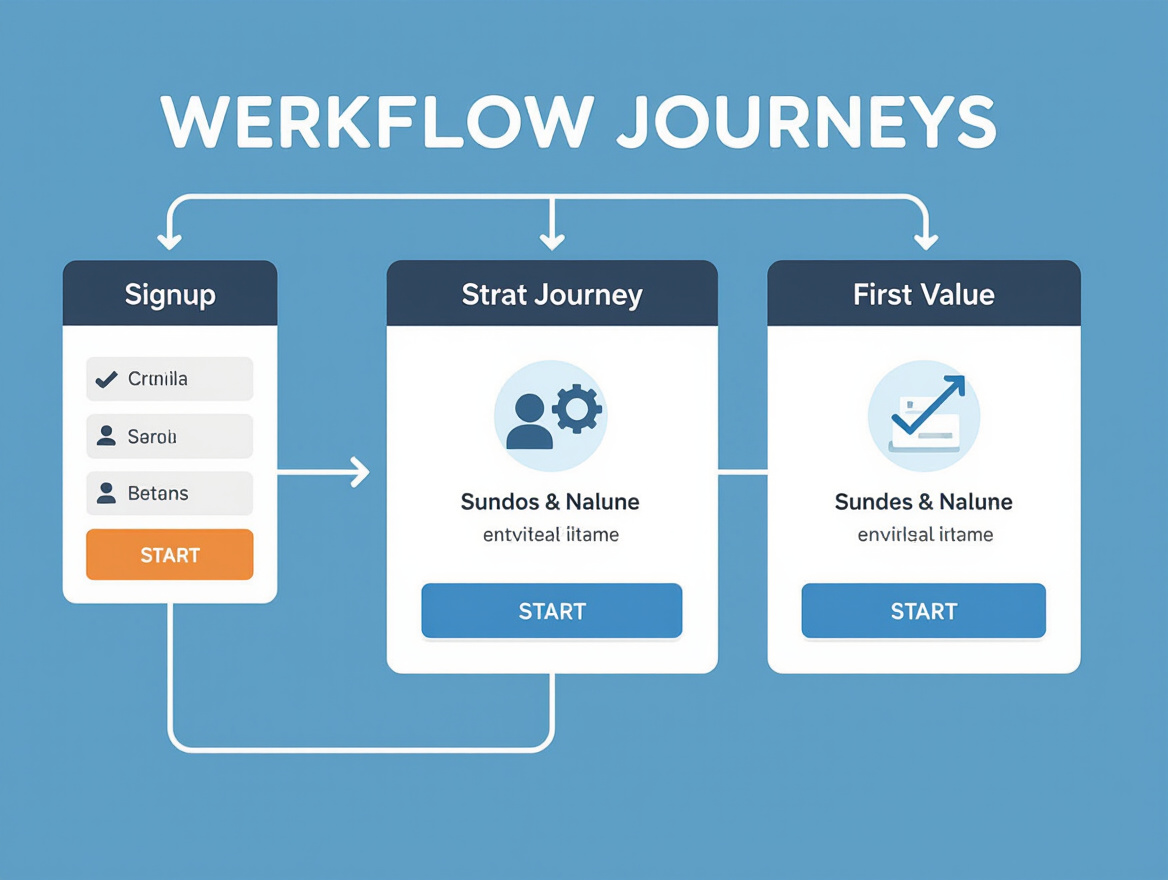
Step 2: Define Realistic User Journeys for Load Testing
In SaaS onboarding testing, relying solely on the “happy path” leads to misleading results and missed bottlenecks. Real user behavior is complex. Your load testing scenarios should reflect actual onboarding experiences, using analytics and session data – not assumptions.
Analyze onboarding analytics to build your test matrix. Review logs, product analytics, and session recordings. For instance, if many users drop off after a profile step, your scenarios should simulate that hesitation – pausing, abandoning, or returning. Don’t just test the “one-click and done” segment. Account for hesitation, confusion, and drop-off patterns that define the real user experience, as detailed in SaaS onboarding research on user retention and drop-off points.
Device and role matter. Mobile users may skip optional steps due to screen fatigue, while desktop users explore more features. Admins, end users, and invited teammates each encounter unique flows. Edge cases – like users who skip to the dashboard and try to backtrack, or input errant data – need coverage. Ignoring these realities leads to brittle, unrepresentative tests.
Segmenting Journeys: Power Users, First-Timers, and Drop-Offs
Build realistic onboarding journeys by identifying key user segments. At a minimum, create scenarios for “power users” (who rush to core features), “first-timers” (who need more guidance), and “drop-offs” (who abandon early). Each segment interacts with onboarding differently, and your load testing should reflect these differences.
- Power users often skip introductory content and head straight for customization or integration. For example, in a SaaS analytics tool, these users might immediately connect their data source and begin configuring dashboards. Your tests should simulate rapid progression, multiple concurrent actions, and heavier API usage. For more guidance, see this guide on simulating realistic user behavior.
- First-timers may linger on tooltips or help content, follow onboarding checklists, or replay tutorials. Analytics often show these users triggering help widgets or making multiple attempts at the same action. Test for slower, more deliberate navigation and pausing at decision points.
- Drop-offs are just as important. If data shows a spike in abandonment after a particular screen – such as a complex signup form – your load tests should inject users who stall, abandon, or return hours later. This helps uncover where system resources might be strained by abandoned sessions or repeated restarts.
Device and role further segment these journeys. For example, onboarding for a desktop admin – who configures access for a team – differs from the path for a mobile-only end user. Edge cases matter: users who switch devices mid-onboarding, or start onboarding on a slow network, often expose weaknesses in both performance and experience. As scenario design best practices highlight, these nuances are central to effective testing.
In summary, successful SaaS onboarding testing means building test journeys that reflect real user diversity. Avoid validating only the happy path. Base scenarios on analytics, cover device and role differences, and address drop-offs and edge cases. This approach uncovers bottlenecks and ensures your onboarding can handle both typical and atypical user behavior, supporting smoother product adoption and retention.
Step 3: Identify Critical Actions and Friction Points
The value of SaaS onboarding testing depends on pinpointing the moments when new users “get it” – and where they stumble. Before stress-testing an onboarding flow, identify which actions deliver the “aha moment” and which steps cause frustration or early drop-off.
Pinpoint the Actions That Matter Most
Not every onboarding step deserves equal scrutiny. Focus on actions that deliver visible value, such as loading a project template, importing data, or triggering a core feature. In leading SaaS products like Loom and Canva, users can try a main feature within about 60 seconds of signing up – a deliberate effort to minimize “time to value” and demonstrate product usefulness before attention fades (analysis of 50 SaaS onboarding flows). The faster you enable a meaningful outcome, the higher your activation and retention rates.
Spot and Validate Friction Points
Common friction points include long signup forms, empty dashboards, slow-loading features, confusing product tours, and missing progress indicators. Allowing onboarding to be skipped – without a clear way to resume – also leaves users stranded. These bottlenecks often separate a smooth experience from a leaky funnel.
Data is your best ally. Onboarding analytics and session replays reveal real drop-off points, time-to-first-action, and where users abandon flows. For structured ways to observe patterns, UX testing for SaaS onboarding offers practical methods.
Table: Auditing Your Onboarding Actions
Use this framework to identify actions that drive value and flag friction during SaaS onboarding testing:
| Critical Action | Why It Matters | Friction Signs |
|---|---|---|
| First Data Import | Lets users see product in action with their own data | Import fails, unclear instructions, slow processing |
| Loading a Prebuilt Template | Reduces setup time and showcases features instantly | Template library hard to find, empty state, slow load |
| Connecting to Third-Party App | Unlocks integrations, expands product value | Confusing auth flow, missing feedback, permission errors |
| Completing Signup | Entry point; must be fast and low-friction | Too many fields, verification email delays, unclear errors |
| Triggering First Key Feature | Delivers core value, creates habit loop | No onboarding guide, ambiguous UI, high failure rate |
Iterating on these insights is key. Effective SaaS onboarding testing isn’t just about finding bugs – it’s about improving the journey so users reach value faster. By auditing your onboarding flow with real data and users, you’ll uncover not just what’s slow, but what’s truly stopping users from sticking around.
Step 4: Choose the Right Load Testing Tools and Data Sources
Selecting a cloud-based load testing platform is foundational for credible SaaS onboarding testing. Cloud solutions provide the scalability and flexibility to simulate many concurrent users across varied geographies and device types. Unlike local test runners, cloud platforms can mimic real-world traffic surges and diverse user conditions, which is essential for catching onboarding bottlenecks that only emerge under genuine load.
Equally important is the realism of your test data and scenarios. Data-driven scripting – using onboarding analytics and actual user behavior – lets you mirror the non-linear ways real people move through your product. For example, scripts might replicate a new user uploading a sample file, skipping an optional tour, or toggling between setup tasks based on common drop-off patterns. Integrating onboarding analytics helps avoid synthetic, idealized tests that overlook high-friction flows.
Platforms that support data-driven load testing scripts for complex user journeys make it easier to inject realistic data sets and simulate unpredictable onboarding. This is especially valuable for multi-tenant SaaS, where each customer’s onboarding path may include different features or permissions. For more, see the Guide to Load Testing Multi-Tenant SaaS Applications.
Integrating Analytics and Onboarding Software
The right data starts with onboarding analytics and Digital Adoption Platforms (DAPs). These tools reveal where users struggle or abandon the flow, making them essential for validating and enriching load test scenarios. With analytics, you gain evidence of problem steps – such as skipped tutorials or fields that trigger drop-off – rather than relying on assumptions. This allows your test scripts to target the screens, actions, and decision points where friction is highest.
Pairing load testing tools with onboarding analytics ensures every simulated user reflects actual behavior patterns. DAPs and analytics suites also speed up test maintenance as your product evolves. When you add a new onboarding step or tweak a checklist, fresh analytics data quickly reveals whether new friction points have emerged. Integration keeps your tests aligned with real user onboarding, not just theoretical flows.
This approach helps SaaS companies avoid the disconnect between smooth demos and real-world churn. By pairing cloud-based, data-driven load testing with live onboarding analytics, you surface hidden risks, protect retention, and gain a clear view of what’s working – and what needs fixing.
Step 5: Script Data-Rich, Interactive Onboarding Scenarios
SaaS onboarding testing falls short when it ignores the complexities of real user interaction. Many load tests focus on static form submissions or simplistic flows, missing the nuance of interactive guides and dynamic onboarding. To capture where users struggle – and what moves them toward the “aha moment” – your test scripts must mirror the reality of onboarding as it unfolds in production.
Key Insight: The most effective SaaS onboarding testing scripts embed authentic user data and replicate interactive in-app guides, surfacing friction points invisible to passive or linear test flows.
Why Script Interactive, Data-Driven Onboarding Flows?
Onboarding is rarely a straight line. Top SaaS products like Loom and Canva use interactive elements – project templates, sample data, progress bars – to encourage exploration and reward progress within seconds of signup. If your test scripts don’t reflect these realities, you’ll miss the bottlenecks that contribute to churn.
Research on SaaS onboarding flows shows that friction often hides in interactive layers: fields that reject real data, checklists that don’t update dynamically, progress indicators that lag, and onboarding tours that can’t be resumed if exited (analysis of 50 SaaS onboarding flows). Scripting onboarding flows with real user data and simulating these scenarios is the only way to surface these issues before your customers do.
Actionable Playbook: Building Data-Driven Onboarding Scripts
To move beyond checkbox testing, use a structured approach to scripting onboarding scenarios:
- Map the full onboarding sequence: Identify every step from signup through to meaningful first action – including progress bars, interactive guides, and checklist completion.
- Script with real data sets: Use actual customer data, diverse email domains, and edge-case inputs to ensure your onboarding can handle real-world data diversity and volume. For example, test with international characters, long company names, or incomplete profile info. See creating data-driven load testing scripts for complex user journeys.
-
Simulate interactive guides and feedback loops: Don’t just submit forms – trigger walkthroughs, click checklists, and confirm that progress indicators update with each completed step. For example:
- User signs up with a real email and incomplete profile
- Onboarding guide appears, guiding the user to connect a calendar app (simulate both successful and failed attempts)
- Progress meter advances only after checklist items are completed
- User skips onboarding, then tries to return later (validate re-entry UX)
- Validate feedback and error handling: Script scenarios where users enter invalid or unexpected data, abandon onboarding mid-way, or attempt to access features before completion. Watch for missing, delayed, or misleading feedback – a frequent churn trigger.
When onboarding testing scripts mimic these patterns, you gain a true picture of where users win, stall, or give up. Interactive checklists and feedback loops aren’t just UX polish – they’re critical to rapid product adoption.
Why Real Data Matters – and How to Operationalize It
Generic test data can’t expose the edge cases that break onboarding flows for real users. For example, onboarding flows that choke on long names or unfamiliar email domains often go undetected until live users encounter them. By using diverse, realistic data sets – not just “John Doe” and Acme Inc. – your scripts pressure-test both volume and variety, surfacing issues that cost you users if left unresolved. For practical strategies, see this guide on simulating realistic user behavior in load testing scenarios.
| Checklist Action | What to Script | Feedback Loop | Edge Data Example | Expected Result |
|---|---|---|---|---|
| Connect Calendar | Input third-party credentials | Success/failure banner | Special characters in calendar name | Calendar connects or clear error shown |
| Create First Project | Enter long project title | Checklist auto-ticks | Title at max length | Title saves, progress bar advances |
| Invite Team Member | Send invite to rare TLD email | Confirmation message | .ai, .io, .co domains | Invite accepted, status updates |
| Complete Profile | Skip profile photo | Prompt appears | Leave photo blank | Progress shown as incomplete |
Scripting onboarding load tests with real data and interactive flows isn’t just about technical coverage. It’s about seeing your product through the eyes of new users confronting real friction and discovering whether your onboarding guides them to their “aha moment” or quietly sends them searching for an alternative.
Step 6: Simulate Load with Peak and Edge Case Patterns
Effective SaaS onboarding testing means more than simulating a steady trickle of new users. Your tests should reflect real, unpredictable user surges and edge cases that come with SaaS growth. Think about the last time you released a major feature or ran a marketing campaign – did users arrive steadily, or did your onboarding system face a sudden surge? These are the patterns your load tests must capture.
Model peak onboarding surges: the “post-launch rush” when many accounts try onboarding within minutes. Simulate cohort-based onboarding, where waves of users from a campaign or client enter the system at once, each following slightly different flows. Don’t forget edge cases: users skipping steps, resuming onboarding mid-way, or using multiple devices to finish setup. Real SaaS onboarding isn’t a uniform funnel, and your tests shouldn’t be either.
Uniform load – the classic mistake – misses these cycles. If you only test with a flat, evenly distributed stream of users, you risk missing bottlenecks that appear exclusively under stress. For example, a sign-up form might work for a few users per minute but slow down when many attempt to verify email after a product announcement. Similarly, onboarding logic that handles standard flows can break when users skip tasks or try to access advanced features before completing prerequisites.
Platforms that enable you to simulate realistic user behavior – including peak and unusual onboarding flows – are key. Analyze response times and error rates not just for the “happy path,” but for the full spectrum of user journeys, especially those that test your onboarding flexibility and system resilience. SaaS onboarding is about getting users to value fast; a glitch during the first minutes is much more likely to lead to churn than a bug later. Top SaaS platforms focus on enabling meaningful action within about 60 seconds of sign-up (analysis of 50 SaaS onboarding flows).
Beyond the initial surge, edge case modeling matters. Users who skip onboarding steps, revisit later, or attempt to use advanced features out of sequence can trigger failures. These behaviors may represent a small segment but are often the most vocal when things go wrong. Load tests that incorporate these scenarios help you identify whether your onboarding flow recovers gracefully – allowing users to return, pick up where they left off, or get assistance without friction.
Example: Before/After Realistic Load Patterns
| Before | After |
|---|---|
|
Uniform Load Pattern: Simulate a steady number of users per hour, each following the same onboarding steps in order, with no variation or skip logic. All users move from sign-up to completion in a linear, uninterrupted flow. Errors and bottlenecks only appear if the system fails globally. |
Nuanced, Real-World Simulation: Simulate bursts of users after a new feature announcement. Some users skip profile setup, others import data before completing tutorials, and a subset abandons onboarding after step two, then resumes hours later. Load is distributed across multiple entry points, and tests capture unique errors, delayed responses, and dropped sessions missed in uniform scenarios. |
The “after” approach surfaces bottlenecks, concurrency issues, and friction points that uniform testing misses. By identifying these gaps, SaaS teams can proactively fix problems before they impact real users. For more on designing effective scenarios, see load testing scenario best practices.
Step 7: Measure Success Using Onboarding-Driven Metrics
Too often, SaaS onboarding testing focuses on technical stats – server latency, error rates, throughput – while missing what determines user retention: onboarding-specific metrics. If your load test results don’t reveal how quickly users reach their first “aha moment,” or where they stall, you’re testing the wrong things. Performance and product adoption are inseparable. Here’s how to track the metrics that matter, collect them, and use those insights to optimize onboarding for business results.
Track Metrics that Reflect User Value, Not Just Infrastructure Health
First, capture time to value – the elapsed time between signup and a user’s first meaningful action. Top SaaS products enable new users to complete a core workflow within about 60 seconds (analysis of 50 SaaS onboarding flows). If your onboarding takes longer, or users must complete many fields before seeing a dashboard, expect higher early churn.
Other crucial metrics include completion rate – the percentage of users who finish onboarding – and engagement depth, or how many onboarding steps/features users interact with before dropping off.
Companies that track onboarding analytics have seen substantial ROI gains, largely by reducing early turnover and enabling faster productivity (15 Essential Onboarding Metrics for Faster Productivity).
Combine Quantitative and Qualitative Data for Full Clarity
It’s not enough to know most users completed onboarding. You need to know why others quit. Pair hard numbers – like time-to-productivity and step completion rates – with qualitative data from real users. Surveys, in-app feedback, and usability tests help explain where friction occurs and why users hesitate or quit. Load testing platforms can surface technical slowdowns, but true onboarding success comes from integrating these insights with behavioral analytics and user feedback. Track not just infrastructure response but how many simulated “users” get through each onboarding phase.
For practical steps on scenario-based tests, see how to simulate realistic user behavior in load testing scenarios.
Map Load Test Outcomes to Actionable Onboarding Metrics
Below is a reference table mapping actionable onboarding metrics to measurement methods and business impact:
| Metric | How to Measure | Why It Matters |
|---|---|---|
| Time to Value (TTV) | Track average minutes from signup to first successful core action (e.g., creating a project, sending first message) | Shorter TTV reduces early churn by helping users realize value quickly; benchmark top SaaS products at around 60 seconds |
| Onboarding Completion Rate | Percentage of users reaching all key onboarding milestones in a session | Pinpoints friction points; low rates signal users drop off before understanding product value |
| Engagement Depth | Number of onboarding steps or features used by new signups during initial session | Reveals if users interact with core features or just click through; higher depth signals better engagement |
| Error/Abandonment Rate | Ratio of users who quit onboarding due to errors, empty states, or confusion (via session replays or feedback) | Shows where technical or UX failures stall adoption; guides prioritization of fixes |
| User Feedback & Sentiment | In-app surveys, open-text feedback, NPS during/after onboarding | Surfaces qualitative pain points not visible in quantitative data; often reveals issues before they impact retention |
| Time to First Support Request | Average time between signup and first help desk ticket, chat, or knowledge base search | Early support requests often flag confusing onboarding or missing guidance |
Iterating on these insights is key. Effective SaaS onboarding testing isn’t just about finding bugs – it’s about improving the journey so users reach value faster. By auditing your onboarding flow with real data and users, you’ll uncover not just what’s slow, but what’s truly stopping users from sticking around.
Step 8: Iterate, Optimize, and Monitor Continuously
SaaS onboarding testing isn’t a “one and done” project. Continuous improvement is essential for making onboarding a driver of retention and revenue. Even frictionless flows can become confusing after product updates or shifts in user expectations. The best SaaS teams revisit flows regularly, using test data, automated monitoring, and periodic retesting to stay ahead of churn risks.
Set up comprehensive monitoring for website and API health. Automated tools allow you to track key onboarding endpoints for latency, uptime, and error rates. If a signup API or welcome email integration slows down, you risk losing new users before they reach core features. Pair this with website monitoring to catch slow load times or broken UI elements that could disrupt early engagement.
When introducing new features or adjusting onboarding, don’t assume intent translates to results. Rerun your SaaS onboarding testing scripts after each change. Track metrics like time to value, funnel drop-off rates, and error frequency. If user confusion or drop-offs increase, investigate specifics – was it a registration step, a checklist, or an integration point? For more on catching subtle regressions, see this case study on detecting performance regression in SaaS with automated testing.
Combine quantitative metrics with qualitative feedback from usability tests or session replays. When you see unexpected patterns – like a spike in users abandoning their first template – initiate a targeted test. As noted in UX testing advice for SaaS onboarding, iterative cycles separate high-performing teams from those who simply react to churn.
Common Pitfalls in Ongoing Testing
Even experienced teams can become complacent once onboarding metrics stabilize. One mistake: assuming past success means the flow still works after a big update. New fields, integrations, or messaging can introduce new friction. Relying only on surface-level metrics – like signup volume – masks deeper issues, such as increased support tickets or negative feedback about confusing steps.
Another pitfall: setting up monitoring but failing to act on alerts. It’s not enough to know when an endpoint fails; you need a process for immediate triage and retesting. Some teams also skip usability tests, believing analytics alone will catch every problem. Analytics show “what,” not always “why” – real users still surface subtle friction points.
To avoid these traps, schedule regular onboarding reviews, rotate responsibility for test script updates, and revisit your load testing scenarios whenever the core product experience changes. This keeps your onboarding flow evolving with your software.
Honest Limitations and Best-Practice Caveats
Key Insight: SaaS onboarding testing with load tools is essential, but it should never replace real user feedback and qualitative research.
Load Testing: Powerful, but Not a Complete Picture
No matter how advanced your SaaS onboarding testing setup, there are blind spots. Load tests can confirm whether your onboarding can handle many concurrent signups and spotlight technical bottlenecks, but they don’t capture the emotional nuances that shape first impressions. Automation will surface a slow-loading dashboard, but not whether a progress bar makes users feel uncertain or a tooltip feels patronizing. Understanding why users abandon onboarding requires direct observation and open-ended feedback.
The Danger of Overfitting to Synthetic Flows
A common pitfall is over-optimizing for scripted, artificial user journeys and missing the messy realities of live customer behavior. When every test follows predefined paths, you risk missing “off-script” discoveries – like users skipping steps, multi-tasking, or hesitating at unexpected moments. Research on SaaS onboarding UX testing shows that moderated and unmoderated sessions reveal pain points automated tools can’t surface.
Limits of Analytics and Onboarding Platforms
Onboarding analytics and Digital Adoption Platforms track where users drop off or succeed, but often lack the context to explain why. These platforms can highlight a bottleneck, but may not reveal if it’s caused by confusing language, awkward timing, or subtle emotional friction. Pair load tests with regular user interviews or session replays for deeper insights. For more on balancing automation with realism, see our guide to simulating realistic user behavior in load testing scenarios.
The best onboarding teams treat automation as a force multiplier – not a substitute for periodic qualitative research and open user conversations. That’s the approach that consistently drives meaningful improvements in SaaS onboarding flows.
Summary Checklist
SaaS onboarding testing is only effective if your audit process is concrete, methodical, and actionable. Use the checklist below to ensure every critical aspect of your onboarding flow is tested under realistic load and optimized for real user experience. Each line highlights a core step, showing what to inspect and why it impacts retention, engagement, and ROI.
| Check Item | What to Look For | Why It Matters |
|---|---|---|
| Map Full Onboarding Flow | Every screen and decision point from signup to first value | Identifies bottlenecks and ensures no critical steps are missed |
| Define Realistic User Journeys | Scenarios based on actual user behavior, not ideal paths | Reveals hidden friction; helps replicate true peak loads |
| Audit Signup Barriers | Number of form fields, required steps, and delays before product access | Reducing form fields (e.g., Calendly only asks for email) lowers drop-off rates |
| Test Interactive Elements | Checklists, templates, sample data, clear CTAs on each screen | Drives engagement and helps users reach the “aha moment” faster |
| Simulate Load Patterns | Test both normal traffic and edge cases | Uncovers failures that only appear at scale or under stress (see best practices) |
| Monitor Progress & Metrics | Time-to-value, retention during onboarding, engagement rates | Continuous measurement helps reduce churn and increase ROI (onboarding metrics) |
| Iterate with Real User Feedback | Combined analytics, session replays, and direct input | Validates improvements and keeps onboarding relevant as your SaaS evolves |
A disciplined checklist like this supports both technical and product teams in maintaining a high-performing onboarding experience. It’s not just about passing tests under load – it’s about maximizing real user activation and long-term retention.
Frequently Asked Questions
What makes SaaS onboarding testing different from general usability or load testing?
SaaS onboarding testing focuses on the critical first moments when new users interact with your product. Unlike traditional load testing, which measures performance and stability, onboarding scenarios assess whether users can reach value quickly and without friction. If users struggle to complete core tasks or find empty dashboards with no guidance, they’re likely to churn quickly (research shows). The goal is to uncover blockers and confusing steps that sabotage activation and retention.
How should QA and product leads design realistic onboarding load testing scenarios?
Effective onboarding load tests start with mapping the complete user journey – from signup to first meaningful action. Script scenarios that mirror actual user paths, including edge cases like abandoned signups or skipped tutorials. Avoid relying on “happy paths” alone. Instead, simulate users encountering friction: entering incorrect data, switching devices, or pausing mid-flow. For a deep dive, see this guide on user behavior simulation in load testing.
Which tools support SaaS onboarding testing, and how do QA teams decide?
Cloud-based testing platforms are popular for their real-time analytics, flexible scenario scripting, and ability to scale virtual users. When evaluating tools, look for support for interactive onboarding flows (like checklists or in-app guides), analytics integration, and quick iteration. If your QA team is weighing options, consider the pros and cons of scripted versus codeless load testing – the best fit depends on your team’s technical depth and agility needs.
What metrics matter most for optimizing onboarding flows?
Prioritize metrics that capture speed to value and user success. Key indicators include time-to-productivity (how quickly users complete a core task), drop-off rates at each step, and engagement with interactive elements. Tracking these helps pinpoint where users struggle and which improvements boost activation. Companies measuring onboarding data have seen substantial ROI gains by removing friction and speeding productivity (onboarding metrics).
How often should SaaS onboarding flows be tested and updated?
Continuous, data-driven testing is essential. SaaS products evolve rapidly – what worked last quarter may frustrate users after a UI refresh or new feature launch. Schedule regular usability and load tests, validate updates with real user behavior, and keep onboarding scenarios up-to-date with product changes. For more on ongoing monitoring and improvement, see the multi-tenant SaaS load testing guide.
What are the biggest pitfalls to avoid in SaaS onboarding testing?
Avoid relying solely on happy path scenarios, neglecting edge cases, or ignoring qualitative feedback. Don’t assume that technical success equates to user success – track both infrastructure and onboarding-specific metrics. Regularly revisit and update your test scripts as your product evolves to prevent new friction from slipping through.
How can teams balance guidance and user autonomy in onboarding?
Offer persistent, easily accessible onboarding resources so users can learn at their own pace. Avoid overly prescriptive tours that frustrate users, but don’t leave them without direction. Interactive checklists, clear progress indicators, and the ability to resume onboarding later help balance support and autonomy.
The most successful teams treat onboarding testing as a living process. By blending realistic scenarios, smart tool selection, and actionable metrics, you can build onboarding flows that convert new signups into loyal, engaged customers.
Conclusion
Comprehensive SaaS onboarding testing is essential for improving user retention and driving growth. By focusing on realistic user journeys, leveraging data-driven insights, and continuously optimizing your onboarding process, you can create an experience that converts new users into loyal customers. Implement these strategies to enhance your SaaS onboarding and maximize your product’s potential.
Generated with PostNext