Key takeaways
- An alias saves typing the full JMeter path on every launch.
- Put it in your shell profile so it persists across sessions.
- Point the alias at the version you actually intend to run if several are installed.
Apache JMeter is a Java-based, open source testing tool, which can help you create and run functional and load tests for Websites, APIs (REST and SOAP) and other web services.
Let me show you my personal configuration and how I start and configure JMeter for a faster and better use on my local machine.
Is Your Infrastructure Ready for Global Traffic Spikes?
Unexpected load surges can disrupt your services. With LoadFocus’s cutting-edge Load Testing solutions, simulate real-world traffic from multiple global locations in a single test. Our advanced engine dynamically upscales and downscales virtual users in real time, delivering comprehensive reports that empower you to identify and resolve performance bottlenecks before they affect your users.
Steps to Run JMeter Locally
I work on a Mac laptop running macOS Catalina v.10.15.5, so the configuration is specific for my environment.
- Download the JMeter binaries from Apache JMeter Download page.
- Unarchive the apache-jmeter-5.4.1.tgz on my local computer by clicking the file I’ve just downloaded.
- I’m using iTerm as my macOS Terminal and Oh My Zsh as my Zsh configuration. The configuration for Oh My Zsh is kept in the .zshrc file.
- Open the configuration file from my terminal with the following command using Vim as editom:
sudo vi ~/.zshrc- Press the key
ito edit the content of the file
- Create an alias to the path where you downloaded Apache JMeter, pointing to the
/bin/jmeterpath:alias jmeter="sh /Users/user/Downloads/apache-jmeter-5.4.1/bin/jmeter"
- Press key
Escand type:wqin order to write and quit the editor. - In order to apply the new changes present in the Zsh configuration file to our terminal window, we need to source the file manually (this happens automatically when you open iTerm). We source the changes by typing this command in the terminal window:
source ~/.zshrc
- And now when you type the alias command added ,
jmeterin our case, will open JMeter GUI.


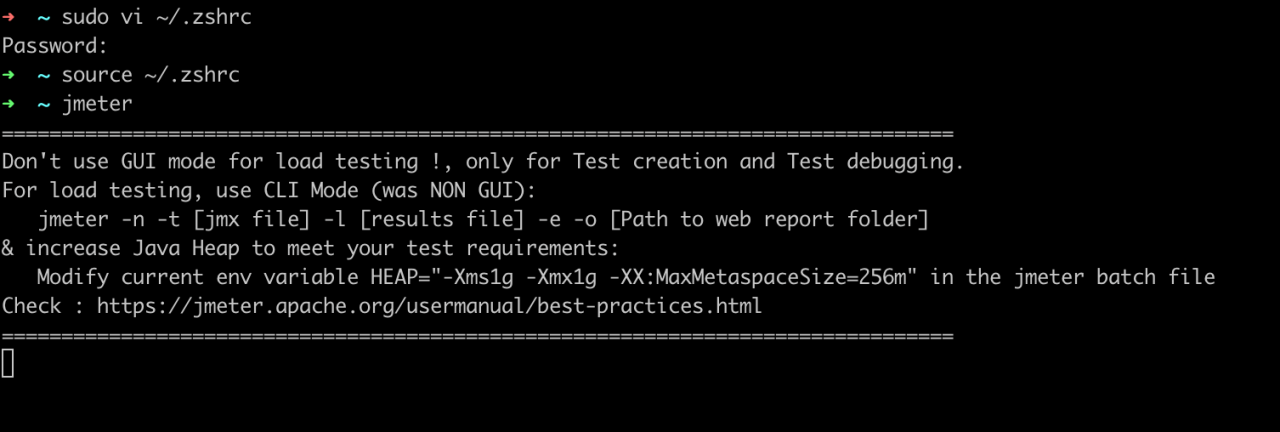
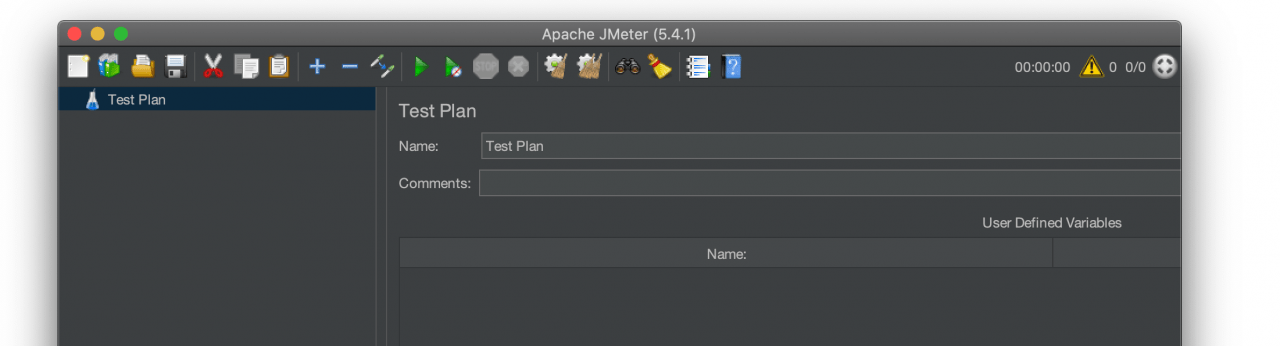
If you just want to run JMeter on your Mac, check our previous article.
With JMeter Cloud Load Testing Tool from LoadFocus, you can upload your Apache JMeter test scripts (.jmx files), run and analyze JMeter results from multiple world locations, everything in an easy to use UI.
Think your website can handle a traffic spike?
Fair enough, but why leave it to chance? Uncover your website’s true limits with LoadFocus’s cloud-based Load Testing for Web Apps, Websites, and APIs. Avoid the risk of costly downtimes and missed opportunities—find out before your users do!
Written by Bogdan Vazzolla.
LoadFocus is a cloud testing platform, a load and stress testing tool which provides the infrastructure to run tests with thousands of concurrent users, from multiple cloud locations, in less than a few minutes, keep history of the results, compare different runs to inspect performance improvements or performance degradation. It also supports running JMeter load tests from the cloud and monitoring and audit web and mobile performance.
Frequently Asked Questions
Why bother with an alias?
It saves typing the full path on every launch, which matters more than it sounds when you start JMeter several times a day while building a plan.
Why does the alias disappear?
Because it was only set for that shell session. Put it in your shell profile and it is defined in every new terminal you open.
LoadFocus is an all-in-one Cloud Testing Platform for Websites and APIs for Load Testing, Apache JMeter Load Testing, Page Speed Monitoring and API Monitoring!
What if I have several JMeter versions installed?
Point the alias explicitly at the one you intend to run. Otherwise you can spend a while debugging behaviour that belongs to a different version than the one you think you are using.