
Key takeaways
- Most load testing time goes on writing and maintaining scripts, not on running them.
- Scripts only a specialist can edit become stale the moment that person moves on.
- Simpler authoring means tests get updated, which matters more than expressiveness.
How Script Complexity Stalls Load Testing Efficiency
The Hidden Cost of Code-Heavy Scripting
For many QA teams, the real challenge in load testing isn’t infrastructure – it’s the complexity of legacy, code-heavy test scripts. Over time, the drive to add more scripting features has created a tangle of logic that slows teams down and limits what can be tested efficiently. While advanced scripting offers flexibility, it often comes at the expense of time spent on setup, fragile scripts, and mounting technical debt.
Key Insight: Traditional, code-heavy test scripts often consume more QA hours than infrastructure or tooling limitations, becoming a primary bottleneck in modern load testing.
Where Testing Time Really Goes: Script Setup and Debugging
Many teams expect to spend most of their time running and analyzing tests. In practice, script development and debugging often take up a significant portion of the test cycle. Even minor changes – like an updated API endpoint or login flow – can require hours of script rewrites and troubleshooting, especially with open-source tools such as Selenium or Appium.
This heavy focus on scripting reduces the time available for actual test execution and analysis. Testers may have to choose between broad coverage and meeting deadlines, which can result in missed performance bottlenecks or overlooked edge-case defects.
Error-Prone Scripts and Unreliable Results
More code means more opportunities for mistakes. Manual coding in test scripts introduces human error – from typos to missed dependencies – that can slip past even experienced testers. Silent script failures may cause entire sections of a load test to be skipped or misreported, leading to unreliable results and misplaced confidence in an application’s readiness.
Developing test scripts often feels more like a programming project than a QA task, demanding deep technical skill and meticulous attention to detail. As release cycles speed up, this overhead becomes increasingly difficult for teams to manage.
Script Complexity as a Scalability Barrier
Script complexity is now a major barrier to scaling load testing. Many QA leaders point to script complexity – rather than infrastructure – as the main reason their teams struggle to expand test coverage.
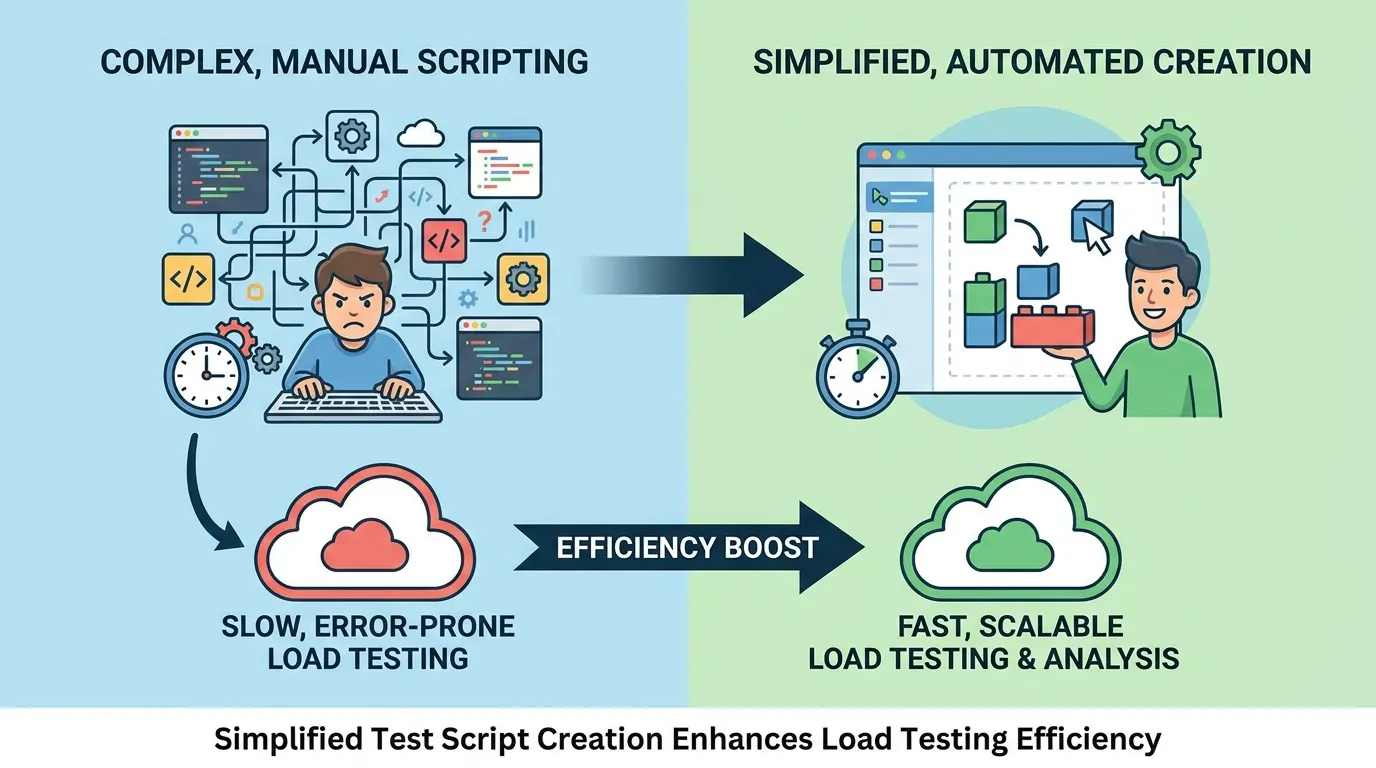
This is why simplified test script creation has become a priority. Teams that automate script generation or use low-code interfaces spend less time on setup and maintenance, freeing testers to focus on analysis and test design instead of wrestling with brittle code.
As competition intensifies and release cycles shorten, the ability to quickly build and maintain reliable load tests will set high-performing QA teams apart. The shift away from manual, code-heavy scripts is well underway, and teams that embrace simplification gain more time for high-value tasks – and fewer late-night debugging sessions.
What Simplified Test Script Creation Really Means
Defining “Simplified” in Test Script Creation
Simplified test script creation is more than a trend – it’s a move away from code-heavy scripting toward approaches that reduce friction, lower technical barriers, and make scripting accessible to a broader range of users. In cloud testing, where speed and accuracy matter, simplified scripting leads to faster onboarding, easier maintenance, and improved collaboration among teams with diverse technical backgrounds.
Low-Code/No-Code vs. Code-Driven Scripting
Traditionally, QA engineers wrote and debugged scripts in languages like JavaScript or Python – think Selenium or Cypress, where every automation step is explicitly coded. While powerful, this approach excludes team members without programming experience and increases maintenance demands. In contrast, low-code/no-code interfaces use visual builders, guided wizards, or drag-and-drop flows, allowing users to define test steps, select endpoints, and chain assertions without writing code.
For example, a QA analyst can use a drag-and-drop flow to build end-to-end API tests quickly, while a developer might opt for a code editor for more flexibility. Simplified tools enable both groups to collaborate – testers can generate scripts and hand them off for technical tweaks, or vice versa.
Why Simplification Matters: Onboarding, Maintenance, and Collaboration
- Onboarding: Visual scripting tools allow new team members to contribute quickly, reducing the need for deep technical ramp-up.
- Maintenance: Low-code/no-code flows make updating scripts easier as requirements change, with less risk of introducing errors.
- Collaboration: User-friendly platforms bridge the gap between technical and non-technical team members, resulting in broader test coverage and fewer bottlenecks.
| Script Approach | Technical Skill Needed | Setup Time | Maintainability |
|---|---|---|---|
| Traditional Code-Driven (Selenium, Cypress) | Expert (coding required) | Longer for complex flows | High effort; regular code reviews and debugging required |
| Low-Code Tools | Basic scripting or none | Shorter for typical flows | Medium; visual updates, less prone to syntax errors |
| No-Code Wizards (drag-and-drop, record/playback) | None | Fast for common tests | Easy; updates via point-and-click, minimal maintenance |
| Manual Scripts (step-by-step checklists) | None | Varies (usually fast to write, slow to execute) | Low; requires human execution, hard to scale |
The real benefit is flexibility. Lowering the barrier to entry lets teams respond quickly to new requirements, share ownership of quality, and spend more time optimizing performance instead of wrangling code.
The Impact of Simplified Scripting on Load Testing Efficiency
Simplified test script creation is changing how teams approach load testing. When the burden of writing and maintaining scripts is reduced, setup time, barriers to coverage, and the risk of missed defects all decrease. This leads to faster test setup and iteration, allowing teams to catch performance issues earlier in the release cycle.
In a typical load testing cycle, every hour saved on script setup means more cycles run and more edge cases explored. In competitive release environments, these time savings can make the difference between catching a critical performance bottleneck in staging or after a customer incident.
Teams adopting simplified test script creation often report broader scenario coverage, faster iteration, and fewer missed defects. With less technical overhead, junior QA engineers can handle routine updates, freeing senior staff for strategic analysis or complex troubleshooting.
Key Insight: When script creation is simplified, load testing becomes a team-wide capability, increasing efficiency and enabling deeper defect discovery.
Before/After: Load Testing Setup with and without Simplified Scripting
Consider a practical scenario: With traditional scripting, a team preparing for a major product launch needed to simulate traffic across multiple critical API endpoints. This required a senior QA engineer to handcraft each scenario, write custom code for authentication, and debug script failures with every app update. Setup was time-consuming, and regression updates often slipped past release deadlines.
After switching to a platform with visual workflows and parameterized templates, the same team rebuilt those scenarios more quickly. Junior QA staff handled endpoint additions, while the senior engineer focused on failure analysis and scaling strategies. Routine maintenance dropped, and test coverage expanded to include negative and edge cases that were previously skipped due to time constraints.
| Before | After |
|---|---|
| • Handwritten scripts, fragile on app changes • Single engineer owns scripts • Limited to ‘happy path’ scenarios • Missed edge case defects | • Visual script builders, reusable templates • Multiple team members contribute • Broader scenario coverage (including edge cases) • Increased defect catch rate |
- Before (Generic): “Simulate 100 users logging in over 10 minutes.”
- After (Enhanced): “Simulate 100 users logging in with randomized credentials, injecting some invalid logins, and validating response times remain under a set threshold for both success and failure states.”
The improved scenario adds parameterization, error path validation, and performance thresholds – capturing more realistic usage and surfacing defects missed by the generic version.
This shift is more than incremental. By lowering the technical barrier, simplified scripting integrates load testing into daily workflows, shortens feedback loops, and raises the standard for software reliability. As applications and release cycles grow more complex, organizations that focus on reducing scripting friction will deliver faster, more thoroughly tested software.
Case Study: Simplified Test Script Creation in Cloud Testing Platforms
Integrating Intuitive Scripting for Web and API Testing
Some cloud testing platforms have made simplified test script creation central to their offerings. Their goal is to minimize technical hurdles so users can build, execute, and maintain test scripts without deep programming expertise. Whether testing a web application or a complex API, these platforms provide multiple entry points – from code-based scripting for power users to visual editors for those who prefer drag-and-drop methods.
These platforms support both manual and automated test scripts, recognizing that teams have different needs. Automated scripts, executed through integrations with established tools like JMeter, are especially valuable for load testing at scale. Visual builders enable users to construct test flows by selecting actions and parameters, reducing the need to write or debug code manually.
JMeter Support and Visual Script Editors
Integration with Apache JMeter allows users to import, modify, and execute JMeter scripts directly in the cloud, removing the friction of local setup and dependency management. Teams can reuse existing JMeter assets or build new ones in a familiar format, then run them at scale with real-time reporting.
For those less familiar with JMeter or scripting, visual script editors offer a low-code alternative. The interface lets users assemble tests by dragging components like HTTP requests, assertions, and loops into a workflow. The tool translates these visual steps into executable scripts, bridging the gap between technical and non-technical team members.
User Feedback: Efficiency Gains and Collaboration
Teams report reduced setup time and easier onboarding after moving to platforms with simplified scripting. QA leads highlight the ability to quickly create and update scripts as a significant improvement, particularly when project timelines are tight.
Collaborative editing is another benefit. Multiple testers can review and refine scripts through the platform’s interface, avoiding version control issues common in code-based workflows. The ability to visualize test flows, spot errors, and make live adjustments means less time spent debugging and more on actual performance validation.
The Real Impact of Simplified Test Script Creation
Investing in user-friendly scripting tools is more than a convenience. By lowering the skill barrier and supporting both visual and code-based approaches, these platforms enable QA teams to focus on strategic quality assurance rather than technical complexity. As expectations for faster releases and reliable performance rise, these efficiency gains are becoming essential for staying competitive.
Does Simplification Sacrifice Depth? Addressing Common Concerns
Flexibility and Advanced Scenarios
A frequent concern is that simplified test script creation reduces flexibility and control for advanced users. While legacy automation required scripting expertise for complex scenarios, many modern platforms allow users to start with visual builders but switch to raw code or inject custom scripts when needed. This approach preserves the depth of traditional scripting for those who require it.
Script Portability and Code Fallbacks
Support for script export/import and code fallbacks means teams aren’t locked into proprietary editors or formats. Scripts can move between tools, be edited in an IDE, or shared with development teams using standard formats. If the visual workflow builder reaches its limits, advanced logic can be added as needed. Flexibility is maintained, not sacrificed.
Adoption by Technical Teams
If simplified scripting truly limited advanced scenarios, technically demanding teams would avoid it. Instead, many digital consultancies and enterprise QA teams rely on platforms that prioritize ease-of-use, because they can handle high-volume, complex web and API testing without reinventing the wheel for every case. Efficiency gains are tangible, and power-user features remain available.
Key Insight: Simplified test script creation doesn’t eliminate depth – it makes advanced testing accessible when needed, and unobtrusive when it isn’t.
As software complexity grows, the benchmark for testing tools is how quickly teams can adapt to change without losing the ability to go deep when necessary. That’s why simplified scripting is now a staple even among the most technical teams.
Scaling QA Teams with Simplified Scripting
When simplified test script creation is foundational to your QA process, scaling a team becomes more straightforward. The traditional reliance on engineers skilled in complex scripting languages fades. Instead, QA analysts, product managers, and business analysts can all participate directly in creating and refining test coverage. This is especially valuable in cloud testing environments where distributed teams need to collaborate and iterate quickly.
Cloud-based testing platforms exemplify this change. By making script creation accessible, they remove the friction of traditional, code-heavy workflows. Teams can author and maintain tests using intuitive interfaces, allowing even those without programming backgrounds to contribute meaningfully to the QA process.
- Reduces dependency on specialized scripting skills: Teams no longer rely solely on automation experts to build or update tests, enabling faster issue triage and fewer slowdowns.
- Enables broader participation: When product managers or business analysts can create and update scripts, domain expertise is captured directly in tests, reducing misunderstandings.
- Speeds onboarding: New team members can contribute within days, keeping team velocity high as organizations grow.
This approach improves quality and resilience. With more eyes on scripts and a continuous flow of updates, testing adapts as requirements change. Teams focus on assessing product performance, not firefighting brittle automation.
Onboarding New Testers: A Qualitative Perspective
Traditional QA onboarding often requires new hires to learn the product, the automation framework, internal coding standards, and the quirks of legacy scripts. This can take weeks before testers are productive.
With simplified test script creation, platforms featuring plain-language scripting, reusable components, and visual editors let new users contribute to test coverage in days. This shorter ramp-up period allows QA teams to grow in step with development, supporting a more agile approach to quality.
Limitations and Trade-Offs in Simplified Test Script Creation
Where Visual Tools Reach Their Limits
While simplified test script creation has transformed QA workflows, it isn’t a cure-all. Visual or low-code tools excel at common scenarios – such as user authentication or standard API checks. However, for edge cases like custom authentication flows, dynamic data dependencies, or specialized business logic, abstraction can fall short.
Automating a multi-step transaction with third-party payment providers, for example, may require conditional logic or looping beyond what drag-and-drop interfaces support. Even experienced testers may need to drop into raw scripting or supplement visual flows with custom code blocks to handle these nuances.
Integrating with Unique Workflows and Systems
Another trade-off is custom integration. Many teams operate in ecosystems blending legacy systems, proprietary APIs, and cloud-native tools. While simplified scripting makes it easier to test mainstream endpoints, integrating with homegrown analytics or orchestrating tests across hybrid environments often requires manual scripting.
“No-code” rarely covers every integration a modern QA process demands. When your stack spans multiple protocols or includes bespoke data pipelines, expect to step outside the simplified interface for some components.
Learning Curve and Power User Needs
Ironically, making scripting easier can introduce a learning curve. Entry-level users benefit from intuitive builders, but advanced features – such as parameterization or parallel execution – may be less discoverable in a visual UI. Teams used to code-first tools might feel constrained or need time to adjust to new workflows.
That’s why fallback options are essential. Experienced testers want the ability to export, edit, or override generated scripts. The best platforms support both simplified and traditional scripting, letting you choose the right tool for each job.
As simplified test script creation becomes more widespread, the most effective QA teams will embrace the speed of visual tools while staying ready to dive deeper when complexity demands it.
Comparing Leading Platforms for Script Simplification
How Major Platforms Approach Simplified Script Creation
When evaluating load testing platforms, the question isn’t just about scale or protocol support. It’s whether the tool truly enables simplified test script creation for your team. Only a handful of platforms have moved beyond code-heavy legacy approaches to offer scripting experiences that lower the barrier for efficient QA.
| Platform | Scripting Approach | Ease of Use | Customizability | Integration |
|---|---|---|---|---|
| LoadFocus | Visual flow builder, import JMeter scripts, plain-language API test creation | High – non-technical users can create and adjust scripts rapidly | Moderate – supports visual flows and code edit for advanced scenarios | Strong – integrates with CI/CD, supports major cloud providers, real-time dashboards |
| BlazeMeter | Code-based scripting (JMeter, Selenium), GUI test recorder, YAML support | Medium – GUI recorder helps, but deep customization requires scripting skills | High – full code and open format support, advanced parameterization | Strong – native plugins for DevOps tools, cloud monitoring integration |
| k6 | JavaScript-based scripting, CLI-first, limited browser recorder | Low to medium – scripting knowledge required, some ease gains with browser recorder | High – fully programmable, modular architecture enables complex logic | Good – integrates with Grafana, cloud execution, and API data export |
| Apache JMeter | XML-based GUI, script export, manual parameterization | Medium – GUI simplifies basics, but advanced flows require XML or scripting | High – supports plugins, complex thread groups, custom samplers | Moderate – basic integrations, third-party plugin ecosystem |
| Tricentis NeoLoad | Drag-and-drop design, correlation engine, cloud-native scripting | High – minimal scripting required, strong visual interface | Moderate – extensible, but code-based customization less accessible | Strong – native CI/CD, cloud, and analytics integrations |
Who’s Leading – and Why
LoadFocus stands out for its emphasis on visual scripting and accessibility for non-technical users. By enabling users to build, import, and adjust test flows without deep scripting expertise, it reduces onboarding time and lets QA focus on coverage, not syntax. In contrast, platforms like k6 and BlazeMeter still require substantial programming knowledge for advanced features, despite added GUIs.
For customizability, code-centric tools remain strong options for organizations with expert scripting resources. However, these platforms demand a steeper learning curve and more complex maintenance as test suites expand.
Emerging Trends: The Future of Script Simplification
The market is moving toward AI-assisted scripting, natural language test creation, and tighter integration with deployment pipelines. Low-code and no-code interfaces are becoming standard, making simplified test script creation accessible to a broader audience – not just QA engineers. The platforms that continue to invest in usability and integration will shape how teams approach load testing beyond this year.
Predictions: The Next Evolution of Load Testing in 2026
Key Insight: Simplified test script creation is expected to become the default in cloud load testing, with traditional scripting reserved for specialized scenarios.
Simplification as the New Standard
Most new cloud testing platforms are anticipated to default to simplified scripting. This shift reflects the growing need for QA teams to operate efficiently without relying solely on engineers fluent in legacy tools. Platforms embedding simplified workflows directly into their products are becoming the norm, with competitors following suit to meet user expectations for frictionless, code-light scripting experiences.
AI-Assisted Script Generation on the Rise
AI-assisted script generation is expected to become a standard capability in many cloud testing platforms. When you import an API spec or record a user journey, the platform can suggest, generate, and optimize scripts with less manual intervention. Some platforms have already introduced AI-driven script suggestions that handle edge cases, parameterization, and basic assertions, with ongoing improvements for industry-specific needs.
The Niche Role of Traditional Scripting
Traditional scripting will remain important for edge cases requiring customization or proprietary protocol support. For most web and API testing scenarios, simplified test script creation is expected to be the default. Even legacy enterprise clients are investing in retraining teams to use these efficiencies.
- Manual script maintenance will become less common outside of legacy systems.
- QA teams will prioritize platforms that lower technical barriers and speed onboarding.
- Custom coding will become a specialized skill, not a baseline requirement.
The market for load testing is consolidating around platforms that make simplified test script creation the expected standard. The ongoing challenge will be balancing simplification with the flexibility power users require.
Strategic Guidance for QA Leaders and Platform Buyers
Choosing a Modern Load Testing Platform
Selecting a tool that prioritizes simplified test script creation is increasingly important for teams focused on speed and coverage. Look for platforms that enable both technical and non-technical staff to contribute to load testing. Features like visual scripting, reusable test modules, and real-time performance feedback should be standard. Platforms that reduce onboarding friction and avoid locking critical features behind complex scripting offer clear advantages.
Training and Change Management
Switching to simplified scripting will disrupt established routines – often for the better. Focus training on real project examples rather than generic tutorials. Encourage your team to rewrite legacy scripts using the new tool, then compare effort, clarity, and results. Make peer review part of the process, so experienced testers can help others maximize the value of simplified approaches. Clear communication about the reasons for change and what success looks like is essential.
Long-Term ROI of Usability-Focused Tools
The biggest benefit of usability-focused load testing platforms is compounding efficiency. Simplified test script creation reduces not only initial development time but also long-term maintenance. Teams that previously spent hours debugging brittle scripts can redirect resources to exploratory testing or deeper performance analysis. While there’s an upfront investment in retraining and migration, the payoff appears in lower per-test execution costs and the ability to involve a broader slice of your team. In a market where faster releases and higher coverage are critical, usability is a force multiplier.
- Prioritize tools with low-code or visual scripting for broader team access
- Build hands-on, project-based training into your rollout plan
- Measure ROI not only by script speed, but by the overall team’s testing velocity and coverage
The shift toward simplified test script creation is setting a new baseline for QA efficiency. Leaders who invest early may see amplified gains as their teams spend less time managing scripts and more time raising product quality.
Frequently Asked Questions
What is simplified test script creation, and how does it differ from traditional scripting?
Simplified test script creation means designing load test scripts using intuitive interfaces or low-code/no-code tools instead of relying entirely on complex scripting languages. Traditionally, scripting for load testing required writing detailed programs – often in formats like JMeter XML or custom JavaScript – which demanded significant coding skills. Modern platforms reduce this friction by letting you record user flows, drag and drop API steps, or use structured forms that generate the underlying script. This allows QA teams to focus on testing, not endless debugging.
How does simplified scripting improve load testing efficiency?
By removing the technical overhead of hand-coding scripts, test creation and maintenance becomes faster. Teams can create and update test scenarios for major releases in hours rather than days. This enables more frequent and iterative tests, helping teams catch performance bottlenecks earlier and reduce QA backlogs.
Does simplified scripting limit the depth or accuracy of load tests?
Not necessarily. The best platforms offer visual scripting for common test flows and the ability to inject code for edge cases or custom logic. For most web and API load tests – such as authentication, checkout, or error handling – visual or low-code approaches deliver accuracy comparable to manual scripts. For highly complex scenarios, a hybrid approach may still be needed.
Can both manual and automated test scripts be simplified?
Simplification efforts focus mainly on automated test scripts, where the greatest efficiency gains are found as projects scale. Manual test scripts already use plain language and step-by-step guidance, so the opportunity for further simplification is limited. Automated script creation is where simplified tools make the biggest impact.
How should QA leaders evaluate platforms that claim to offer simplified test script creation?
Look for features like script recording, drag-and-drop test builders, and support for common protocols (HTTP, WebSockets, REST APIs) without manual coding. Review case studies or testimonials from teams with similar needs. Most importantly, test the platform’s learning curve by having both junior and senior team members create scripts and measure how quickly they can go from zero to a working load test.
What are the main limitations of simplified test script creation?
Visual and low-code tools may struggle with highly specialized scenarios, such as custom authentication flows or integrations with proprietary systems. Advanced features like parameterization or parallel execution may be less discoverable in visual UIs, and some integrations still require manual scripting. The best platforms offer code fallbacks to address these needs.
As software delivery cycles speed up, the ability to build and update load tests rapidly is a strategic advantage. Simplified test script creation is now integral to any QA team aiming for speed and reliability.