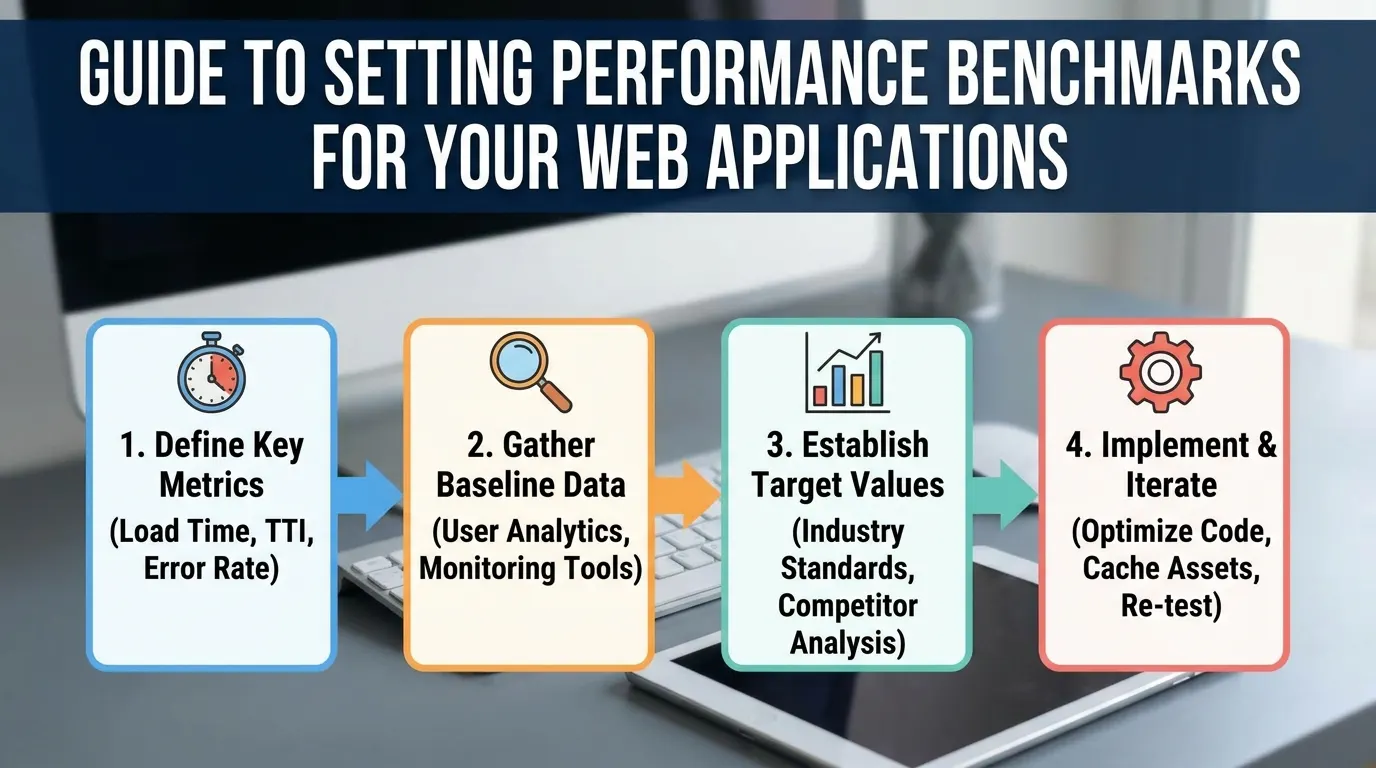
A performance benchmark for a web application is a measured value paired with a target you commit to, such as “LCP at or under 2.5 seconds for 75% of mobile page loads” or “p95 API response time under 300 ms at 200 requests per second”. For the front end, Google publishes the reference numbers: LCP 2.5 s, INP 200 ms and CLS 0.1, judged at the 75th percentile. For the back end there is no universal number, so you set it from your own users, your SLOs and a load test.
Key takeaways
- A benchmark is only useful against a stated target, not as an isolated number.
- Set targets from user expectation and competitor reality rather than current performance.
- Re-benchmark on a schedule, since dependencies drift even when your code does not.
What are performance benchmarks for web applications?
Performance benchmarks for web applications are repeatable measurements of speed, responsiveness and stability, each tied to a target. They give you a reference point: you measure once to set the baseline, then measure again after every release and compare. Without the target, a number such as “1.9 seconds” says nothing about whether users are well served.
The word “benchmark” gets used for two different things, and mixing them up is the most common mistake in this area:
- Targets for your own application. Core Web Vitals thresholds, a p95 response time goal, a maximum error rate. These describe what your users experience, and they are what this guide is mostly about.
- Standard benchmark suites. Speedometer, JetStream, MotionMark, WebXPRT and the TechEmpower framework benchmarks. These compare browsers, devices or server frameworks against each other on fixed workloads. They never load your pages, so they cannot tell you whether your app is fast.
A useful benchmark for your app therefore has four parts: the metric, the percentile, the conditions (device, network, load level) and the target value.
What are good performance benchmarks for a web application in 2026?
The table lists the reference values with a published source. The front-end rows come from Google’s web.dev documentation; the response time row is a usability rule of thumb, not a server target.
| Metric | What it measures | Good | Poor | Source |
|---|---|---|---|---|
| Largest Contentful Paint (LCP) | When the largest visible element renders | 2.5 s or less | over 4.0 s | web.dev |
| Interaction to Next Paint (INP) | Delay from a user input to the next frame | 200 ms or less | over 500 ms | web.dev |
| Cumulative Layout Shift (CLS) | Unexpected movement of page content | 0.1 or less | over 0.25 | web.dev |
| Time to First Byte (TTFB) | Request start to first byte of the response | 0.8 s or less (rough guide) | over 1.8 s | web.dev |
| Perceived response time | How users experience a wait | 0.1 s feels instant, 1 s keeps the flow of thought | 10 s loses attention | Nielsen (1993) |
Google assesses LCP, INP and CLS at the 75th percentile of page loads, segmented by mobile and desktop. So “good LCP” means at least 75% of real visits on that device class saw the largest element within 2.5 seconds. TTFB is not a Core Web Vital; web.dev calls its 0.8 second figure a rough guide, useful because a slow first byte delays everything that follows.
There is no published “2026 benchmark” stricter than these numbers. If you want a tighter internal goal (say LCP under 2.0 s on mobile), that is a target you choose, and it should come from your own data rather than from a generic article.
Front-end benchmarks: Core Web Vitals and TTFB
Core Web Vitals measure what a visitor sees and feels: loading (LCP), responsiveness (INP) and visual stability (CLS). INP replaced First Input Delay as a Core Web Vital on March 12, 2024. FID only timed the first interaction; INP looks at the interactions across the whole visit, so a page that loads fast but stutters when someone opens a menu now fails.
Google says Core Web Vitals align with what its core ranking systems reward, as part of page experience. Good scores do not guarantee a ranking, and they have nothing to do with crawlability, but a page that fails them is giving away a signal it could have.
Which metric deserves the strictest target depends on the page. A content site lives or dies on LCP. A dashboard or editor feels slow through INP. A checkout with late-loading banners suffers from CLS, because a shifted button gets mis-clicked. Set all three, then decide where to spend effort.
Two measurement rules matter more than the exact numbers. First, track field data (from real visitors, for example the Chrome UX Report or your own RUM) separately from lab data (a Lighthouse run on a simulated device). Lab runs are for catching regressions before release; field data is what Google and your users judge. Second, look at the distribution, not the median: a median LCP of 1.6 s can hide a p75 of 3.4 s on mid-range Android phones. Our guide on how to monitor Core Web Vitals with alerts and reports walks through the setup.
Back-end benchmarks: response time, error rate and throughput under load
Server-side benchmarks answer a different question: how fast does the application answer, and does it keep answering when traffic grows? Write them as a percentile at a stated load, for example “p95 under 300 ms and errors under 0.1% at 200 requests per second”. The numbers in that example illustrate the format; they are not an industry standard.
Four metrics cover most applications:
- Response time percentiles (p50, p95, p99). Averages hide the slow tail that real users hit, which is why percentiles are more useful than averages for targets.
- Error rate. The share of requests that fail or time out at that load. A fast endpoint that returns 2% 503s is not meeting its benchmark.
- Throughput. Requests or transactions per second the system sustains while staying inside the response time target. Throughput and latency move together, and how throughput and response time are related explains why latency climbs as you approach saturation.
- The breaking point. The load level where p95 or the error rate crosses the target. This is the number capacity planning needs.
To pick the value, start from the user. Nielsen’s limits say 0.1 s feels instant and 1 s keeps a user’s flow of thought. A page view often waits on several API calls plus rendering, so each back-end call needs a budget well under one second for the page to stay inside that window. Then check the target against your SLOs and what the business can afford to run.
These numbers only mean something when measured under realistic load. An endpoint that answers in 80 ms for one user can take 2 s at 500 concurrent users once connection pools and database locks fill up. That is why back-end benchmarks belong in a load test, not only in an APM dashboard at quiet hours.
Which tools measure web application performance benchmarks?
Each tool family answers one question. Use the one that matches the benchmark you set.
| Tool | Type | What it tells you |
|---|---|---|
| Chrome UX Report / PageSpeed Insights field data | Real-user (field) data | How real Chrome visitors experienced LCP, INP and CLS over the last 28 days |
| Lighthouse | Lab test of one page load | A repeatable score and metric breakdown for regression checks; INP cannot be measured without real interactions, so Lighthouse reports Total Blocking Time as a lab proxy |
| Your own RUM script (e.g. the web-vitals library) | Real-user data | The same metrics for every visitor and browser, sliced by page, country or release |
| Apache JMeter, k6 | Load testing | Response time percentiles, error rate and throughput at a given number of virtual users |
| LoadFocus | Cloud load testing and page speed monitoring | Load tests (no-code, JMeter or k6) from 25 cloud regions with pass/fail thresholds, plus scheduled Lighthouse audits and Chrome UX Report data |
| Speedometer 3.1, JetStream 3, MotionMark 1.3 | Browser benchmarks | How fast a browser and device run fixed workloads; useful for choosing test devices, not for judging your site |
| WebXPRT 5, Basemark Web 3.0 | Device and browser benchmarks | Cross-device comparison of browser performance on the suite’s own workloads |
The last two rows are often recommended in benchmark guides as if they measured your application. They do not. Speedometer, for example, “measures Web application responsiveness by timing simulated user interactions” on its own to-do list, rich text editor, chart and news site workloads. A higher Speedometer score on a phone tells you that phone and browser are faster; it says nothing about your checkout. Where they do help is picking a realistic low-end test device: if your users run phones that score low on these suites, test your pages on one of those. For a side-by-side of field and lab tools, see our comparison of Core Web Vitals monitoring tools.
Framework benchmarks: what Fiber vs Express numbers can and cannot tell you
Server framework benchmarks compare raw request handling. The Go framework Fiber publishes results from a TechEmpower plaintext run on a 56-core Xeon server: Fiber 11,987,976 responses per second at 1.0 ms average latency, Express 1,204,969 at 8.8 ms (docs.gofiber.io, Fiber v3.0.0, checked October 2026). Older pages of the same docs show different figures (Fiber v2: 13,509,592 vs Express 279,922), which is a reminder that these results move with versions and hardware.
| Framework | Language | Plaintext responses/sec (Fiber’s published run) |
|---|---|---|
| Fiber v3.0.0 | Go | 11,987,976 |
| Express | Node.js | 1,204,969 |
The plaintext test returns a tiny “Hello, World!” body with HTTP pipelining, no database, no templates and no authentication. It measures the cost of routing and the HTTP stack. A real endpoint spends most of its time in the database, in other services and in serialisation, so a 10x gap in plaintext often shrinks to very little once your own code runs. Treat framework benchmarks as one input when the framework itself is the bottleneck (very high request rates with little work per request), and measure your own endpoints before you rewrite anything.
How to set realistic and actionable performance benchmarks
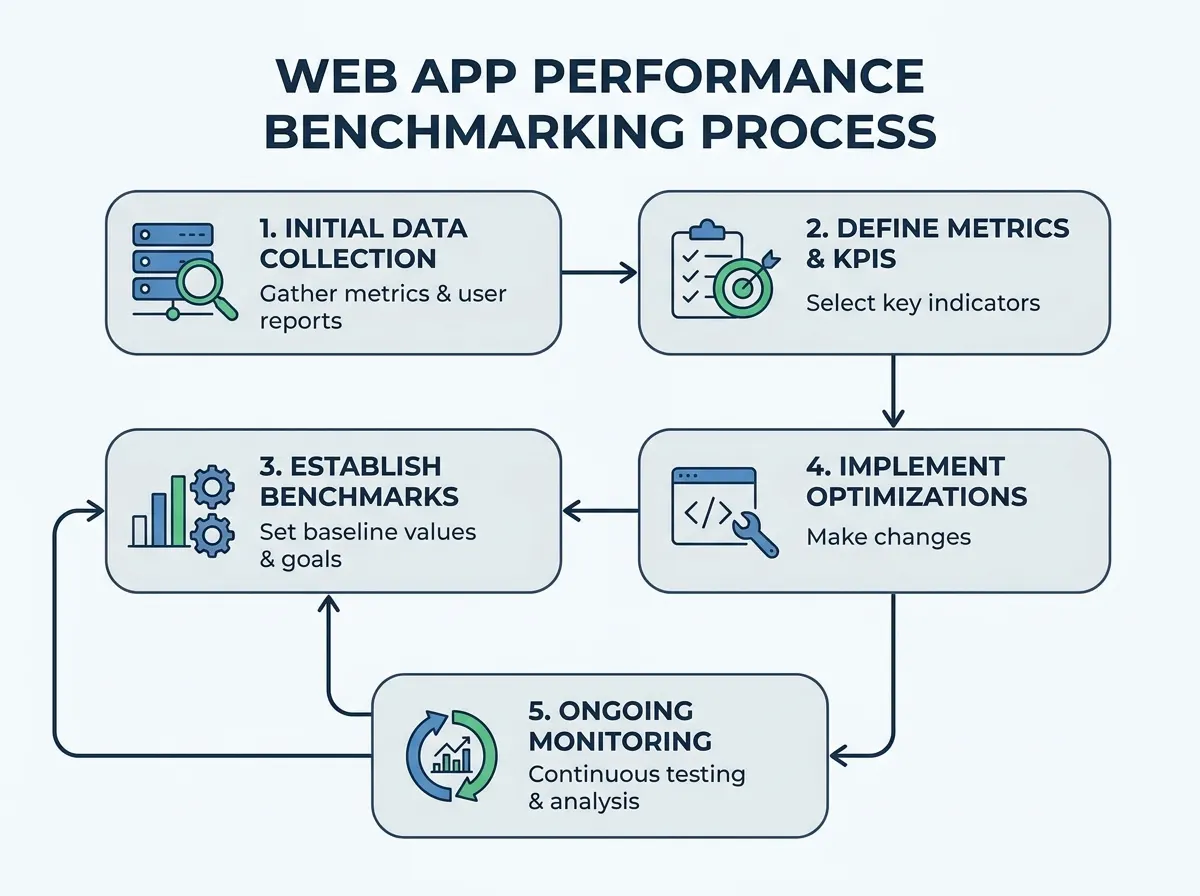
A benchmark that nobody can act on is decoration. Tie each one to a user outcome, a measurement source and a review date.
Start with business and UX priorities
Decide what matters most: mobile bounce rate on landing pages, checkout completion, or how fast a logged-in dashboard responds. Each goal points to a different metric. Bring in product, design, engineering and support early so the target reflects what users actually complain about.
Anchor benchmarks in real data
Measure where you are before you pick where to go. Pull current field data per page type and device, and run a load test to record today’s p95 and error rate at your normal peak. Our guide to establishing a performance baseline quickly covers that first measurement. Add competitor context where it is public: the Chrome UX Report has field data for any origin with enough traffic, so you can compare your p75 LCP with a rival’s instead of guessing.
Write SMART performance benchmarks
Replace “make the site faster” with something specific, measurable, achievable, relevant and time-bound. Each benchmark should name the metric and the user segment, use a measurement source that gives repeatable results, be reachable with the current stack, tie to a business or UX outcome, and carry a deadline or review cycle.
| Before | After |
|---|---|
| ”Make the site faster.” • No clear metric or target. • Teams interpret “faster” differently. • No deadline or user focus. | ”Bring mobile LCP on product pages to 2.5 seconds or less at the 75th percentile by September, measured in Chrome UX Report field data.” • Metric is specified: LCP, not just “speed”. • Target and percentile are clear: 2.5 seconds at p75. • Time-bound and measurable. |
| ”The API should handle Black Friday." | "Search API p95 under 400 ms with errors under 0.5% at 3x last year’s peak request rate, verified by a load test two weeks before the sale.” |
How to enforce benchmarks in your CI/CD pipeline
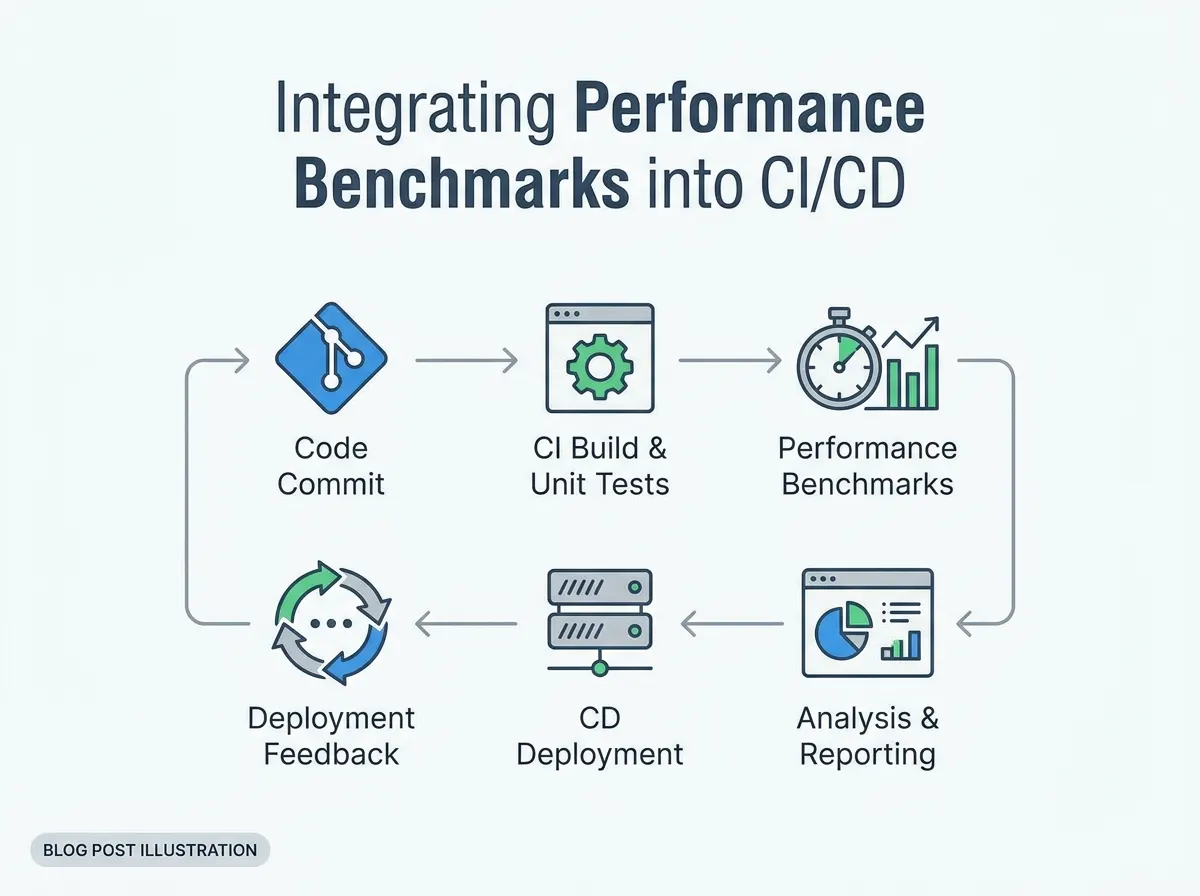
Benchmarks only hold if a regression blocks a release. The pattern is the same whatever the tooling: run a test on every change or on a schedule, compare the result with the stored target, and fail the build when a threshold is exceeded.
- Run a short load test or Lighthouse audit automatically for each deployment candidate.
- Compare results against the baseline and the thresholds (p95, p99, error rate, throughput, LCP).
- Fail the build or block the deploy when a threshold is breached, and keep the result for the trend.
This stops slow drift, where each release adds 20 ms and nobody notices until the total is a second. A trend chart across runs makes that drift visible even when no single run fails. Keep the CI test short and representative; the long soak and stress tests run on a schedule instead.
Measuring and enforcing benchmarks with LoadFocus
LoadFocus covers both halves of this guide. For the back end, LoadFocus cloud load testing runs no-code, JMeter or k6 tests from 25 cloud regions with up to 20,000 concurrent virtual users on paid plans, and reports response time, throughput, error codes and the 50th, 90th and 99th percentiles. You set pass/fail thresholds per test (max P95 and P99 response time, max error rate, minimum throughput) and every run gets a PASS or FAIL verdict. A Trend tab plots P95, error rate and throughput across runs with the thresholds drawn on. A GitHub Action and a verdict API gate deploys, the Jenkins plugin can mark a build UNSTABLE or FAILED, and saved tests can run on an hourly, daily, weekly or monthly schedule.
Two features connect the front-end and back-end benchmarks. With Core Web Vitals under load switched on, a load test samples LCP, CLS, FCP and TTFB on your page while virtual users ramp up, so you see the user count at which the page experience starts to slip. And LoadFocus page speed monitoring runs scheduled Lighthouse audits from several regions, shows Chrome UX Report field data, lets you set Core Web Vitals budgets with alerts, and overlays up to three competitors’ field data on yours.
How to benchmark your own web application, step by step
- Define the test cases. Pick the journeys that matter (landing page, search, login, checkout, the heaviest API) rather than a single homepage hit.
- Choose the metric per case. LCP and CLS for landing pages, INP for interactive screens, p95 and error rate for APIs.
- Record a baseline. Field data for the front end; a load test at today’s normal peak for the back end.
- Set the targets. Use the published thresholds where they exist, and SLO-based percentiles elsewhere.
- Automate. Put the short checks in CI and the long tests on a schedule.
- Analyse, then fix. Look for the consistent bottleneck, not the noisiest chart.
- Retest and refine. Re-measure after every major release or infrastructure change.
Common mistakes when setting performance benchmarks
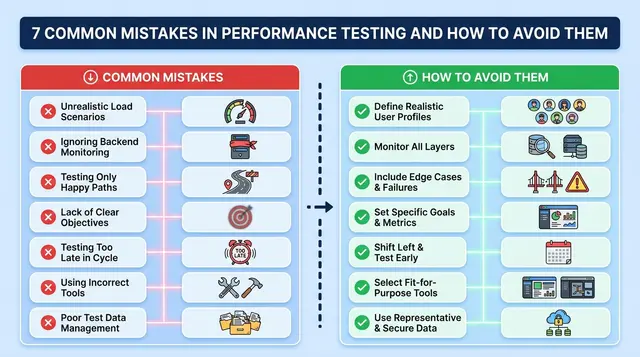
- “Set and forget”. Dependencies, third-party scripts and traffic change even when your code does not. A benchmark last checked a year ago is a guess.
- Lab data only, desktop only. A Lighthouse run on a fast office connection hides what visitors on mid-range phones and slow networks get. Check the mobile field data for each important page type.
- Chasing scores that do not describe your users. A browser benchmark score or a framework’s plaintext number is easy to quote and says little about your app. Benchmark the metrics your users feel: LCP, INP, CLS, and p95 and error rate under load.
- Averages instead of percentiles. A good mean response time can sit on top of a p99 that times out.
- Testing at no load. Response times at one user are a floor, not a benchmark.
| Before | After |
|---|---|
| A team runs Lighthouse and a single-user API timing once, on desktop over office Wi-Fi. Targets are reviewed yearly, and nobody outside the dev team sees the results. | The team keeps field Core Web Vitals per page type and device, runs a short load test with pass/fail thresholds on every deploy and a longer one weekly, and reviews the targets each quarter with product. |
How often should you review performance benchmarks?
Review the targets on a fixed cadence, monthly or quarterly, and also after any event that changes the picture: a redesign, a new third-party script, a framework upgrade, a move to new infrastructure or a big shift in traffic mix. Compare field data against the targets, look at the trend rather than one run, and note what changed.
Pair the numbers with user research. If LCP is under 2.5 seconds but support tickets still say “slow on mobile”, look at the slowest quartile of visits, at INP on the screens people use most, and at session recordings. Raise the bar once you meet a target consistently and the next improvement is worth its cost; record each change and the reason, so the team knows why the target moved.
Frequently Asked Questions
What are performance benchmarks for web applications?
They are repeatable measurements of how fast and stable a web app is, each paired with a target. Typical ones are Largest Contentful Paint, Interaction to Next Paint and Cumulative Layout Shift for the front end, and response time percentiles, error rate and throughput under load for the back end. The target, the percentile and the test conditions are what turn a measurement into a benchmark.
What is a good benchmark for web application performance?
For the front end, Google’s published thresholds: LCP 2.5 seconds or less, INP 200 ms or less and CLS 0.1 or less at the 75th percentile, with TTFB at 0.8 seconds or less as a rough guide. For APIs there is no universal value; express the target as a percentile at a stated load, such as p95 under a set number of milliseconds at your expected peak request rate.
Which tools should I use to measure web app performance?
Use field data (Chrome UX Report, PageSpeed Insights or your own RUM) for real-user Core Web Vitals, Lighthouse for repeatable lab checks, and a load testing tool such as JMeter, k6 or LoadFocus for response time, errors and throughput under load. Browser benchmarks like Speedometer and WebXPRT compare browsers and devices, so they help you pick test hardware but do not measure your site.
How often should benchmarks be reviewed or updated?
Monthly or quarterly, plus after any redesign, framework upgrade, new third-party script or infrastructure change. Run the short checks on every deploy and the long load tests on a schedule so the review has fresh data.
What is the difference between lab benchmarks and real-user monitoring?
Lab benchmarks run in a controlled setup, such as a Lighthouse audit on a simulated phone, so results are repeatable and good for catching regressions. Real-user monitoring collects the same metrics from actual visitors, so it captures the variation in devices, networks and locations. Google judges Core Web Vitals on field data, so use lab tests to prevent regressions and field data to confirm the result.
How do performance benchmarks affect SEO and user experience?
Google says Core Web Vitals align with what its core ranking systems reward, as part of page experience, but good scores do not guarantee a ranking and they do not affect crawling. The bigger effect is on users: a page that renders quickly, responds to input within 200 ms and does not shift under the cursor is easier to use and to buy from.
What are the most common mistakes when setting benchmarks?
Testing only in the lab or only on desktop, quoting averages instead of percentiles, measuring at a single user instead of under load, chasing browser or framework benchmark scores that do not describe your users, and never revisiting targets once they are set.
Sources
- Core Web Vitals thresholds, 75th percentile, mobile and desktop: web.dev/articles/vitals; poor thresholds on web.dev/articles/lcp, web.dev/articles/inp, web.dev/articles/cls (checked October 2026)
- INP replacing FID on March 12, 2024: web.dev/blog/inp-cwv-march-12
- TTFB guidance and “not a Core Web Vital”: web.dev/articles/ttfb
- Core Web Vitals and Google Search: developers.google.com/search/docs/appearance/core-web-vitals
- Response time limits of 0.1, 1 and 10 seconds: Jakob Nielsen, Response Times: The 3 Important Limits
- Speedometer description and current browser benchmark versions: browserbench.org/Speedometer3.1/about.html, browserbench.org; WebXPRT 5: principledtechnologies.com/benchmarkxprt/webxprt (checked October 2026)
- Fiber and Express plaintext figures: docs.gofiber.io/extra/benchmarks (checked October 2026)