Key takeaways
- The LoadFocus API Client (
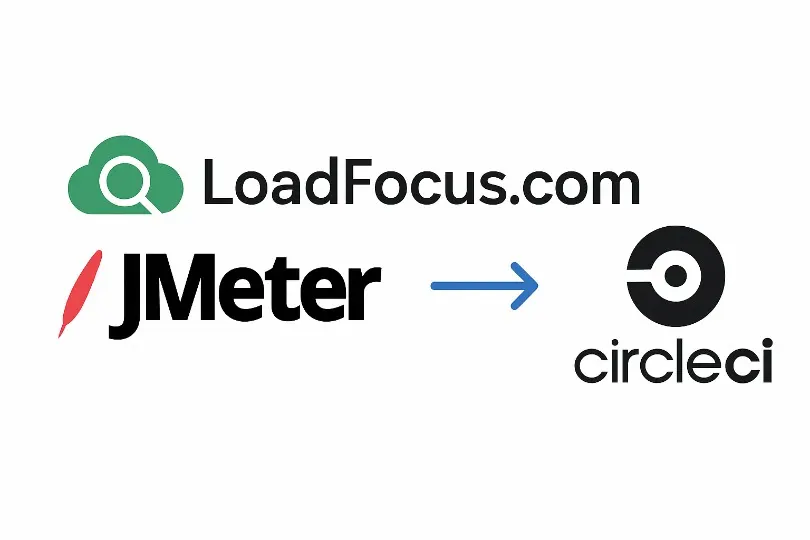
@loadfocus/loadfocus-api-client, npm) runs a JMeter test you have already saved in LoadFocus, waits for it, checks the result against thresholds and sets the process exit code. CircleCI fails the job on a non-zero exit. - Configure the client with
--apikeyand--teamidflags. The positional formconfig set apiKey <value>that older guides print does not set anything, and the run then exits 0 without testing. - Test the gate once with a deliberately impossible threshold. If the job does not go red, nothing is protecting your deploys.
How do I run a LoadFocus load test from CircleCI?
Install the LoadFocus API Client in a job, store your API key and team ID as CircleCI environment variables, and run loadfocus-api jmeter run-test with a --thresholds list. The command starts a saved JMeter test, polls until it finishes, evaluates the results and exits with code 1 if a threshold is missed or the run errors. CircleCI treats any non-zero exit as a failed step, so the workflow stops before deploy.
That is the whole mechanism. The rest of this page is the detail that decides whether the gate actually works: what the client needs, a config checked against CircleCI’s reference, and the traps found by reading the client’s source and running it.
What you need first
- A JMeter test saved in your LoadFocus account. The client’s
--namemust match that saved test’s name (the LoadFocus docs list “verify the test name exists in your LoadFocus account” as the first fix for a failed execution). The client starts the test; it does not create it. See how to run a JMeter test in LoadFocus if you have none yet. - Your LoadFocus API key and team ID.
- A CircleCI project. Add
LOADFOCUS_API_KEYandLOADFOCUS_TEAM_IDunder Project Settings, Environment Variables, so they never appear in.circleci/config.yml.
The client declares Node 14 or newer. I installed version 1.1.7 (published 2025-04-03, still the latest on npm on 2026-10-23) and ran it on Node 23.
A CircleCI config that fails on a missed threshold
version: 2.1

jobs:
  performance_test:
    docker:
      - image: cimg/node:24.22
    steps:
      - checkout
      - run:
          name: Install LoadFocus API Client
          command: npm install -g @loadfocus/loadfocus-api-client
      - run:
          name: Configure LoadFocus API Client
          command: |
            loadfocus-api config set --apikey "$LOADFOCUS_API_KEY" --teamid "$LOADFOCUS_TEAM_ID"
      - run:
          name: Run performance test
          no_output_timeout: 30m
          command: |
            loadfocus-api jmeter run-test \
              --name "My_Saved_JMeter_Test" \
              --thresholds "avgresponse<=200,errors==0,p95<=250" \
              --wait-timeout 1500 \
              --format json | tee performance_results.txt
      - store_artifacts:
          path: performance_results.txt
          destination: performance-test-results

workflows:
  build_test_deploy:
    jobs:
      - build_and_test
      - performance_test:
          requires:
            - build_and_test
      - deploy:
          requires:
            - performance_test
          filters:
            branches:
              only: main
I could not run this pipeline: it needs a real LoadFocus account, a saved test and a CircleCI project. What I did run is the client itself (version 1.1.7, in a scratch folder with fake credentials), and I checked the YAML keys against CircleCI’s configuration reference on 2026-10-23. build_and_test and deploy are your own jobs, which the snippet does not define.
A few choices in that config come from what I found:
cimg/node:24.22replacescimg/node:16.13, which the LoadFocus docs still print. Node 16 is long past end of life. Docker Hub listed22,24,26andltstags forcimg/nodeon 2026-10-23, so check the tag list and pin a current one.teeinstead of>because the client prints progress lines (“Parsed threshold: …”) to standard output ahead of the JSON. A redirect leaves you a file that is not valid JSON, so treat it as a log, not as machine-readable output. Withtee, the exit code that decides the build is still the client’s, because CircleCI runsrunsteps withpipefailby default.no_output_timeoutraises CircleCI’s 10 minute default for a silent command. The client prints a status line about every 10 seconds, so a normal run is not silent, but a longer test deserves the margin.--wait-timeout 1500is the real flag name (default 1800 seconds). The--waitTimeoutspelling in the LoadFocus CircleCI guide is rejected by the client: it printsunknown option '--waitTimeout' (Did you mean --wait-timeout?)and exits 1.store_artifactskeeps the log. CircleCI documents it as running even when an earlier step failed.
Traps that make a CI gate pass by accident
These are the reasons to read the client rather than trust a pasted snippet.
The positional config set does not work. The LoadFocus CircleCI guide and the client’s README print loadfocus-api config set apiKey $KEY. In 1.1.7 the config set command reads only the --apikey, --teamid and --url flags. I ran the positional form: it printed “Configuration updated successfully!” and then showed both values empty. A following run-test printed “Error: Missing required configuration” and exited 0. In a pipeline that is a green job with no test run. Use the flag form above, and add the deliberate-failure test below.
A malformed threshold is a warning, not an error. The parser accepts metric, one of < <= > >= = == !=, and a number, for example p95<=250. Anything else prints “Warning: Invalid threshold format” and is skipped. If every entry is skipped, the client falls back to avgresponse <= 100. So a typo does not fail the build; it silently tests something else.
errors is a count, not a percentage. The client’s own labels call it “Error Count”, so errors==0 means no failed samples at all. Thresholds are checked per label (per request name) as well as overall, which is stricter than a single overall average.
Metric names the client knows: avgresponse, p95, p99, min, max, errors and hitspersec (throughput). Response times are in milliseconds.
Exit codes. The LoadFocus docs say the command “will exit with code 1 if thresholds are not met” and the source sets exit code 1 on a failed threshold and on any error (for example an authentication failure: with a fake key I got HTTP 401 and exit 1). The one exception is the missing-configuration path above. The docs’ follow-up snippet, if [ $? -ne 0 ] after the redirect, adds nothing: CircleCI already stops at the first failing command.
Test the gate once, on purpose
Before you trust the pipeline, make it fail:
- Set an impossible threshold such as
--thresholds "avgresponse<=1"on a branch. - Push it and confirm the
performance_testjob goes red anddeploydoes not run. - Remove the break. Then temporarily remove the API key variable and confirm the job still goes red (it should fail with an error, not pass).
The LoadFocus docs do not describe this check; it is the only way to know your own wiring works.
Alternatives to the client
- Verdict API. LoadFocus can store pass/fail thresholds on the test itself (max P95, max P99, max error rate percent, min throughput) and a
GET /api/v1/jmetertests/verdict?testrunname=<name>&testrunid=<id>call returns the verdict for a finished run, so any pipeline can gate on it (Pass/Fail Thresholds in the docs). You would write thecurland the parsing yourself, which this post does not demonstrate. - CircleCI orb. I searched CircleCI’s public orb registry through its GraphQL API on 2026-10-23 (6,420 orbs listed) and found none named for LoadFocus, so this post does not describe one.
- Other CI systems. The LoadFocus docs have guides for GitLab CI/CD, Azure DevOps, GitHub Actions and Jenkins. For the Bitbucket version of this setup see LoadFocus API With Bitbucket Pipelines.
Practical settings
- Keep the pipeline test short. A gate that takes an hour gets skipped. Run a short test on each merge and schedule longer soak tests separately, for example with scheduled load tests.
- Run it after functional tests, as in the workflow above, so a broken build does not spend load-test time.
- Run it on the branches that deploy. CircleCI documents
whenwithpipeline.git.branchconditions at the workflow level (andwhenon individual steps), not on a job. The version of this page that put awhen: conditionblock on a job was not valid configuration, so it is gone. - Choose thresholds from a baseline. Run the test a few times against a healthy build and set limits a little above what you see. The
200 msand250 msin the example are placeholders, not recommendations. - Pair it with the rest of your CI/CD plan. CI/CD best practices covers the pipeline around the gate, and the 2026 guide to CI/CD load testing tools compares approaches.
Frequently Asked Questions
How do I set environment variables in CircleCI?
Open your project in CircleCI, go to Project Settings, then Environment Variables, and add LOADFOCUS_API_KEY and LOADFOCUS_TEAM_ID. Reference them in the config as $LOADFOCUS_API_KEY, never as literal values in the file.
Does the job fail when a threshold is missed?
It should: the client sets exit code 1 on a failed threshold, and CircleCI fails a step on a non-zero exit. The LoadFocus docs do not describe a test of this, so make one deliberate failure run (see above) before you rely on it.
Can I run different tests for different branches?
Yes. Give each branch’s job a different --name that matches a saved LoadFocus test, and use CircleCI branch filters on the workflow job. Keep the thresholds for the branch that deploys the strictest.
Why did my job pass without running a test?
Most likely the credentials were not set. With the positional config set apiKey form, the client reports missing configuration and still exits 0. Use --apikey and --teamid, and run the deliberate-failure test.
How do I read the results?
With --format json the client prints a JSON result with the overall pass or fail, the label-level metrics and each threshold evaluation, but progress lines come before it in the same output. Open the same run in LoadFocus for the charts.
Sources
- LoadFocus CircleCI guide, loadfocus.com/docs/guides/jmeter-load-testing/jmeter-integration-ci-cd/circleci (read 2026-10-23)
- LoadFocus Pass/Fail Thresholds, loadfocus.com/docs/guides/load-testing/pass-fail-thresholds (read 2026-10-23)
@loadfocus/loadfocus-api-client1.1.7 on npm, README, docs and source, installed and run in a scratch folder (2026-10-23)- CircleCI configuration reference and variables reference, circleci.com/docs/reference (read 2026-10-23)
- Docker Hub tag list for
cimg/node(2026-10-23) - CircleCI orb registry GraphQL listing (2026-10-23)