Key takeaways
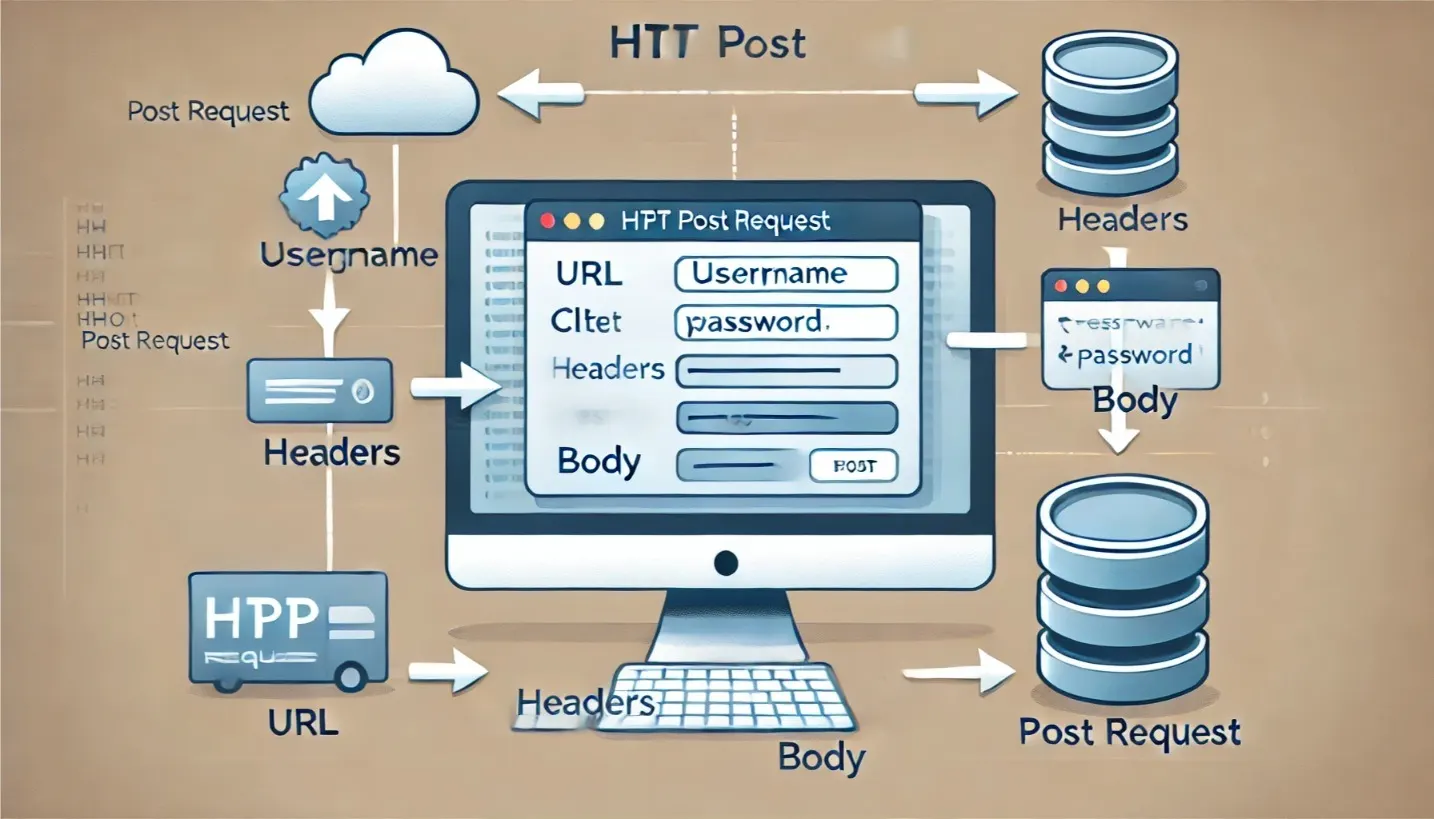
- POST parameters travel in the request body, after the headers, so they stay out of the URL, browser history and most access logs. The URL can still carry a query string of its own.
- The Content-Type header tells the server how to read the body:
application/x-www-form-urlencoded,multipart/form-dataorapplication/json. - A body sent with the wrong Content-Type, or one the server has no parser for, is the usual reason the server sees empty parameters.
In an HTTP POST request, parameters are sent in the request body, not in the URL. The Content-Type header says how they are encoded: an HTML form sends name=Jane+Doe&email=janedoe%40example.com as application/x-www-form-urlencoded, a file upload sends each field as a separate part in multipart/form-data, and most APIs expect a JSON document as application/json. The server reads that header to decide which parser turns the body back into parameters.
What does an HTTP POST request look like?
A POST request is a request line, a set of headers, a blank line and then the body. Here is the request curl sends for a two-field form, as captured on the wire, with the host renamed and only the headers that matter:
POST /api/users HTTP/1.1
Host: example.com
Content-Type: application/x-www-form-urlencoded
Content-Length: 41

name=Jane+Doe&email=janedoe%40example.com
The parameters are the last line. Content-Type names the encoding and Content-Length gives the body size in bytes, so the server knows where the request ends.
HTTP itself does not define what POST does with that data. RFC 9110 says POST asks the target resource to process the enclosed content “according to the resource’s own specific semantics”: submitting a form, creating a resource, appending to one. POST is also not idempotent, so sending the same request twice can create two orders.
Putting parameters in the body keeps them out of the URL, which matters because servers, proxies and browsers log and display URLs. It does not make them secret. Anyone who can read the traffic can read a POST body just as easily as a URL, which is why login forms and API calls must go over HTTPS.
The three ways to encode POST parameters
| Content-Type | What the body looks like | Typical use | Server side |
|---|---|---|---|
application/x-www-form-urlencoded | name=Jane+Doe&email=janedoe%40example.com | HTML forms without files, OAuth token requests | Express express.urlencoded(), Flask request.form |
multipart/form-data | One part per field, separated by a boundary string | Forms with file uploads | Express needs a library such as multer, Flask request.form and request.files |
application/json | {"name":"Jane Doe","email":"janedoe@example.com"} | REST and GraphQL APIs | Express express.json(), Flask request.get_json() |
application/x-www-form-urlencoded
This is the default encoding of an HTML form. Each field becomes key=value, pairs are joined with &, and almost every character other than a letter or digit is percent-encoded: @ becomes %40, and a space becomes +. That makes it compact for short text but a poor fit for binary data.
With curl, -d sends this encoding and sets the header for you. Note that -d sends your string as it is; use --data-urlencode to have curl encode each value:
curl https://example.com/api/form-submit \
  --data-urlencode "name=John Doe" \
  --data-urlencode "email=johndoe@example.com"
multipart/form-data
Multipart encoding sends every field as its own part, separated by a boundary string that the client picks and announces in the header. Each part has a Content-Disposition line with the field name, and file parts also carry a filename and their own content type. This is the request curl sent for a file and a text field in our test, with the host renamed:
POST /api/upload HTTP/1.1
Host: example.com
Content-Type: multipart/form-data; boundary=------------------------JwE1MJFjE8CnYIqxPBEGcy
Content-Length: 334

--------------------------JwE1MJFjE8CnYIqxPBEGcy
Content-Disposition: form-data; name="file"; filename="file.txt"
Content-Type: text/plain

hello file

--------------------------JwE1MJFjE8CnYIqxPBEGcy
Content-Disposition: form-data; name="description"

File upload example
--------------------------JwE1MJFjE8CnYIqxPBEGcy--
The curl command that produced it uses -F once per field. -F sets the header and the boundary, so you do not need a -H for it:
curl https://example.com/api/upload \
  -F "file=@/path/to/file.txt" \
  -F "description=File upload example"
application/json
JSON is what most APIs expect, because it carries nested objects, arrays, numbers and booleans that form encoding cannot express. The body is a JSON document and the header must say so:
curl https://example.com/api/users \
  -H "Content-Type: application/json" \
  -d '{"name":"John Doe","email":"johndoe@example.com"}'
curl 7.82.0 and later have a shortcut, --json '<data>', which sends the body and sets both Content-Type: application/json and Accept: application/json. In all of these examples -X POST is optional: sending a body with -d, -F or --json already makes curl use POST.
Can a POST request have query parameters?
Yes. The URL of a POST request can carry a query string, and the body carries the rest. POST /api/users?source=signup with a JSON body is a valid request, and frameworks keep the two apart: Express puts the query in req.query and the parsed body in req.body; Flask uses request.args and request.form or request.get_json(). Keep anything sensitive in the body, since the query string ends up in logs like any other part of the URL.
Sending POST parameters from a browser
A plain HTML form with method="post" sends its fields form-encoded:
<form action="https://example.com/api/form-submit" method="post">
  <input type="text" name="name" placeholder="Name">
  <input type="email" name="email" placeholder="Email">
  <button type="submit">Submit</button>
</form>
Add enctype="multipart/form-data" as soon as the form has a file input, or the browser sends only the file name:
<form action="https://example.com/api/upload" method="post" enctype="multipart/form-data">
  <input type="file" name="file">
  <input type="text" name="description" placeholder="Description">
  <button type="submit">Upload</button>
</form>
From JavaScript, the Fetch API sends whatever body you give it. For JSON, serialize the object and set the header:
fetch('https://example.com/api/users', {
  method: 'POST',
  headers: {
    'Content-Type': 'application/json'
  },
  body: JSON.stringify({ name: 'Jane Doe', email: 'janedoe@example.com' })
})
.then(response => response.json())
.then(data => console.log(data))
.catch(error => console.error('Error:', error));
For form encoding, pass a URLSearchParams object and fetch sets Content-Type: application/x-www-form-urlencoded;charset=UTF-8 itself:
fetch('https://example.com/api/users', {
  method: 'POST',
  body: new URLSearchParams({ name: 'Jane Doe', email: 'janedoe@example.com' })
});
For uploads, pass a FormData object and do not set Content-Type yourself. The browser has to add the boundary to that header, and a hand-written multipart/form-data header without one leaves the server unable to split the parts.
Sending POST parameters from Python and Node.js
In Python, the requests library picks the encoding from the argument you use. json= serializes a dict and sets Content-Type: application/json; data= sends the same dict form-encoded:
import requests

url = 'https://example.com/api/users'
payload = {'name': 'Jane Doe', 'email': 'janedoe@example.com'}

response = requests.post(url, json=payload)   # application/json
print(response.json())

response = requests.post(url, data=payload)   # application/x-www-form-urlencoded
print(response.json())
In Node.js, axios sends a plain object as JSON by default:
const axios = require('axios');

axios.post('https://example.com/api/users', {
  name: 'Jane Doe',
  email: 'janedoe@example.com'
})
.then(response => {
  console.log(response.data);
})
.catch(error => {
  console.error('Error:', error);
});
Reading POST parameters on the server
The server only sees parameters for the encodings it has a parser for. In Express, register one middleware per encoding you accept:
const express = require('express');
const app = express();

app.use(express.json());                          // application/json
app.use(express.urlencoded({ extended: false }));  // application/x-www-form-urlencoded

app.post('/api/users', (req, res) => {
  const { name, email } = req.body;
  res.json({ message: `User ${name} with email ${email} added.` });
});

app.listen(3000, () => {
  console.log('Server running on port 3000');
});
Neither built-in parser reads multipart/form-data: a multipart request to this route arrives with an empty req.body. Add a library such as multer on the upload routes.
In Flask, request.get_json() only accepts a JSON content type; a form post to a route that calls it gets a 415 Unsupported Media Type response. To accept both, fall back to the form fields:
from flask import Flask, request, jsonify

app = Flask(__name__)

@app.route('/api/users', methods=['POST'])
def add_user():
    # JSON body if the Content-Type says JSON, otherwise the form fields
    data = request.get_json(silent=True) or request.form
    name = data.get('name')
    email = data.get('email')
    return jsonify(message=f'User {name} with email {email} added.')

if __name__ == '__main__':
    app.run(port=5000)
We ran the curl, Python and JavaScript samples on this page against these two servers on localhost (Express 4.17, Flask 3.1) with curl 8.7, Python requests 2.32, axios 1.7 and the fetch built into Node.js 23, in October 2026.
Why does the server receive an empty POST body?
Almost always, the body and the Content-Type header disagree, or the server has no parser for the type. The four cases we hit while testing these examples:
- JSON sent without a JSON header.
curl -d '{"name":"John Doe"}'with no-Hgoes out asapplication/x-www-form-urlencoded. Express then parses the whole JSON string as a single form field name, andreq.body.nameisundefined. - A hand-set multipart header. Setting
Content-Type: multipart/form-dataon a fetch call with aFormDatabody sends the header without its boundary, and the server cannot find the parts. - No parser for the type. An Express app with only
express.json()sees{}for form and multipart posts. - A strict JSON reader. Flask’s
request.get_json()answers 415 to a form post instead of returning the fields.
If the parameters arrive but the server still answers 500, the problem is in the handler rather than the encoding; see why GET or POST requests return 500 Internal Server Errors.
Security considerations for POST parameters
- Use HTTPS. POST hides parameters from the URL, not from the network.
- Validate every parameter on the server. Check types and lengths, and do not trust that a field is a string because the form had a text box.
- Protect state-changing forms against CSRF with a per-session token, since a browser will send a cross-site form post with the user’s cookies.
- Use parameterized queries so a parameter value can never become SQL.
Tools for testing POST requests
Postman: pick POST, enter the URL, open the Body tab and choose form-data, x-www-form-urlencoded or raw with JSON. Postman adds the matching Content-Type header for you, and a header you set by hand takes precedence.
curl: the quickest way to send a request from a terminal or a CI script, with -d, --data-urlencode, -F and --json covering the three encodings above. Add -v to print the request headers curl actually sent.
For API test suites in Java, our Rest Assured API testing guide covers the same requests with assertions on the response. Token endpoints are a common real-world form-encoded POST: the OAuth2 API performance testing guide shows how to fetch a token in a load test before calling the API.
Load testing and monitoring POST endpoints with LoadFocus
A POST endpoint that works for one request can still slow down when hundreds arrive at once. With LoadFocus load testing you set the method, headers, authentication and JSON body of each request and run it from cloud regions, or upload a JMeter or k6 script that already does. The free API load test is limited to GET requests against a public URL; POST bodies need the full app. Once the endpoint is live, API monitoring checks the status code, response body, headers and response time on a schedule, and can chain requests so a token from a login call is used in the next request.
Frequently Asked Questions
How to send parameters in an HTTP POST request?
Put them in the request body and set the Content-Type header to match the encoding: application/x-www-form-urlencoded for simple form fields, multipart/form-data when you upload files, or application/json for APIs. Most clients set the header for you when you use their form or JSON option.
How does a POST request send data?
It sends the data as the request body, after the headers and a blank line. The Content-Length header gives the body size and the Content-Type header tells the server how the data is encoded.
How to send parameters in a POST request in Postman?
Select the POST method and enter the URL. In the Body tab, choose form-data, x-www-form-urlencoded, or raw with JSON selected, then enter your parameters. Postman sets the matching Content-Type header automatically.
How do you send request parameters in a GET request?
Append them to the URL as a query string: a ? followed by key=value pairs joined with &, for example ?page=2&sort=date. A GET request should not carry a body, because RFC 9110 gives a GET body no defined meaning and some servers reject it.
How to send parameters in a POST request using curl?
Use -d or --data-urlencode for form-encoded fields, -F for multipart fields and file uploads, and -H "Content-Type: application/json" with -d, or --json, for a JSON body. Example:
curl https://example.com/api \
  -H "Content-Type: application/json" \
  -d '{"key1":"value1", "key2":"value2"}'
Is POST more secure than GET?
Only slightly. POST keeps parameters out of the URL, so they do not end up in browser history, bookmarks or server access logs. The body is still readable by anyone who can see the traffic, so sensitive data needs HTTPS whichever method you use.
How do I send URL parameters?
Append them to the URL after a ? and separate them with &, for example https://example.com/api?param1=value1¶m2=value2. This works with POST as well as GET.
How do I give path parameters to a URL?
Path parameters are part of the path itself, defined by the server’s routes. In https://example.com/api/users/{userId}, the client replaces {userId} with a real value such as /api/users/42.
How are URL parameters separated?
With the & character, and each name is joined to its value with =. For example: ?param1=value1¶m2=value2.
How are URL parameters encoded?
With percent-encoding: a reserved or non-ASCII character is replaced by % and its hex byte value, so @ becomes %40. Spaces are the one inconsistency: form encoding, used for HTML form query strings and POST bodies, writes a space as +, while percent-encoding elsewhere in a URL writes it as %20.
Sources
- RFC 9110, HTTP Semantics: section 9.3.3 (POST), 9.3.1 (GET) and 17.9 (sensitive information in URIs)
- POST request method and Using FormData objects, MDN (October 2026)
- application/x-www-form-urlencoded serializing, WHATWG URL Standard
- RFC 7578, multipart/form-data and RFC 8259, JSON
- Sending JSON with curl, Everything curl
- Send parameters and body data, Postman docs