Ramp Up Time ในการทดสอบโหลดคืออะไร
Ramp Up Time ในการทดสอบโหลดคืออะไร
คุณสมบัติ Ramp Up Time แสดงความล่าช้าระหว่างเริ่มต้นการทดสอบจนกว่า virtual users ทั้งหมดจะทำงาน
ซึ่งเป็นอิสระจากการตั้งค่า Duration และบอกว่าใช้เวลานานเท่าใดในการ "ramp-up" ไปยังจำนวน Virtual Users เต็มที่เลือก
Ramp Up Time ต้องยาวพอที่จะหลีกเลี่ยงโหลดที่มากเกินไปในตอนเริ่มต้นการทดสอบ และสั้นพอที่ virtual users คนสุดท้ายจะเริ่มทำงานก่อนที่คนแรกจะเสร็จ (เว้นแต่ต้องการให้เป็นเช่นนั้น)
การตั้งค่านี้คล้ายกันสำหรับ JMeter Load Testing
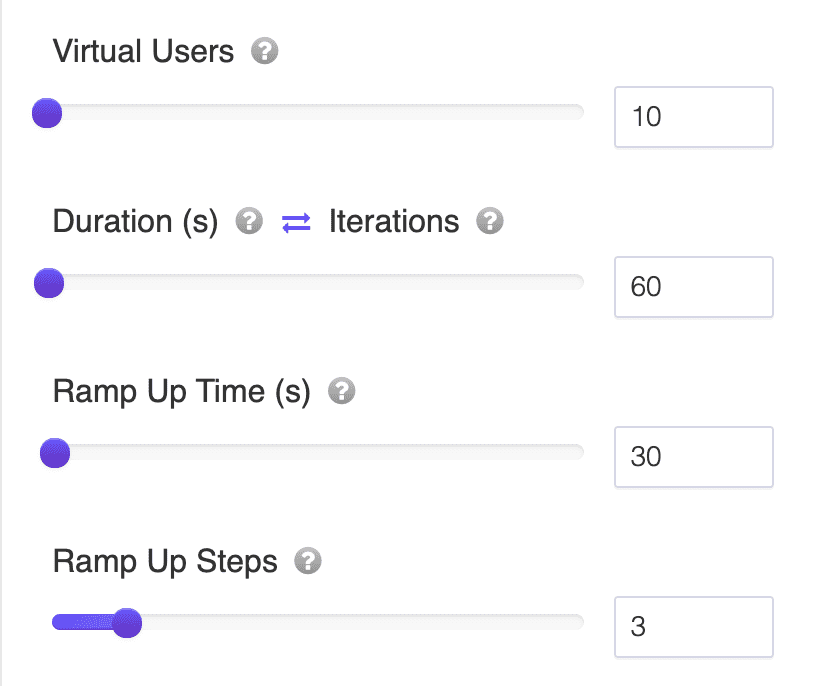
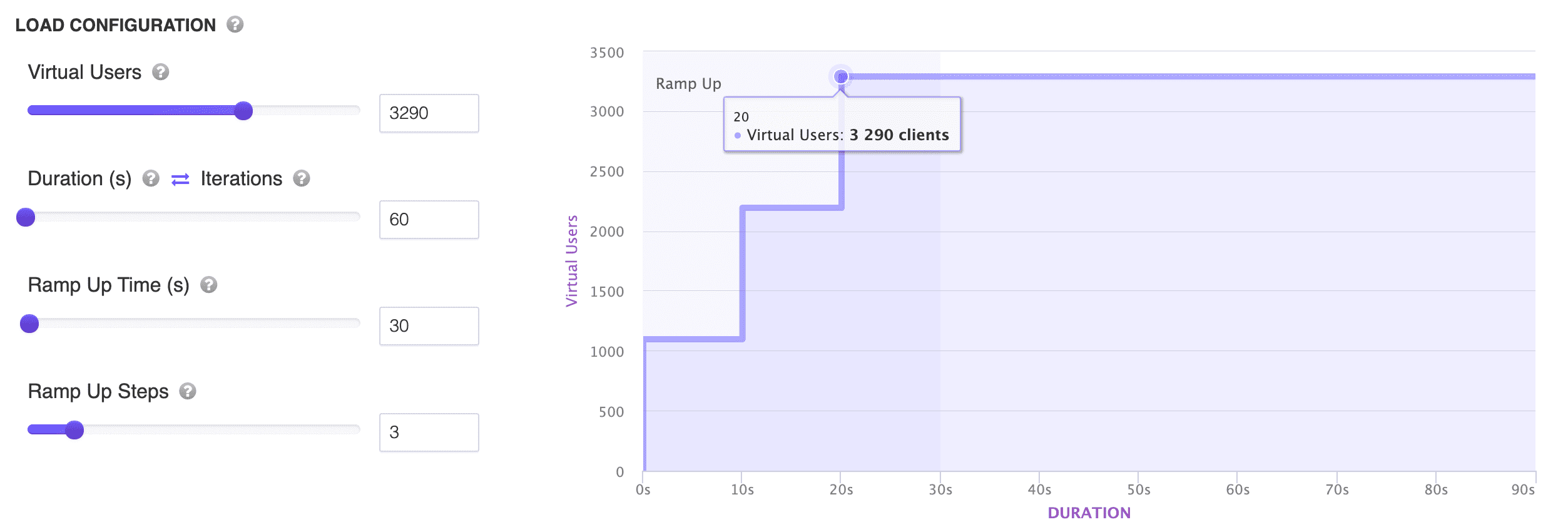
หมายเหตุ: คุณสามารถเลื่อนการตั้งค่า Ramp Up Time เพื่อดูภาพการทดสอบโหลดที่คุณกำลังจะรันได้ดีขึ้น
Ramp-Up Duration and Steps in JMeter Load Testing
Understanding the concepts of "Ramp-Up Duration" and "Steps" is crucial when using JMeter for Load Testing. These concepts help in designing tests that simulate realistic load patterns on your target applications.
Ramp-Up Duration in JMeter
The Ramp-Up Duration is the time it takes for JMeter to start all the threads (or virtual users) that you wish to simulate. For example, if you have a thread count of 100 and a ramp-up duration of 100 seconds, JMeter would start 1 thread every second.
The purpose of the ramp-up duration is to prevent a sudden surge of traffic on the application. This is pivotal when testing systems that might struggle with large, immediate volumes of traffic.
Steps
While "Steps" isn't a standard term within JMeter's vocabulary, it's often employed to describe the way the load is increased during a test. A "step load" pattern involves incrementally increasing the number of users in stages or "steps" until the desired peak load is achieved.
For instance, you might choose to introduce 10 users every 10 seconds until a total of 100 users are active. This method allows for monitoring the system's behavior at varying levels of load.
Realistic Example
Suppose you aim to simulate 500 users and observe the system's reaction as the number of users progressively escalates.
Thread Count (Users): 500 Ramp-Up Duration: 100 seconds Steps: 5
Given this configuration:
- Every 20 seconds (which is 100 seconds divided by 5 steps), a new batch of users would commence.
- Each step would introduce 100 users (500 users divided by 5 steps).
- This means that JMeter starts 5 users every second for each step since 20 seconds divided by 100 users results in 0.2 seconds per user.
Over the span of 100 seconds, all 500 users would be active, with the load being introduced in 5 distinct stages. This setup facilitates a phased observation approach. It lets you evaluate the system's response with 100 active users, then 200, and so forth until all 500 users are engaged. This controlled way of adding load is excellent for pinpointing performance issues at different load levels.
For more advanced testing scenarios, consider using JMeter Cloud Load Testing with LoadFocus to leverage multiple cloud locations and gain deeper insights.