Load Testing
See how your websites or APIs are doing under load.

JMeter Load Testing
Run your JMeter test scripts from multiple locations.

k6 Load Testing
Run your k6 test scripts from multiple locations.

Page Speed Monitoring
Monitor and optimize your website performance.

API Monitoring
Monitor health and performance of your APIs.



Load Test Demo
Share this report
- Overview
- AI Assist
- Timeline
- Trend
- Insights
- Errors
- Stats
- Logs
- Notes
Request
Configuration
Virtual Users | |
Duration |
Ramp Up Time | |
Ramp Up Steps |
Loc. | |
Run |
Start | |
End |
Baseline | No baseline.Current test run.Test run |
Notes |
Response codes |
|---|
Samples![]()
Avg. Response Time![]()
90% Response Time![]()
95% Response Time![]()
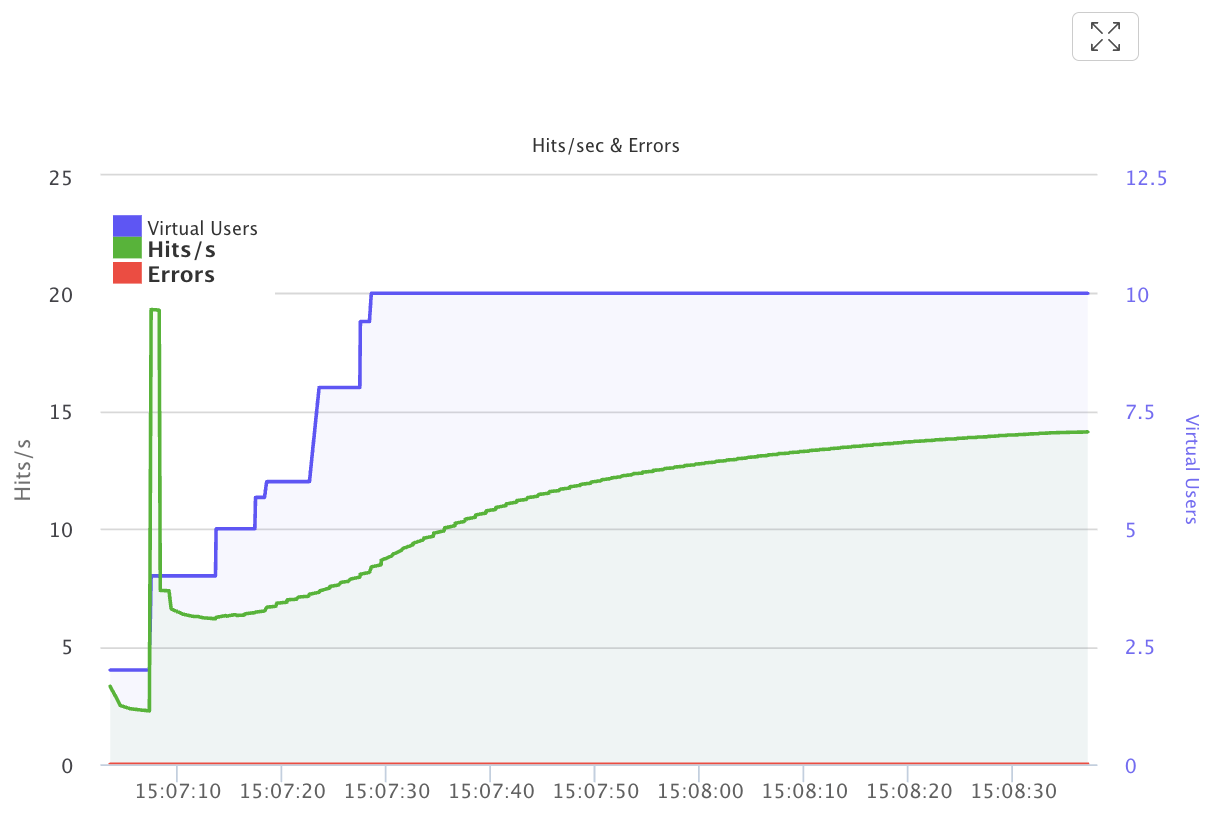
Hits / sec![]()
Errors %![]()
Granularity![]()

Performance trend![]()
How this test has performed across its recent runs. Threshold lines and pass/fail colours appear when pass/fail thresholds are set.
Results will be visible once the test is completed.
Results will be visible once the test is completed.
Results will be visible once the test is completed.
Results will be visible once the test is completed.
Results will be visible once the test is completed.
Results will be visible once the test is completed.
Results will be visible once the test is completed.
Page speed under load![]()